Question

Did Sierra break screen locking?

  • November 3, 2016
  • 25 replies
  • 53 views

Forum|alt.badge.img+5

Hi all,

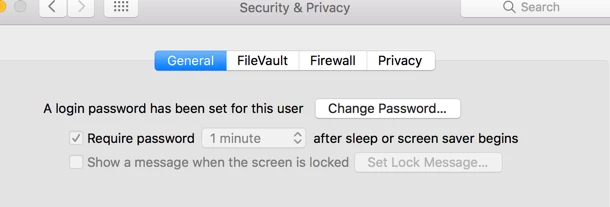
We have a policy we deploy to set the screensaver time and to force a password when existing screensaver or waking from sleep. It seems that Sierra is ignoring this, so I was wondering if anyoen's also seeing similar. This is a pretty big deal, security-wise, since it fails for both screensaver and sleep.

Any advice?
25 replies

Forum|alt.badge.img+3
  • New Contributor
  • November 3, 2016

I've experienced the same issue.


Forum|alt.badge.img+14
  • Valued Contributor
  • November 3, 2016

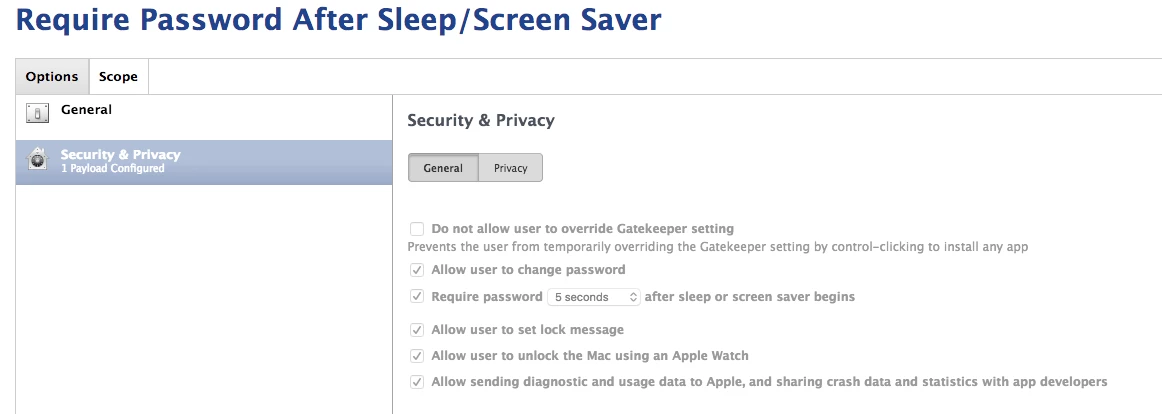
I'm running Casper 9.96 and have a Sierra system sitting next to me receiving a configuration profile that requires a password after 5 seconds after sleep or screen saver begins. It's worked perfectly for me. Is it possible you have conflicting configuration profiles?

I would also be curious what version of Casper you're running. We had a similar problem months ago where our configuration profile setting for this same thing was ignored when we had it set to immediately. Changing it to 5 seconds fixed it. My understanding was that this was addressed with an update from Jamf but I never bothered testing again as we're content with 5 seconds.


Forum|alt.badge.img+5
  • Author
  • Contributor
  • November 4, 2016

I'm using a Configuration Profile with a custom payload, as we hit that JSS bug a while ago too, and that was the workaround. We're on 9.96 as well, and this seems to be impacting all our Sierra machines, but not El Capitan. My test pool is only 3-4 machines so far, but all of them have this behavior.

{tokenRemovalAction=0, askForPassword=1, askForPasswordDelay=60, idleTime=600}


Forum|alt.badge.img+9
  • Valued Contributor
  • November 4, 2016

This worked for me:
https://www.johnkitzmiller.com/blog/security-privacy-configuration-profile-bug-in-casper-9-82/
Make sure you use two payloads - Built-in + custom from site


Forum|alt.badge.img+14
  • Valued Contributor
  • November 4, 2016

Have you tried just using what's built into Casper rather than rolling the customized profile? That's what I use.


Forum|alt.badge.img+2
  • New Contributor
  • November 4, 2016

I agree with @jhuls, we just use the built in Casper configs and works fine here. No custom payloads for this setting.


Forum|alt.badge.img+5
  • Author
  • Contributor
  • November 4, 2016

I can confirm that the built-in profile works, but it has some undesired "extras". For one, I'll have to also either force the Firewall to be on or off; I can't give the end user choice on that with the built-in settings. If I decide to enable the firewall, I then have to centrally define exclusions we'd normally allow the user to do themselves.

Am I missing something here, or is this just trading one problem or another?


Forum|alt.badge.img+1
  • New Contributor
  • November 7, 2016

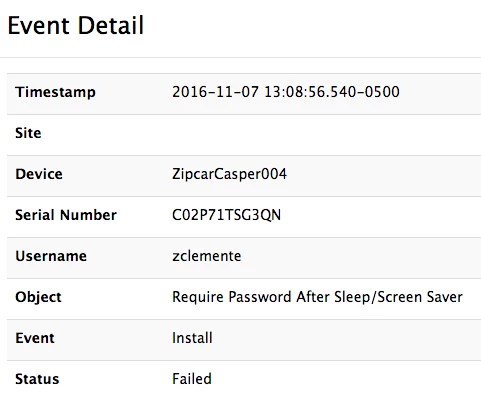
We're having the same issue here. Sierra machines appear to fail the policy for locking after 5 seconds where our El Capitan machines are fine - on v9.96.


Forum|alt.badge.img+14
  • Valued Contributor
  • November 7, 2016

@zipcar Are you using Casper's builtin profile configuration or are you also using a customized profile payload?

@pmcgurn Not to start a rant session but my experience with Apple's Configuration Profiles has been that from the start. I use to manage a Windows domain where Group Policies are used for managing systems. I would take that in a heartbeat over what Apple gives us. It is what it is though. If I need more customization, I try to script or go another way if I can rather than use those profiles. If I'm going to have a headache, I'd rather make it what feels like a productive headache.


Forum|alt.badge.img+1
  • New Contributor
  • November 7, 2016

@jhuls Using the built-in profile config

I'm not sure how to get more detailed logs beyond this.

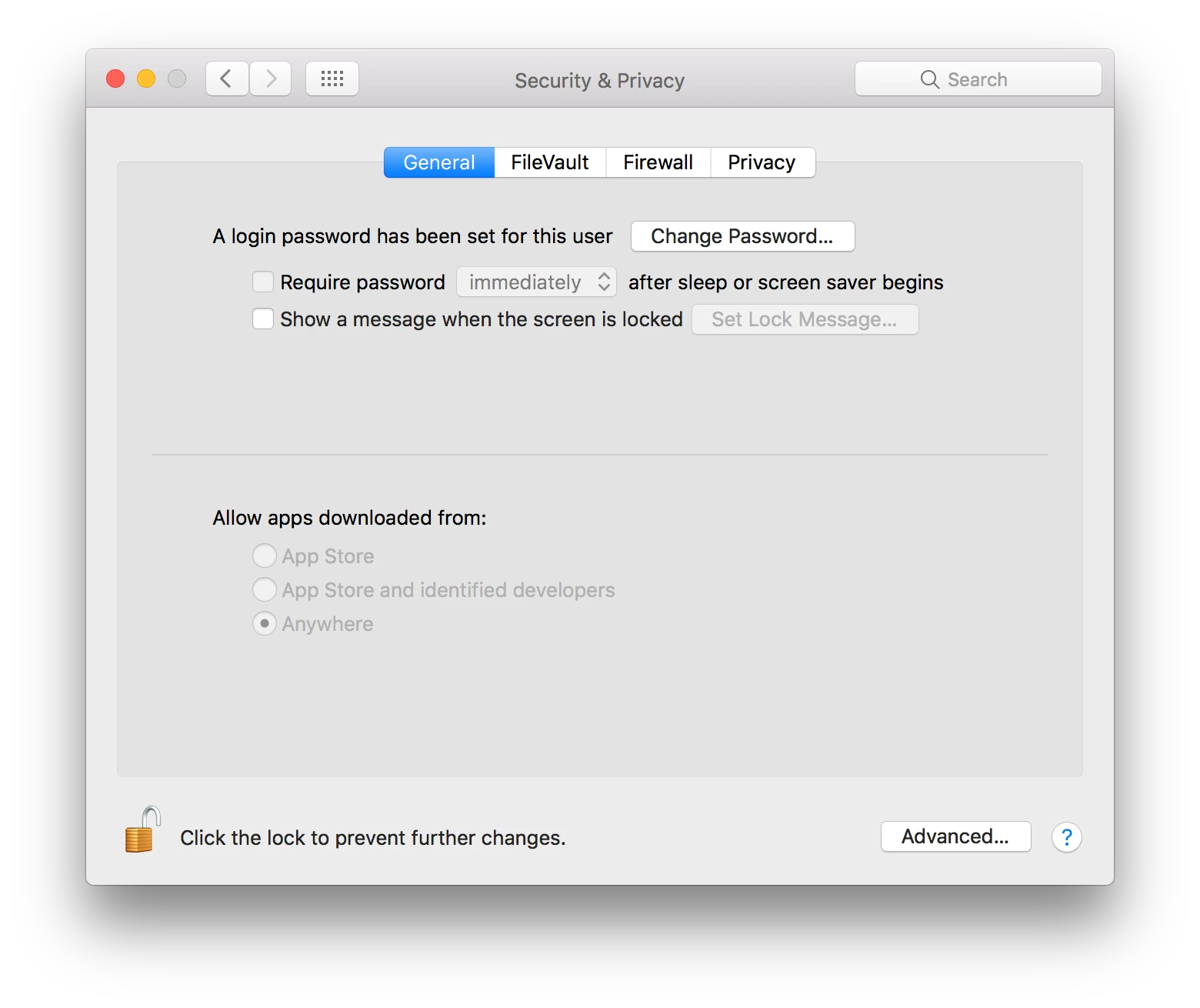
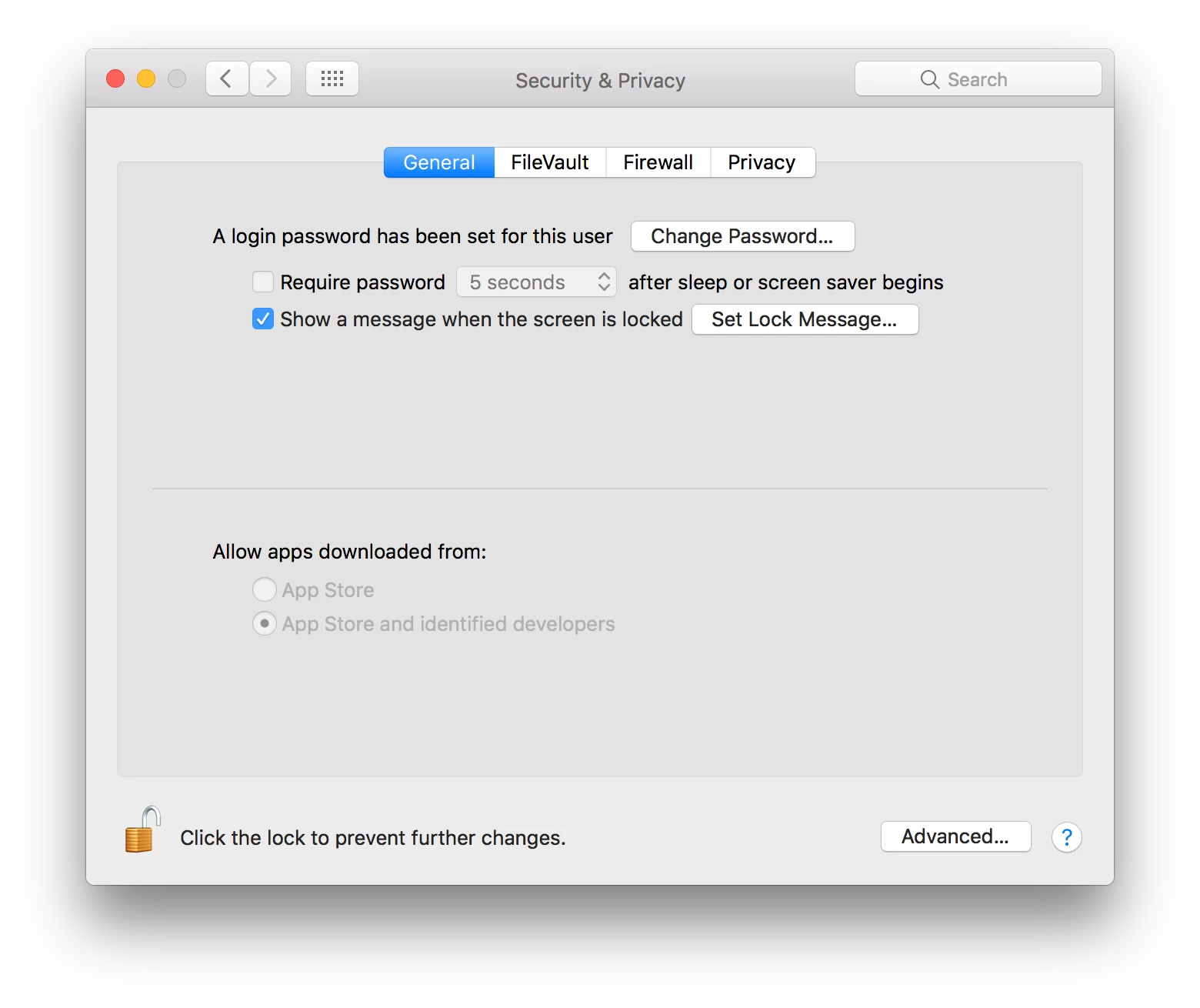
It's worth noting that a fresh Sierra install -> enrollment and using the Casper Imaging with built both have this problem where the setting is greyed out on the client, even if you've unlocked the screen.

However, if I take a managed El Capitan client with the setting already active and update it to Sierra - the setting stays and works.


Forum|alt.badge.img+14
  • Valued Contributor
  • November 8, 2016

@zipcar Have you tried switching that profile over to apply at the computer level to see if it works? That's what I'm using.


Forum|alt.badge.img+1
  • New Contributor
  • November 8, 2016

@jhuls that's a great idea - I'll give that a shot, thanks!


Forum|alt.badge.img+1
  • New Contributor
  • November 8, 2016

@jhuls No dice, I'm afraid. It has the 5 second setting now, but doesn't activate. Even if I manually edit the com.apple.screensaver plist file to enable it, it doesn't work.


Forum|alt.badge.img+14
  • Valued Contributor
  • November 9, 2016

@zipcar Have you looked at the Profiles system preference on the client to make sure it's showing up correctly there?


Forum|alt.badge.img+6
  • Contributor
  • November 9, 2016

We're seeing the same issue though it seems to only be on ElCap machines which were updated to Sierra. We do have it set to "immediately"; will try backing it off to 5-15 seconds.

Wondering if the ones who got it working after upping the timeout, actually were fixed due to the policy being re-applied...that has been our workaround so far (excluding the system, then unexcluding it again so it gets the profile).


Forum|alt.badge.img+1
  • New Contributor
  • November 10, 2016

@jhuls yeah, looks like it's deployed (before it would fail deployment) and...it's suddenly working? I haven't changed anything since replying two days ago so I'm a bit confounded.


Forum|alt.badge.img+1
  • New Contributor
  • November 10, 2016

@jhuls lol spoke to soon - restarted to validate and it's turned off again.


Forum|alt.badge.img+1
  • New Contributor
  • November 10, 2016

@jhuls looks like when I restart the computer, the profile stops working but then over time (or if I force a redeploy) it'll work again.


Forum|alt.badge.img+14
  • Valued Contributor
  • November 11, 2016

It sounds like you need to talk to support at Jamf. Good luck!


Forum|alt.badge.img+6
  • Contributor
  • April 7, 2017

Anyone else open a ticket about this? I'm getting reports of it again too, after I thought we had it fixed a while ago.


Forum|alt.badge.img+6
  • Contributor
  • April 10, 2017

I opened a ticket and here was the response I got; I haven't tested it yet (and it is tricky, as it seems like the policy will apply properly on a fresh Sierra install, it only seems to break in my experience with an ElCap --> Sierra upgrade).

In the past we have had an issue with the screen saver settings starting when we wanted to so we used the workflow to combine the Security & Privacy payload with the Login Window payload. We have seen that in some environments that having those payloads in separate Profiles works better. Unscope a machine or 2 from the current Profile and create 2 separate Profiles. One using just the Security & Privacy payload and the other just using the Login Window payload and scope to the test machine. Let us know how the test goes.

Forum|alt.badge.img+14
  • Valued Contributor
  • April 10, 2017

I had to make a separate (and new) configuration profile for Sierra users. So, one for El cap users and one for Sierra users and the issue has not popped up since.

Previously I was using one configuration profile (for this setting) to rule them all and that seem to cause the issue across different OSes.


Forum|alt.badge.img+14
  • Valued Contributor
  • April 10, 2017

Double post. JAMF really needs to fix this double posting issue or at least let us delete a post.


Forum|alt.badge.img+6
  • Contributor
  • April 10, 2017

OK so did you just cloned the original and scoped it to only Sierra machine via Smart Groups, and excluded Sierra from the other one (and or only targeted El Cap and below)?


Forum|alt.badge.img+14
  • Valued Contributor
  • April 10, 2017

I just made a brand new one from scratch for Sierra clients only and excluded sierra clients from the original configuration profile.