Question

El Cap and Adobe Temp Install Account

  • October 2, 2015
  • 39 replies
  • 242 views

Forum|alt.badge.img+13

Hi JN,

I thought I would get a jump on my testing/building an El-Cap image and environment. I downloaded the bits for 10.11 and went through the AutoDMG process and came up with a nice (reasonably) small 8GB DMG. I dropped it into Casper Admin, etc.

Problem: I can drop a plain image of El Cap just fine. It comes up to the normal login screen and I can login with my predetermined management account.

If I create a Configuration with even just one app (in this case, Office 2016), the image comes up with the iCloud login (which I skip past), and then presents me with the El Cap desktop and wallpaper. I was immediately puzzled as I had not set any other parameters such as auto-login, etc. I checked the login account and it is the Temporary Adobe Install Account.

I am running 9.81 in my test environment. I have tried removing Office 2016 and adding things like Fugu, XQuartz, or others and the result is the same. I have been using a machine that is not scoped for any policies ( https://jamfnation.jamfsoftware.com/discussion.html?id=4342 ). Tried the script mentioned here: https://jamfnation.jamfsoftware.com/discussion.html?id=10297

No searching has revealed any useful info.

Thanks in advance.

Your canary in the coal mine,

/randy

39 replies

Forum|alt.badge.img+10
  • Contributor
  • October 2, 2015

I've had this happen a few times in previous versions. Long story short, try this:
1. Have your scripts run "at reboot" 2. Make sure that packages have "Install on Boot Drive after imaging" checked.


mm2270
Forum|alt.badge.img+24
  • Legendary Contributor
  • October 2, 2015

Randy, have you checked any of the packages you've been added to see if the Install on boot drive option is checked on them? If so, it would be putting those packages into a first run phase, which means they won't get installed until after the Mac boots (hence the Temporary Adobe Install Account - really wish JAMF would change the name of that account by now)


Forum|alt.badge.img+13
  • Author
  • Contributor
  • October 2, 2015

Actually both of you gave me a clue. However, I had to UNCHECK Install on Boot Drive After Imaging on any packages I happen to want to add to my Managed Preference Profile. So, I tried that with Office 2016 only and it behaves as expected. This is different than my Mavericks and Yosemite configs. Most of my packages were set to Install on boot drive after imaging and the Adobe Account Installer issue never happened. Undocumented feature or not?


Forum|alt.badge.img+18
  • Employee
  • October 2, 2015

Are you also using Casper Imaging version 9.81 with your JSS 9.81? I have seen this exact behavior when mixing Install on Boot Drive packages with an older version of imaging than what the JSS is on.


Forum|alt.badge.img+13
  • Author
  • Contributor
  • October 2, 2015

UPDATE:

I have noticed that my Yosemite and Mavericks Configs are now exhibiting this behavior as well. I have unchecked the box on the packages in those configurations and am in the process of dropping those images on test machines. Looks like this might be a bug introduced in 9.81-at least here in my environment.

I will update this update after I confirm I can fix it by unchecking Install on Boot Drive After Imaging.

/randy


mojo21221
Forum|alt.badge.img+12
  • Valued Contributor
  • October 3, 2015

Perhaps verify you are using Casper imaging 9.8.1 when pushing your image out to your test machine. I had a similar issue when testing my 9.8 environment as the temp adobe account couldn't finish performing its magic due to my initial Casper imaging app being 9.65. Basically it seems that with the change in client framework the temp adobe login could not handle the updating of the client while finishing installing the packages that were scheduled to install on boot drive after imaging. Hope this helps :)


Forum|alt.badge.img+5
  • Contributor
  • October 5, 2015

I can confirm I had the same issue, and updating our Netboot image to 9.81 has solved the issue.

Good luck!


DBrowning
Forum|alt.badge.img+25
  • Esteemed Contributor
  • October 5, 2015

I too was seeing an issue once i upgraded JSS to 9.8 and my imager was still at 9.7x. Once i updated the imager to 9.8 everything went back to normal.


Forum|alt.badge.img+14
  • Contributor
  • October 5, 2015

To fix this issue, everything has to match.

JSS on 9.81 and your Netbot set should also be on 9.81.


Forum|alt.badge.img+13
  • Author
  • Contributor
  • October 5, 2015

@dan.kubley You may just have nailed it! My netboot clients are a couple behind. I will have to update those and then see what happens!

Stay tuned....

/randy


Forum|alt.badge.img+14
  • Contributor
  • October 5, 2015

I take what I said back. I'm also having this issue. Netboot is on 10.10.5, JSS/Casper imaging on 9.81 and the JAMF Helper will not show.


Forum|alt.badge.img+13
  • Author
  • Contributor
  • October 5, 2015

I just updated my environment to 9.81 and rebuilt my NBI to 10.10.5 too. Still having the issue.


Forum|alt.badge.img+9
  • Contributor
  • October 6, 2015

Having the same issue as @Diddel . On v9.81 JSS and made a fresh 10.10.5 NBI with Imaging v9.81; still no dice. 9.81 bug?


Forum|alt.badge.img+13
  • Author
  • Contributor
  • October 6, 2015

UPDATE:

I have had mixed luck since updating the Imaging client and my NBI. I have three machines: A 21.5" iMac, a 12" Macbook, and a 15" Macbook Pro Retina.

I was able to get the iMac to complete once without interruption, and then it went back to the Adobe Installer on subsequent image attempts. I then rebooted that iMac and it picked up with the 1st Run routine and completed OK. Not sure what is going on there.

The MBP finished with no issues.

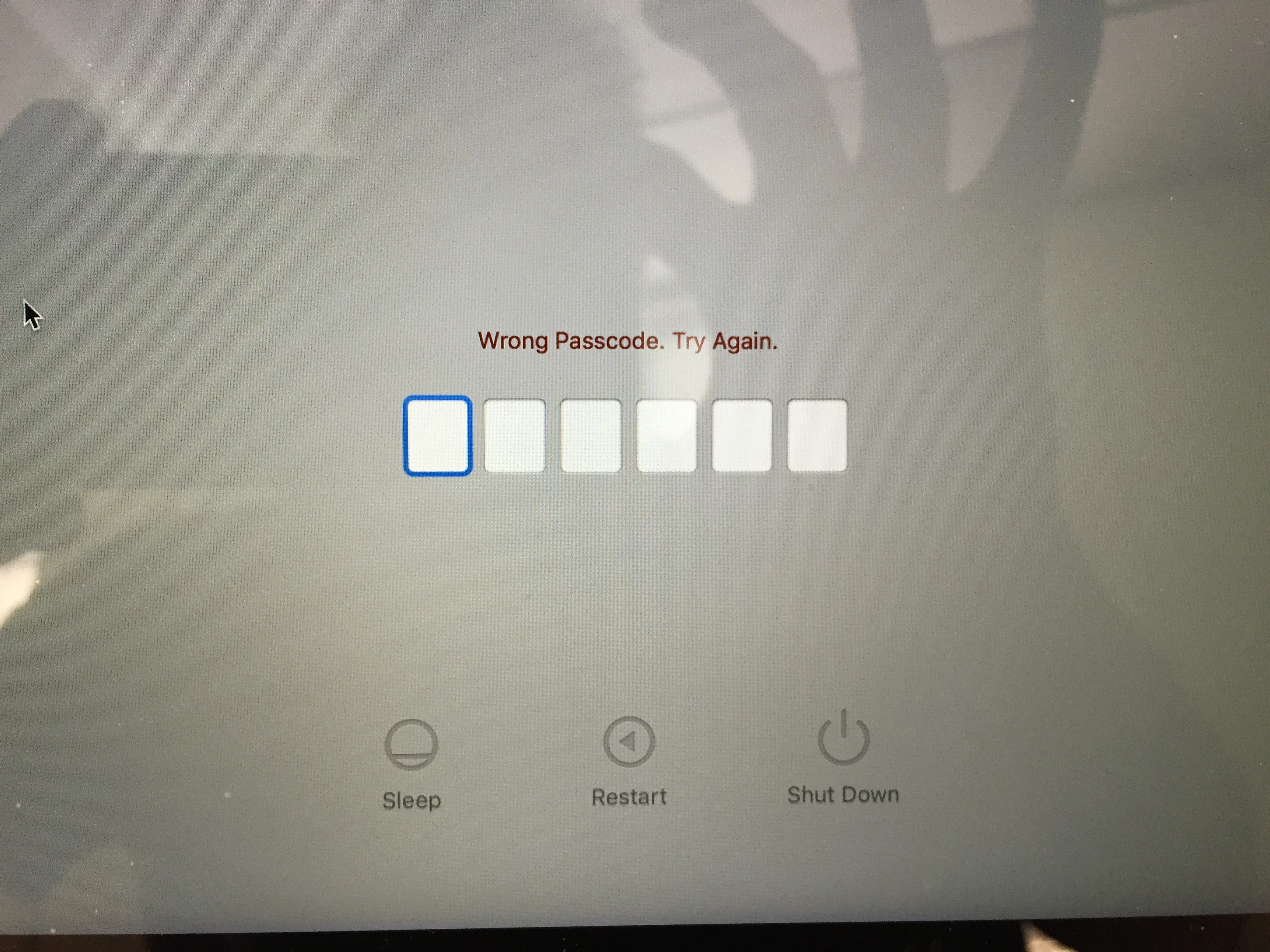
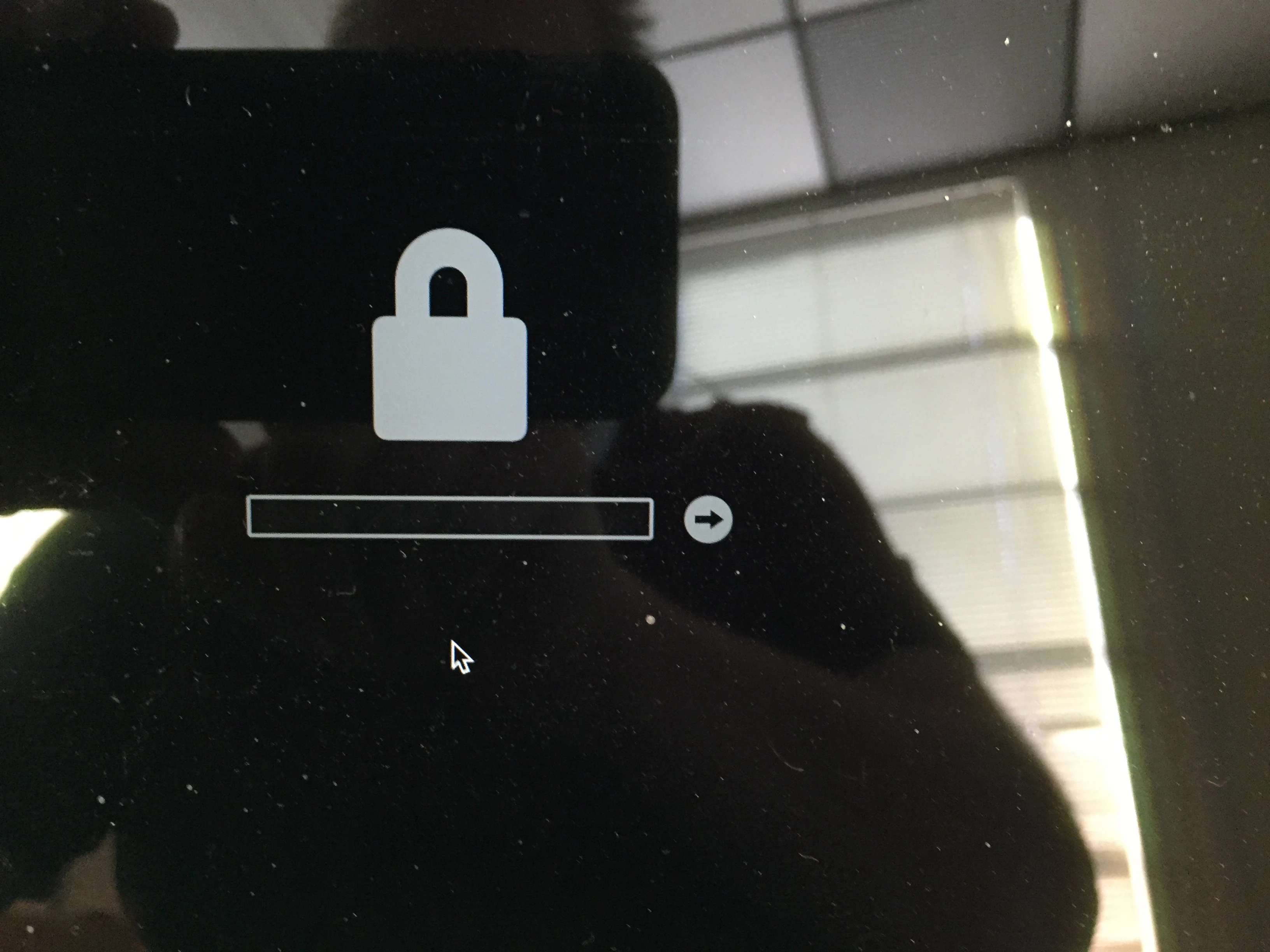
And the 12" Macbook came up to a screen asking for a 6 digit Passcode screen. I do NOT have FileVault enabled anywhere in our environment and I have NO idea what it might be. So, I thought no problem! I will just boot to the NBI and use Disk Utility to erase the drive and start over. A padlock and a field to enter text just appears. At this point, I cannot do anything with this Macbook-it is a brick.


DBrowning
Forum|alt.badge.img+25
  • Esteemed Contributor
  • October 6, 2015

if you have sent a Lock Command to this machine via Casper you will need to type in the 6 digit code that was entered. If you go to the machine in casper and look at the machine then click on the History Tab. Click on the Mangement History and their will be a show next to the Lock Command.


Forum|alt.badge.img+13
  • Author
  • Contributor
  • October 6, 2015

@ddcdennisb There is nothing in history and I did not send a lock command, nor is there any note of one being applied.


bpavlov
Forum|alt.badge.img+18
  • Esteemed Contributor
  • October 6, 2015

@Diddel You can get that screen as well if someone had logged into their computer using their iCloud account and via the iCloud account a lock/wipe command was sent to it. In order to get the device unlocked you will need to go to the nearest Apple Store, and provide the following:
1. identification
2. proof of purchase
3. a letter stating that you work for the company who purchased the equipment (needs to have company letterhead).

That was at least the process I had to go through last Fall. So yes, the computer is a brick, but it can be resolved.


Forum|alt.badge.img+13
  • Author
  • Contributor
  • October 6, 2015

@bpavlov This particular Macbook was in the possession (briefly) of an employee that is no longer employed at my org. It is possible that he had it associated with his iCloud account and sent a lock/wipe command. I can prove the ownership but it will take some time to wade through the bureaucracy here at UNM to get it.

/randy


bpavlov
Forum|alt.badge.img+18
  • Esteemed Contributor
  • October 6, 2015

@Diddel It is a PITA to be honest. It's an argument to disable the use of iCloud if ever there was one. It took me about 2 week to get the information I needed when I went through this. Between talking to Apple Support online and in the Apple Store, a lot of people didn't know what to do. And in one case when I explained the situation to an employee, they thought I was talking about an iOS device since that's probably most common scenario (employee leaves company; their iOS device had their iCloud account and device cannot be re-activated after wiping it). It seems its rarer with Macs. But at least there is a process to unlock the device. Good luck.


DBrowning
Forum|alt.badge.img+25
  • Esteemed Contributor
  • October 6, 2015

@bpavlov if you or someone is still on good terms with the termed employee, they can login to their icloud account and remove the device from their account then releasing the lock.

other wise you're stuck with going through apples process.


Forum|alt.badge.img+9
  • Contributor
  • October 6, 2015

Made a fresh-er NBI. With a fresh-er copy of 9.81 from JAMF. All is good now.

As for your iCloud lock issue @Diddel... In the past I had luck with our GSX live chat to help get that taken care of it it was on a DEP certified PO#. Not sure if that is still a prescribed way but if you have a self service GSX account it might be worth a try.


Forum|alt.badge.img+13
  • Author
  • Contributor
  • October 6, 2015

@bryce.carlson I updated my NBI with a 10.10.5 and 9.81 client still have the issue. I have narrowed it down to a "FirstRun" issue. I am still testing but for now it looks like I can add apps that are .pkg and all runs smoothly. But if I put say, Firefox.dmg it barfs and comes up to the Temp Adobe account. I am going to try other .pkg apps and see if the theory holds.

@ddcdennisb The employee left on not so good terms and this might be a malicious act but I am not going to pursue that-it is an HR issue and they can fight that battle.

Stay tuned...

/randy


Forum|alt.badge.img+7
  • Contributor
  • October 7, 2015

Hi Guys,

I seem to be having similar issues:

JSS is 9.81 Casper Imaging is 9.81 on a 10.10.5 NBI created with AutoCasperNBI

Installing 10.10.5 I have no issues, the pkg files run at reboot correctly, as to the scripts.
Installing 10.11.0 it worked once, then the second time I re-imaged the pkg's don't install, and the scripts don't run.

Any ideas?

Thanks,
Tim


Forum|alt.badge.img+5
  • Contributor
  • October 13, 2015

I too am running into this issue (temp Adobe account) after we recently upgraded our JSS to 9.81. I saw on some other posts here that this may be related to Netboot Casper Imaging version and JSS version being out-of-sync -- for us our NBI utilize Casper Imaging 9.72 and the JSS is 9.81.

I have been trying to upgrade our NBI's as well, using AutoCasperNBIv1.2.1 and El Capitan, but the AutoCasperNBI build errors out mentioning a "...dock.plist" file it cannot remove (@bentoms ...any ideas?). So I am taking a step back and upgrading our NBI to 9.81 and using 10.10.5 instead for now... that is unless anyone has had luck with 10.11 and AutoCasperNBI and cares to share!


Forum|alt.badge.img+13
  • Contributor
  • October 13, 2015

This might have to do with _mbsetupuser initial user login which was introduced in OS X 10.11