Question

Enable Right Click

  • July 31, 2018
  • 13 replies
  • 38 views

Forum|alt.badge.img+7

Our script we used to use to enable right click on our lab Macs is not working anymore. I've tried various solutions, but so far none are working.

Anyone have a simple way to configure right click on a wired Apple mouse that I could put into a policy or config profile?

Thanks!!

13 replies

Forum|alt.badge.img+2
  • New Contributor
  • 15 replies
  • August 1, 2018

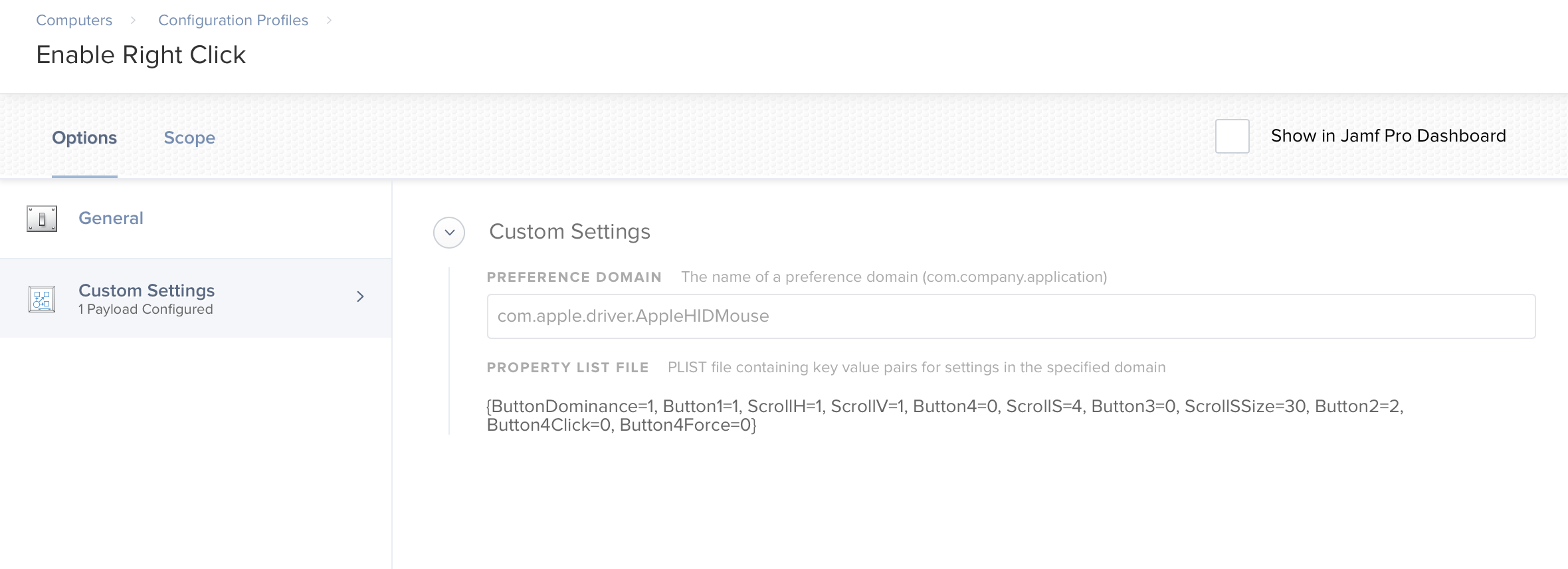
I use a configuration profile as I wasn't able to get things to stick with scripts. The profile has three custom payloads as follows:

Domain com.apple.driver.AppleHIDMouse with payload {ButtonDominance=1, Button1=1, Button2=2}

Domain com.apple.driver.AppleBluetoothMultitouch.mouse with payload {MouseButtonMode=TwoButton}

Domain com.apple.driver.AppleBluetoothMultitouch.trackpad with payload {TrackpadRightClick=true}

I tossed this in Self Service for install and this hits all the normal external input devices. The first payload specifically hits the wired mouse.


Forum|alt.badge.img+7
  • Author
  • Contributor
  • 125 replies
  • August 1, 2018

I tried configuring one of our Macs the way I wanted it and then created a custom configuration file using the com.apple.driver.AppleHIDMouse.plist, but while the profile is deploying to the machines, right click is not being enabled. Looks like a phone call to Jamf.


Forum|alt.badge.img+4
  • New Contributor
  • 6 replies
  • August 21, 2018

@dtmille2 Were you able to get the plist working for right click?


Forum|alt.badge.img+7
  • Author
  • Contributor
  • 125 replies
  • May 2, 2019

Sorry for the extreme delay in my response. I am not getting notifications of discussion forum replies.

I did call Jamf, and they told me that there was no known way of enabling right click on a Mac through management, and must be done manually.

If anyone knows otherwise, please feel free chime in.


talkingmoose
Forum|alt.badge.img+36
  • Community Manager
  • 1913 replies
  • May 2, 2019

@dtmille2, mouse behavior is a very personal choice for users. Rather than use a configuration profile, which overrides a user's choice, I suggest only setting the right-click behavior as a default, allowing the user to change it later.

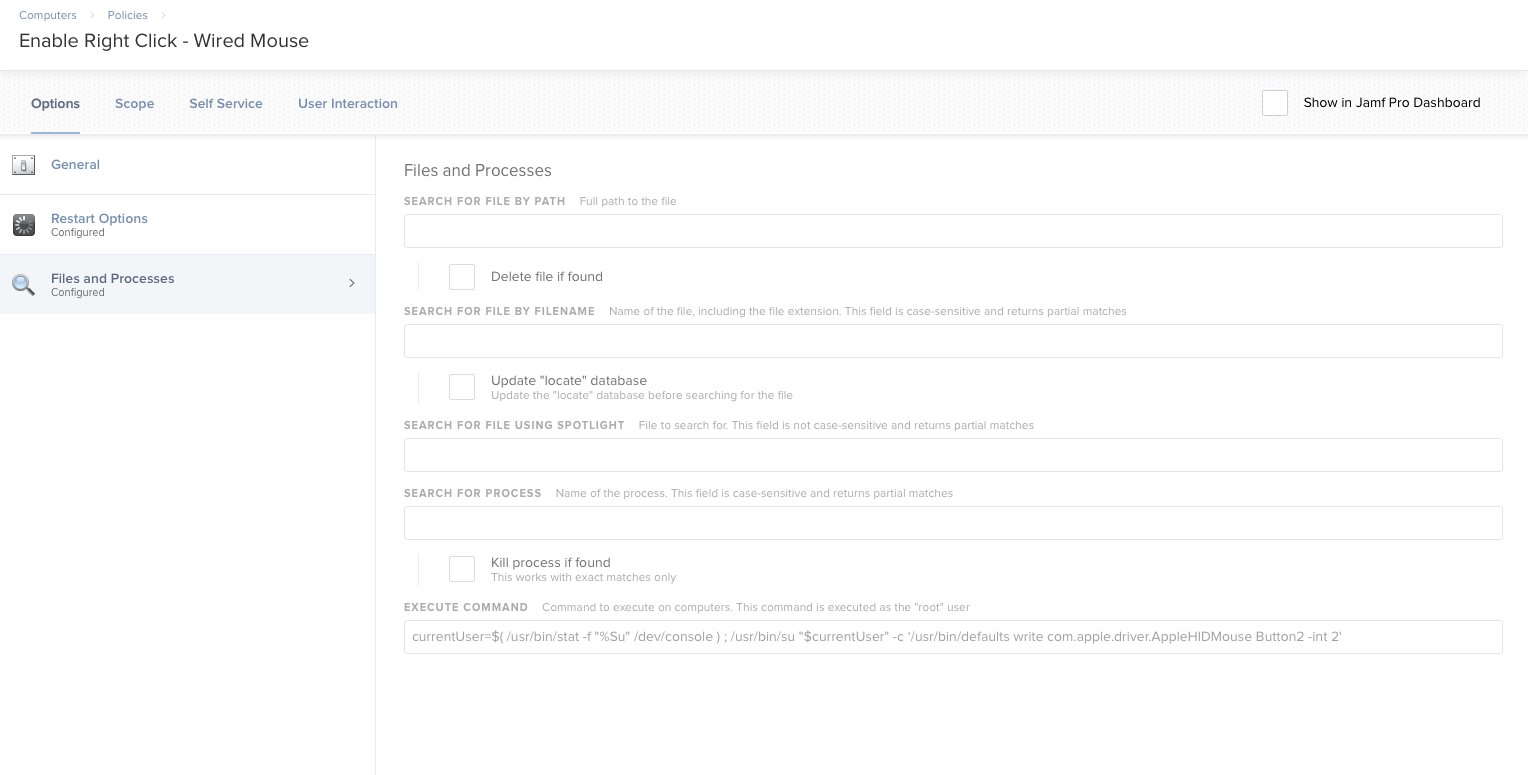
I recently helped a customer with the same need. We put the following line into a policy under the Files and Processes payload > Execute Command field and set it to run Once Per User Per Computer at Login.

currentUser=$( /usr/bin/stat -f "%Su" /dev/console ) ; /usr/bin/su "$currentUser" -c ‘/usr/bin/defaults write com.apple.driver.AppleHIDMouse Button2 -int 2'

This is only for the Apple wired mouse (maybe all wired mice?). For wireless Apple mice and trackpads, you'd need to use the settings mentioned earlier.


Forum|alt.badge.img+7
  • Author
  • Contributor
  • 125 replies
  • May 2, 2019

Thanks @talkingmoose . I agree, I wouldn't want to enforce this via a config profile, although for our lab computers that might make sense.

I have tried using this command and it doesn't seem to be having any effect. Have you tested on a 10.14.4 Mac?

[STEP 1 of 4]
Executing Policy Enable Right Click - Wired Mouse
[STEP 2 of 4]
[STEP 3 of 4]
Running command currentUser=$( /usr/bin/stat -f "%Su" /dev/console ) ; /usr/bin/su "$currentUser" -c ‘/usr/bin/defaults write com.apple.driver.AppleHIDMouse Button2 -int 2'...
Result of command:
/bin/sh: -c: line 0: unexpected EOF while looking for matching `''
/bin/sh: -c: line 1: syntax error: unexpected end of file
[STEP 4 of 4]


Forum|alt.badge.img+7
  • Author
  • Contributor
  • 125 replies
  • May 2, 2019

I altered the command to below and it worked. Thank you!

currentUser=$( /usr/bin/stat -f "%Su" /dev/console ) ; /usr/bin/su "$currentUser" -c "/usr/bin/defaults write com.apple.driver.AppleHIDMouse Button2 -int 2"


Forum|alt.badge.img
  • New Contributor
  • 1 reply
  • May 4, 2019

@dtmille2 I'll give this a shot next week. I've been looking for a way to do this for our labs. Thanks!


Forum|alt.badge.img+7
  • Author
  • Contributor
  • 125 replies
  • October 4, 2019

The above solution appears to no longer be working.


Forum|alt.badge.img+4
  • Contributor
  • 22 replies
  • October 16, 2019

I see that script is nice, but if it is not working, why not copy the whole .plist file?

Seb


Forum|alt.badge.img+1
  • New Contributor
  • 3 replies
  • October 16, 2019

This is the script I use to enable right click when a user logs on for the first time.

Set Apple Mouse button 1 to Primary click and button 2 to Secondary click.

defaults write "/System/Library/User Template/Non_localized/Library/Preferences/com.apple.driver.AppleHIDMouse" Button1 -integer 1
defaults write "/System/Library/User Template/Non_localized/Library/Preferences/com.apple.driver.AppleHIDMouse" Button2 -integer 2
defaults write "/System/Library/User Template/Non_localized/Library/Preferences/com.apple.driver.AppleHIDMouse" Button3 -integer 3
defaults write "/System/Library/User Template/Non_localized/Library/Preferences/com.apple.driver.AppleHIDMouse" ButtonDominance -integer 1


Forum|alt.badge.img+4
  • Contributor
  • 22 replies
  • October 24, 2019

Thanks, I just have it configured in UT


Forum|alt.badge.img+12
  • Valued Contributor
  • 226 replies
  • November 19, 2019

I'm also seeing that this solution can no longer set the r-click preference under 10.14.6.