Question

Energy Saver Configuration Profile and disksleep setting

  • January 10, 2018
  • 6 replies
  • 57 views

Forum|alt.badge.img+10

Hello...

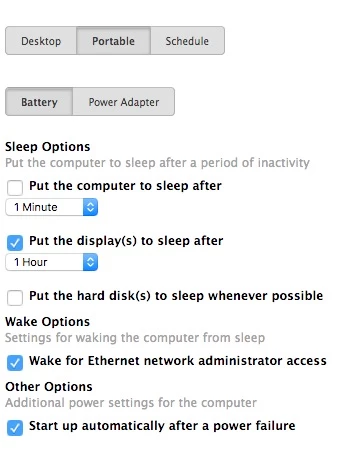
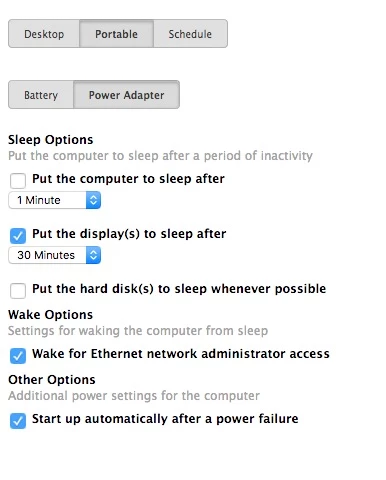
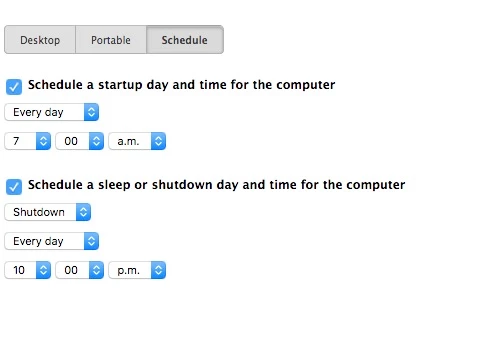
I'm using Energy Saver payload with following settings :
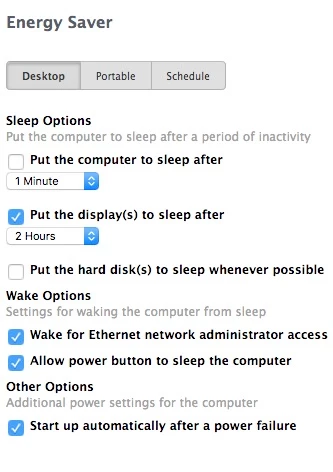


But, in the same time, I try to disable disksleep setting with this command line :
sudo pmset -a disksleep 0

The setting works well. When I type "pmset -g", I can see disksleep with 0 value.
But when the computer restart, disksleep value back to 180.

If I delete Energy Saver payload, the disksleep value I put does not change anymore.

I've try multiple settings with Energy Saver payload but without success.
I try disable all Display(s) sleep on each Energy Saver payload tabs, without success.

When I use Energy Saver payload, I can't disable disksleep setting.

Please, can you help me.

Thanks

6 replies

Hugonaut
Forum|alt.badge.img+15
  • Esteemed Contributor
  • January 10, 2018

try modifying the plist itself and see how that works for you, deploy it with a script, etc

/Library/Preferences/SystemConfiguration/com.apple.PowerManagement.plist


Forum|alt.badge.img+10
  • Author
  • Valued Contributor
  • January 10, 2018

Thanks for your answer.

Sadly, it's not working.

I deploy the plist and when I restart the computer it's ok.....but....a few second after, disksleep back to 180.

I will try to delete the Energy Saver payload and deploy the following files :

com.apple.PowerManagement.plist
com.apple.AutoWake.plist

I don't know if it's a clean method but I don't have choice.

If you have a solution.....

Thanks a lot for your help.


Hugonaut
Forum|alt.badge.img+15
  • Esteemed Contributor
  • January 10, 2018

you're welcome.

what operating system(s) are you working with?


Forum|alt.badge.img+10
  • Author
  • Valued Contributor
  • January 10, 2018

10.11.6 & 10.12.6 with Jamf Pro 9.100


Hugonaut
Forum|alt.badge.img+15
  • Esteemed Contributor
  • January 10, 2018

have you considered creating a launch daemon that rewrites the powermanagement plist to your custom settings? this way upon reboot you may be able to avoid it defaulting.

Not a lot of experience with the powersaving configs & settings so my knowledge is limited but i hope I've helped!


Forum|alt.badge.img+10
  • Author
  • Valued Contributor
  • January 11, 2018

Thank you for your help.

I will try.

I need disable disksleep because I have issues with some iMac models (5k / SSD). They won't wake from sleep.
I have to force shutdown by holding power button in and then reboot.

it seems that the problem disappears with disksleep disabled (I hope so....).

Thanks again.