Question

Enrollment of iOS devices not working, Error on MDM installation profile

  • December 14, 2017
  • 5 replies
  • 16 views

Forum|alt.badge.img+5

Hi,

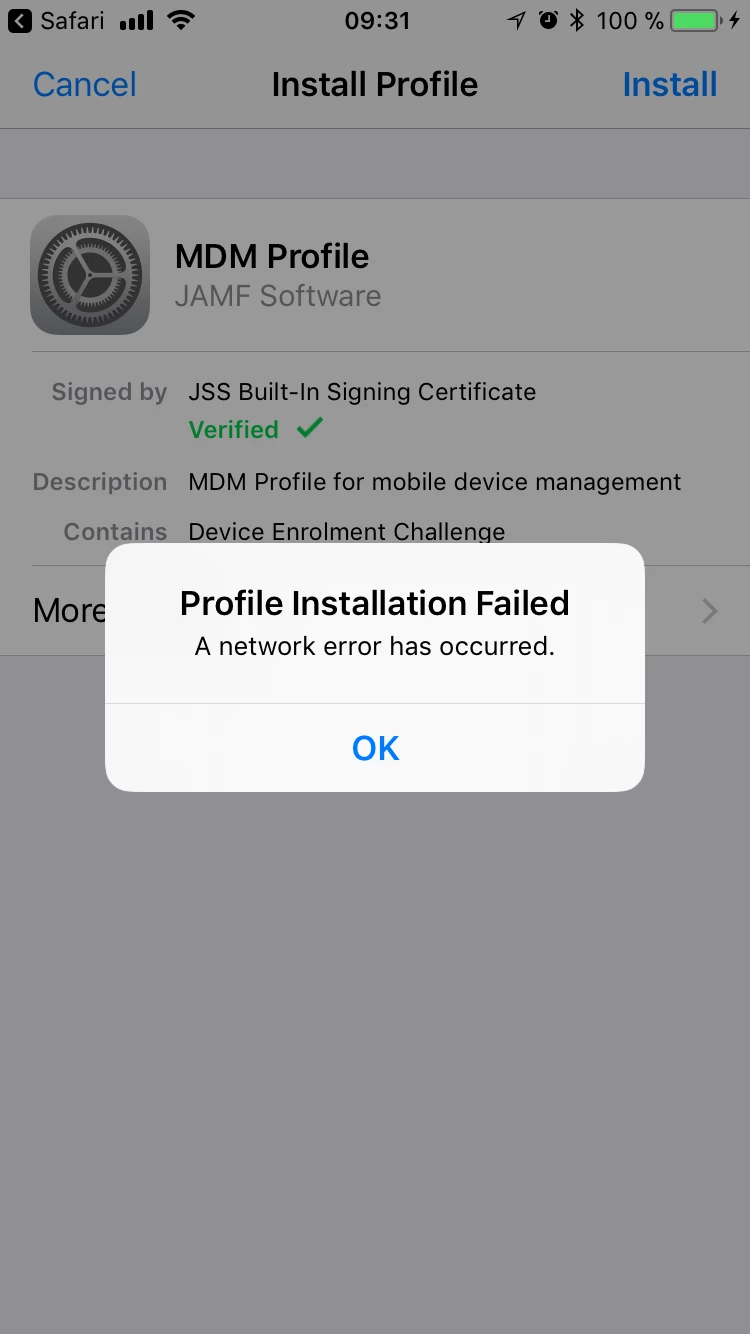
I updated the SSL certificate and I can install the 2 Casper profiles but once it tries to install the MDM one it shows: network error.

I have all ports opened (since they are all inside the same WLAN) and still not working.

Anyone knows how to solve this?

I have Version 10 and since then I have issues with this
thanks
Carmelo

5 replies

Forum|alt.badge.img+11
  • Valued Contributor
  • December 14, 2017

Hi @carmelolopez,

We ran into the same issue recently. The we faced is a problem is a change in Jamf Pro 10 and there is currently a product issue (PI-004915) open at Jamf.

Make sure your Jamf Pro server(s) can reach www.apple.com over port 80. That solved our issue.


Forum|alt.badge.img+5
  • Author
  • Contributor
  • December 14, 2017

Thanks will check this, actually it can access all from inside, but need to check the other way is also valid
best
carmelo


Forum|alt.badge.img+5
  • Author
  • Contributor
  • December 14, 2017

So i have access from my server to this but still not working
Best
Carmelo


Forum|alt.badge.img+11
  • Valued Contributor
  • December 14, 2017

Would you be able to connect you the iOS device and open console to capture the event in the background? You could use Console.app these days for that. We saw a lot of connection errors when installing the MDM profile.


Forum|alt.badge.img+5
  • Author
  • Contributor
  • December 15, 2017

Hi,
I did not see anything on the iPhone logs or Linux Server logs from JAMF
This is the error I get

best
carmelo