Question

Enrollment process

  • October 26, 2021
  • 8 replies
  • 54 views

Forum|alt.badge.img+5

Hi Team,

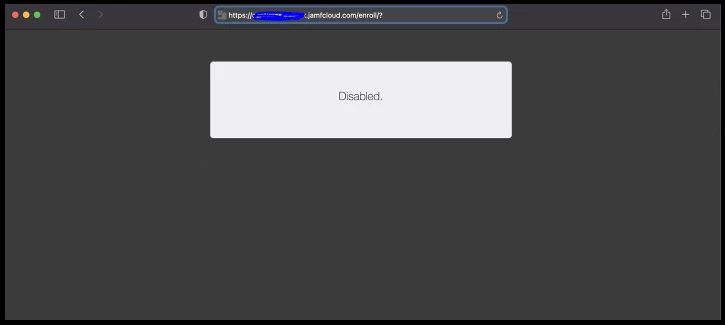
I have created an account in jamf pro in the form of enrol and given access level as full access and privileges as enrollment only. After I entered the url in mac book(http://xxxxxxxx.jamfcloud.com/enroll/?) at that time i am getting disable. May I know may it is showing like that?

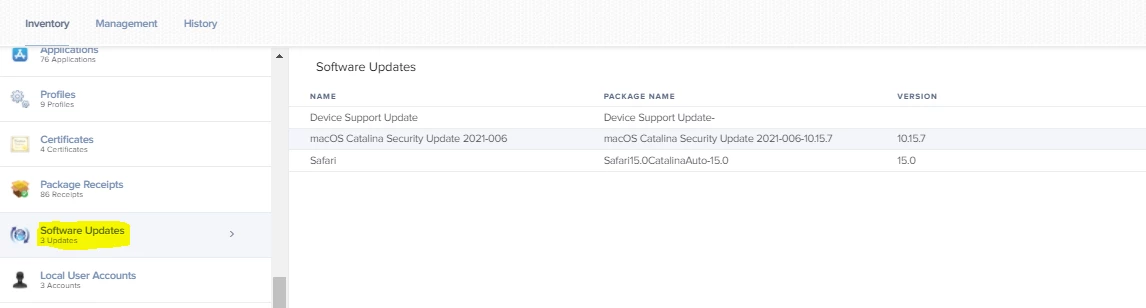
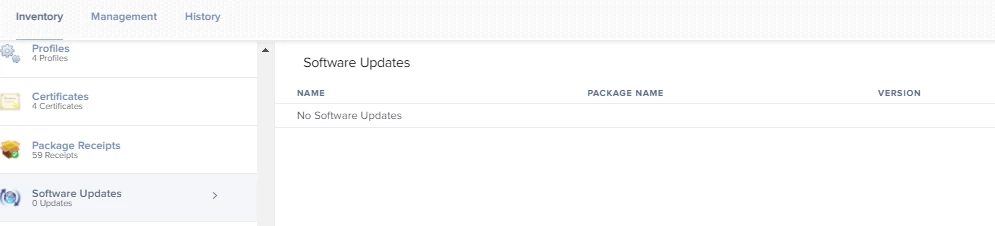
Here are the two screenshots for what i did in enrol and msg in mac book:-



8 replies

Hasibravo
Forum|alt.badge.img+7
  • Contributor
  • October 26, 2021

Hi Harsha, This error means the device is not communicating to Jamf so could you try to access URL with any other available wifi (mobile hotspot will be preferable).

Thanks


Liam_Donnelly
Forum|alt.badge.img+8
  • Contributor
  • October 26, 2021

Looks like you might not have user-initiated enrollment turned on. 

Check Settings > Global Management > User-Initiated Enrollment > Platforms 


Forum|alt.badge.img+5
  • Author
  • Contributor
  • October 26, 2021

Looks like you might not have user-initiated enrollment turned on. 

Check Settings > Global Management > User-Initiated Enrollment > Platforms 


How do I get this software update tab.


Liam_Donnelly
Forum|alt.badge.img+8
  • Contributor
  • October 26, 2021

How do I get this software update tab.


Settings > Computer Management > Computer Inventory Collection > Collect Available Software Updates  


Forum|alt.badge.img+5
  • Author
  • Contributor
  • October 26, 2021

Settings > Computer Management > Computer Inventory Collection > Collect Available Software Updates  


when do i get the latest version under it? but it doesn't shows anything like latest version? but in mac it shows the latest version as 11.6


Liam_Donnelly
Forum|alt.badge.img+8
  • Contributor
  • October 26, 2021

when do i get the latest version under it? but it doesn't shows anything like latest version? but in mac it shows the latest version as 11.6


Jamf collects the data during a Jamf Inventory collection 🙂


Forum|alt.badge.img+5
  • Author
  • Contributor
  • October 29, 2021

Jamf collects the data during a Jamf Inventory collection 🙂


 I need the information about Force updates:- "Is it sending a notification that a Force Update will happen in certain amount of time?"

Hasibravo
Forum|alt.badge.img+7
  • Contributor
  • October 30, 2021
 I need the information about Force updates:- "Is it sending a notification that a Force Update will happen in certain amount of time?"

@harsha Yes you can set deferral from 1 to 90 days but you need to set the configuration profile, for guidance please click on the below link 

https://docs.jamf.com/best-practice-workflows/jamf-pro/managing-macos-updates/Deferring_a_macOS_Update.html

We are using a combination of an MDM deferral period and a daily prompt for Macs with the criteria "Number of available updates is not 0". We scan for updates weekly so the deferral period begins at that point (e.g. the client knows the update exists and will install it on the next scheduled scan, once the deferral period expires).

The prompt, once acknowledged, directs users to Software Update.app so they can install from there. It's pretty effective and future proofs us for Big Sur when user authentication is required to install updates and a background scan/install is no longer effective.

Our reason for deferring updates across the board was the Mojave patch last year that took down ~150 Mojave Macs.