Question

Enterprise Connect giving error after restart

  • November 18, 2019
  • 8 replies
  • 50 views

Forum|alt.badge.img+4

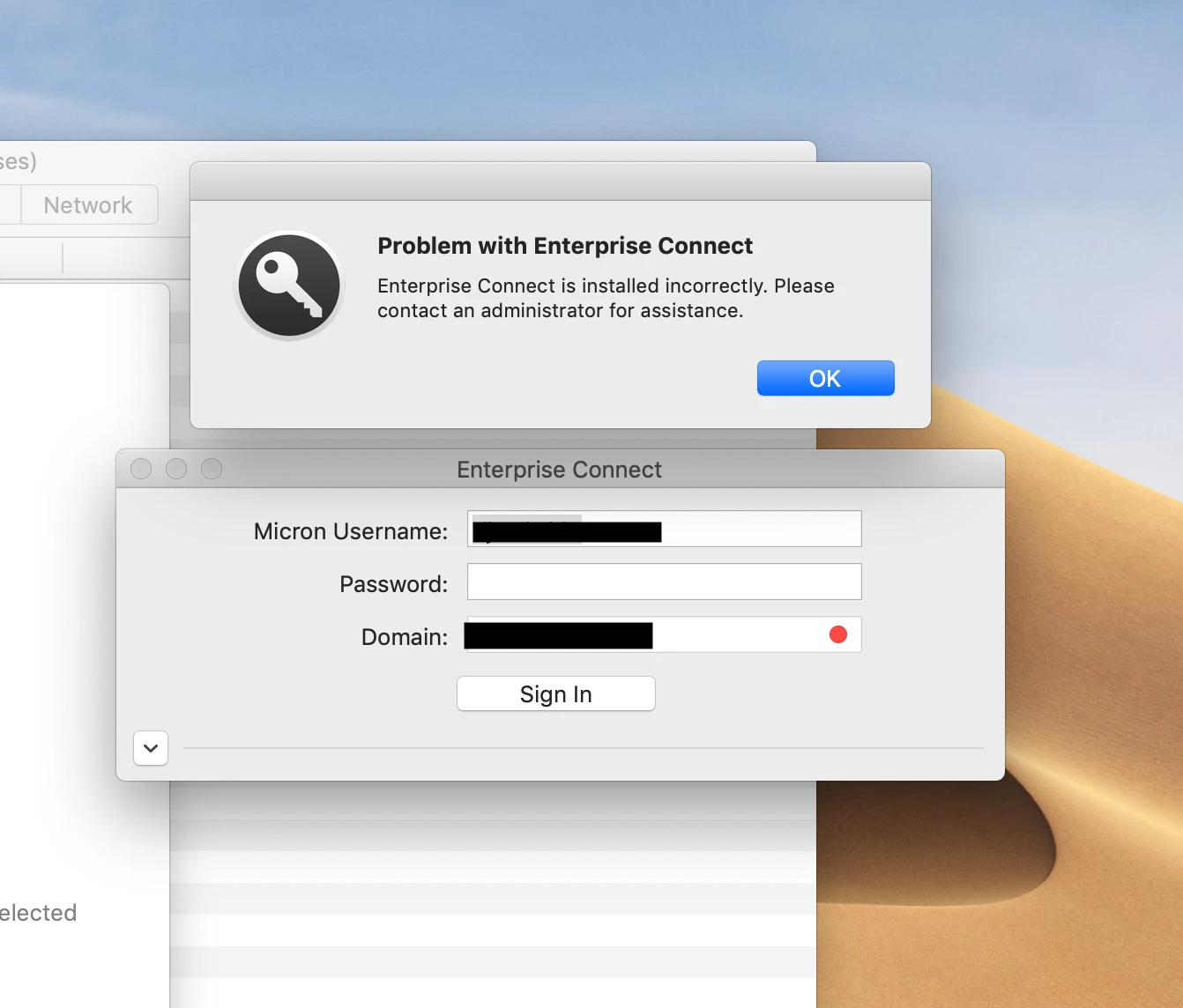
Hello Guys, I'm getting a first-time error like this since using Enterprise Connect. I tried a clean installation. EC installing Corretely and user also able to enter your credentials. Once the user restarts your machine then only getting below error. Please provide solutionif anyone faced this issue. .....

8 replies

Forum|alt.badge.img+17
  • Contributor
  • November 18, 2019

Are you using any sort of configuration plist/profile?


Forum|alt.badge.img+9
  • Contributor
  • November 18, 2019

I see in the readme file it's said that this can happen if you've tried to downgrade EPC. Can you get the EPC logs and post it? The sh for that comes with EPC. We'll be able to tell more with the EPC logs. The name of the sh is called 'eclogs.sh'


KyleEricson
Forum|alt.badge.img+17
  • Valued Contributor
  • November 19, 2019

@Ajayv I used this script to uninstall AEC completely then re-install

!/bin/bash

variable for storing the current users name

currentuser=stat -f "%Su" /dev/console
echo $currentuser

su "$currentuser" -c "security delete-generic-password -l 'Enterprise Connect'"

file="/Library/LaunchAgents/com.apple.ecAgent.plist"
if [ -f "$file" ]
then launchctl unload /Library/LaunchAgents/com.apple.ecAgent.plist sudo rm -rf /Library/LaunchAgents/com.apple.ecAgent.plist
else echo "$file not found."
fi

sudo killall 'Enterprise Connect Menu'

sudo rm -rf /Applications/Enterprise Connect.app

sudo jamf recon

Call policy to reinstall

/usr/local/bin/jamf policy -event ec-install

exit 0


Forum|alt.badge.img+4
  • Author
  • Contributor
  • November 25, 2019

@alexjdale. Sorry for the delayed reply. yes we are using plist/profile.


Forum|alt.badge.img+4
  • Author
  • Contributor
  • January 2, 2020

The issue got resolved now.


Forum|alt.badge.img
  • New Contributor
  • May 8, 2020

@Ajayv I'm facing the same issue. How did you revolve it?


Forum|alt.badge.img+2

I too have same issue, tried @kerickson steps didn't resolved.

@Ajayv Do you mind to let us know, how did you resolved? thanks.


Forum|alt.badge.img+4
  • Author
  • Contributor
  • May 19, 2020

Copy ecAgent file to /Library/LaunchAgents folder from newly installed Mac, replace the existing one from the Affected mac and restart your mac then try to login Enterprise connect with your credential. Let us know if works this.
