Question

Error when Imaging

  • July 17, 2015
  • 13 replies
  • 6 views

Forum|alt.badge.img+3

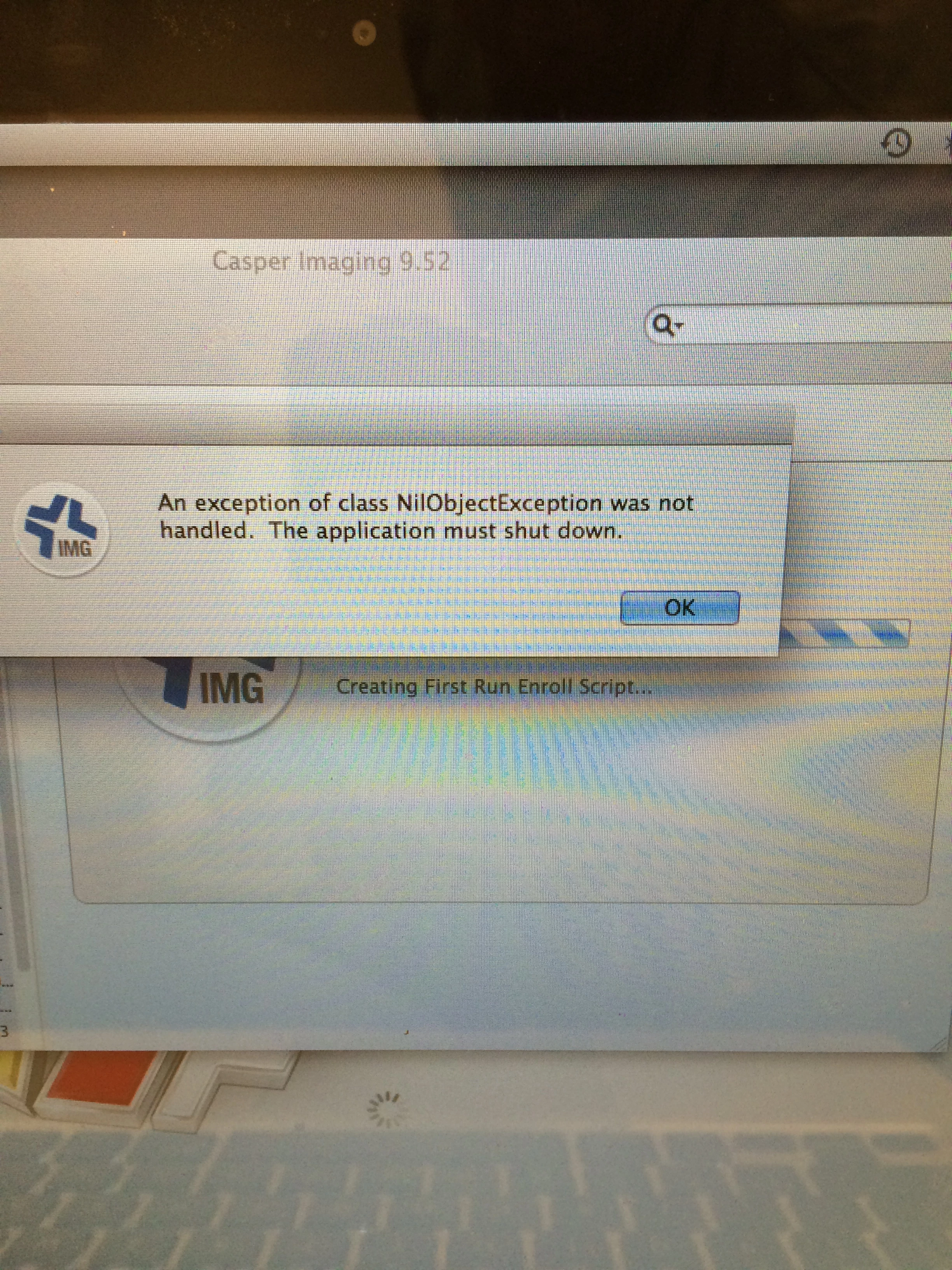
it seems that when i start imaging more then 10 computers at a time using the same image that i receive an error message(see image provided). The first 10 computers image fine but the others instantly produce this error when the image starts. If anyone has a resolution or any ideas they would be greatly appreciated as i am scheduled to image over 200 or so computers and 10 at a time will slow that down greatly.!

13 replies

mpermann
Forum|alt.badge.img+22
  • Valued Contributor
  • July 17, 2015

@calexander I presume you are using NetBoot to boot the systems you are imaging using Casper Imaging, is that correct? If that is correct, how did you build your .NBI file? A quick and easy way to build an NBI is to use AutoCasperNBI from @bentoms. He allows you to make a customized NBI that will put in a customized rc.netboot file that should allow you to image more than 10 computers simultaneously. Have a look here.


davidacland
Forum|alt.badge.img+18
  • Valued Contributor
  • July 17, 2015

Last time I had this it needed the modified rc.netboot file. I used AutoCasperNBI for it.


bentoms
Forum|alt.badge.img+35
  • Hall of Fame
  • July 18, 2015

Without the modified rc.netboot you aren't able to boot more than 10 or so Macs from the same NBI.

@calexander could it be a bandwidth issue?

Have all macs been attempted on the same switch? Perhaps try splitting them out?


Forum|alt.badge.img+3
  • Author
  • New Contributor
  • July 20, 2015

yes i am using a netgear 1 gigabit 24 port switch and all the computers are hooked up to it.


bentoms
Forum|alt.badge.img+35
  • Hall of Fame
  • July 21, 2015

@calexander I think your Switch is running out of bandwidth.


Forum|alt.badge.img+3
  • Author
  • New Contributor
  • July 21, 2015

@bentoms it seems now that i have created a new NBI file most things are running smoothly and a little more fast but i am still having the same error message pop up on some of my units. That being said it will come up on the same units over and over again and all at the same time. I tried imaging these units while on the switch i even tried to image them directly plugged in. The message is that same as above but this time it is happening consistently at the final stages of the image. I don't think this is a bandwidth issue cause these error messages are occurring when a lot of machines are imaging at once or even when there is only the one machine imaging. Any thoughts


bentoms
Forum|alt.badge.img+35
  • Hall of Fame
  • July 22, 2015

@calexander hmm.. Might it be RAM related on these macs?

How old are they?

How much RAM?

JDS(s)?


Forum|alt.badge.img+3
  • Author
  • New Contributor
  • July 22, 2015

@bentoms I don't think those would be the issue cause the JDS is the same we have been using for years and the computers are also the same and this is the first year in which we are experiencing this issue.


mpermann
Forum|alt.badge.img+22
  • Valued Contributor
  • July 22, 2015

@calexander can you share what version of the JSS and Casper Imaging you are using as well as the version of the OS that you are putting down at imaging time?


Forum|alt.badge.img+3
  • Author
  • New Contributor
  • July 22, 2015

@mpermann The versions are as follows; -Casper Imaging 9.72 -OS X Yosemite 10.10.4 -JSS 9.72


mpermann
Forum|alt.badge.img+22
  • Valued Contributor
  • July 22, 2015

@calexander If you have the modified rc.netboot file as part of your NBI, have you tried any older versions of Casper Imaging to see if the issue is being caused by version 9.72? Give version 9.65 a go and see if you have the same problem.


Chris_Hafner
Forum|alt.badge.img+27
  • Jamf Heroes
  • July 24, 2015

FYI, I've seen bad autorun data cause this issue. If you don't mind, delete the computer from the JSS (Entirely, unless you can't, in which case just delete the autorun data). If you dig through the MySQL database you will likely find that record to be corrupted.


bentoms
Forum|alt.badge.img+35
  • Hall of Fame
  • August 8, 2015

@calexander are these macs all imaging the same image each?

Did you create the AFP share for your JDS?



