Does anyone have a good method to pull al list of all applications across all machines? We have Jamf Cloud so I am not sure if I can run SQL queries directly against the DB.
Preferably something I can get to Excel so I can filter out all the Windows applications on VMs.
Best answer by jared_f
@ScottSimmons
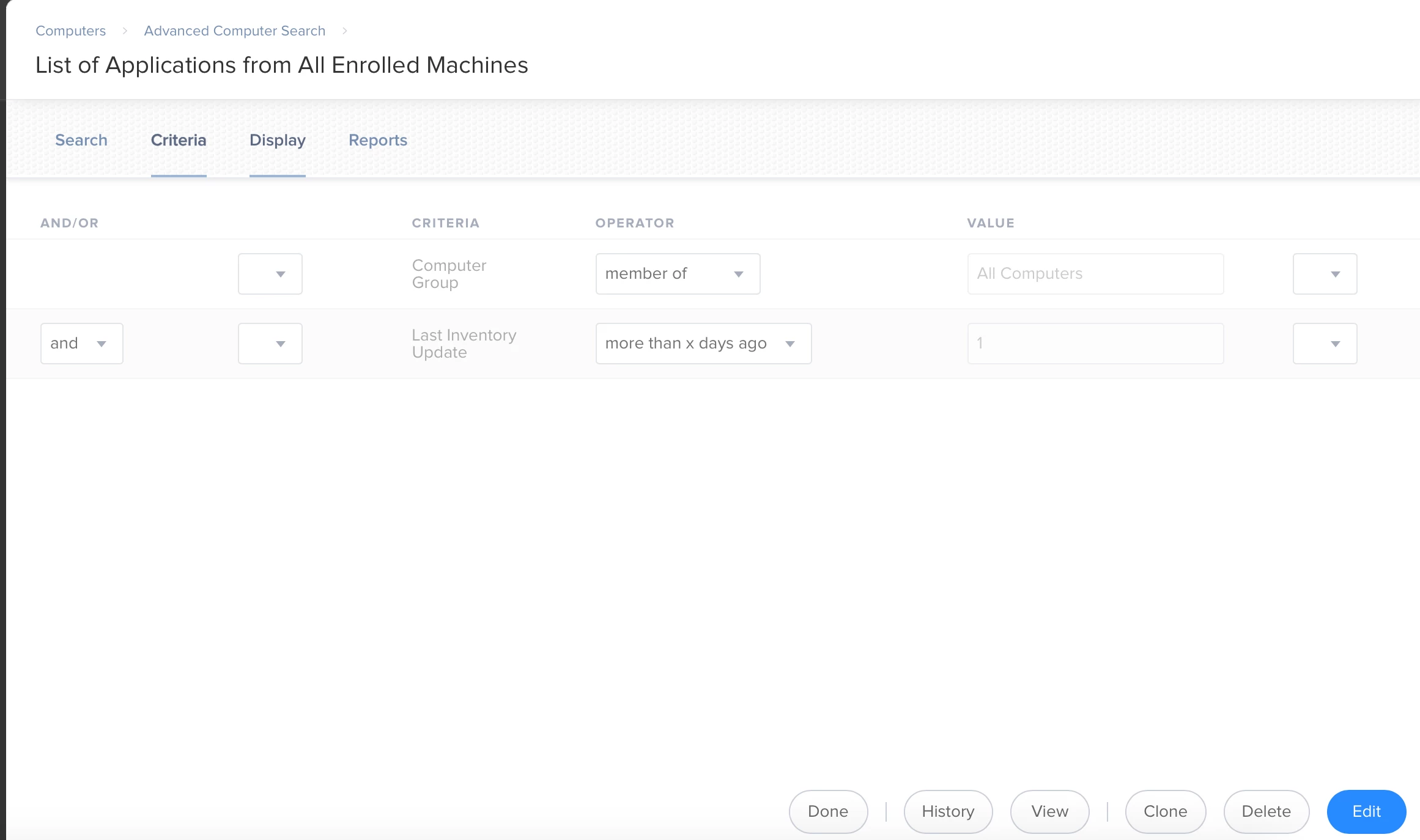
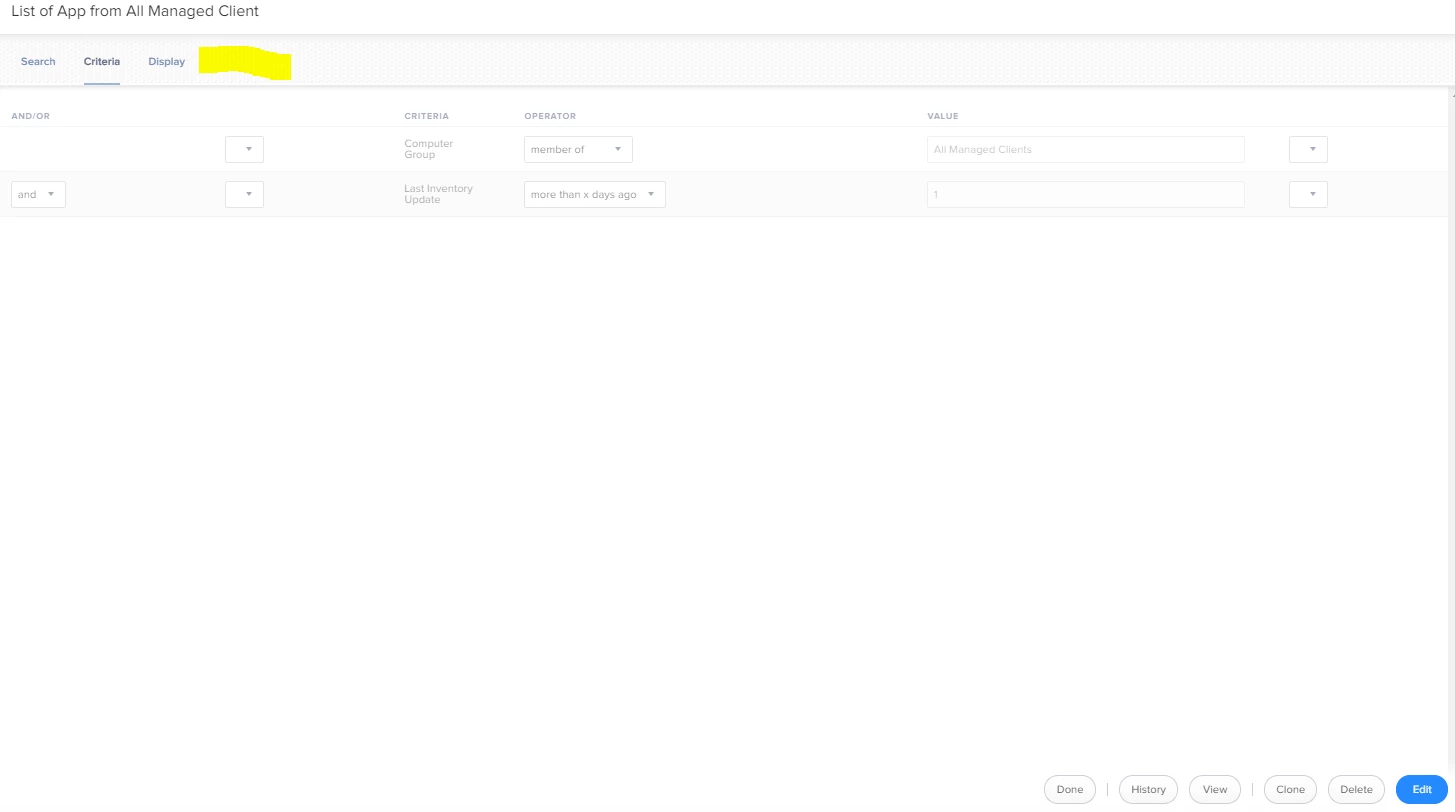
I second creating an Advanced Search for this. You can then search by last inventory update and computer groups. Here is mine.
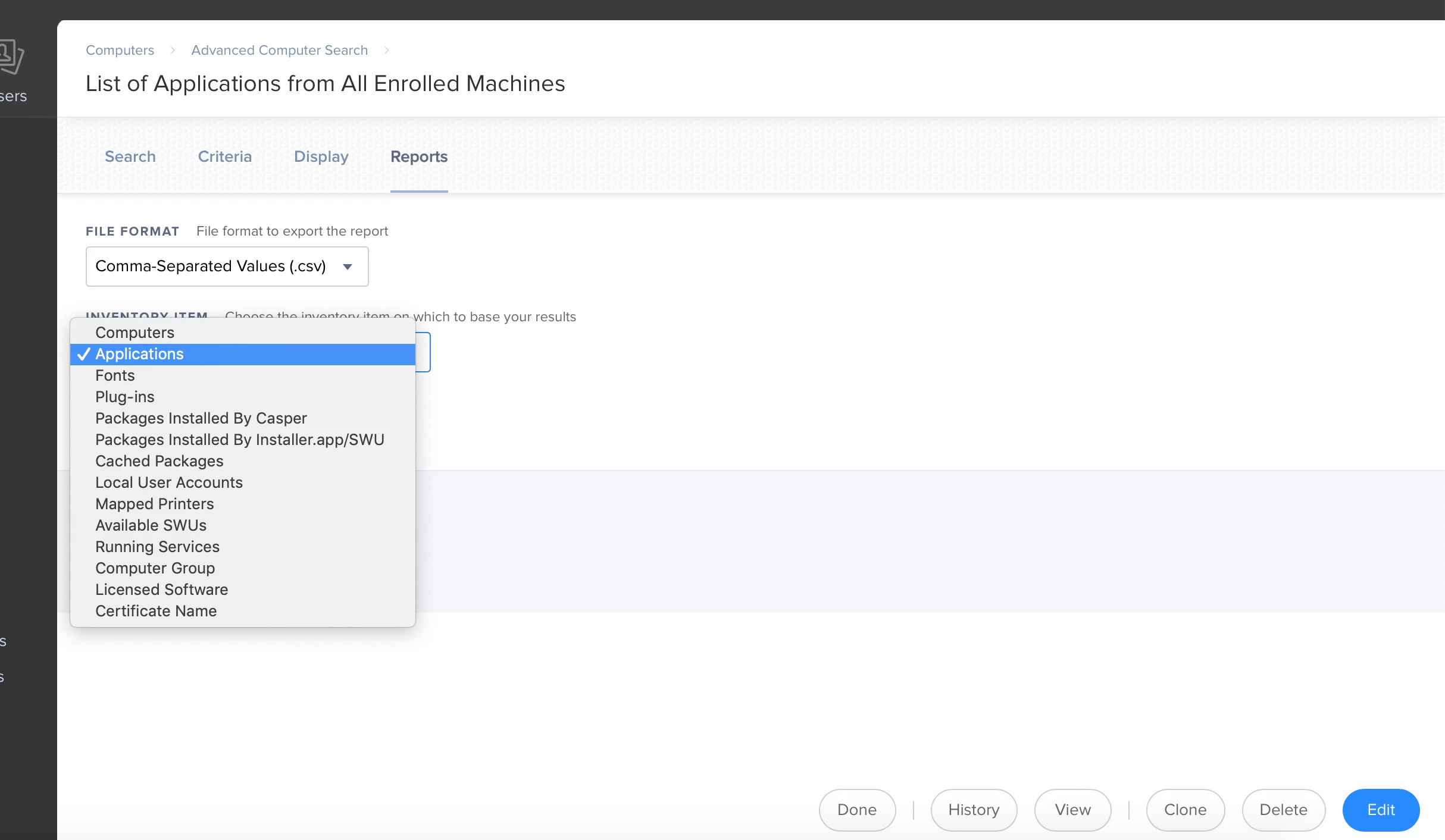
Then click "Reports" and then click "Applications" from the dropdown then click "Applications" for the inventory item then download it as a CSV.
in the Applications search. Each version of each app gets its own line. I got 170,424. It takes a while. Select all, paste into a text editor, clean up if necessary, import data from text in excel.
You could do an advanced search for all your devices, I would suggest a check-in filter for within x days. Then export to Excel and do the lifting there, or could even use a reporting tool like Microsoft Power BI and give your guys a pretty charts and graphs :)
No problem @ScottSimmons. I would be cautious using smartgroups for this, it is possible though. Depending on how often your inventorying your machines (I have it set to 30 mins), it can really choke your JSS down to a crawl.
in the Applications search. Each version of each app gets its own line. I got 170,424. It takes a while. Select all, paste into a text editor, clean up if necessary, import data from text in excel.
No problem @ScottSimmons. I would be cautious using smartgroups for this, it is possible though. Depending on how often your inventorying your machines (I have it set to 30 mins), it can really choke your JSS down to a crawl.
jared_f, I know this is an old post. I have one question
Is it possible to output the Application Title on every row of the .csv output and not have the report group the devices. I want to load this information into a SQL Server table for comparison, but I only get the Application for the first entry.