Solved

Extension Attibute to list clients connected to a specific SSID

  • March 7, 2017
  • 12 replies
  • 69 views

Forum|alt.badge.img+17

I saw an Extension Attribute "Current AirPort Network". How can I use this to list clients connected to a specific SSID. We have a School that we want to move all clients to the new SSID because the password was compromised (we are working on RADIUS authentication but not finished yet as we want to integrate it with the Lightspeed Rocket content filter) I pushed a script to connect them to the new SSID, and remove the old SSID from Preferred Network List. I scoped by Network Segment, once per computer. What I would like to do is, create a smartgroup with clients connected to the old ssid, and use it as my Scope. Run the policy ongoing until all of them is no longer with that smartgroup. I scheduled to deactivate the policy after 1 week and extend it if necessary.

Best answer by Key1

Need to output the result like this in the extension attrib

#!/bin/sh

value=$(/System/Library/PrivateFrameworks/Apple80211.framework/Versions/Current/Resources/airport -I | awk '/ SSID/ {print substr($0, index($0, $2))}')

echo "<result>$value</result>"


12 replies

Forum|alt.badge.img+17
  • Author
  • Valued Contributor
  • March 7, 2017

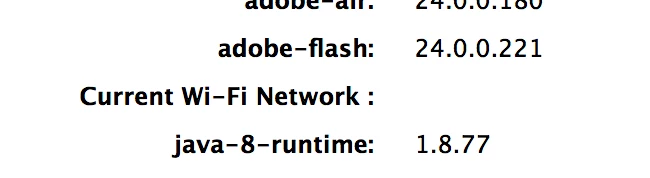
I see this too when pulling the computer properties.


iJake
Forum|alt.badge.img+23
  • Contributor
  • March 8, 2017

This command will get you the current SSID. You can turn it into an extension attribute that you can then make a smart group from.

/System/Library/PrivateFrameworks/Apple80211.framework/Versions/Current/Resources/airport -I | sed -n 13p | awk '{print $2}'

Forum|alt.badge.img+17
  • Author
  • Valued Contributor
  • March 8, 2017

@iJake Thank's Sir, I will try this right now.


Forum|alt.badge.img+17
  • Author
  • Valued Contributor
  • March 8, 2017

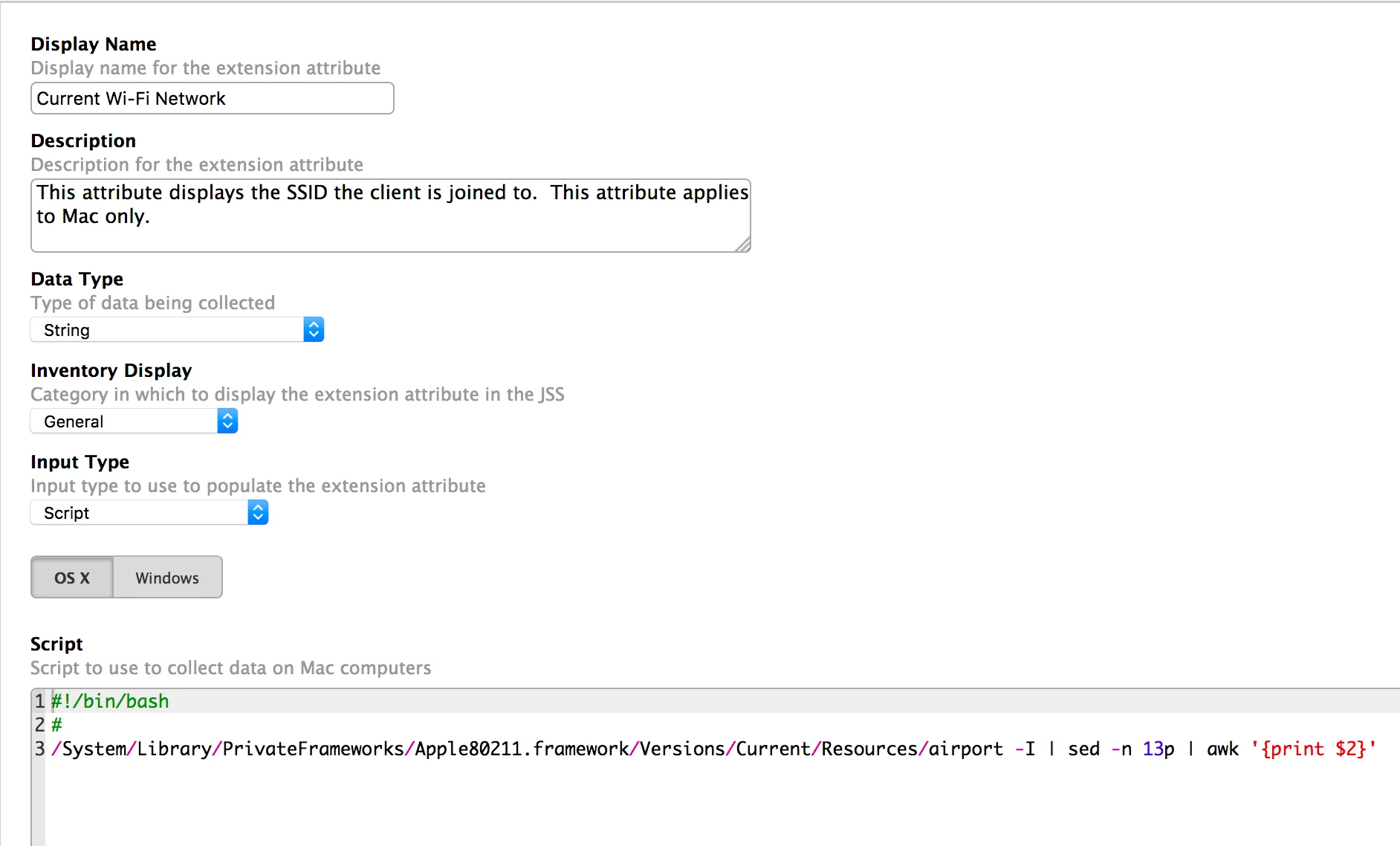
Maybe there is something I am doing wrong. When I run it manually, it prints out the SSID. But it doesn't work as an Extension Attribute.

Also, the command you posted seems to be not printing SSID with spaces. So I modified it with this.

/System/Library/PrivateFrameworks/Apple80211.framework/Versions/Current/Resources/airport -I | awk '/ SSID/ {print substr($0, index($0, $2))}'

But still no go when I convert it to Extension Attribute.


Forum|alt.badge.img+7
  • Contributor
  • Answer
  • March 8, 2017

Need to output the result like this in the extension attrib

#!/bin/sh

value=$(/System/Library/PrivateFrameworks/Apple80211.framework/Versions/Current/Resources/airport -I | awk '/ SSID/ {print substr($0, index($0, $2))}')

echo "<result>$value</result>"
Forum|alt.badge.img+8
  • Contributor
  • March 8, 2017

The script i use

#!/bin/sh

result=`/usr/sbin/networksetup -getairportnetwork en0 | awk '{ print $4 }'`

echo "<result>$result</result>"

mm2270
Forum|alt.badge.img+24
  • Legendary Contributor
  • March 8, 2017

@iJake Your command doesn't account for SSIDs that have spaces in the name. I only get the first word from an SSID that is comprised of 3 words. The one I use is similar, but looks like this:

/System/Library/PrivateFrameworks/Apple80211.framework/Versions/Current/Resources/airport -I | sed 's/^ *//g' | awk -F': ' '/^SSID/{print $NF}'

That will output the full SSID name, including any spaces.


iJake
Forum|alt.badge.img+23
  • Contributor
  • March 8, 2017

@mm2270 This is what I get for posting at the end of the work day. :) Thanks!


Forum|alt.badge.img+6
  • Contributor
  • June 19, 2019

While others have already solved this problem, I'm biased in favor of code that's easy to understand.

So I wrote it using cut, which cuts a string of text from a larger string. (SED and AWK are great tools, but they aren't easy to understand.)

As has already been discussed, this:
/usr/sbin/networksetup -getairportnetwork en0
returns the SSID name in this format:
Current Wi-Fi Network: Starbucks WiFi

If you count, you'll see that the SSID name begins at the 24th character. We can't know where it ends, but since an SSID can't be more than 32 characters, then the SSID will always end at or before the 56th character.

So we need to cut from character 32 to character 56, and this is how we do it: `/usr/sbin/networksetup -getairportnetwork en0` | cut -c 24-56

(The -c option means to cut characters; -b is used to cut bytes; see man cut for more options.)

Here it is as an extension attribute based on the above:

#!/bin/sh
# Jamf Extension attribute to return SSID

result=`/usr/sbin/networksetup -getairportnetwork en0 | cut -c 24-56`
echo "<result>$result</result>"

exit 0

Forum|alt.badge.img+6
  • Contributor
  • June 19, 2019

My above extension attribute script works, but if en0 is anything other than Wi-Fi, the result is this awkward string: "rface. ng wireless information."

So I added an if/then to check for this condition, and report "No Wi-Fi" if no SSID exists.

New script follows.

#!/bin/sh
# Jamf Extension attribute to return SSID

#
# Check for SSID name
wifi_name=`/usr/sbin/networksetup -getairportnetwork en0`

#
# If an SSID name is found, save it in result. Otherwise, set result to "No Wi-Fi"
if [[ $wifi_name != "en0 is not a Wi-Fi interface"* ]];
    then
        result=$( echo "$wifi_name" | cut -c 24-56)
    else
        result="No Wi-Fi"
fi

#
# Result for Jamf
echo "<result>$result</result>"

exit 0

sdagley
Forum|alt.badge.img+25
  • Jamf Heroes
  • June 19, 2019

Nevermind


Forum|alt.badge.img+6
  • Contributor
  • May 19, 2021

We pulled an EA from Jamf's webpage Created by Justin Sako on February 11, 2015. Has been working great until Big Sur came along. We're now getting the error, "The networksetup binary is not present on this machine."
Has anyone updated the script to add Big Sur support?