Solved

Extension Attribute

  • March 22, 2024
  • 4 replies
  • 94 views

Forum|alt.badge.img+4

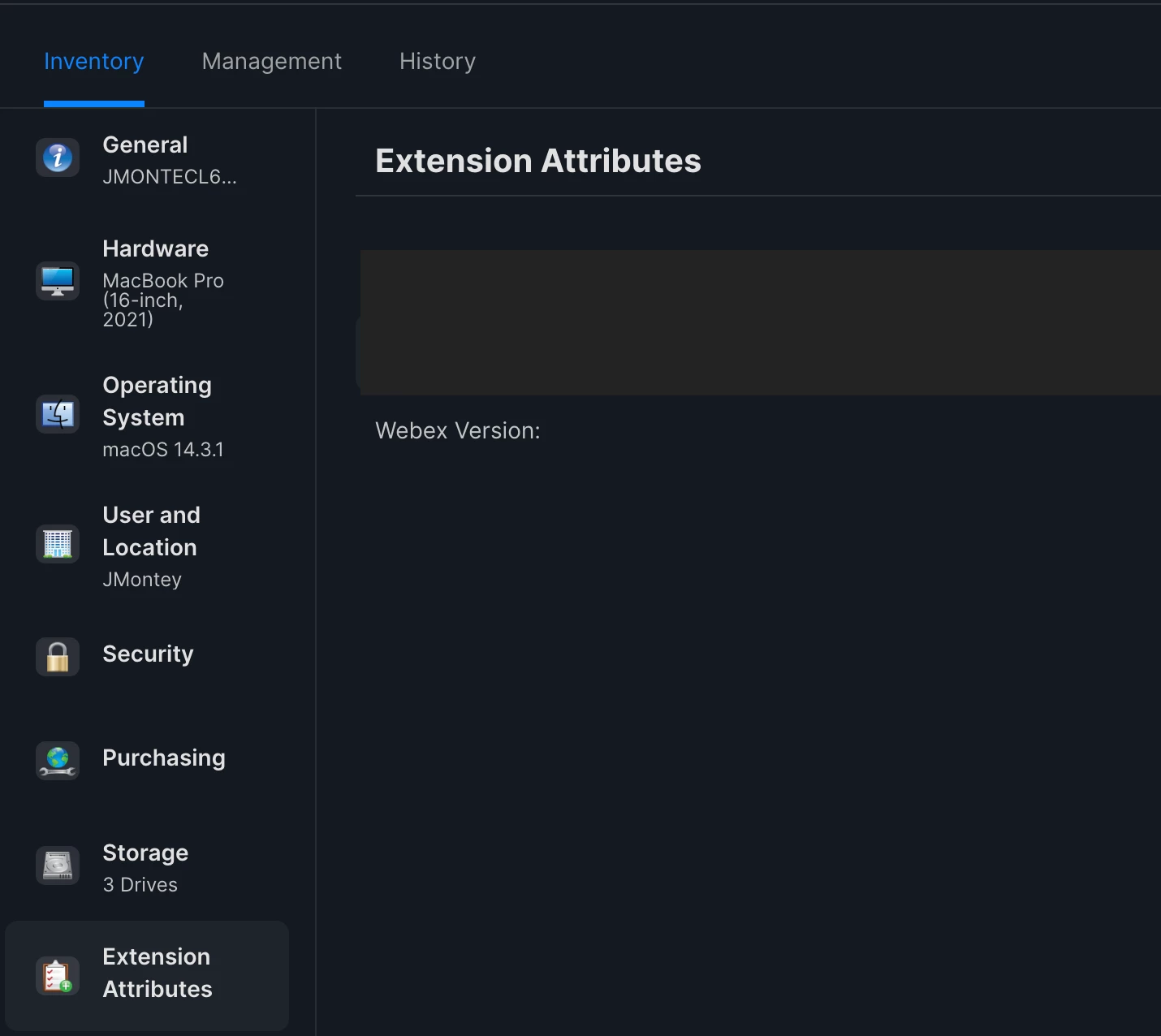
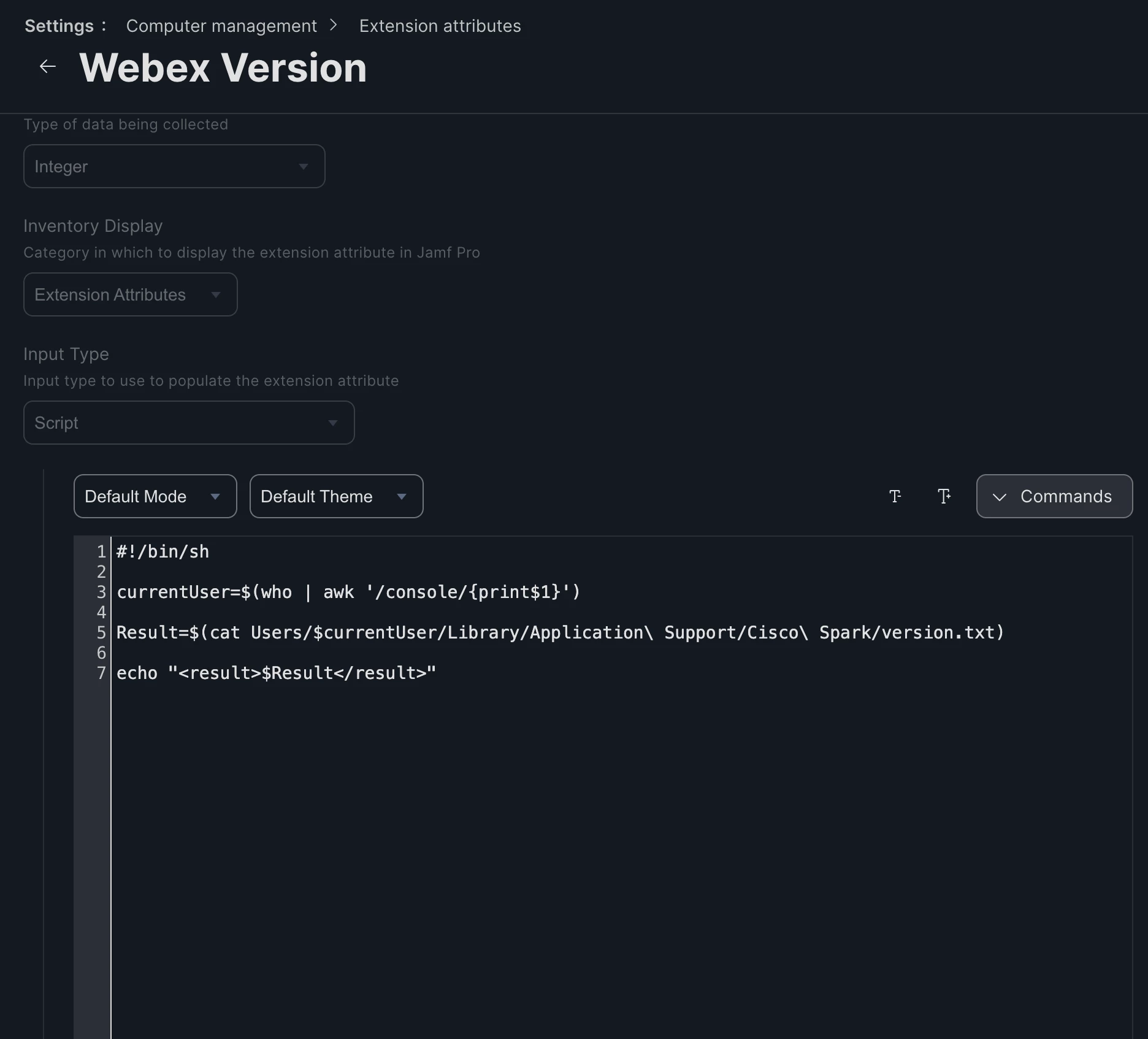
I am trying to get this script to work for this extension attribute. It's just not pulling anything in Jamf Pro. But when I run the same commands in terminal on the local machine, as root, it works. Any suggestions?


Best answer by sdagley

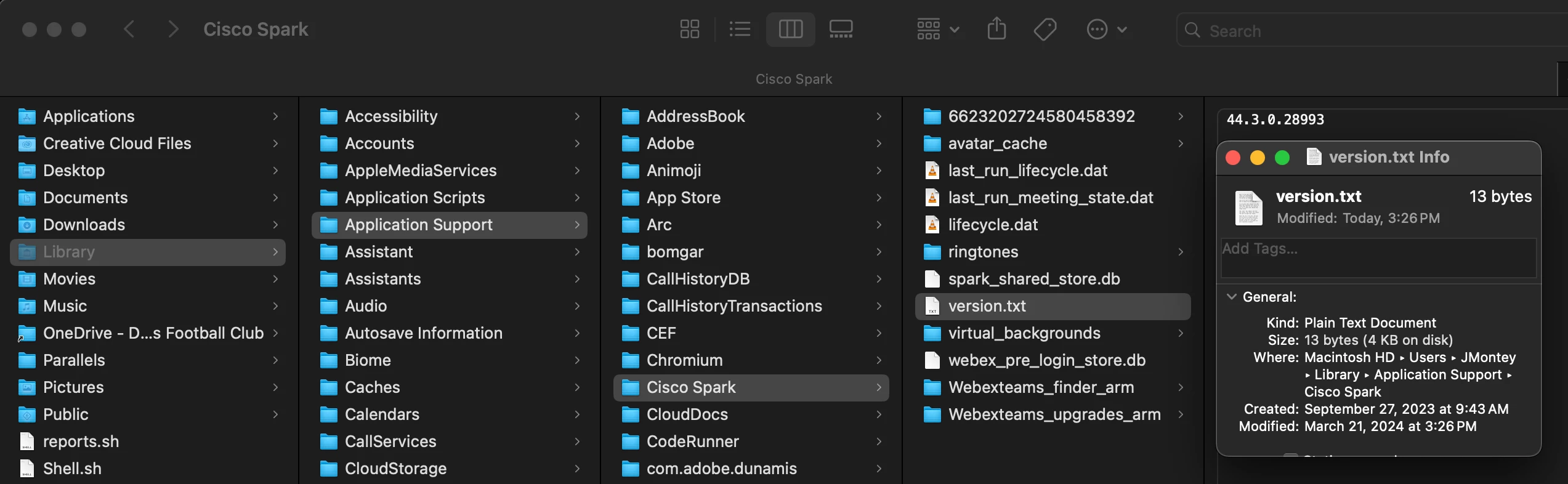
@JMontey1 In the EA listing you show you're missing a / at the beginning of the path to version.txt file.

You might also want to re-think your check for the current user. Here's a pretty definitive writeup on the best way to do that: https://scriptingosx.com/2020/02/getting-the-current-user-in-macos-update/

4 replies

sdagley
Forum|alt.badge.img+25
  • Jamf Heroes
  • Answer
  • March 22, 2024

@JMontey1 In the EA listing you show you're missing a / at the beginning of the path to version.txt file.

You might also want to re-think your check for the current user. Here's a pretty definitive writeup on the best way to do that: https://scriptingosx.com/2020/02/getting-the-current-user-in-macos-update/


howie_isaacks
Forum|alt.badge.img+23
  • Esteemed Contributor
  • March 22, 2024

This command has always worked for me.

currentUser=`/bin/ls -l /dev/console | /usr/bin/awk '{ print $3 }'`

I have this in a text document along with a bunch of other commonly used commands and functions that I copy and paste into my scripts. I have always wondered if the other commands worked better in certain use cases or when used with a different interpreter.


Forum|alt.badge.img+4
  • Author
  • Contributor
  • March 22, 2024

The currentUser part works fine. I know there's other options. 

The / was missing before "Users" in the file path, that was ultimately what fixed the script. 


Thank you all for your help and suggestions. I am slowly throwing myself in the scripting fire so this is all new and exciting. 


howie_isaacks
Forum|alt.badge.img+23
  • Esteemed Contributor
  • March 27, 2024

The currentUser part works fine. I know there's other options. 

The / was missing before "Users" in the file path, that was ultimately what fixed the script. 


Thank you all for your help and suggestions. I am slowly throwing myself in the scripting fire so this is all new and exciting. 


You picked the best place to get help. Many Jamf Nation members have helped me learn to script better. @sdagley is one of them. Mac Admins Slack is another great place to get help.