Question

Extension Attribute For "Swift Runtime for CLT"

  • November 1, 2019
  • 10 replies
  • 36 views

Forum|alt.badge.img+5

I'm rolling out OneLogin Desktop in a couple of weeks and to successfully deploy to any pre-10.14.4 machine I need to push out Swift Runtime for CLT. I did this yesterday, but I would love to see if the policy failed on any machines. Not sure how to make a Smart Group for this since Swift for CLT isn't an "app," per se. Any suggestions?

10 replies

afarnsworth
Forum|alt.badge.img+8
  • Contributor
  • 46 replies
  • November 1, 2019

Something that comes to mind is using pkgutil --pkgs to see if you can find the Swift Runtime for CLT package receipt. If you can, then add a pipe to the command and grep the receipt name out. An EA would look something like

#!/bin/bash
swiftReceipt=$(pkgutil --pkgs | grep com.apple.pkg.something)
if [ "$swiftReceipt" = "receiptname" ]; then
echo "<result>Swift CLT Installed</result>"
else
echo "<result>Swift CLT Not Installed</result>"
fi

Forum|alt.badge.img+5
  • Author
  • Contributor
  • 43 replies
  • November 1, 2019

Interesting. I'll try this later today and post here.


Forum|alt.badge.img+5
  • Author
  • Contributor
  • 43 replies
  • November 1, 2019

I got a "Not Installed" response on a machine that I know it was installed on, so I think I might have the receipt name wrong. Will keep digging, but assuming this will work once I get the names right.


Forum|alt.badge.img+31
  • Honored Contributor
  • 2721 replies
  • November 1, 2019

What is the bundle ID of the Swift Runtime?


Forum|alt.badge.img+5
  • Author
  • Contributor
  • 43 replies
  • November 4, 2019

Alright, I'm not sure what the Bundle ID is but I did create an Extension Attribute using that same script:

#!/bin/bash
swiftReceipt=$(pkgutil --info com.apple.pkg.SwiftRuntimeForCommandLineTools)
if [ "$swiftReceipt" = "No receipt for 'com.apple.pkg.SwiftRuntimeForCommandLineTools' found at '/'." ]; then
echo "<result>Swift Runtime For CLT Not Installed</result>"
else
echo "<result> Swift Runtime For CLT Installed</result>"
fi

...and scoping it to computers running only older than a 10.14.4 macOS. I'm seeing some results filter into the INSTALLED Smart Group, but not the NOT INSTALLED Smart Group. Will give it some time and update.


Forum|alt.badge.img+5
  • Author
  • Contributor
  • 43 replies
  • November 4, 2019

No luck. I checked my work against some of the laptops in the INSTALLED group by running:

pkgutil --info com.apple.pkg.SwiftRuntimeForCommandLineTools

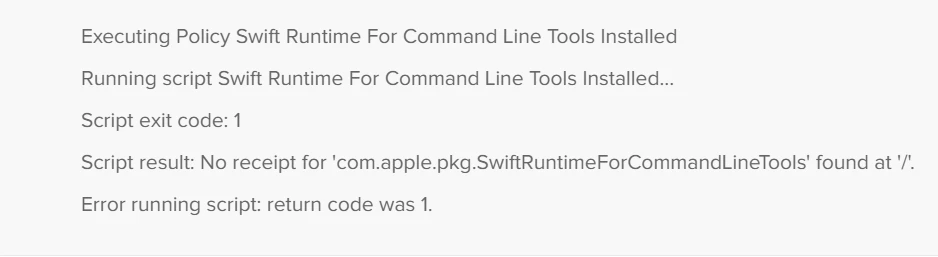
...silently in the background. While I assumed I had a successful install earlier, it clearly did not install. Don't know how I got my Extension Attribute / Smart Group wrong.


Forum|alt.badge.img+5
  • Author
  • Contributor
  • 43 replies
  • November 5, 2019

Ok, so my final stab at this is it base a Smart Group of the exit code of an EA script.

#!/bin/bash

exit=?(pkgutil --info com.apple.pkg.SwiftRuntimeForCommandLineTools)

if [ $exit -eq 0 ]
then
  echo "Success"
else
  echo "Failure" >
fi

I'm not terribly familiar with bash, and this is clearly not working. Any suggestions?


Forum|alt.badge.img+8
  • Contributor
  • 10 replies
  • November 5, 2019

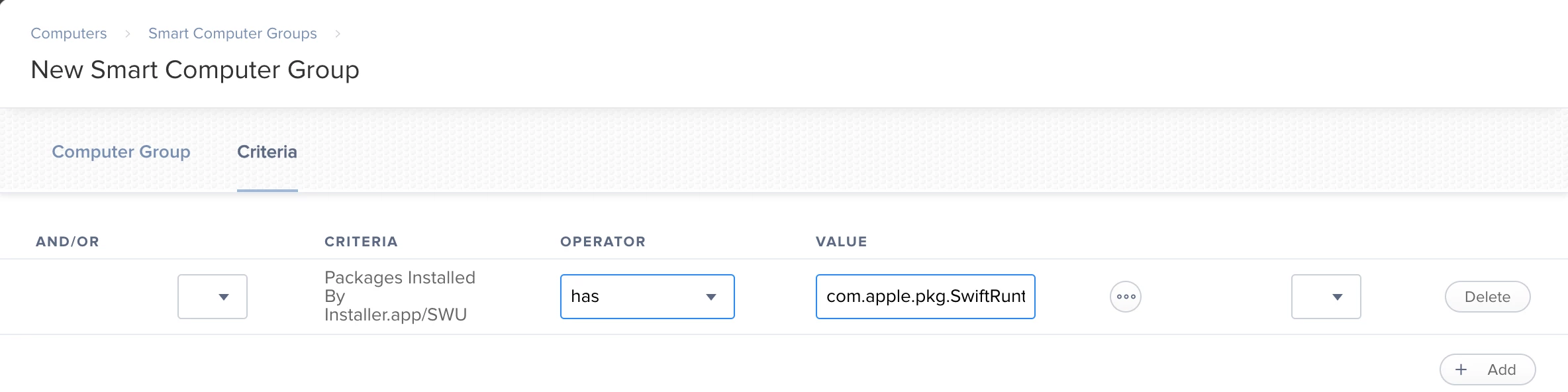
Can you use the "Packages Installed By Installer.app/SWU" for this?


Forum|alt.badge.img+5
  • Author
  • Contributor
  • 43 replies
  • November 5, 2019

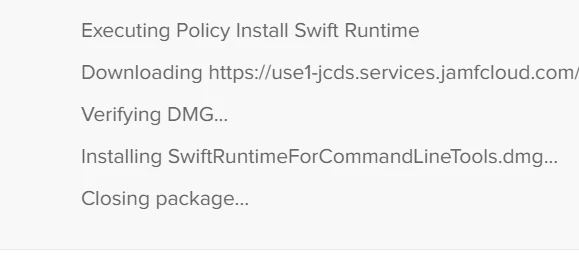
Just updated the Smart Group and my one known computer populated. I'll push the install out again and give it some time to run to see if the Smart Groups update. Thanks! I had no idea that was even in option there!


Forum|alt.badge.img+5
  • Author
  • Contributor
  • 43 replies
  • November 5, 2019

Got it. You're a genius.