Solved

Extension Attribute to check file modified date

  • May 10, 2024
  • 4 replies
  • 30 views

_aDiedericks
Forum|alt.badge.img+8

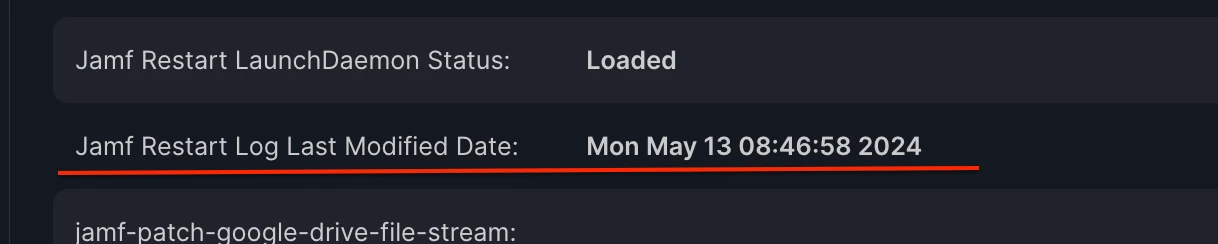
Hi there, is there a way to get an extension attribute in Jamf to report a target file's last modified date?

Best answer by DTB_Kirky

Appears to be working when ran from terminal or from script/policy in Jamf but as an extension attribute it doesn't collect any data.


You need to wrap the output for all extension attributes with <result> & </result>

So your last command should be:  echo "<result>$datemodified</result>"

4 replies

DTB_Kirky
Forum|alt.badge.img+7
  • Jamf Heroes
  • May 10, 2024

Use stat -x
eg: stat -x /Applications/Box.app | grep "Modify" | awk '{print $2,$3,$4,$5,$6}'


_aDiedericks
Forum|alt.badge.img+8
  • Author
  • Contributor
  • May 11, 2024

Use stat -x
eg: stat -x /Applications/Box.app | grep "Modify" | awk '{print $2,$3,$4,$5,$6}'


Appears to be working when ran from terminal or from script/policy in Jamf but as an extension attribute it doesn't collect any data.


DTB_Kirky
Forum|alt.badge.img+7
  • Jamf Heroes
  • Answer
  • May 13, 2024

Appears to be working when ran from terminal or from script/policy in Jamf but as an extension attribute it doesn't collect any data.


You need to wrap the output for all extension attributes with <result> & </result>

So your last command should be:  echo "<result>$datemodified</result>"


_aDiedericks
Forum|alt.badge.img+8
  • Author
  • Contributor
  • May 13, 2024

You need to wrap the output for all extension attributes with <result> & </result>

So your last command should be:  echo "<result>$datemodified</result>"


Thank, that seemed to be the icing on the cake