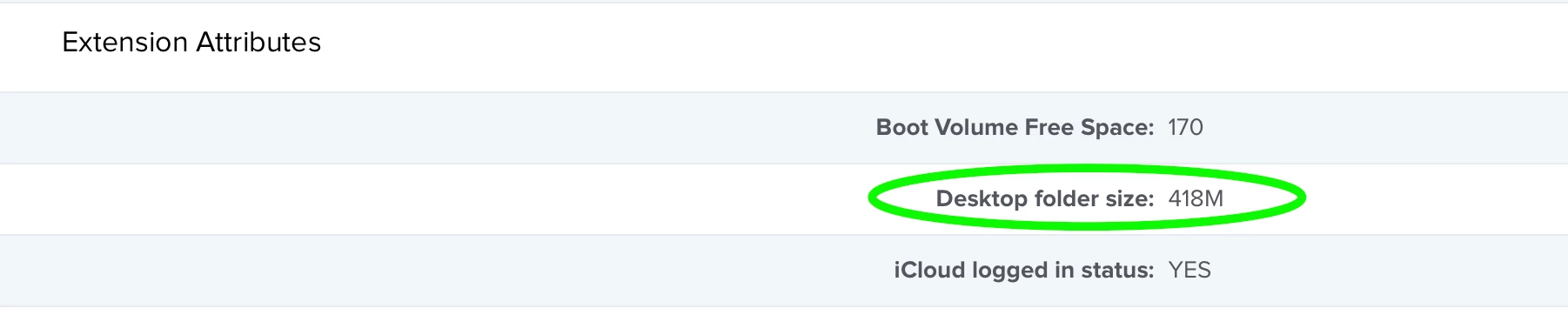
My company uses a cloud file service called Egnyte. We deploy it for our clients as well. One of the functions of Egnyte is that it will sync a user's Desktop and/or Documents folder with the user's private folder in Egnyte. This is very useful if we need to give the user a temporary Mac while theirs is being repaired. All we need to do is sign in their Egnyte account, and all of the files that they're hoarding on the Desktop will appear within the amount of time it takes for the files to sync over from Egnyte. I am just now learning how to create extension attributes, but this particular scenario has so far eluded me. The first thing I do is find out who the current logged in user is:
currentuser=`/bin/ls -l /dev/console | /usr/bin/awk '{ print $3 }'`
echo $currentuser
Next, I tried entering: size=du -h /Users/$currentuser/Desktop
echo $size
That command is meant output the size of the Desktop folder for the current logged in user. If I type:
du -h /Users/$currentuser/Desktop/
It outputs this: 418M /Users/howie/Desktop/
If I type:
echo $size
It outputs this which is useless:
du -h Desktop
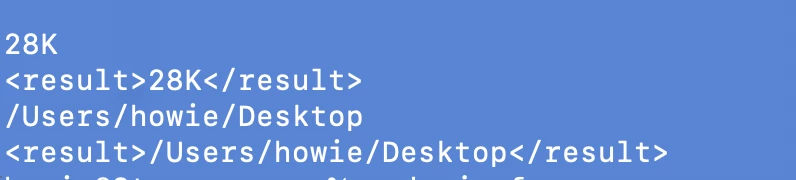
The script will error out stating that "-h" command not found. There are other errors that come up. I think I'm simply entering these commands with the wrong syntax. Maybe I need quotes and/or brackets. Because I can't get the output to come out correctly without errors, I can't even move on to the <result>XXX</result> command and wrap this up. This seemed so simple when I thought of it 🤔 🤔
Help please!