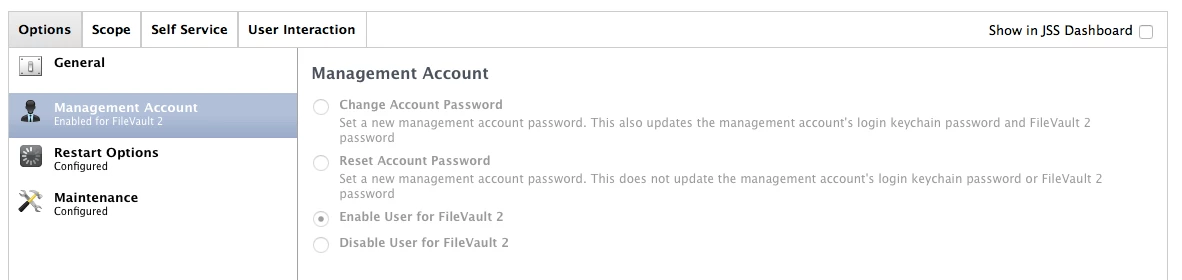
Hi, I'm trying to find a way to enable file-vault for the management account without having to do it manually (System Preferences > Security & Privacy > Filevault > Enable Users).
Any Suggestions???

 +3
+3Hi, I'm trying to find a way to enable file-vault for the management account without having to do it manually (System Preferences > Security & Privacy > Filevault > Enable Users).
Any Suggestions???
Best answer by lkrasno
@CH4RL35 I've written a quick multipurpose script which takes into account the time gap mentioned by @rrs and also handles user notification, its scoped to machine that started the encryption policy (self service)
#!/bin/bash

# script checks for completion of FV2 encryption to alert user and enables admin account (post reboot)

fvstatus=$(fdesetup list)

while [ -z "$fvstatus" ]; do
        sleep 300
        fvstatus=$(fdesetup list)

        done

echo $fvstatus
'/Library/Application Support/JAMF/bin/jamfHelper.app/Contents/MacOS/jamfHelper' -windowType hud -windowPosition ur -heading "IS ALERT" -description "Hard Drive Encryption Complete" -icon /Applications/Apple Service.app/Contents/Resources/Self Service.icns/

jamf policy -trigger enableManagmentAccount

exit 0Enter your E-mail address. We'll send you an e-mail with instructions to reset your password.