
Question

Flash Player Update Help

  • November 6, 2015
  • 22 replies
  • 50 views

Forum|alt.badge.img+4

I am new to using JSS and am trying to configure my first update but it does not seem to be working. Here is what I have done so far:

Created Smart Group to find all systems without Flash or at a lower version-
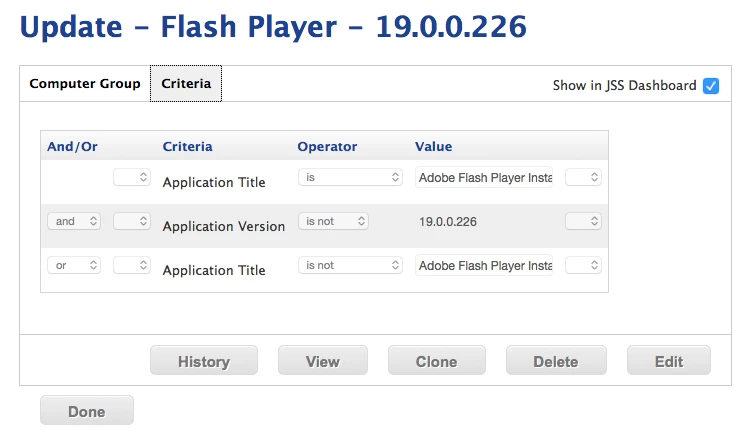
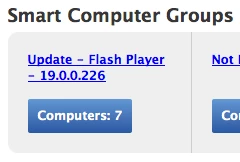
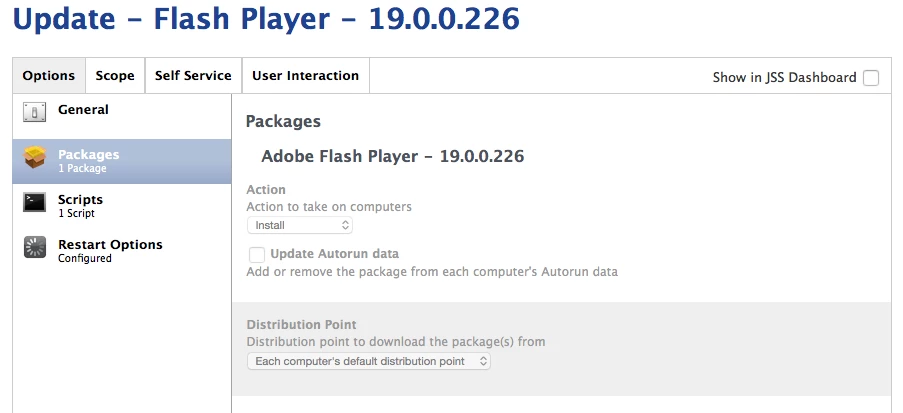
Created a Policy which should install flash player on logout one time and then run a disable Flash Player Update script to the 7 computers found in my smart group-
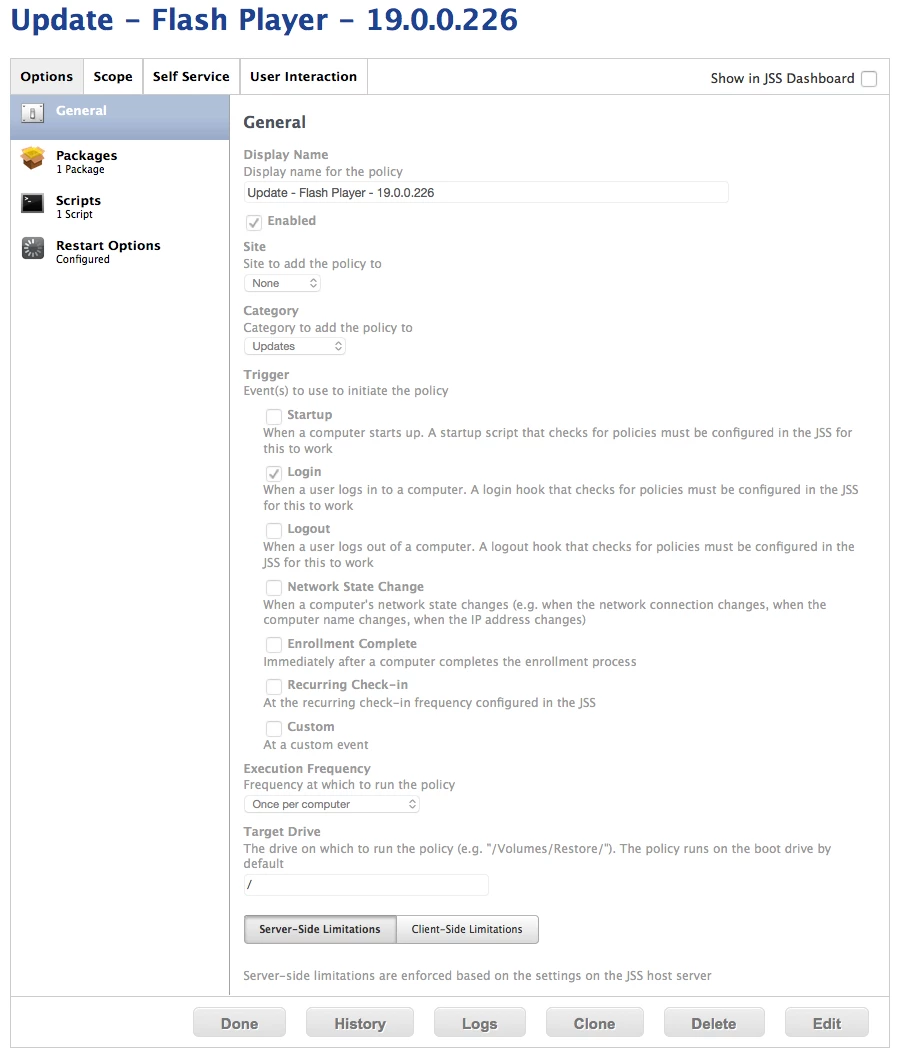
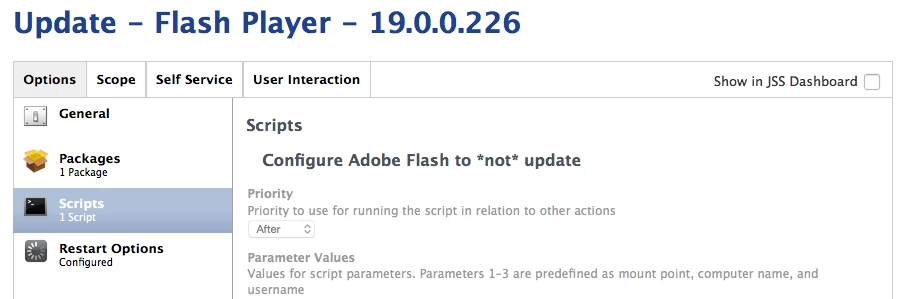
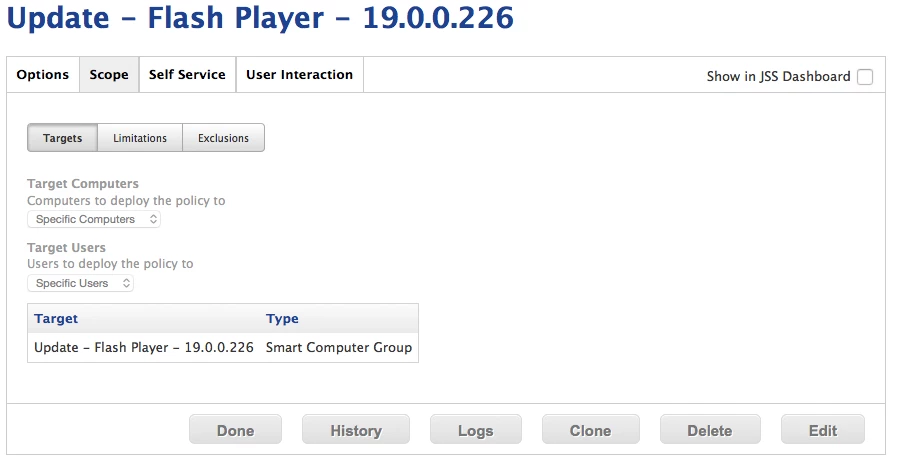
Upon logon on the machines listed in the smart group, flash is not installed. In the management history for the specific computers I am not getting any fail error or even an attempt at applying the policy it appears. Can anyone help me with this?

22 replies

karthikeyan_mac
Forum|alt.badge.img+18
  • Honored Contributor
  • November 6, 2015

Hi @rharrington ,

Can you check "Check for policies triggered by login or logout" is checked in "Management Settings ---> Computer Management ---> Check-In ---> Login/Logout Hooks (Tab)


Forum|alt.badge.img+4
  • Author
  • Contributor
  • November 6, 2015

Yes, that is checked off.


AVmcclint
Forum|alt.badge.img+21
  • Esteemed Contributor
  • November 6, 2015

On one of the affected computers, run

sudo jamf policy -event login

and see what happens. if it says no policies were found for the "login" trigger, then maybe check the Logs for that policy to see if it shows as a failure.


Forum|alt.badge.img+4
  • Author
  • Contributor
  • November 6, 2015

This is what I get in the logs:

Executing Policy Update - Flash Player - 19.0.0.226...
Mounting JSS to /Volumes/CasperShare...
Verifying package integrity...
Installing Adobe Flash Player - 19.0.0.226...
Error: An error occurred attempting to mount the package "Adobe Flash Player - 19.0.0.226".

So I obviously have an issue there, but why would it not even try to install until I ran "sudo jamf policy -event login"


AVmcclint
Forum|alt.badge.img+21
  • Esteemed Contributor
  • November 6, 2015

Since you have the policy set for Once per computer AND it did fail once, the JSS doesn't let it try again until you purge the failure from the log.

As for why the packaged failed, you might want to make sure you're using the System Administrator package from https://www.adobe.com/products/flashplayer/distribution3.html


bpavlov
Forum|alt.badge.img+18
  • Esteemed Contributor
  • November 6, 2015

Just to take a step back here. You can deploy Flash at any point. It doesn't need to be at log in or log out. The users will need to restart their web browsers for it to start using the new plug-in, but that's about it. Hopefully that will help you rethink the policy you've set up.

Also, be sure to signup for the system admin version of Flash here: https://www.adobe.com/products/players/flash-player-distribution.html
It's quick, simple, and free.


Forum|alt.badge.img+4
  • Author
  • Contributor
  • November 6, 2015

Turns out I uploaded the DMG not the pkg, total user error...and yes I am using the system admin version.

But, on another note, the policy will only work and install when I run the command "sudo jamf policy -event login", on one specific machine, all others install during login as expected. On this specific machine the policy window in the lower right hand corner does not show up upon login or out. Any ideas?


stevewood
Forum|alt.badge.img+38
  • Hall of Fame
  • November 6, 2015

@rharrington it sounds like the jamf framework might be messed up. I would try running:

jamf manage

And then see if the machine picks up the login policies.


Forum|alt.badge.img+4
  • Author
  • Contributor
  • November 6, 2015

This is what I get:

Getting management framework from the JSS...
Enforcing management framework...
Checking availability of https://blahblahblah...
The JSS is available.
Enforcing login/logout hooks...
Enforcing scheduled tasks...
Creating launch daemon...
Creating launch agent...
Checking availability of https://blahblahblah...
The JSS is available.


stevewood
Forum|alt.badge.img+38
  • Hall of Fame
  • November 6, 2015

@rharrington and afterwards are you able to get Flash to install on that machine? Is the log file even showing that the policy was attempted on that machine?


Forum|alt.badge.img+4
  • Author
  • Contributor
  • November 6, 2015

No, its not showing as even trying even though it is in the smart group. It is just one machine that this is happening on, the rest are working fine now.


stevewood
Forum|alt.badge.img+38
  • Hall of Fame
  • November 6, 2015

@rharrington if you peek into /var/log/jamf.log do you see any errors in there? Does it appear that the machine is trying to install?

What is the output of jamf policy -event login


Forum|alt.badge.img+4
  • Author
  • Contributor
  • November 6, 2015

It finds and installs the package fine if I run that command but not if I just login/out, it appears to not check for policy updates when I log in/out on this machine.

Checking for policies triggered by "login"...
Executing Policy Update - Flash Player - 19.0.0.226... Mounting JSS to /Volumes/CasperShare... Verifying package integrity... Copying Adobe Flash Player - 19.0.0.226... Installing Adobe Flash Player - 19.0.0.226... Successfully installed Adobe Flash Player - 19.0.0.226.
Running script Configure Adobe Flash to not update...
Script exit code: 0
Script result: Submitting log to https://jhgjmgh
Unmounting file server...


Chris_Hafner
Forum|alt.badge.img+27
  • Jamf Heroes
  • November 6, 2015

Perhaps this is a silly question but, can you verify that the computer is connected to the network upon login? I tend not to use login/logout hooks due to the fact that it kills the users expectation of being able to login or logout quickly. However, if you're logging in and the unit is using 802.1x wireless bound to the user, they will not have an internet connection right away. That said, you may just respond back telling me that they're hard wired or such. Personally, I just use the "recurring check in" as they seems to get in the users way the least.


Forum|alt.badge.img+4
  • Author
  • Contributor
  • November 6, 2015

Yes, all computers are using wired connections.


bpavlov
Forum|alt.badge.img+18
  • Esteemed Contributor
  • November 6, 2015

It's still not clear why you need to install this during login.....


Chris_Hafner
Forum|alt.badge.img+27
  • Jamf Heroes
  • November 6, 2015

@bpavlov Is "Adobe" a reason?


bpavlov
Forum|alt.badge.img+18
  • Esteemed Contributor
  • November 6, 2015

@Chris_Hafner No it's not. Flash will install fine without a user logged in. It's actually one of their better installers.


Chris_Hafner
Forum|alt.badge.img+27
  • Jamf Heroes
  • November 6, 2015

I know, I know. However, we still have to log the users in in our case, as they are not online until the user is.


Forum|alt.badge.img+18
  • Contributor
  • November 6, 2015

I agree with everyone saying to make this a recurring trigger policy, not a login one. I don't see the logic in making it a login policy, which is less likely to occur in a timely fashion.

If the goal is to mitigate risk and the update can be installed silently at any time, run it ASAP.


Chris_Hafner
Forum|alt.badge.img+27
  • Jamf Heroes
  • November 6, 2015

Yep. We actually run two policies. One that's silent and based on the recurring check in, and another that is manual via self-service. It surprises me how many people are only online for a few moments and don't end up with the automated policy. In either case they are based off the same Smart group and will eventually lead to the proper installation of flash.


mm2270
Forum|alt.badge.img+24
  • Legendary Contributor
  • November 6, 2015

Yep, there's just no good reason I can think of to push a Flash Player update as a login trigger. Flash is not one of those items that will stop or kill something running if applications are open. The worst case is that the old code may remain in memory until browsers are restarted. For that, you could have your policy send up a notice at the end that Flash Player was just updated and to quit Safari or whatever. In short, drop the login trigger and set it to Recurring and many of your troubles will likely go away.





