Solved

forcing google chrome extensions

  • Nov 29, 2023 1:47 PM UTC
  • 6 replies
  • 392 views

danlaw777
Forum|alt.badge.img+17

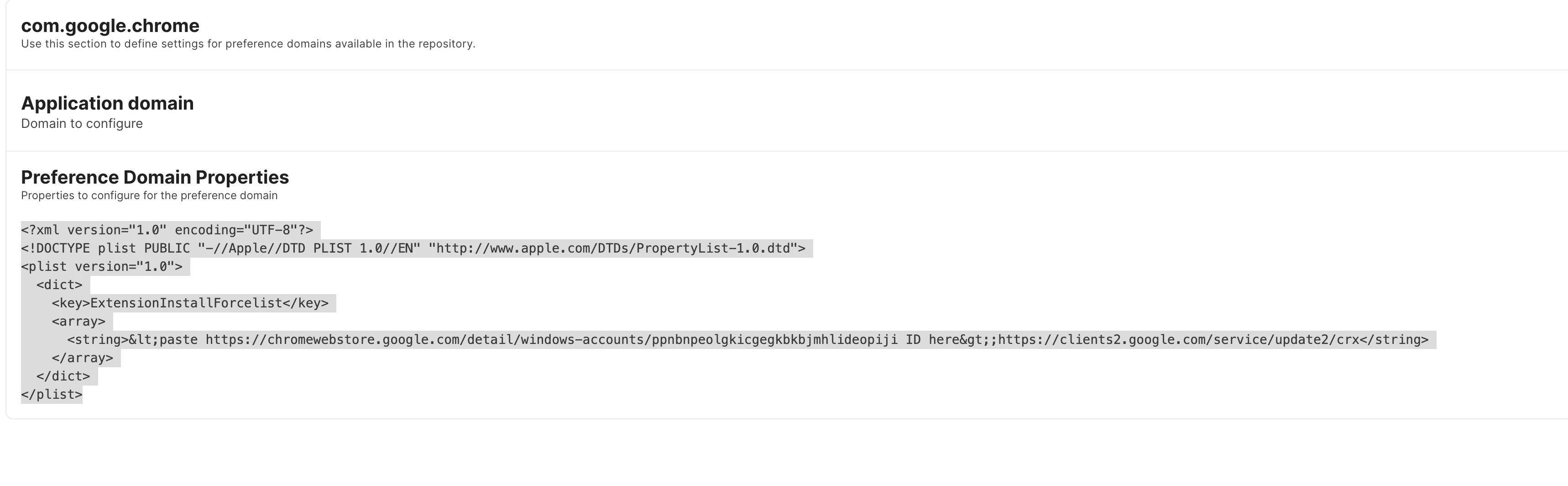
Has anyone had any luck getting these to work? 
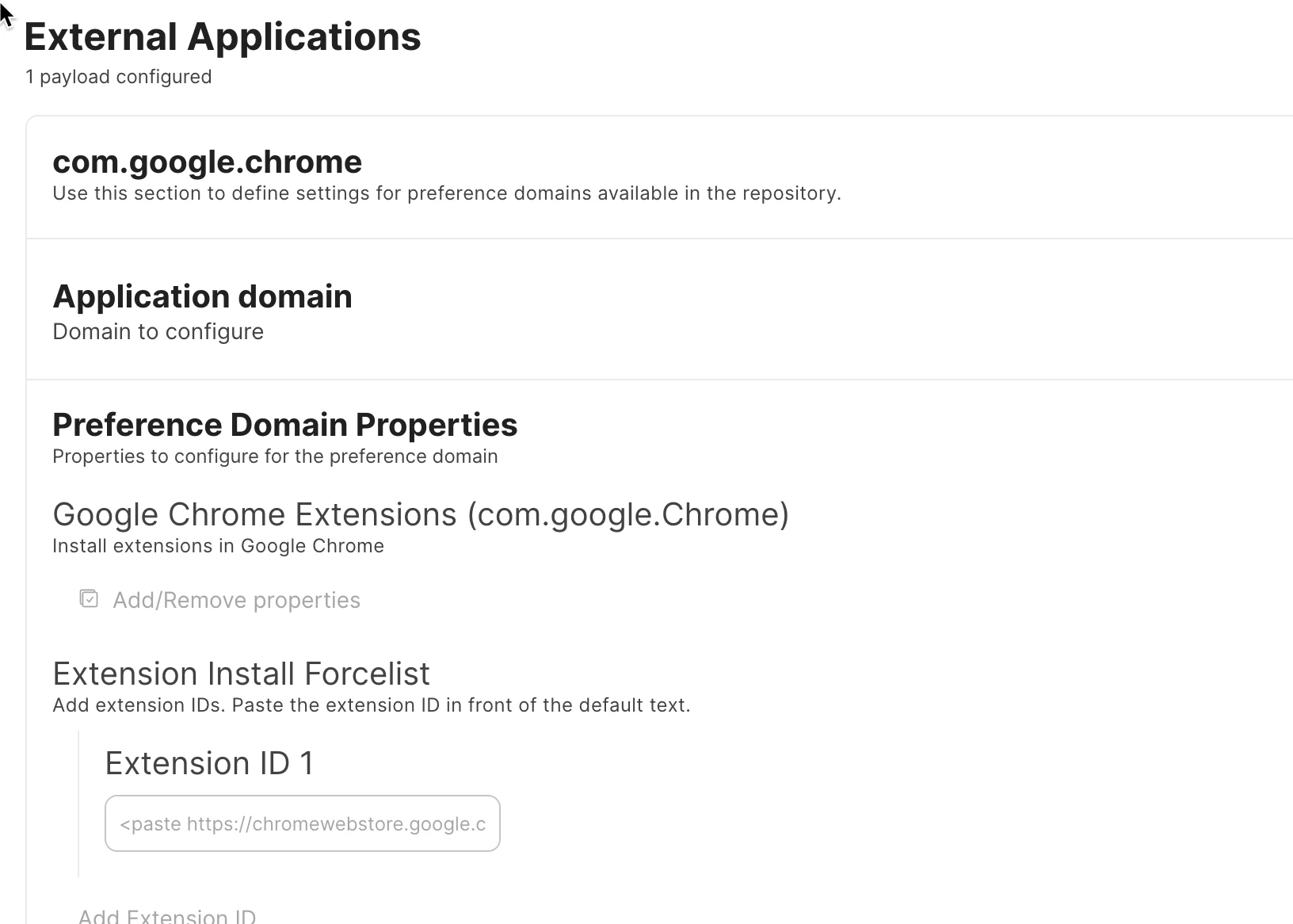
 

or am i just doing something stupid?

Best answer by Tribruin

You have the full URL as your extension ID, you just need the code at the end of the URL as the Extension ID. 

View original

6 replies

YanW
Forum|alt.badge.img+11
  • Valued Contributor
  • Nov 29, 2023 2:06 PM UTC

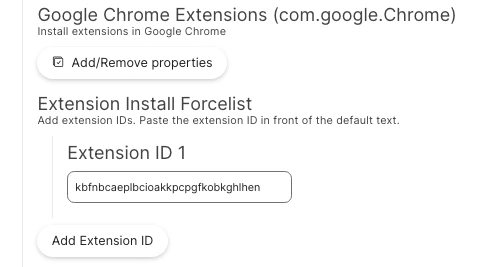
work for me


{ "title": "Google Chrome Extensions (com.google.Chrome)", "description": "Install extensions in Google Chrome", "properties": { "ExtensionInstallForcelist": { "title": "Extension Install Forcelist", "description": "Add extension IDs. Paste the extension ID in front of the default text.", "property_order": 5, "type": "array", "items": { "title": "Extension ID", "default": "<paste extension ID here>;https://clients2.google.com/service/update2/crx", "type": "string" } } } }


Forum|alt.badge.img+20
  • Honored Contributor
  • Answer
  • Nov 29, 2023 2:46 PM UTC

You have the full URL as your extension ID, you just need the code at the end of the URL as the Extension ID. 


danlaw777
Forum|alt.badge.img+17
  • Author
  • Valued Contributor
  • Nov 29, 2023 3:55 PM UTC

You have the full URL as your extension ID, you just need the code at the end of the URL as the Extension ID. 


that was it! thanks!


Forum|alt.badge.img
  • New Contributor
  • Dec 7, 2023 6:00 AM UTC

Thank you @Tribruin you solved my problem also, I was thinking about starting a thread but then I found my solution here, thanks again.


Forum|alt.badge.img
  • New Contributor
  • Mar 4, 2024 12:18 PM UTC

<?xml version="1.0" encoding="UTF-8"?> <!DOCTYPE plist PUBLIC "-//Apple//DTD PLIST 1.0//EN" "http://www.apple.com/DTDs/PropertyList-1.0.dtd"> <plist version="1.0"> <dict> <key>ExtensionAllowedTypes</key> <array> <string>extension</string> </array> <key>ExtensionInstallAllowlist</key> <array> <string>hdokiejnpimakedhajhdlcegeplioahd</string> <string>oiekdmlabennjdpgimlcpmphdjphlcha</string> <string>jfbnmfgkohlfclfnplnlenbalpppohkm</string> <string>difoiogjjojoaoomphldepapgpbgkhkb</string> </array> <key>ExtensionInstallBlacklist</key> <array> <string>*</string> </array> <key>ExtensionInstallBlocklist</key> <array> <string>*</string> </array> <key>ExtensionInstallSources</key> <array> <string>https://jamf.com</string> </array> <key>ExtensionInstallWhitelist</key> <array> <string>oiekdmlabennjdpgimlcpmphdjphlcha</string> <string>hdokiejnpimakedhajhdlcegeplioahd</string> <string>jfbnmfgkohlfclfnplnlenbalpppohkm</string> </array> </dict> </plist>


Forum|alt.badge.img+4
  • Contributor
  • Jan 7, 2025 2:53 PM UTC

work for me


{ "title": "Google Chrome Extensions (com.google.Chrome)", "description": "Install extensions in Google Chrome", "properties": { "ExtensionInstallForcelist": { "title": "Extension Install Forcelist", "description": "Add extension IDs. Paste the extension ID in front of the default text.", "property_order": 5, "type": "array", "items": { "title": "Extension ID", "default": "<paste extension ID here>;https://clients2.google.com/service/update2/crx", "type": "string" } } } }


Hello,
How do I setup the "External Application" view to have these kind of option? Where do you use the script above? First time working with these kind of stuff.