Question

ForeScout agent deployment - Script

  • February 9, 2021
  • 1 reply
  • 143 views

Forum|alt.badge.img+3

Hey, So, after lots of tests and struggling with new ways to migrate DMG file to PKG I found that none of them really works and the agent never starts and works properly...

I found this script (don't remember where) and this solved my issue!

```

!/bin/sh

Downloading OSX Update Package to /tmp on the host

curl -o /tmp/update.tgz http://YOUR_SERVER_NAME_OR_IP/SC_packages/update.tgz; sleep 3

Extracting update.tgz to /tmp

tar -zxvf /tmp/update.tgz -C /tmp; sleep 3

Installing SecureConnector as a Daemon/Dissolvable w/ visible/invisible menu bar icon

sudo -S /tmp/Update/Update.sh -t daemon -v 1; sleep 3

Checking/Starting processes in case they did not start on install

daemon_pid=ps auxww | grep -v grep | egrep "ForeScout SecureConnector.-daemon" | awk '{print $2}'
agent_pid=ps auxww | grep -v grep | egrep "ForeScout SecureConnector.-agent" | awk '{print $2}'
daemon_plist=/Library/LaunchDaemons/com.forescout.secureconnector.daemon.plist
agent_plist=/Library/LaunchAgents/com.forescout.secureconnector.agent.plist

if [[ -z "$daemon_pid" && -z "$agent_pid" ]]; then #Starting Daemon process launchctl unload $daemon_plist launchctl load $daemon_plist

Starting GUI process launchctl unload $agent_plist launchctl load $agent_plist

elif [[ ! -z "$daemon_pid" && -z "$agent_pid" ]]; then #Starting GUI process launchctl unload $agent_plist launchctl load $agent_plist
fi

Clean-up a little

sudo rm -rf /tmp/update.tgz /tmp/Update/
``
I hope this will help the other guys that having the same issue as I had :) Cheers!

1 reply

mojo21221
Forum|alt.badge.img+12
  • Valued Contributor
  • April 15, 2026

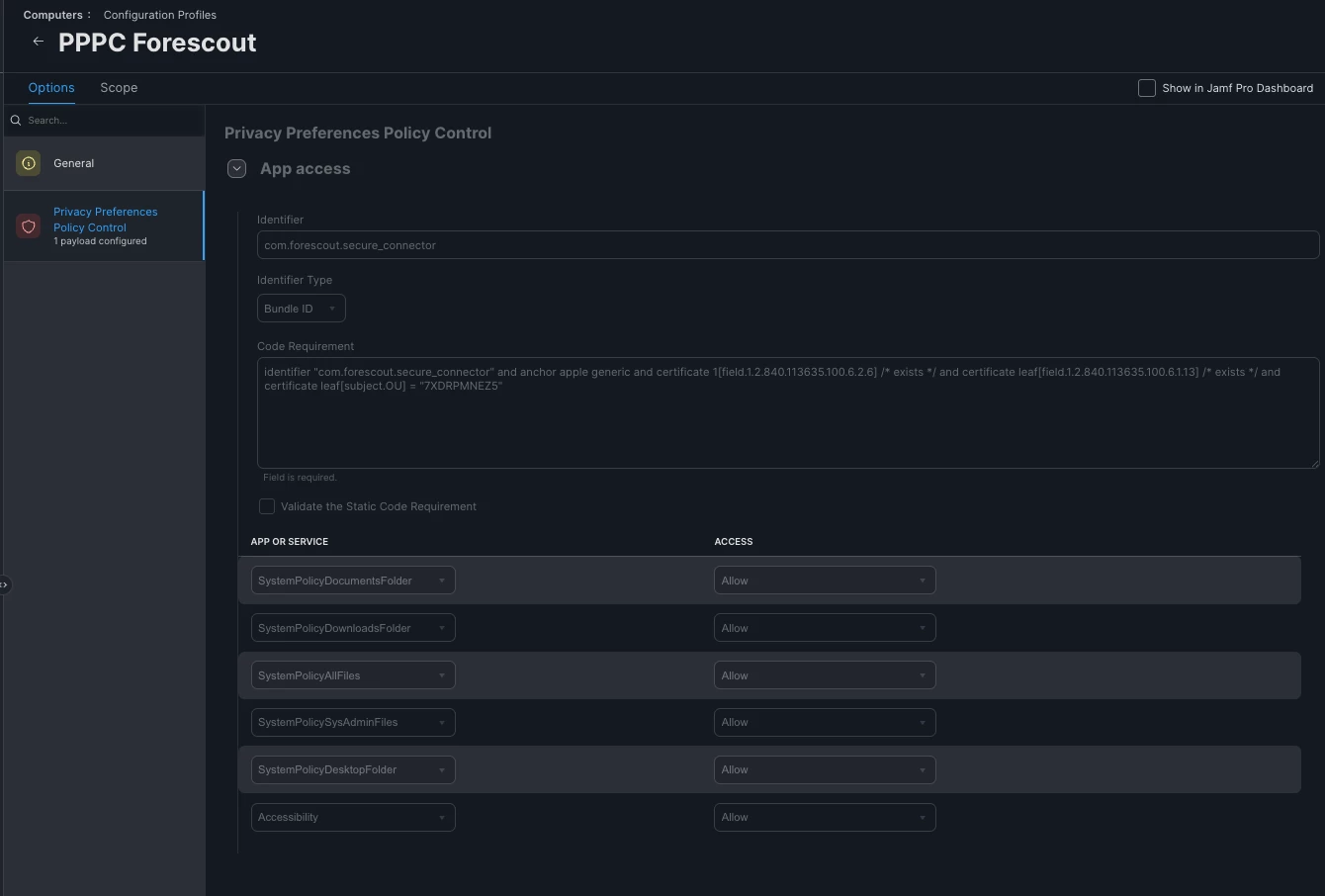
Just had to deploy Forescout into an environment and the above script helped. But I felt the need to clean it up a bit. This can be deployed as a script from jamf. or if your Forescout Secure Connector server is not externally facing. Place the update.tgz into /tmp and create a package of it. to deploy out prior to running the script. Just comment out the curl… Also you will need a PPPC. Finally thank you Armin Briegel… https://scriptingosx.com/2020/08/running-a-command-as-another-user/ 


#!/bin/sh

currentUser=$(stat -f %Su /dev/console)
uid=$(id -u $currentUser)
daemon_pid=$(ps auxww | grep -v grep | egrep "ForeScout SecureConnector.-daemon" | awk '{print $2}')
agent_pid=$(ps auxww | grep -v grep | egrep "ForeScout SecureConnector.-agent" | awk '{print $2}')
daemon_plist=/Library/LaunchDaemons/com.forescout.secureconnector.daemon.plist
agent_plist=/Library/LaunchAgents/com.forescout.secureconnector.agent.plist

#Downloading OSX Update Package to /tmp on the host
curl -o /tmp/update.tgz https://YOUR_SERVERNAME_HERE/SC_packages/update.tgz; sleep 3

# Extracting update.tgz to /tmp
tar -zxvf /tmp/update.tgz -C /tmp; sleep 3

# Installing SecureConnector as a Daemon/Dissolvable w/ visible/invisible menu bar icon
sudo -S /tmp/Update/Update.sh -t daemon -v 0; sleep 3

if [[ -z "$daemon_pid" && -z "$agent_pid" ]];
then
# Starting Daemon and Agent
launchctl bootout system $daemon_plist
launchctl bootstrap system $daemon_plist
launchctl asuser "$uid" sudo -u "$currentUser" launchctl bootout gui/$uid $agent_plist
launchctl asuser "$uid" sudo -u "$currentUser" launchctl bootstrap gui/$uid $agent_plist

elif [[ ! -z "$daemon_pid" && -z "$agent_pid" ]];
then
#Starting GUI process
launchctl asuser "$uid" sudo -u "$currentUser" launchctl bootout gui/$uid $agent_plist
launchctl asuser "$uid" sudo -u "$currentUser" launchctl bootstrap gui/$uid $agent_plist

fi


# Clean-up a little
sudo rm -rf /tmp/update.tgz /tmp/Update/

exit 0