Solved

Google File Stream Team ID

  • April 9, 2018
  • 10 replies
  • 44 views

Forum|alt.badge.img+7

Hey!

I've been testing the new 10.13.4 update. As we all now, new Kernel extensions need to be either approved by the user or via Configuration Profile.

Along with 10.13.4, we are testing Google File Stream which installs a Kernel extension. I can't find the Team ID anywhere online to whitelist it. Called Gsuite support but the Tier 1 Support didn't even know what I was talking about.

Hoping that someone else has come across with the same issue.

Best answer by bpavlov

https://docs.google.com/spreadsheets/d/1IWrbE8xiau4rU2mtXYji9vSPWDqb56luh0OhD5XS0AM/edit#gid=0

10 replies

bpavlov
Forum|alt.badge.img+18
  • Esteemed Contributor
  • Answer
  • April 9, 2018

Forum|alt.badge.img+24
  • Valued Contributor
  • April 9, 2018

If you have the extension installed on a system, go into Apple System Profiler / System Information and in the Extensions area the information is in the "Signed by" line. It's in parenthesis.


Forum|alt.badge.img+7
  • Author
  • Contributor
  • April 9, 2018

Thank you bpavlov! This is very helpful


bradtchapman
Forum|alt.badge.img+20
  • Valued Contributor
  • April 10, 2018

@bpavlov : That is awesome. I assume you posted on Slack already, or at least started a discussion post here?


pete_c
Forum|alt.badge.img+16
  • Honored Contributor
  • April 10, 2018

That was ridiculously easy. Much thanks @bpavlov .


  • April 11, 2018

The scripts here - https://www.richard-purves.com/2017/11/09/mdm-and-the-kextpocalypse-2/

Produce a list of both Team ID's and individual Kext ID's. I have done this and found amongst others Google's Team ID.

Note: You need the Kext's installed although not necessarily approved so the scripts can find them. Even a clean Mac has several manufacturers kexts included as standard e.g. Atto, Promise, etc. as these are included drivers for SATA cards etc.


easyedc
Forum|alt.badge.img+16
  • Esteemed Contributor
  • August 24, 2018

Anyone have access to add entries to this? There's a few Bundle IDs/teams that we use that aren't on the list. I don't have rights to do it, and sort of hate to bother the doc owners.


Forum|alt.badge.img+4
  • New Contributor
  • December 14, 2018

Thank you so much @bpavlov ! I've been dealing with Google Drive File Stream pop ups for months now and recently with Pulse Secure v9.0.2 as well so I was able to kill two birds with one stone today thanks to that Google Doc!


Forum|alt.badge.img+5

Is there a walk through to set this up correctly?


Forum|alt.badge.img+4
  • New Contributor
  • February 22, 2019

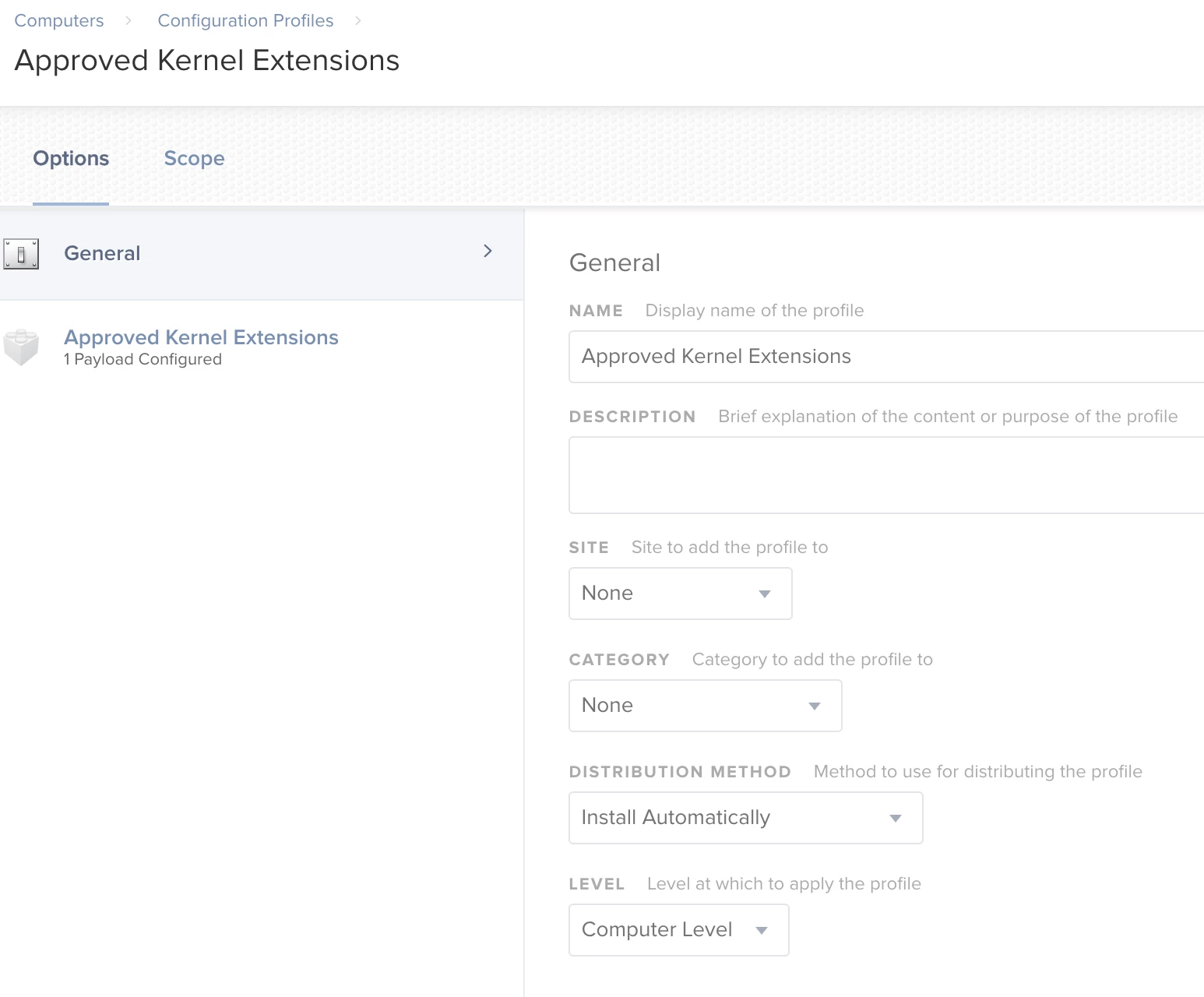
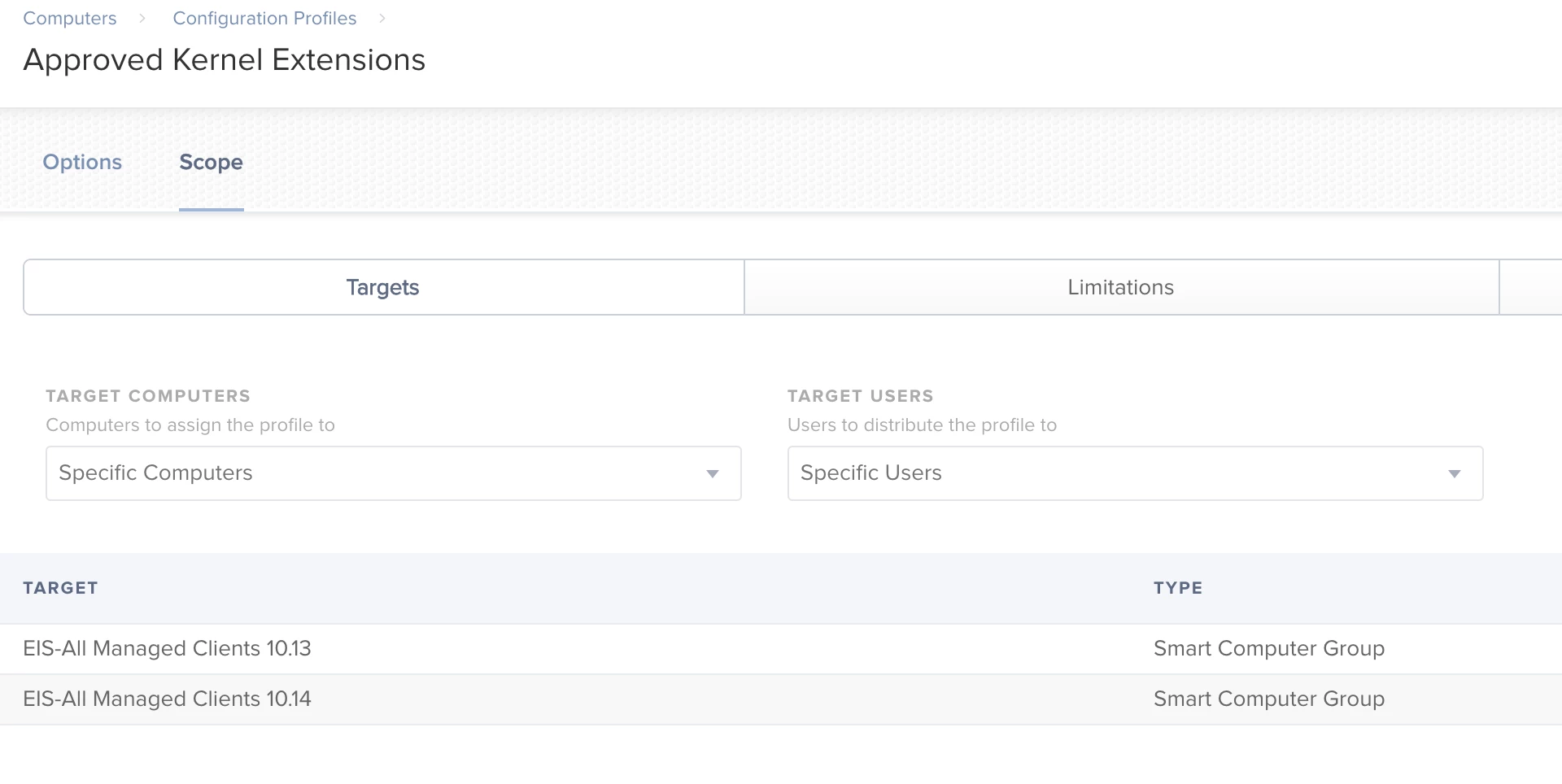
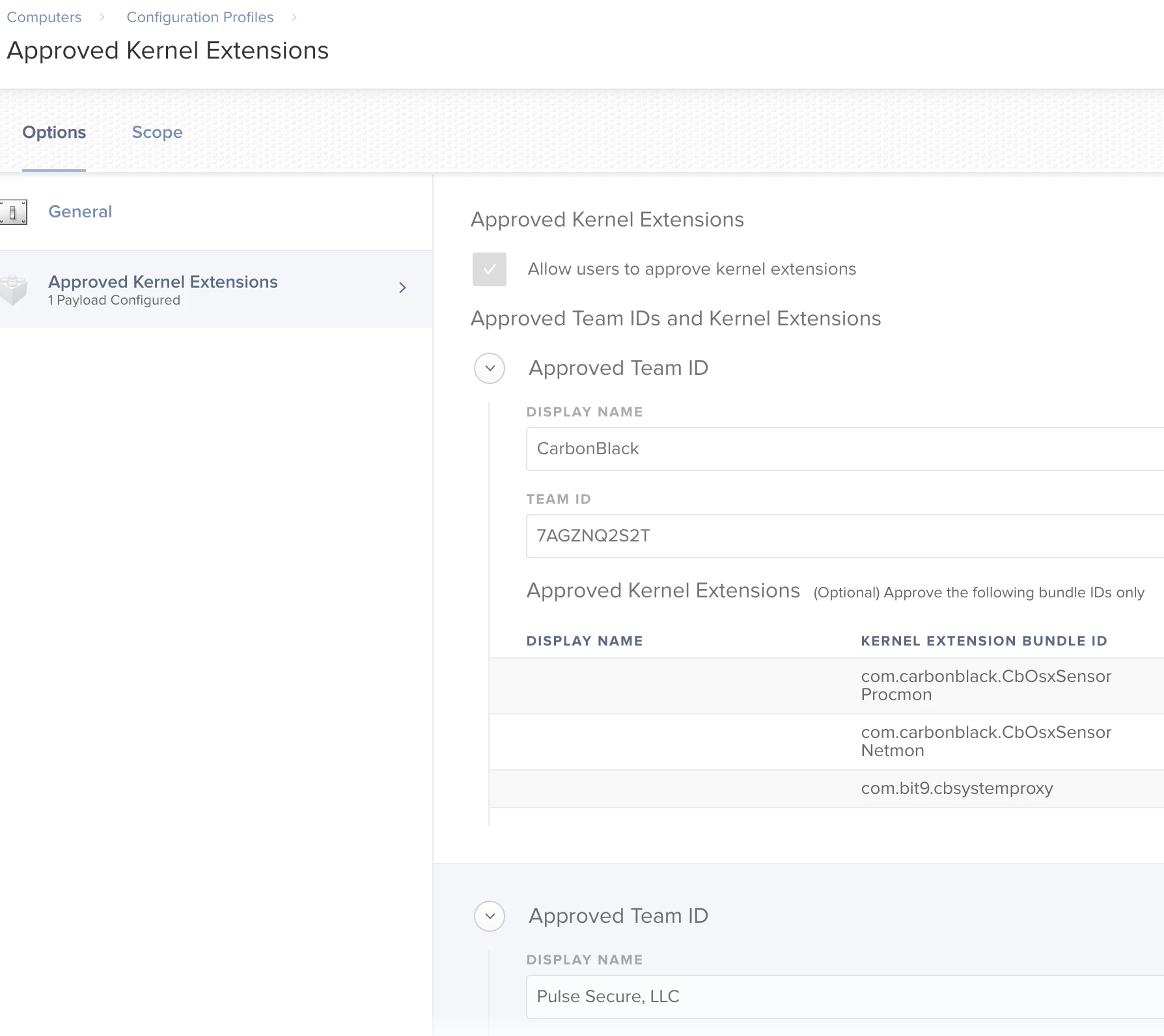
@achristoforatos Here are some screenshots of our setup. Create a new Configuration Profile, call it "Approved Kernel Extensions", set up a Kernel Extensions Payload and start applying the Team ID and Bundle IDs for the apps you use in your environment using the following list: https://docs.google.com/spreadsheets/d/1IWrbE8xiau4rU2mtXYji9vSPWDqb56luh0OhD5XS0AM/edit#gid=0

Set your scope to all of your 10.13.4+ Macs (when KEXT was enabled in macOS)


If you are on MacAdmins Slack, DM me (@adammartin) if you need more than this