Question

Guide: How To Configure Jamf Pro SMTP with M365

  • April 20, 2022
  • 46 replies
  • 645 views

Show first post

46 replies

Forum|alt.badge.img+4
  • Contributor
  • February 12, 2024

We got ours to work in Jamf Production and test. We ended up changing a Microsoft Conditional Access policy.


Do you have some details on that? And did that really solve it?


sbrammer
Forum|alt.badge.img+6
  • Contributor
  • February 13, 2024

Yesterday i realzied i have not been receiving emails from Jamf when a device goes into\\leaves a particular Smart Group. I went into the smtp settings, and like many of you, it fails with a generic unable to connect to server message. I have tried to increase the timeout as well as change from tls 1.2 to SSL, and both did not work. I also currently have a case open with Support, but so far they have not been much help. 


stutz
Forum|alt.badge.img+5
  • Contributor
  • February 19, 2024

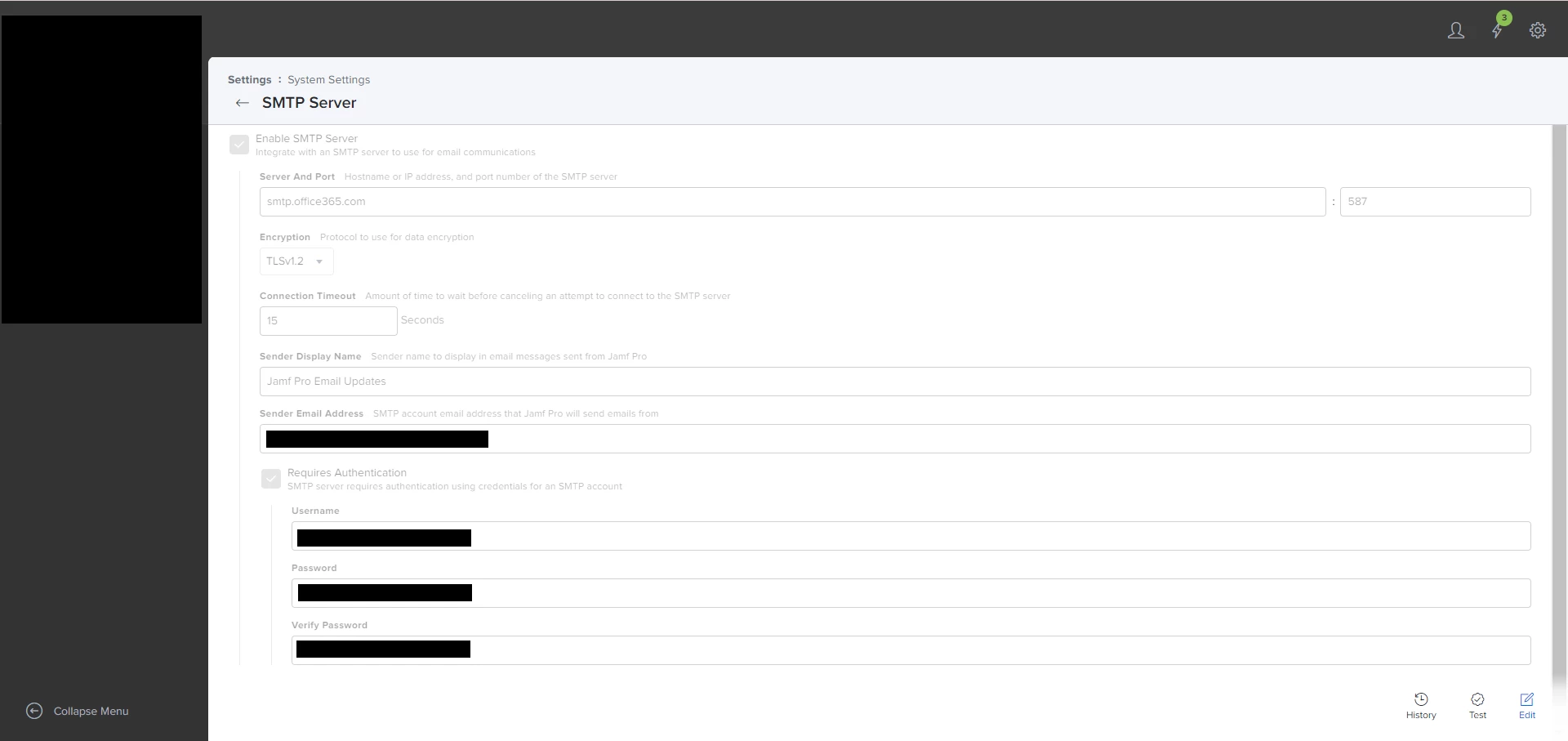
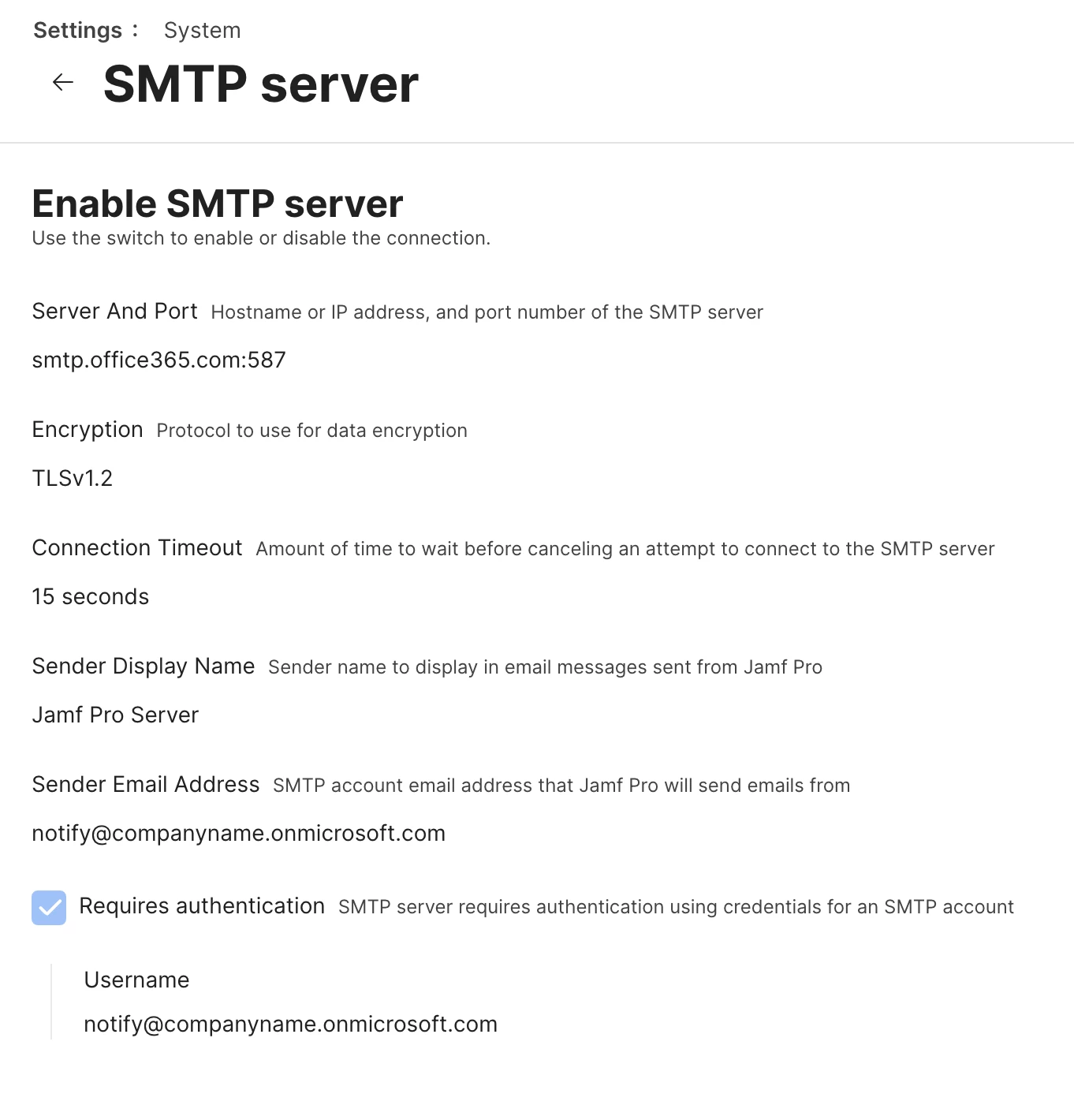
Like others we noticed our reports from Jamf Pro not getting sent to us and found out our SMTP broke because we were using port 25.  Here is what we did:


- Created a service account, gave it O365 E1 license (Online only).
- Created a mailbox for the account (if you are a hybrid environment do it on your exchange server and sync it to the cloud).
- Changed the login creds from our tenant to "@companyname.onmicrosoft.com"  This allows you to login directly to Microsoft.
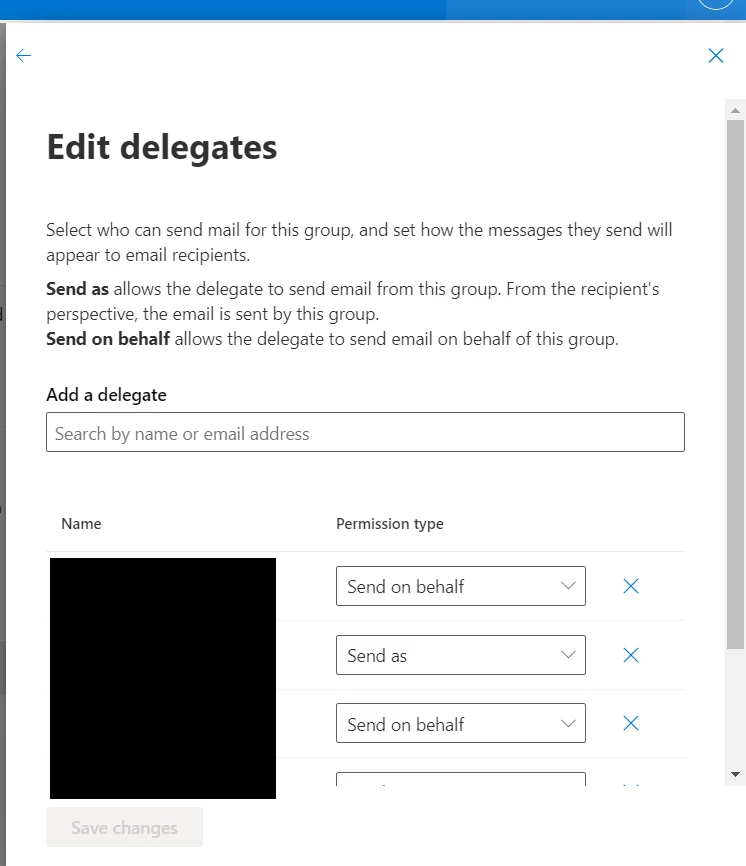
- The sender also needs to match up with the username authenticating to the cloud.  Otherwise the Sender will need to be an O365 account as well and be given "sendas" permissions on the SMTP account.
- To limit the access into the service account, we locked down IMAP,POP & Mapi.


Look at the Jamf Pro Console Server logs if you do an SMTP test and it fails.  That is how we noticed our issue with not having the Authentication account and Sender Email Address the same.

"SendAsDenied; notify@companyname.onmicrosoft.com not allowed to send as jamf_notice@companyname.com;"

Hopefully this helps someone running into this issue.


Forum|alt.badge.img
  • New Contributor
  • March 15, 2024

We got ours to work in Jamf Production and test. We ended up changing a Microsoft Conditional Access policy.


Can you please explain, what changes you have made?


Forum|alt.badge.img+2

It's wild to me how bad the support answer has been from jamf on Microsoft stopping support for basic auth. App passwords? Disable MFA? Really?

Jamf supports SMTP in their other product (Protect) from what I've read, how in the world are they not supporting it for their SaaS customers?


Forum|alt.badge.img+12
  • Valued Contributor
  • March 26, 2024

Like others we noticed our reports from Jamf Pro not getting sent to us and found out our SMTP broke because we were using port 25.  Here is what we did:


- Created a service account, gave it O365 E1 license (Online only).
- Created a mailbox for the account (if you are a hybrid environment do it on your exchange server and sync it to the cloud).
- Changed the login creds from our tenant to "@companyname.onmicrosoft.com"  This allows you to login directly to Microsoft.
- The sender also needs to match up with the username authenticating to the cloud.  Otherwise the Sender will need to be an O365 account as well and be given "sendas" permissions on the SMTP account.
- To limit the access into the service account, we locked down IMAP,POP & Mapi.


Look at the Jamf Pro Console Server logs if you do an SMTP test and it fails.  That is how we noticed our issue with not having the Authentication account and Sender Email Address the same.

"SendAsDenied; notify@companyname.onmicrosoft.com not allowed to send as jamf_notice@companyname.com;"

Hopefully this helps someone running into this issue.


This worked for me.  I had to use a business basic license.  Wish there was a 'free' workaround.

Thanks for the writeup.


Eric_SD_Wrkr
Forum|alt.badge.img+4
  • New Contributor
  • March 26, 2024

This worked for me.  I had to use a business basic license.  Wish there was a 'free' workaround.

Thanks for the writeup.


Could you go into a bit more detail about what you did? We tried this setting with a licensed account but it still wasn't working for us. Did you have to change anything on the tenant?


Forum|alt.badge.img+12
  • Valued Contributor
  • March 26, 2024

Could you go into a bit more detail about what you did? We tried this setting with a licensed account but it still wasn't working for us. Did you have to change anything on the tenant?


I followed this exactly.  I didnt change anything in the process other than I had to use a different M$ license type for my M$ account (Business Basic vs OP's E1 license).


Forum|alt.badge.img+2

Like others we noticed our reports from Jamf Pro not getting sent to us and found out our SMTP broke because we were using port 25.  Here is what we did:


- Created a service account, gave it O365 E1 license (Online only).
- Created a mailbox for the account (if you are a hybrid environment do it on your exchange server and sync it to the cloud).
- Changed the login creds from our tenant to "@companyname.onmicrosoft.com"  This allows you to login directly to Microsoft.
- The sender also needs to match up with the username authenticating to the cloud.  Otherwise the Sender will need to be an O365 account as well and be given "sendas" permissions on the SMTP account.
- To limit the access into the service account, we locked down IMAP,POP & Mapi.


Look at the Jamf Pro Console Server logs if you do an SMTP test and it fails.  That is how we noticed our issue with not having the Authentication account and Sender Email Address the same.

"SendAsDenied; notify@companyname.onmicrosoft.com not allowed to send as jamf_notice@companyname.com;"

Hopefully this helps someone running into this issue.


@stutz  @llitz123  are you jamf cloud customers? We can't seem to get past the error we have in logs " 535 5.7.139 Authentication unsuccessful, basic authentication is disabled" and jamf support hasn't helped beyond talking about app passwords which AFAIK isn't a thing anymore? Are you using those?


Forum|alt.badge.img+12
  • Valued Contributor
  • April 1, 2024

Could you go into a bit more detail about what you did? We tried this setting with a licensed account but it still wasn't working for us. Did you have to change anything on the tenant?


I thought I replied to this?

I followed the exact steps by @stutz above.  I didnt change anything in the process.


Forum|alt.badge.img+12
  • Valued Contributor
  • April 1, 2024

@stutz  @llitz123  are you jamf cloud customers? We can't seem to get past the error we have in logs " 535 5.7.139 Authentication unsuccessful, basic authentication is disabled" and jamf support hasn't helped beyond talking about app passwords which AFAIK isn't a thing anymore? Are you using those?


I am a cloud basic customer if that's what it is?  I think there are multiple tiers for cloud and we're basic or whatever?


Forum|alt.badge.img+2

I assume this was in beta release notes for awhile and we missed it - and jamf support didn't mention it despite us asking for a solution now for weeks. It's an interesting solution for jamf not wanting to provide SMTP themselves, I guess.


https://learn.jamf.com/en-US/bundle/technical-articles/page/Configuring_Jamf_Pro_to_Use_Microsoft_Graph_API_with_SMTP.html


Forum|alt.badge.img+12
  • Valued Contributor
  • April 4, 2024

I assume this was in beta release notes for awhile and we missed it - and jamf support didn't mention it despite us asking for a solution now for weeks. It's an interesting solution for jamf not wanting to provide SMTP themselves, I guess.


https://learn.jamf.com/en-US/bundle/technical-articles/page/Configuring_Jamf_Pro_to_Use_Microsoft_Graph_API_with_SMTP.html


Well that looks like fun.  Thanks for finding it.  We'll give it a shot.


Forum|alt.badge.img+9
  • Contributor
  • April 5, 2024

I assume this was in beta release notes for awhile and we missed it - and jamf support didn't mention it despite us asking for a solution now for weeks. It's an interesting solution for jamf not wanting to provide SMTP themselves, I guess.


https://learn.jamf.com/en-US/bundle/technical-articles/page/Configuring_Jamf_Pro_to_Use_Microsoft_Graph_API_with_SMTP.html


Thanks for sharing, scheduling a meeting with our M365 team to see if this is something they can get on board with since App Passwords seems like a non-starter.


Forum|alt.badge.img+12
  • Valued Contributor
  • April 16, 2024

I assume this was in beta release notes for awhile and we missed it - and jamf support didn't mention it despite us asking for a solution now for weeks. It's an interesting solution for jamf not wanting to provide SMTP themselves, I guess.


https://learn.jamf.com/en-US/bundle/technical-articles/page/Configuring_Jamf_Pro_to_Use_Microsoft_Graph_API_with_SMTP.html


I just tried to set it up yet it failed to send.  I guess I'll open a ticket to see what - if anything I did wrong in that extensive and annoying process...  


Forum|alt.badge.img+9
  • Contributor
  • April 16, 2024

I just tried to set it up yet it failed to send.  I guess I'll open a ticket to see what - if anything I did wrong in that extensive and annoying process...  


We WERE able to get it working, but the internal M365 tech I worked with did 98% of the work so I can't really offer any assistance with troubleshooting.


Forum|alt.badge.img+2

Anyone have feedback on the Graph API solution working well (or not) before we dive into it?


RaxiaDK
Forum|alt.badge.img+10
  • Valued Contributor
  • May 29, 2024

Anyone have feedback on the Graph API solution working well (or not) before we dive into it?


Its working. But it need to most power :(


Forum|alt.badge.img+12
  • Valued Contributor
  • May 30, 2024

Anyone have feedback on the Graph API solution working well (or not) before we dive into it?


It works yet I'm not sure what the benefit is.  We still use a basic MS license for the service account for email sends.


Forum|alt.badge.img+2

It works yet I'm not sure what the benefit is.  We still use a basic MS license for the service account for email sends.


@llitz123 the account sending the email doesn't need licensing in my test. The benefit is not having to exclude any account from MFA policies like the old way required.

For anyone else trying it, the directions I think are flawed and #6 should be modified for $ObjectID from enterprise apps, not secret like the directions say. Maybe jamf will correct it, I entered a ticket.

https://learn.jamf.com/en-US/bundle/technical-articles/page/Configuring_Jamf_Pro_to_Use_Microsoft_Graph_API_with_SMTP.html


Forum|alt.badge.img
  • New Contributor
  • August 8, 2024

@llitz123 the account sending the email doesn't need licensing in my test. The benefit is not having to exclude any account from MFA policies like the old way required.

For anyone else trying it, the directions I think are flawed and #6 should be modified for $ObjectID from enterprise apps, not secret like the directions say. Maybe jamf will correct it, I entered a ticket.

https://learn.jamf.com/en-US/bundle/technical-articles/page/Configuring_Jamf_Pro_to_Use_Microsoft_Graph_API_with_SMTP.html


Can confirm the directions are wrong and your edit is spot on.