Question

HDD free space popup

  • April 26, 2022
  • 6 replies
  • 52 views

Forum|alt.badge.img+6

Hi all,


Many of our users have less than 12 gb of free space remaining on HDD. Thus, no OS upgrade is possible and SSD performance is impacted.

Is there a way to display a popup to concerned users to make a data cleanup ?

Thanks

6 replies

  • April 26, 2022

Hi, @Eskobar 

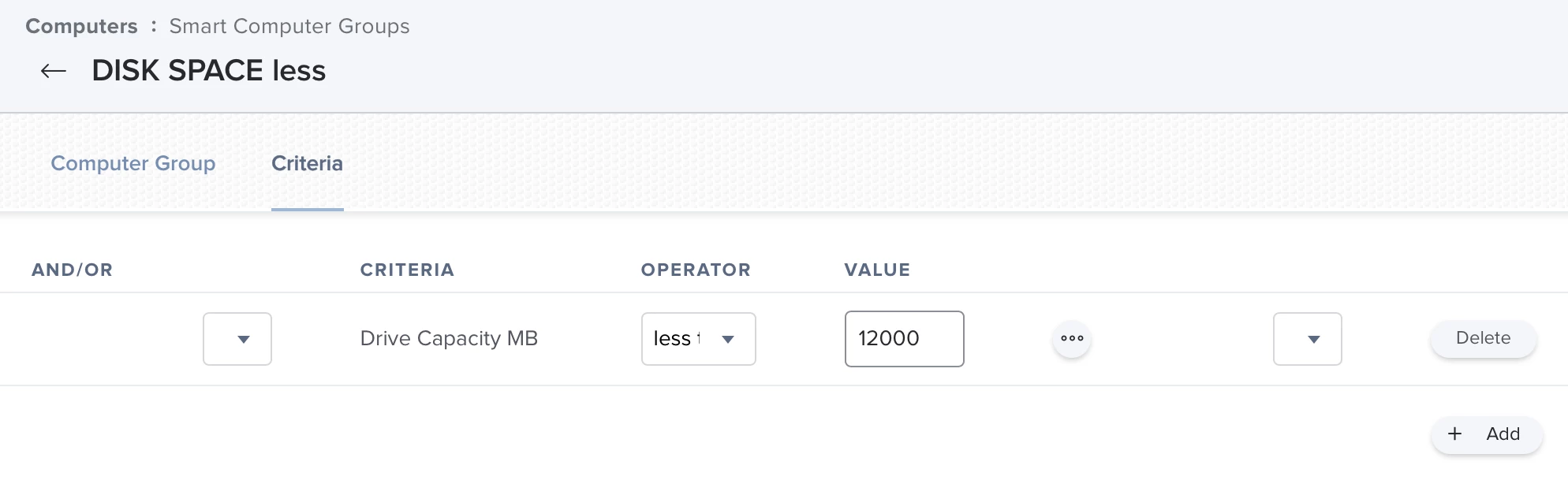
1st I would create a smart computer group with criteria "Drive Capacity MB" (you'll find it at the advanced criteria) less than *whatever you want in Megabyte*

Then you have 2 options:


- you can run an action right out oft this smart group (for example send an email)

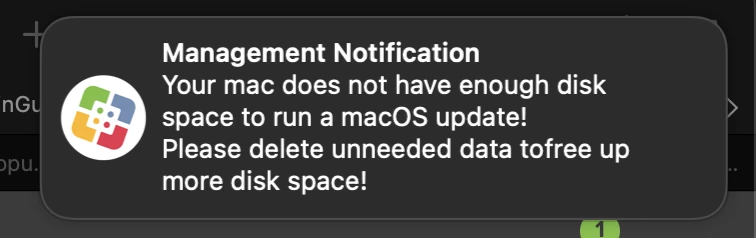
- you can create a policy, that will show a messagebox on the computers in that group with a text. You have to scope that policy to the smart computer group

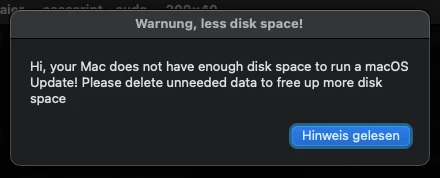
- either you will do this message box via an own script or you can configure the message at the policy itself at the "user interaction". I use an own script for this. (I did a script "message4u" with parameters for a headline and a text area, see my screenshots below)


Forum|alt.badge.img+6
  • Author
  • Contributor
  • April 26, 2022

Hi  

This awesome ! 

Would you please share  "message4u"  script for the policy ?


  • April 26, 2022

Hi  

This awesome ! 

Would you please share  "message4u"  script for the policy ?


Here it is, hope it will help you to solve your question:

#!/bin/bash

if [ -z "$4" ]; then
echo "no text specified, ending without a message" && exit 0
else
# sudo jamf -displayMessage -message "$4" && exit 0
echo "set ddr to display dialog \\"$5\\" with title \\"$4\\" buttons {\\"accept\\"} default button \\"accept\\" " | osascript -
fi


Variable $4 is the text inside the message box, variable $5 is the title. The title is not mandatory, but without a message, there is no sense to pop up a message popup ;) Because of this I only ask for the text variable $4.


YanW
Forum|alt.badge.img+11
  • Contributor
  • April 26, 2022

This is what I use


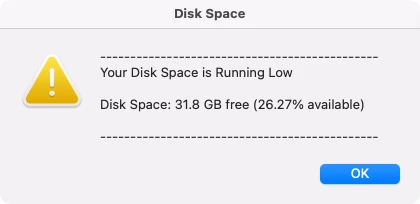
#!/bin/sh # Display free space FreeSpace=$( /usr/sbin/diskutil info / | /usr/bin/grep -E 'Free Space|Available Space|Container Free Space' | /usr/bin/awk -F ":\\s*" '{ print $2 }' | awk -F "(" '{ print $1 }' | xargs ) FreeBytes=$( /usr/sbin/diskutil info / | /usr/bin/grep -E 'Free Space|Available Space|Container Free Space' | /usr/bin/awk -F "(\\\\\\(| Bytes\\\\\\))" '{ print $2 }' ) DiskBytes=$( /usr/sbin/diskutil info / | /usr/bin/grep -E 'Total Space' | /usr/bin/awk -F "(\\\\\\(| Bytes\\\\\\))" '{ print $2 }' ) FreePercentage=$(echo "scale=2; $FreeBytes*100/$DiskBytes" | bc) diskSpace="Disk Space: $FreeSpace free (${FreePercentage}% available)" ## Information ## displayInfo="---------------------------------------------- Your Disk Space is Running Low $diskSpace Whatever you want here ----------------------------------------------" ## Disk Space Message ## diskmsg="button returned of (display dialog \\"$displayInfo\\" with title \\"Disk Space\\" with icon file posix file \\"/System/Library/CoreServices/Diagnostics Reporter.app/Contents/Resources/AppIcon.icns\\" buttons {\\"OK\\"} default button {\\"OK\\"})" clickedButton=$( /usr/bin/osascript -e "$diskmsg" ) ## Run additional commands ##### exit 0


Credit to talkingmoose computer information script


Forum|alt.badge.img+8
  • Valued Contributor
  • September 24, 2022

I've been using some of this code for a disk report of my own.
I'm seeing a suite of M1 Mac Mini's bork out around:

FreeSpace=$( /usr/sbin/diskutil info / | /usr/bin/grep -E 'Free Space|Available Space|Container Free Space' | /usr/bin/awk -F ":\\s*" '{ print $2 }' | awk -F "(" '{ print $1 }' | xargs )


The error's I get look like...

DISK SPACE REPORT /Library/Application Support/JAMF/tmp/MacOS - Student Device Report: line 27: 2847: Memory fault /Library/Application Support/JAMF/tmp/MacOS - Student Device Report: line 28: 2850: Memory fault /Library/Application Support/JAMF/tmp/MacOS - Student Device Report: line 29: 2853: Memory fault /Library/Application Support/JAMF/tmp/MacOS - Student Device Report: line 30: 2858: Memory fault /Library/Application Support/JAMF/tmp/MacOS - Student Device Report: line 31: 2860: Memory fault /Library/Application Support/JAMF/tmp/MacOS - Student Device Report: line 31: 2862: Memory fault /Library/Application Support/JAMF/tmp/MacOS - Student Device Report: line 31: 2864: Memory fault

(Line 27 is where the highlighted code begins).

Very strange!
The code works wonderfully on all other devices - just seems to be falling over on M1 when run at check-in by the management account. If I send the commands direct via ARD, I get the expected result.

Thanks all


iOllie
Forum|alt.badge.img+3
  • New Contributor
  • September 14, 2023

@YanW I guess that it's helpful for the user to add one more line at the end of the script to open Storage, in System Settings in macOS Ventura automatically: 

open x-apple.systempreferences:com.apple.settings.Storage