Question

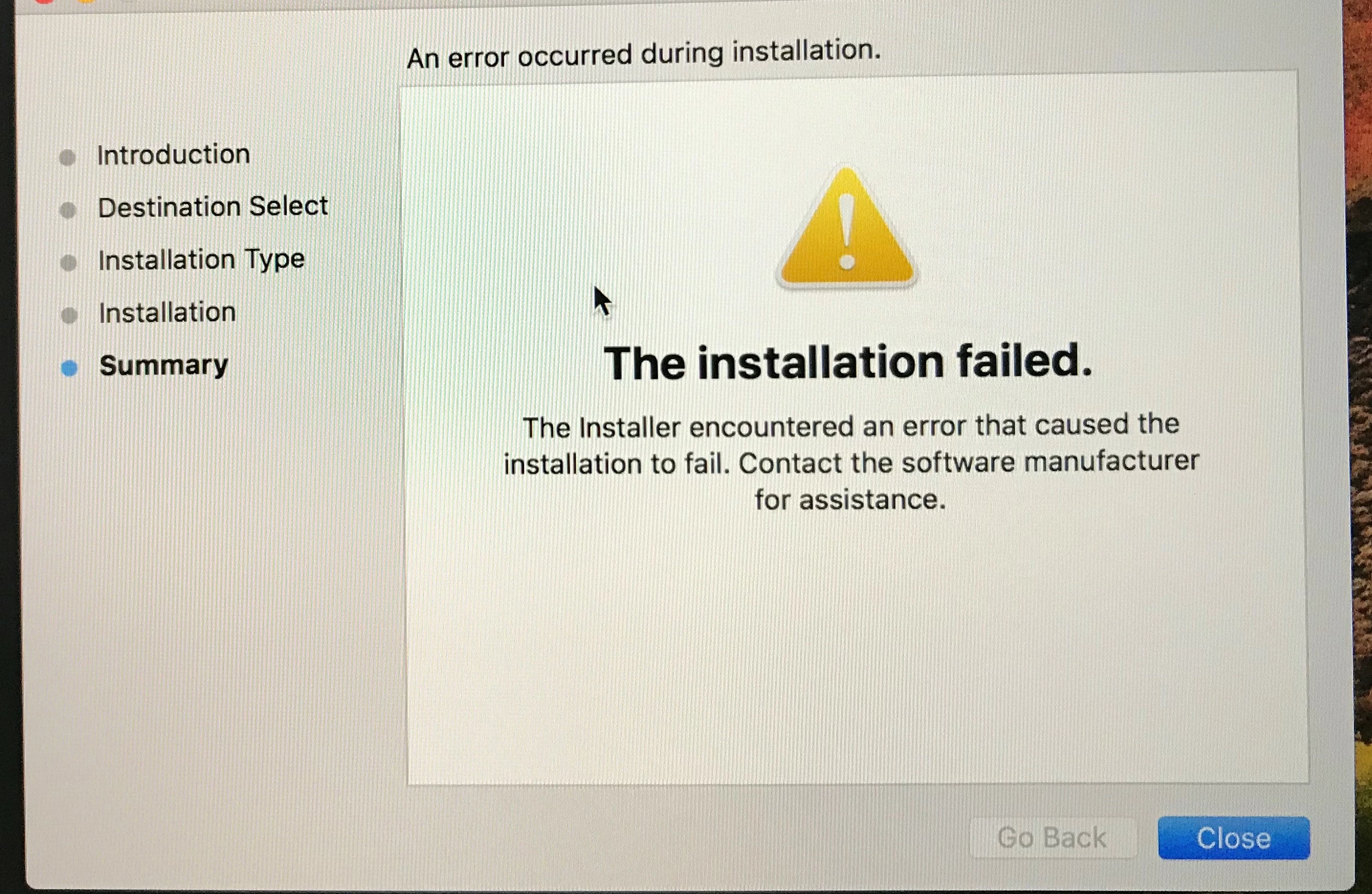
High Sierra and quickadd package failing

  • March 6, 2018
  • 13 replies
  • 66 views

hi all
im new here and looking for some help.
im trying to install the quickadd package on a brand new out-of- boc macbook pro w/ High Sierra.
the the package goes halfway and then fails.
anyone know why?

13 replies

Forum|alt.badge.img+18
  • Contributor
  • March 6, 2018

There are a few possible reasons, but try running Software Update first. If you have software inventory enabled, High Sierra systems that are not fully updated can cause recon to break, which causes enrollment to break.


Forum|alt.badge.img+21
  • Valued Contributor
  • March 6, 2018

@vferra

Is this this QuickAdd from user initiated enrollment? or one you spun up with Recon? If Recon, how long ago did you make the QuickAdd?

...and a better question might be, if this is a new device, why are you not enrolling with DEP?


Forum|alt.badge.img+4

@alexjdale

Could you elaborate on this please?

I'm experiencing an issue very similar to @vferra . When I run QuickAdd from user initiated enrollment, installation will go to about 90%, then hang and fail. Manual enrollment proceeds to work.

While troubleshooting, I discovered that the QuickAdd will install properly only when the computer is on the most recent OS update aka 10.13.4.

What are you referring to when you mention Software Inventory being enabled? Is this an option in MacOS? Forgive me, but I'm new to MacOS and Jamf. I'm very much hoping to avoid updating new computer deployments to 10.13.4 (or whatever is newest at the time) just so they enroll properly with QuickAdd.

Do you have any workarounds that I can investigate? My research hasn't pulled up much yet. Thank you for any assistance.

-Will


ImAMacGuy
Forum|alt.badge.img+23
  • Esteemed Contributor
  • April 19, 2018

could this be the problem with the supplemental update name being too long and erring out?
what version of the JSS are you on?


easyedc
Forum|alt.badge.img+16
  • Esteemed Contributor
  • April 19, 2018

I also experienced this when running anything but the 10.13.3 supplemental update or higher (aka 10.13.4). I assume it's OS Related. What version is your server? mine is 10.0, and I'm working on vetting out 10.3.1 hoping that resolves it.


Forum|alt.badge.img+4
  • New Contributor
  • April 19, 2018

I'm having the same issue it seems. I have a Mac that got swapped out at the store so it's not in DEP. When the user was trying to enroll it via /enroll, it would get towards the end and installer would fail.. It does some partial enrollment however, it shows up in jamfcloud but never finishes the installs on the laptop.


I was able to get it to work on a laptop I had here, but then I realized it seems to be an OS issue as well. 10.13.3 worked fine. But if I update to 10.13.4, it fails for me as well.

Creating a new quickadd.pkg gets the same results.


A_Collins
Forum|alt.badge.img+11
  • Contributor
  • April 20, 2018

@vferra and @nategraham can you try command line with verbose to see the problem


easyedc
Forum|alt.badge.img+16
  • Esteemed Contributor
  • April 20, 2018

Also, for those experiencing the issue, I've been able to complete the enrollment because the binary is there. Run a

sudo jamf enroll -prompt

and that seems to overcome the obstacle for me. edited to correct the command


Forum|alt.badge.img+4
  • New Contributor
  • April 20, 2018

Tried running the enroll command, I get this:

Creating launch daemon... Creating launch agent... Checking availability of https://xxxxxx.jamfcloud.com/... The JSS is available. Checking for policies that use the Enrollment Complete trigger One or more policies that use the Enrollment Complete trigger have failed. Error code: 1 Error message: The operation couldn’t be completed. (com.jamfsoftware.task.errors error 1.) Enroll return code: 4

howie_isaacks
Forum|alt.badge.img+23
  • Esteemed Contributor
  • April 21, 2018

@jcarr DEP is useless if this was a one off purchase. I have only one client using it right now despite my telling them how much better it is.


Forum|alt.badge.img+10
  • Valued Contributor
  • April 22, 2018

I too just had this issue. @ronnie.smith walked me through how to resolve it and hoping that maybe she can reach out to you. But basically what was happening was this: The QA package failure message was displayed, but the Device enrolled and the Self Service worked... what was causing it to happen? well, I had ticked in a policy to install an admin account, on a reoccurring check-in. But the account had already existed, which when the QA package was run it would fail due to the account already being there. The correction was to create a smart group that said if the Admin account did not exist to run the policy, but if it did have the account then the QA would skip over this portion as the criteria has been met.
About as clear as mud right?
But I hope this helps.


Forum|alt.badge.img+8
  • Contributor
  • May 14, 2018

So let me get this straight:

I get a Mac, it's got 10.13.Not latest. It's enrolled in DEP, it's assigned a pre-stage, I open it up, start going through everything, but it won't enroll because it's not the latest and it needs to download software updates?

Am I thinking this through properly?


Forum|alt.badge.img
  • New Contributor
  • May 29, 2018

Hi, i have exactly the same problem after trying to configure Scep proxy.
Now Jamf Pro install with the quickapp our internal root ca to the keychain and not the built-in.

And say me at the logs: "The jamf binary could not connect to the JSS because the web certificate is not trusted" --> sure because you are installing the wrong CA
When i try to install over DEP: the device login with my AD User and then nothing, no configs, no logs, no profile, no certificates, because of binary doesn't install.