Question

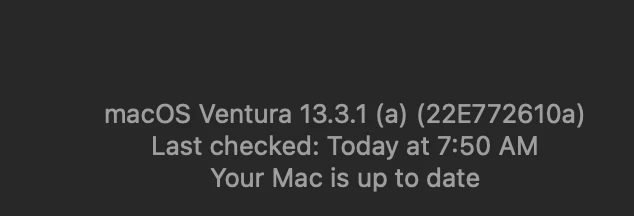
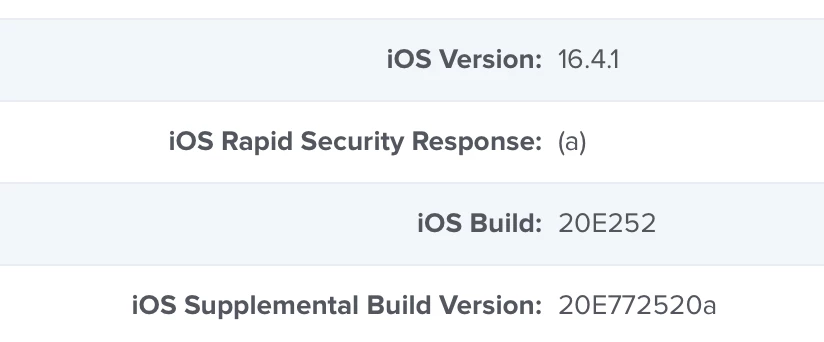
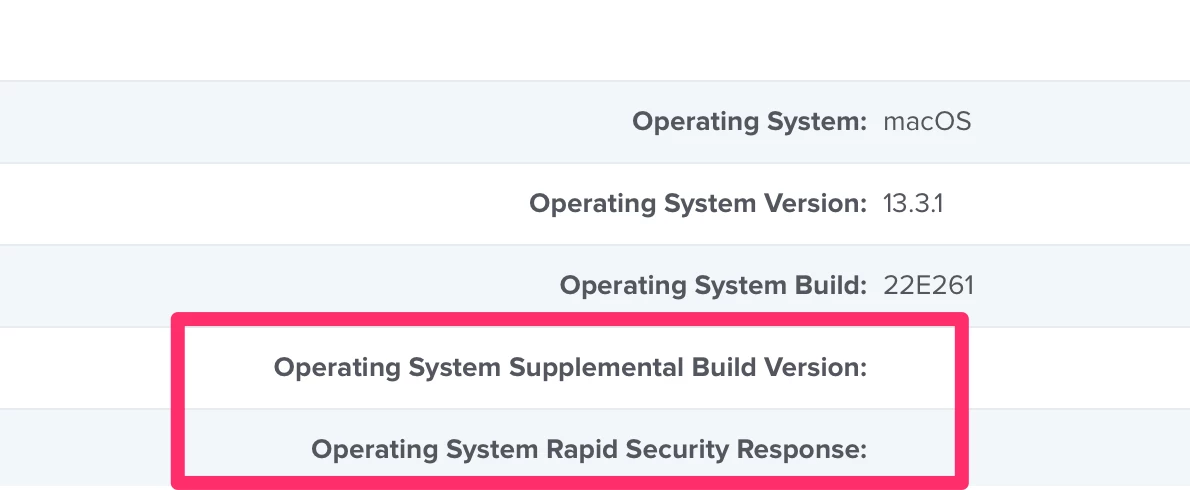
How are you monitoring 13.3.1 (a) Rapid Security Response?

  • May 2, 2023
  • 30 replies
  • 196 views

Show first post

30 replies

mhasman
Forum|alt.badge.img+22
  • Valued Contributor
  • May 2, 2023

I did through latest and worked well. However, that'd be great if Jamf would include the (X) build to target it. Is it something possible under 10.46?


Agree, cuz "sw_vers -buildVersion" does show "a" at the end


Forum|alt.badge.img+6
  • Contributor
  • May 17, 2023

My question s to make sure I am following correctly, once version 10.46 releases, we can also send mass builtin commands to update the machines and apply rapid response?


mhasman
Forum|alt.badge.img+22
  • Valued Contributor
  • May 17, 2023

My question s to make sure I am following correctly, once version 10.46 releases, we can also send mass builtin commands to update the machines and apply rapid response?


I believe it only works for Macs with Apple silicon 


Forum|alt.badge.img+6
  • Contributor
  • May 17, 2023

Thanks!


Question - is there plan for mass action to be made available where i can select specific version?


if not, how can I leverage the following script for 13.3.1a# Server connection information
URL=
username=
password=

# Determine Serial Number
serialNumber=$(system_profiler SPHardwareDataType | awk '/Serial Number/{print $4}')

initializeSoftwareUpdate(){
# create base64-encoded credentials
encodedCredentials=$( printf "${username}:${password}" | /usr/bin/iconv -t ISO-8859-1 | /usr/bin/base64 -i - )

# Generate new auth token
authToken=$( curl -X POST "${URL}/api/v1/auth/token" -H "accept: application/json" -H "Authorization: Basic ${encodedCredentials}" )

# parse authToken for token, omit expiration
token=$(/usr/bin/awk -F \\" 'NR==2{print $4}' <<< "$authToken" | /usr/bin/xargs)

echo ${token}

# Determine Jamf Pro device id
deviceID=$(curl -s -H "Accept: text/xml" -H "Authorization: Bearer ${token}" ${URL}/JSSResource/computers/serialnumber/"$serialNumber" | xmllint --xpath '/computer/general/id/text()' -)

echo ${deviceID}

# Execute software update
curl -X POST "${URL}/api/v1/macos-managed-software-updates/send-updates" -H "accept: application/json" -H "Authorization: Bearer ${token}" -H "Content-Type: application/json" -d "{\\"deviceIds\\":[\\"${deviceID}\\"],\\"maxDeferrals\\":0,\\"version\\":\\"12.6.1\\",\\"skipVersionVerification\\":true,\\"applyMajorUpdate\\":true,\\"updateAction\\":\\"DOWNLOAD_AND_INSTALL\\",\\"forceRestart\\":true}"

# Invalidate existing token and generate new token
curl -X POST "${URL}/api/v1/auth/keep-alive" -H "accept: application/json" -H "Authorization: Bearer ${token}"
}

initializeSoftwareUpdate


mdore
Forum|alt.badge.img
  • New Contributor
  • August 3, 2023

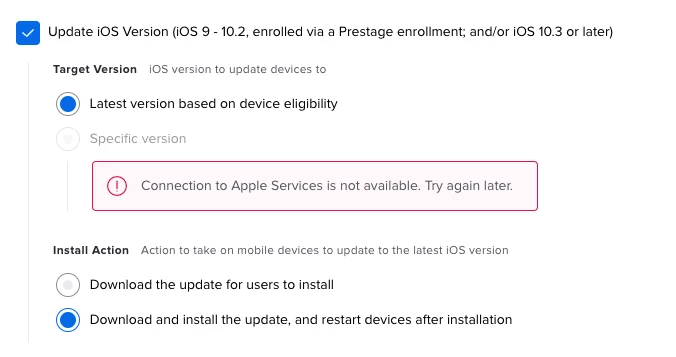
I am getting this error: Connection to Apple Services is not available. Try again later.


I am seeing this error now as well.  Running 10.46.1.  Were you able to resolve and if so how?  Thanks