Solved

How can we BLOCK "Erase all content and settings" in Monterey?

  • October 25, 2021
  • 7 replies
  • 79 views

Forum|alt.badge.img+17

For multiple reasons (mostly legal) we do not want users erasing data from their machines. I've looked but don't see anything obvious in Configuration Profiles in Jamf 10.32 so I'm guessing at best there might be a custom MDM config.

Best answer by cwaldrip

And Der Flounder is on top of it!
https://derflounder.wordpress.com/2021/10/25/disabling-the-erase-all-contents-and-settings-function-on-macos-monterey/


7 replies

Forum|alt.badge.img+17
  • Author
  • Valued Contributor
  • 404 replies
  • October 25, 2021

Forgot to say this is under Monterey...


Forum|alt.badge.img+17
  • Author
  • Valued Contributor
  • 404 replies
  • Answer
  • October 25, 2021

Forum|alt.badge.img+3
  • New Contributor
  • 7 replies
  • October 26, 2021

Thanks, I missed this feature. This is really important to restrict.


CSCC-JS
Forum|alt.badge.img+8
  • Valued Contributor
  • 125 replies
  • October 26, 2021

Profile seems the more full proof way to go.


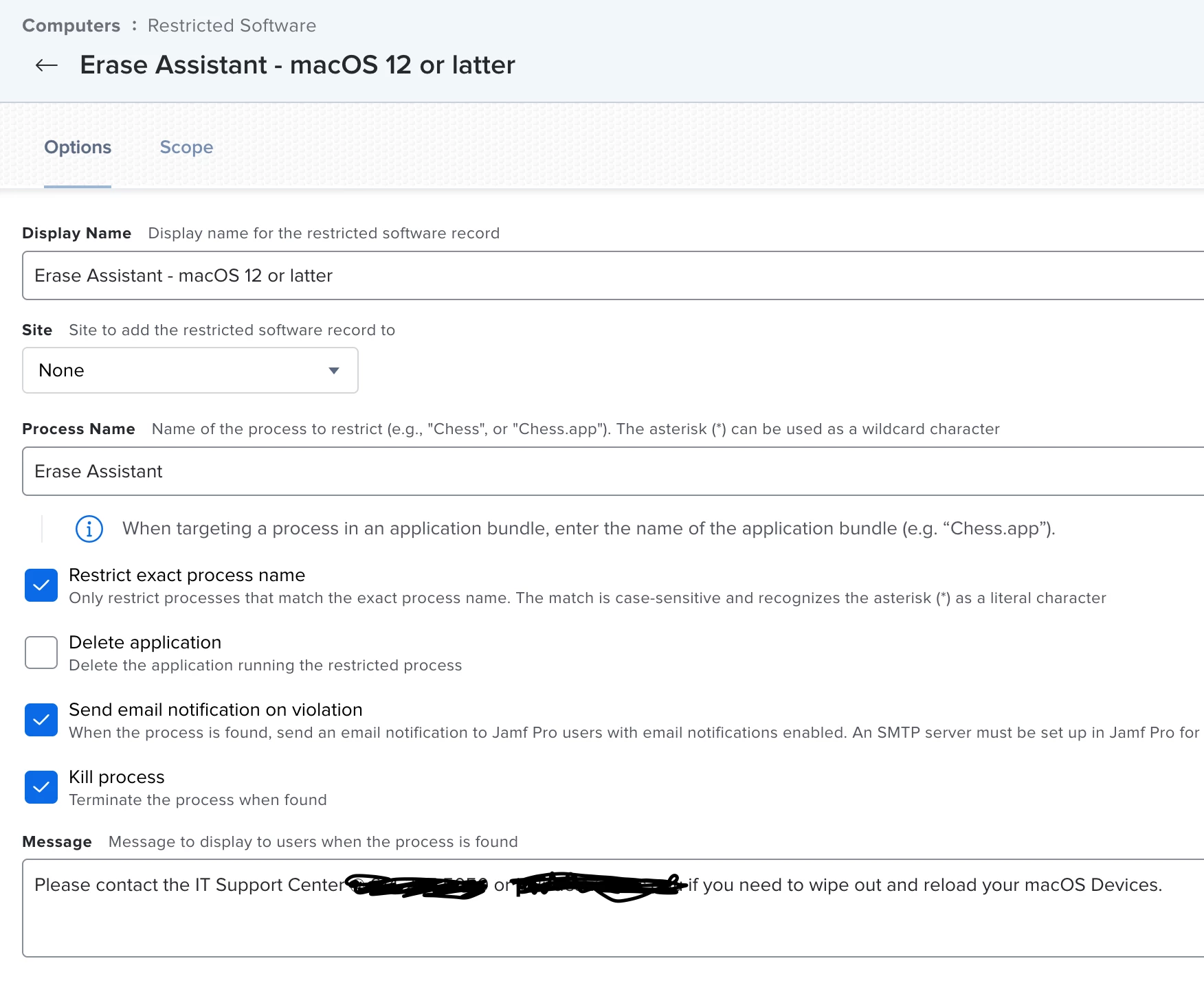
I used restricted software function


Forum|alt.badge.img+4
  • New Contributor
  • 65 replies
  • November 26, 2021

Im finding this a little tricky to apply that solution. 

Am i missing something? Anyone that can help?


CSCC-JS
Forum|alt.badge.img+8
  • Valued Contributor
  • 125 replies
  • December 17, 2021

Im finding this a little tricky to apply that solution. 

Am i missing something? Anyone that can help?


The process to block is "Erase Assistant" 

I have a custom Smart Group that is All Computers macOS 12 or greater.


Forum|alt.badge.img+18
  • Esteemed Contributor
  • 831 replies
  • February 2, 2022

Also be aware non-admins cannot run this command/app (Erase Assistant which is located in /System/Library/CoreServices.)  Not sure if that helps in your situation though.