Solved

how to block 10.13.2

  • December 6, 2017
  • 14 replies
  • 58 views

Forum|alt.badge.img+7

I'm having a hard time trying to block/restrict update 10.13.2 how could I do that from JSS (current version 9.96 but I guess any version of JSS should be similar process)

any help will be appreciated.
thank you.

Best answer by alexjdale

You would need quotes:

softwareupdate --ignore "macOS 10.13.2 Update"

I haven't personally tested this specific command, my system is currently installing the 10.13.2 update. The progress wheel is turning very slowly and it's been a while...

Edit: I updated this, I forgot you have to prune the dash and version number at the end.

14 replies

Forum|alt.badge.img+10
  • Valued Contributor
  • December 6, 2017

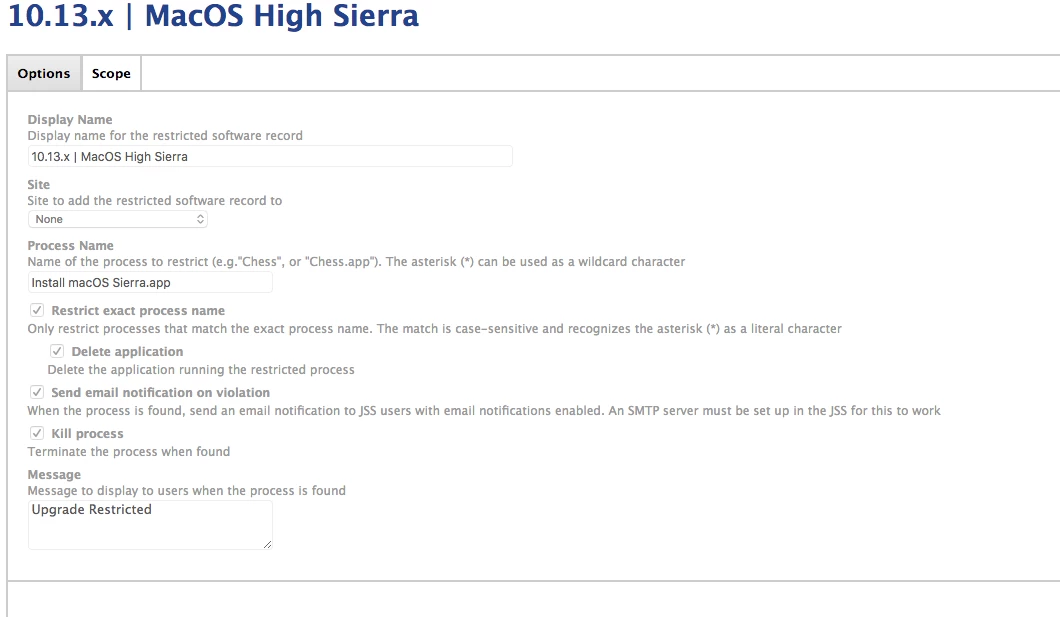
We use the "Restricted Software" feature of the JSS.

Go to Restricted Software > Create a new restriction and add this Install macOS Sierra.app as the process name and kill it.

Works great for us on staff who attempt to update.


Forum|alt.badge.img+10
  • Valued Contributor
  • December 6, 2017

Ok -- im sorry I may have mis interpreted your question. If users are already running 10.13.1 then what I stated is not going to work. We use internal update servers so we can stop the update at the update server level. Not sure if you use internal update servers or not...


Forum|alt.badge.img+7
  • Author
  • Valued Contributor
  • December 6, 2017

@Chuey no we don't have an internal update server.


Forum|alt.badge.img+18
  • Contributor
  • December 6, 2017

Send the softwareupdate executable a command to ignore the update. Remove that later once you want to make it available again.


Forum|alt.badge.img+7
  • Author
  • Valued Contributor
  • December 6, 2017

@alexjdale could you please post the steps on how to do that please....thank you in advance.


Forum|alt.badge.img+7
  • Author
  • Valued Contributor
  • December 6, 2017

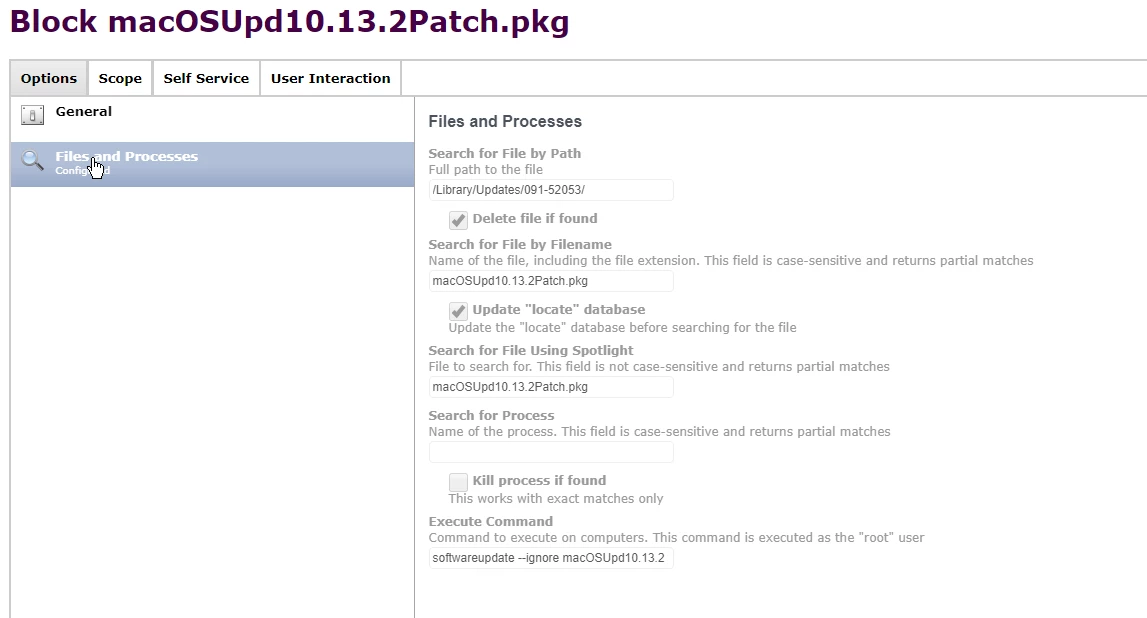
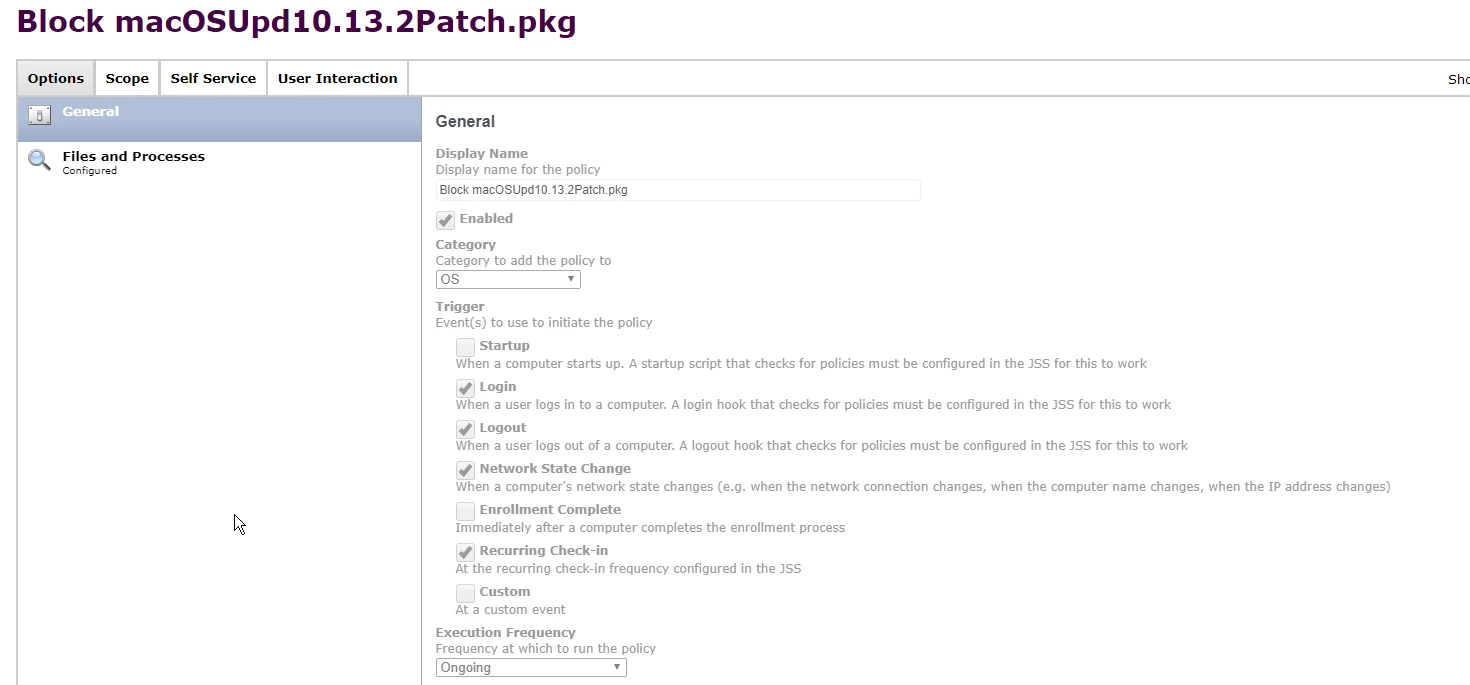
I have a policy doing this: "Files and Processes"> "Execute Command" >softwareupdate --ignore macOSUpd10.13.2
I tested but it doesn't seem to block it.

here's the screenshots:


Forum|alt.badge.img+18
  • Contributor
  • December 6, 2017

I think the name you want to ignore is "macOS 10.13.2 Update-10.13.2" instead.

You will know it's working when "softwareupdate --list" doesn't return that update as an option anymore.


Forum|alt.badge.img+7
  • Author
  • Valued Contributor
  • December 6, 2017

@alexjdale like this?

softwareupdate --ignore macOS 10.13.2 Update-10.13.2


Forum|alt.badge.img+18
  • Contributor
  • Answer
  • December 7, 2017

You would need quotes:

softwareupdate --ignore "macOS 10.13.2 Update"

I haven't personally tested this specific command, my system is currently installing the 10.13.2 update. The progress wheel is turning very slowly and it's been a while...

Edit: I updated this, I forgot you have to prune the dash and version number at the end.


Forum|alt.badge.img+7
  • Author
  • Valued Contributor
  • December 7, 2017

Thanks @alexjdale I'll give it a try.


Forum|alt.badge.img+4

I can confirm that this works - currently using it to block the update on all systems until Apple can figure out how to roll out an update that doesn't bork systems.


Forum|alt.badge.img+7
  • Author
  • Valued Contributor
  • December 8, 2017

Thank you @alexjdale that worked

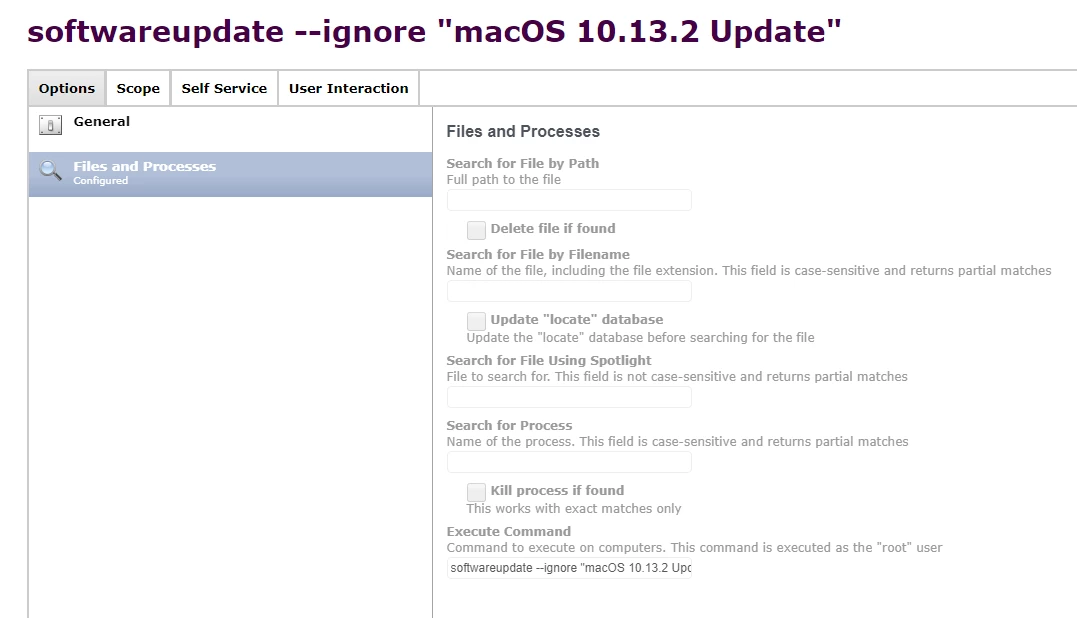
softwareupdate --ignore "macOS 10.13.2 Update"

policies screen shot from my JSS


ThijsX
Forum|alt.badge.img+20
  • Employee
  • December 19, 2017

@alexjdale @osxadmin Alright, and what if you want to make te update available again?


Forum|alt.badge.img
  • New Contributor
  • January 5, 2018

I've also got to reverse this, I'm waiting to hear back from support, but it looks like its going to be another policy that uses a command like this:

softwareupdate --reset-ignored

To get the various switches: softwareupdate --?

To get the status of what you are currently blocking: softwareupdate --ignore