Solved

How to create a local user account alias via the JSS?

  • August 10, 2016
  • 4 replies
  • 40 views

Forum|alt.badge.img+3

In the past, we used traditional imaging where I would set particular things up including an alias for our shared student account, and then capture those things in the image. For example, our local user account called "student" is used by our youngest students and we like to use an alias of "123" which is easier and faster for them to type in. This year, I am only imaging a base OS and configuring everything else via policies or profiles. I have created my local user account "student" in a policy, but see no options to attach an alias to this. Is it possible in the JSS? If not, has anyone been able to do this in terminal? I have searched around and haven't been able to find much info.

Best answer by Sandy

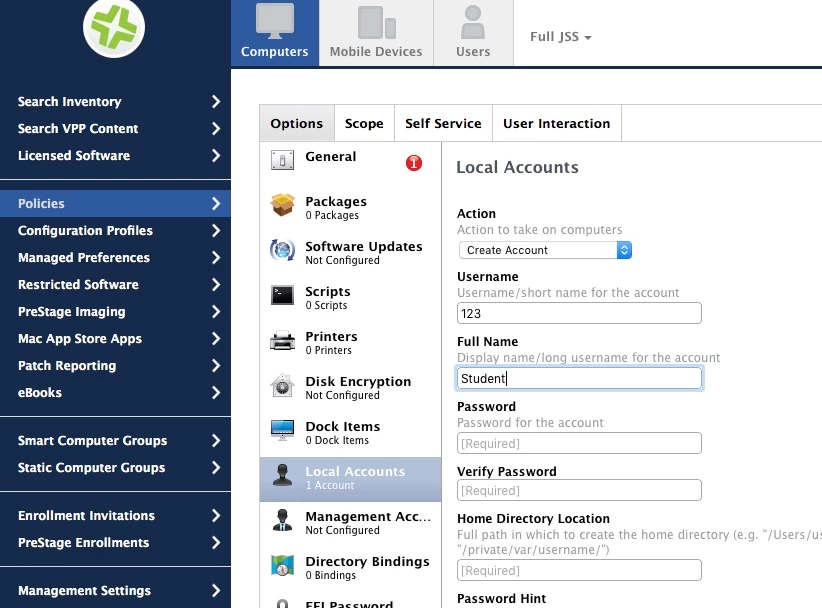
A policy like this will allow login using Student or 123

4 replies

Forum|alt.badge.img+9
  • Contributor
  • August 10, 2016

This should do the trick if you aren't looking for anything too complex. You could just add it to the "Execute Command" field under the "Files and Processes" payload of the policy:

[[ ! "$(dscl . -read /Users/student RecordName)" =~ 123 ]] && dscl . -append /Users/student RecordName 123


Forum|alt.badge.img
  • New Contributor
  • August 10, 2016

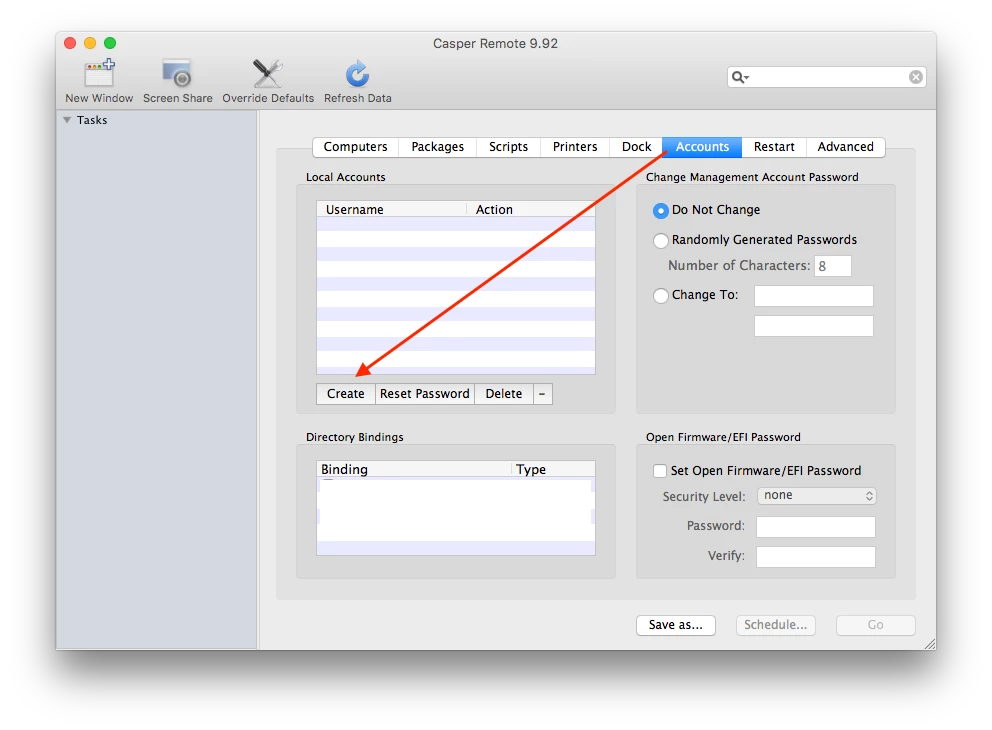
@emsadmin Have you tried this with Capser Remote? I think it allows for exactly what you've described.


Forum|alt.badge.img+26
  • Esteemed Contributor
  • Answer
  • August 10, 2016

A policy like this will allow login using Student or 123


Forum|alt.badge.img+3
  • Author
  • New Contributor
  • August 10, 2016

Thanks for the quick replies everyone! I tried @Sandy's suggestion first and this is a perfect solution.