
Hi,
I have recently deployed a new wifi cert for our wifi office network and I am testing it at the moment.
Once I choose the network, it will ask me to choose a certificate or enter credentials. I choose the new certificate and then afterwards the “eapolclient” prompt pops up. I click Deny and then I am able to connect to the Wifi with the new cert. I am wondering if there is a way to either always click Deny, or during these network authentications allow it to have permissions to the System keychain. Also if someone has a way to allow users to use our new certificate without even having to choose the new cert themselves, that would be even better. What I am trying to do is to minimize the steps that users have to do to connect to our Wifi with the new certificate.

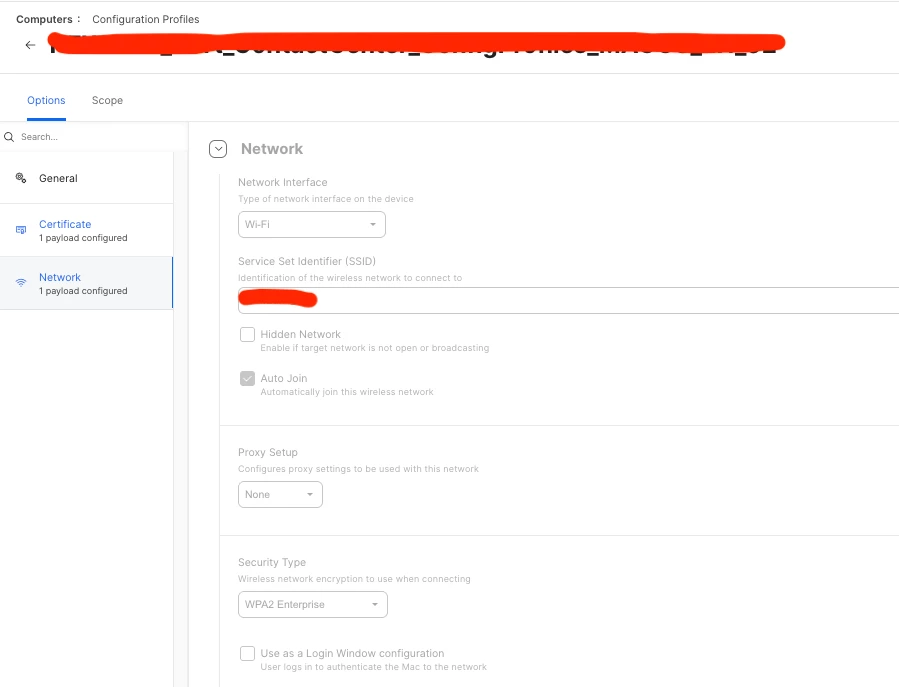
On the configuration policy, I only have the p12 cert and the network part