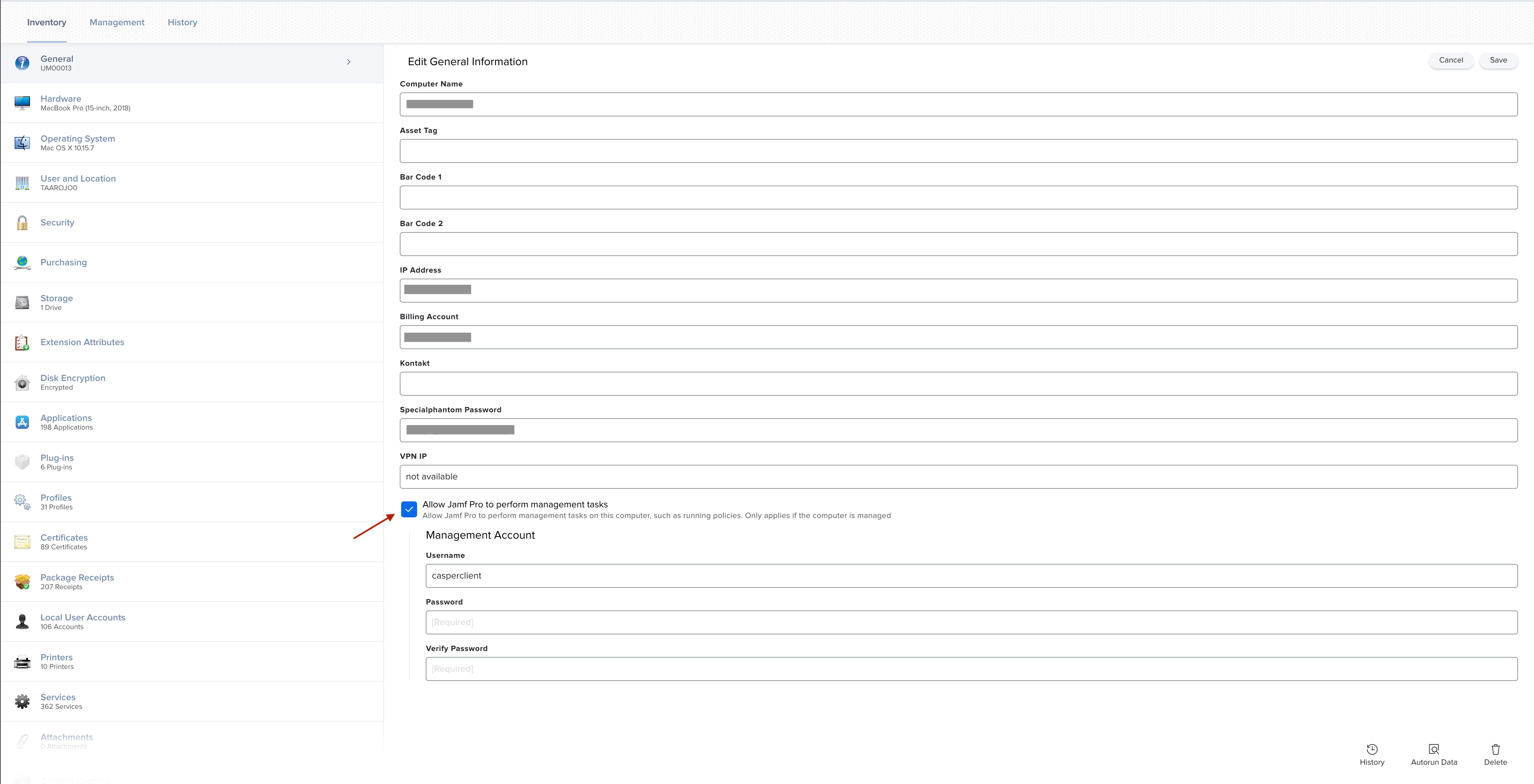
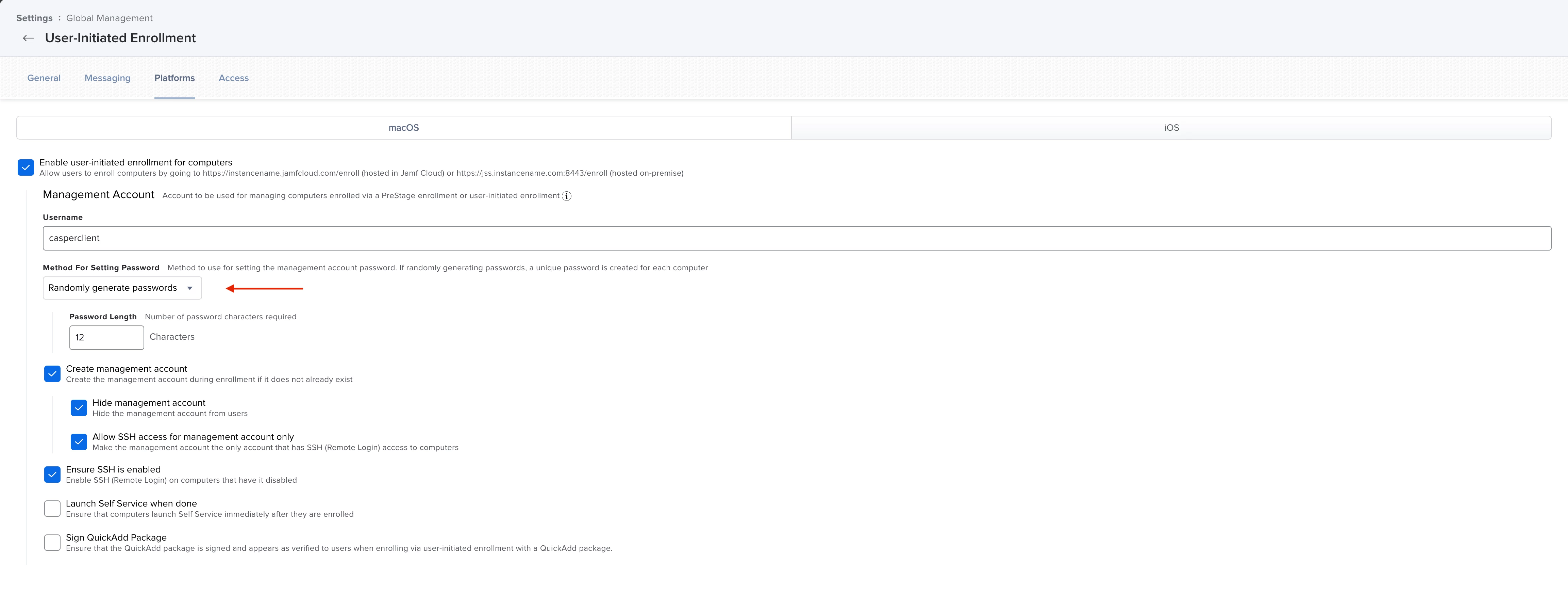
To reduce the amount of licences we have deactivated the option "Allow Jamf Pro to perform management tasks" on certain devices that have not been active for a longer period of time. Now we want to re-enable this option on some devices, but we are not able to get the randomly generated management password for these devices. Is there a way to read out this randomly generated password?
Best answer by sdagley
Thanks for your answer! @Samstar777@sdagley Is there another way to re-enable the option "Allow Jamf Pro to perform management tasks" for certain devices? (Without the randomly generated management password)
@Joel_Rohland If the Mac is currently not enabled for management in Jamf Pro you're not going to be able to do it via Jamf Pro, but in theory if it is still enrolled and you were to manually create an admin account on the Mac you could then enter that account name and password as the Management Account.
Enrollments, Jamf Remote, changing disk encryption keys via policy.
Note: Management account is not a local admin account for your troubleshooting when you have randomly created a password. This random password will be utilised by Jamf as and when its required.
If you need a local Admin account for troubleshooting, create one local admin through jamf.
Enrollments, Jamf Remote, changing disk encryption keys via policy.
Note: Management account is not a local admin account for your troubleshooting when you have randomly created a password. This random password will be utilised by Jamf as and when its required.
If you need a local Admin account for troubleshooting, create one local admin through jamf.
Hope this will help.
Samstar 🙂
To amplify @Samstar777 's reply - No, you cannot access the randomized password for the Jamf management account.
Enrollments, Jamf Remote, changing disk encryption keys via policy.
Note: Management account is not a local admin account for your troubleshooting when you have randomly created a password. This random password will be utilised by Jamf as and when its required.
If you need a local Admin account for troubleshooting, create one local admin through jamf.
Hope this will help.
Samstar 🙂
Thanks for your answer! @Samstar777@sdagley Is there another way to re-enable the option "Allow Jamf Pro to perform management tasks" for certain devices? (Without the randomly generated management password)
Thanks for your answer! @Samstar777@sdagley Is there another way to re-enable the option "Allow Jamf Pro to perform management tasks" for certain devices? (Without the randomly generated management password)
@Joel_Rohland If the Mac is currently not enabled for management in Jamf Pro you're not going to be able to do it via Jamf Pro, but in theory if it is still enrolled and you were to manually create an admin account on the Mac you could then enter that account name and password as the Management Account.
Sorry if it's a stupid question but is it still required/important to create a Jamf management account? I'm thinking to remove the managed administrator account and Jamf management account for the newly deployed machines and end up only with one local administrator account for the end user that has a secure token and count on the PRK to reset the password or unlock/decrypt the HD .. any opinions ?