Dear Forum Members,
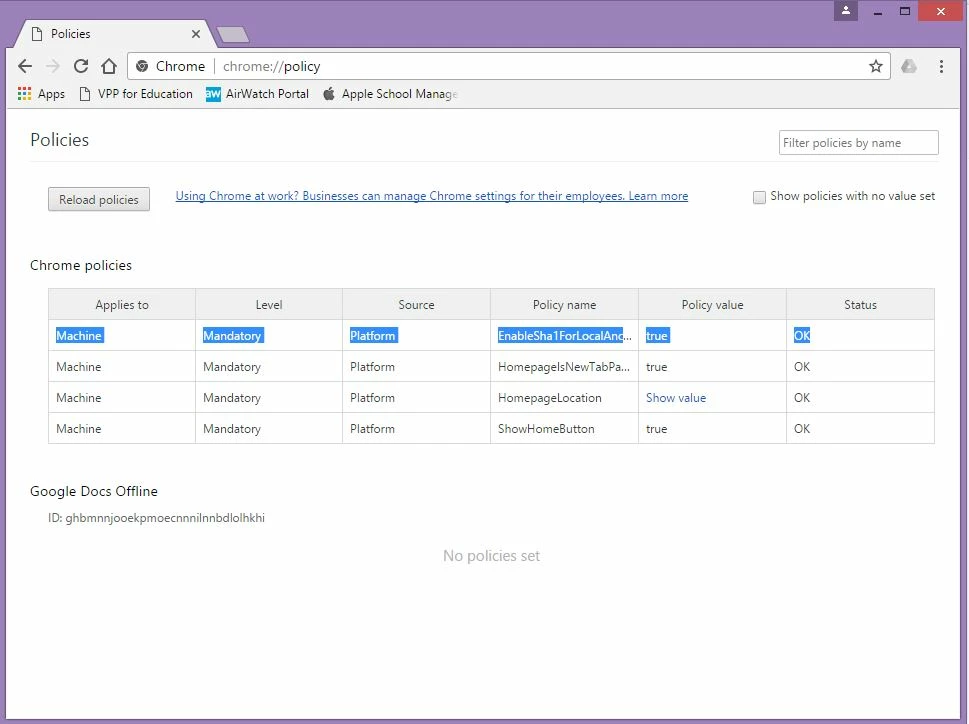
Since the update of Google Chrome to 57, we have issue of "Your connection is not private" error and basically Chrome doesn't work with anything now. We are waiting on a proxy upgrade and in the mean time, also told to do a workaround on all clients for Google Chrome. Basically we need to set the Chrome Policy "EnableSha1ForLocalAnchors" to true. We did for all Windows clients via Group Policy. But I have no idea what to do with the Mac Clients. Anyone can shed some lights on how to approach this on a Mac?
Thanks all!

Solved
How to set Google Chrome Policy via Casper
 +8
+8Best answer by wangl2
Thank you @nsantoro for your generous code. I copied them into TextEdit and saved it as extension .mobileconfig. When I try to upload it from Configuration Profile in JSS, it didn't allow me. However, I got it working by creating com.google.chrome.plist file with the following code:
<?xml version="1.0" encoding="UTF-8"?>
<!DOCTYPE plist PUBLIC "-//Apple//DTD PLIST 1.0//EN" "http://www.apple.com/DTDs/PropertyList-1.0.dtd">
<plist version="1.0">
<dict>
<key>EnableSha1ForLocalAnchors</key>
<true/>
</dict>
</plist>
I then uploaded to Configuration Profile section in the JSS by creating a new one and upload the plist file in the Custom Settings. Distribute to the iMac and it worked.
Thank you everyone!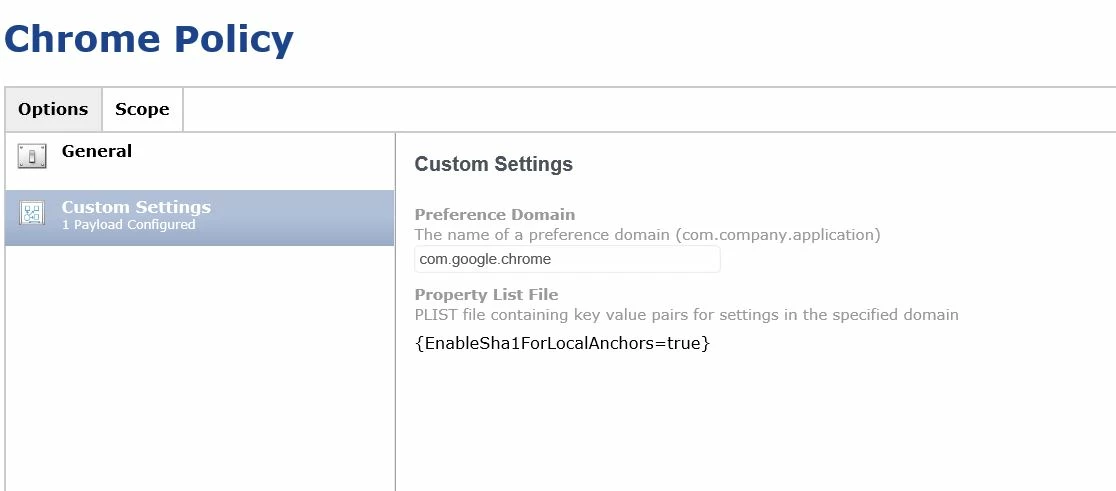







Enter your E-mail address. We'll send you an e-mail with instructions to reset your password.