Question

iMovie difficult to install

  • February 14, 2017
  • 7 replies
  • 45 views

Forum|alt.badge.img+8

In the past few months I have had to reinstall iMovie multiple times to our iPads. Whenever I try it fails and the message is "The app with iTunes Store ID 377298193 is already scheduled for management". Some of the other apple apps do it now and again, but iMovie does it EVERY time. It takes a combination of push/inventory update/refresh VPP codes OVER AND OVER AND OVER until it finally just works. Has anyone else had these difficulties?

7 replies

Forum|alt.badge.img+11
  • Valued Contributor
  • February 14, 2017

I've seen that message before, for us, that message indicates that the app is currently trying to be installed and I think the JSS doesn't realize it's in the process of installing or updating and that's the message I get. If I wait a while and clear that message and do a push/inventory refresh it works. I know iMovie is a big install on the iPads.


Forum|alt.badge.img+8
  • Author
  • Valued Contributor
  • February 14, 2017

Thanks for the response. Does it show up as pending command or failed command?


Forum|alt.badge.img+11
  • Valued Contributor
  • February 15, 2017

It will show up as a failed command.


Forum|alt.badge.img+8
  • Author
  • Valued Contributor
  • February 17, 2017

Have you been seeing any other issues? I have also had it where the app just stops working on groups of iPads. I have emailed my rep about it but I would like to know if these are global issues.


Forum|alt.badge.img+8
  • Author
  • Valued Contributor
  • February 17, 2017

Have you been seeing any other issues? I have also had it where the app just stops working on groups of iPads. I have emailed my rep about it but I would like to know if these are global issues.


Forum|alt.badge.img+5
  • Contributor
  • April 19, 2018

Similar issue, but slightly different...

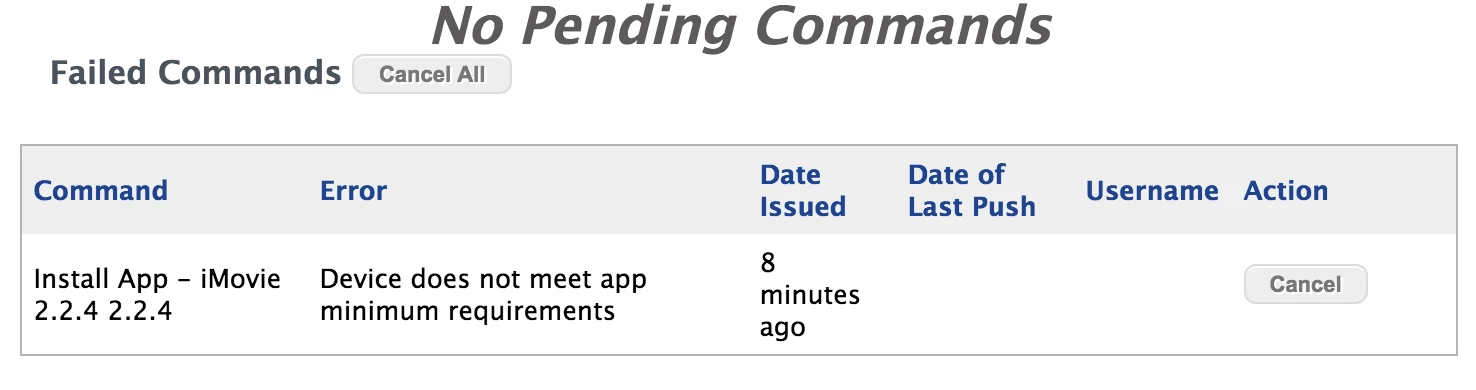
The error I receive when trying to automatically install is "Device does not meet app minimum requirements." However, app will install just fine via Self Service; it just will not automatically install.


cdenesha
Forum|alt.badge.img+14
  • Honored Contributor
  • April 19, 2018

It is probably a device that does not have iOS 11. The latest Apple apps require it and you get this error. You would hope that it would auto-install the previous version but I'm not sure if it does, sorry.