When setting up smart groups to report on the status of conditional access of Macs enrolled in Intune Microsoft Endpoint Manager, I create the groups based off of the "Conditional Access Inventory State" criteria. However, it seems like the Smart Groups aren't being populated correctly.
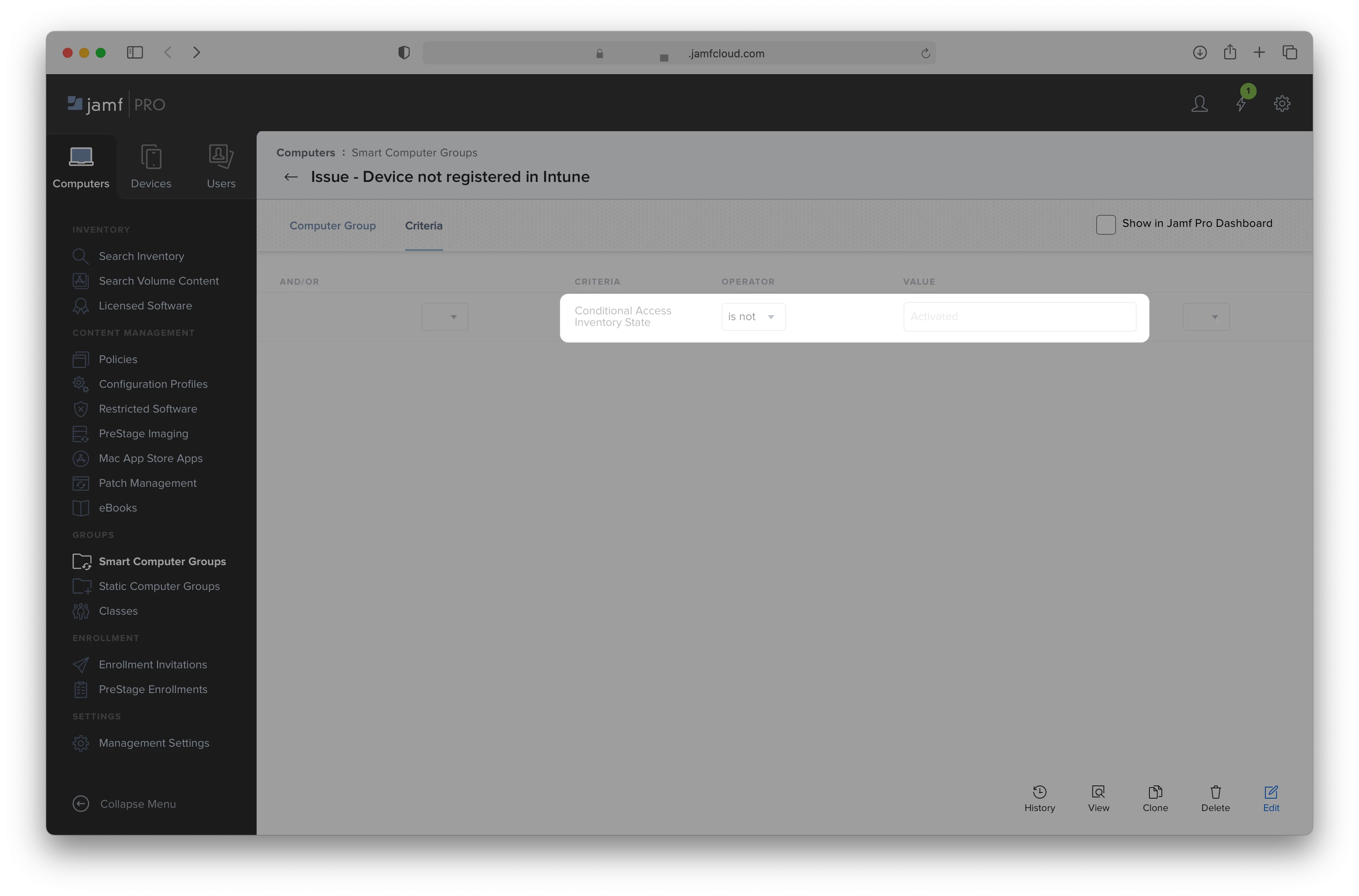
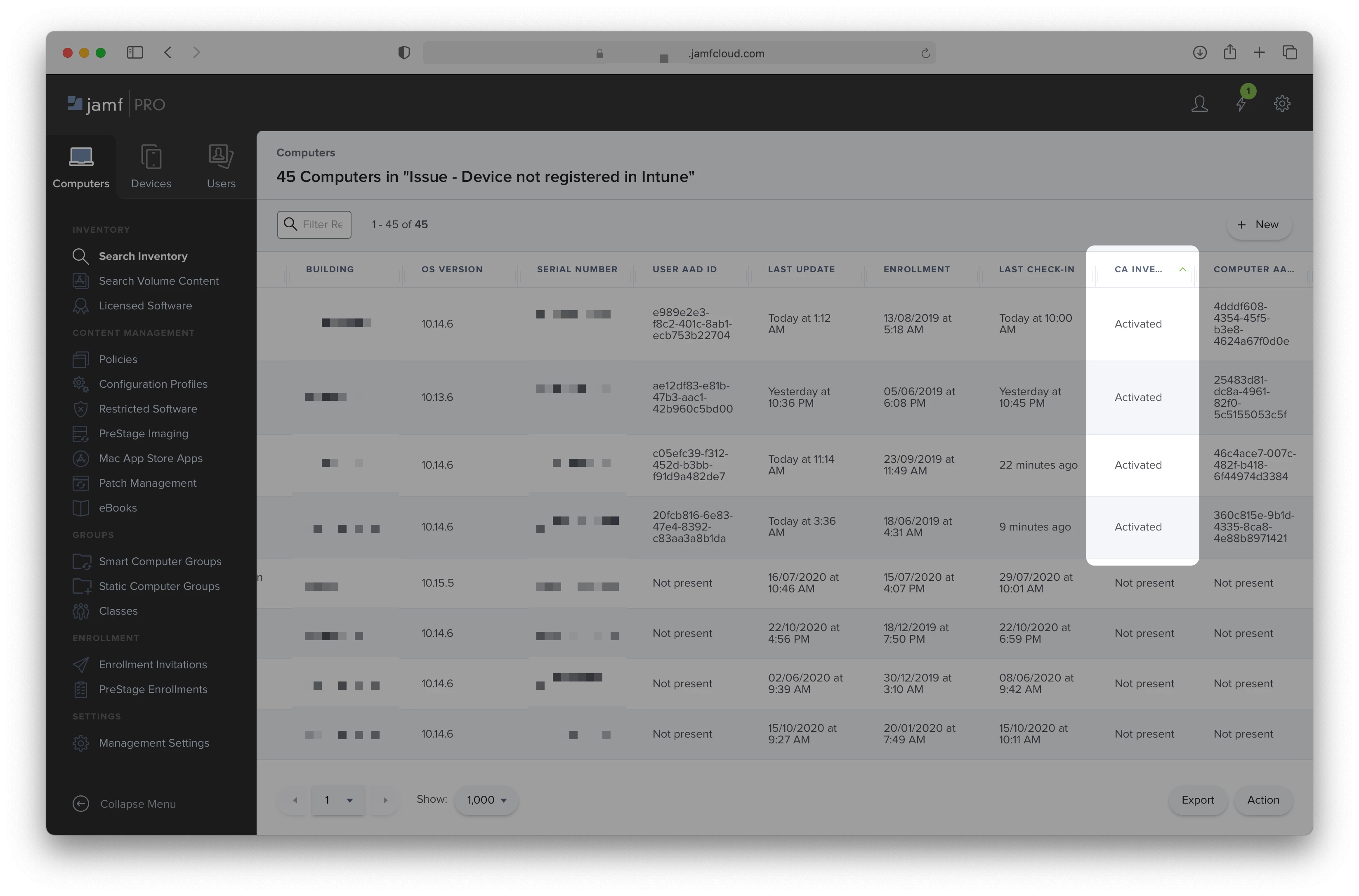
The below details the criteria of a smart group called "Issue - Device not registered in Intune" and the list of devices that match the criteria. As you can see, devices with a "Conditional Access Inventory State" of "Activated" are incorrectly populated in the smart group.
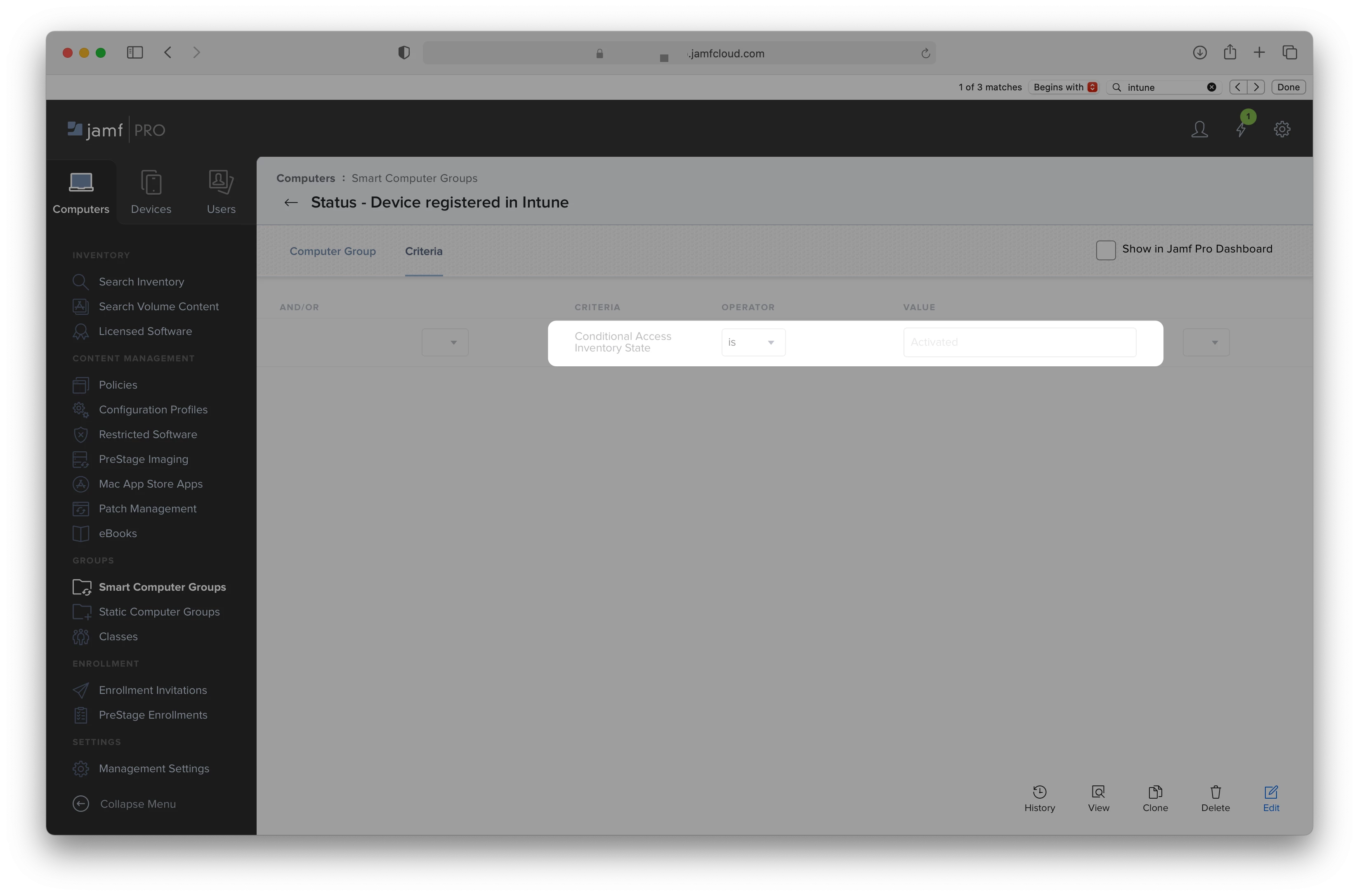
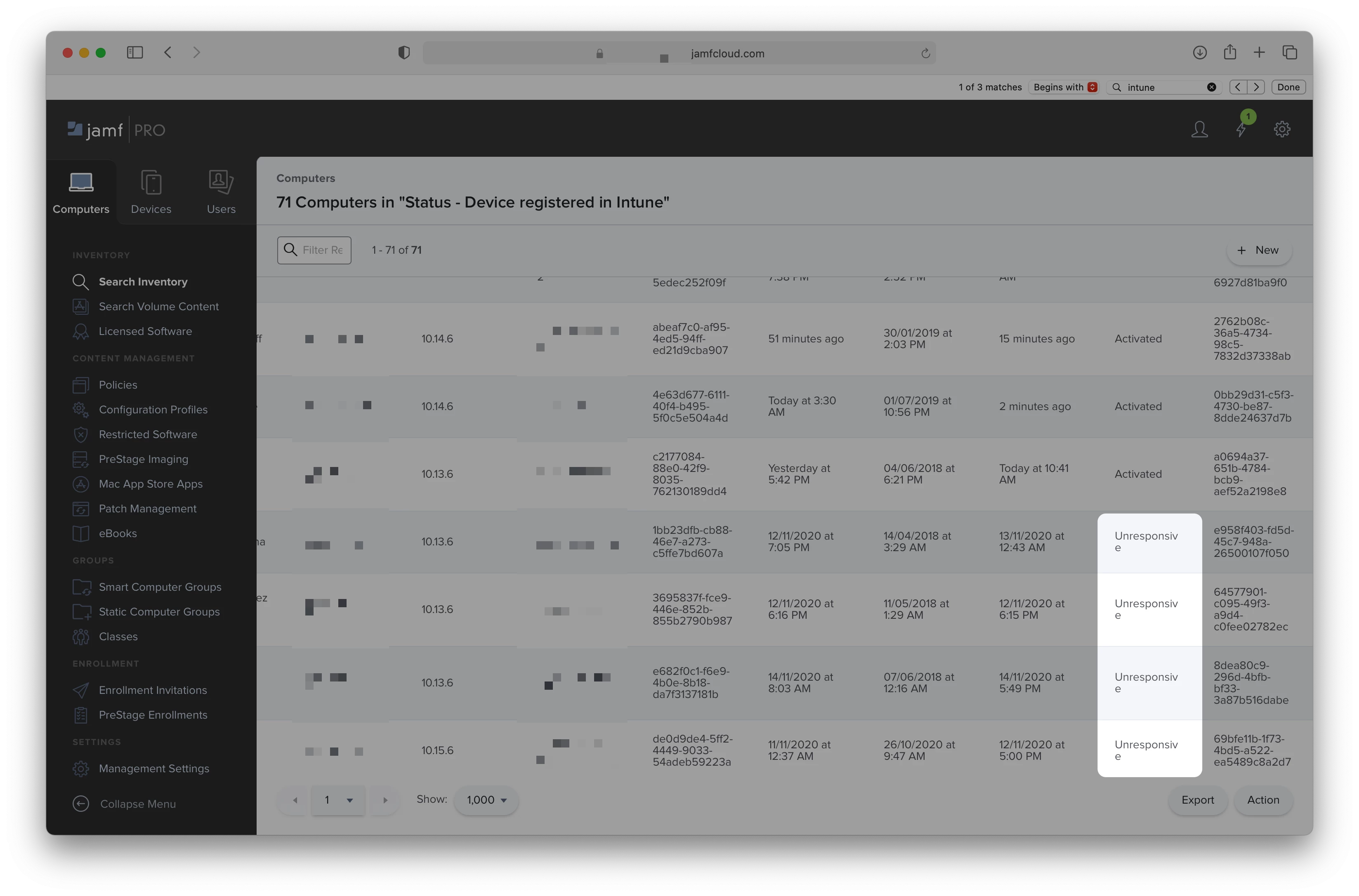
Conversely, when setting up a group named "Status - Device registered in Intune", the opposite occurs; devices with a "Conditional Access Inventory State" that aren't "Activated" (i.e. Unresponsive) are incorrectly populated in the smart group.
Is anyone else seeing this? Am I missing something?