Question

Installing Packages

  • March 19, 2024
  • 6 replies
  • 101 views

Forum|alt.badge.img+6

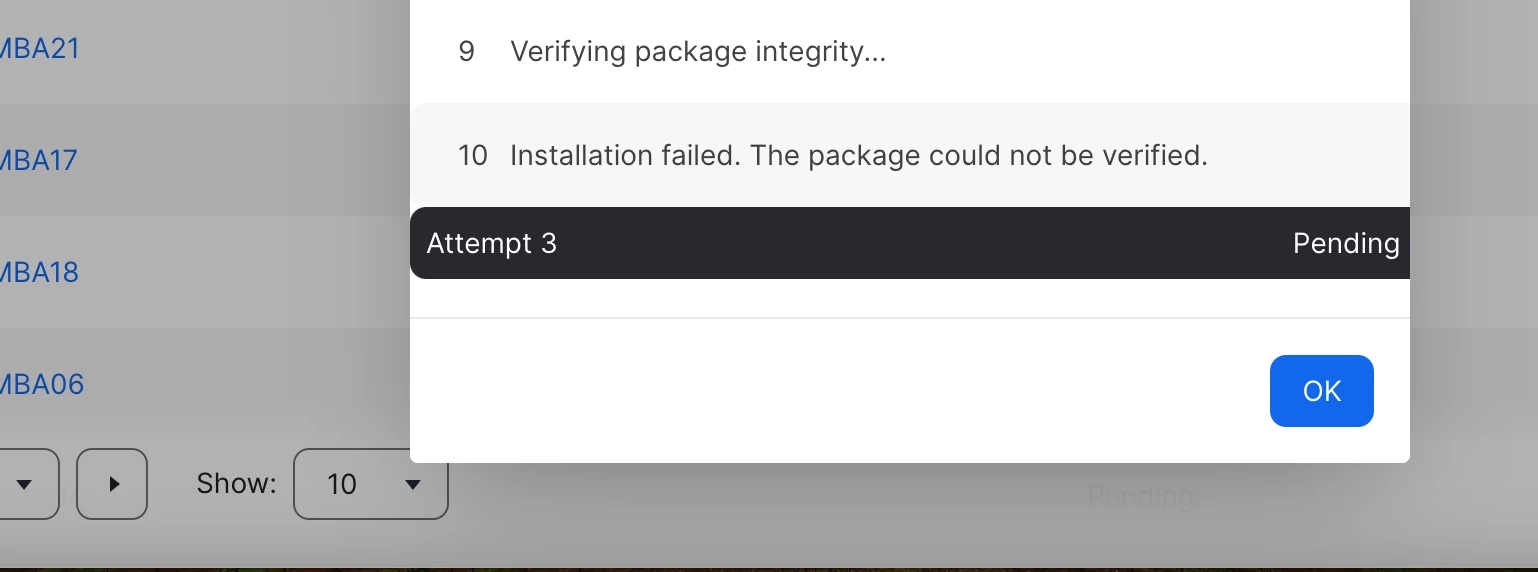
I created a policy to install a package (minecraft education). I put startup and login as the triggers. When I check the logs i see the message below "Installation failed. The package could not be verified"

Any ideas how to fix this error? Thanks


6 replies

AJPinto
Forum|alt.badge.img+26
  • Legendary Contributor
  • March 20, 2024

Usually when I see this error, its network related. Maybe SSL redirection. What happens if you turn off package validation? JSS>>Settings>>Computer Management>>Security>>Package Validation = Never.


roiegat
Forum|alt.badge.img+16
  • Valued Contributor
  • March 20, 2024

Did you sign the package?


Forum|alt.badge.img+6
  • Author
  • Contributor
  • March 20, 2024

Did you sign the package?


How would I sign the package? Im a fairly new to jamf, this was my process of creating the package. 

  1. Uploaded the application to jamf composer
  2. created the package and saved to my desktop
  3. uploaded the package to jamf pro 
  4. created a policy to upload the package 

roiegat
Forum|alt.badge.img+16
  • Valued Contributor
  • March 20, 2024

Jamf has a create documentation for it:

https://learn.jamf.com/en-US/bundle/technical-articles/page/Creating_a_Signing_Certificate_Using_Jamf_Pros_Built-in_CA_to_Use_for_Signing_Configuration_Profiles_and_Packages.html

Although once you have the cert you can install it on your machine and then tell composer to use that cert in preferences.

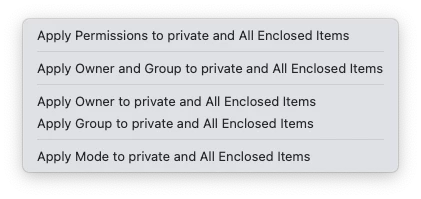
Also since you are new, one of the pit falls of composer is that it grabs the permissions for the file you put in there.  So if you are grabbing files from user folder, or preferences, make sure to correct the permissions.  I usually fix the put level and tell it to "Apply Permissions to private and All Enclosed items"


Good luck!


Forum|alt.badge.img+6
  • Author
  • Contributor
  • March 20, 2024

Jamf has a create documentation for it:

https://learn.jamf.com/en-US/bundle/technical-articles/page/Creating_a_Signing_Certificate_Using_Jamf_Pros_Built-in_CA_to_Use_for_Signing_Configuration_Profiles_and_Packages.html

Although once you have the cert you can install it on your machine and then tell composer to use that cert in preferences.

Also since you are new, one of the pit falls of composer is that it grabs the permissions for the file you put in there.  So if you are grabbing files from user folder, or preferences, make sure to correct the permissions.  I usually fix the put level and tell it to "Apply Permissions to private and All Enclosed items"


Good luck!


Thank you, I will check the documentation.


donmontalvo
Forum|alt.badge.img+36
  • Hall of Fame
  • March 22, 2024

Jamf has a create documentation for it:

https://learn.jamf.com/en-US/bundle/technical-articles/page/Creating_a_Signing_Certificate_Using_Jamf_Pros_Built-in_CA_to_Use_for_Signing_Configuration_Profiles_and_Packages.html

Although once you have the cert you can install it on your machine and then tell composer to use that cert in preferences.

Also since you are new, one of the pit falls of composer is that it grabs the permissions for the file you put in there.  So if you are grabbing files from user folder, or preferences, make sure to correct the permissions.  I usually fix the put level and tell it to "Apply Permissions to private and All Enclosed items"


Good luck!


I usually fix the put level and tell it to "Apply Permissions to private and All Enclosed items"

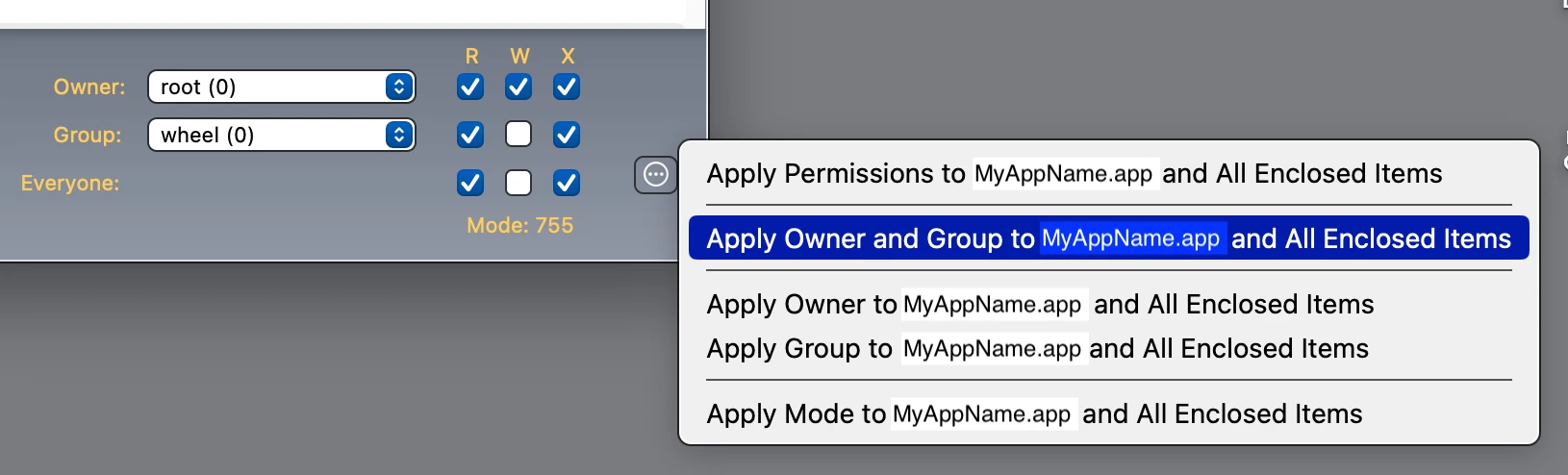
The concern with using Apply Permissions to MyAppName.app and all Enclosed Items option, is that everything in the app will become executable. That would run afoul of Apple's Developer guidelines, and might even raise some security audit flags, not to mention the developer most likely didn't intend that to be. :)

Might want to instead first set owner=rootgroup=wheel, then select the Apply Owner and Group toMyAppName.app and All Enclosed Items option.

Example...