
Solved

Issue getting Nudge 2.0 to prompt for an update

  • September 20, 2024
  • 1 reply
  • 107 views

Forum|alt.badge.img+5

Hello

I am having an issue getting Nudge to prompt for an update.

I have installed the configuration profile & the latest nudge suite via policy to a test mac.

The only 2 values i have set are requiredMinimumOSVersion & requiredInstallationDate
I've confirmed that nudge can see the profile by running /Applications/Utilities/Nudge.app/Contents/MacOS/Nudge -print-profile-config

<?xml version="1.0" encoding="UTF-8"?>
<!DOCTYPE plist PUBLIC "-//Apple//DTD PLIST 1.0//EN" "http://www.apple.com/DTDs/PropertyList-1.0.dtd">
<plist version="1.0">
<dict>
<key>osVersionRequirements</key>
<array>
<dict>
<key>requiredMinimumOSVersion</key>
<string>15</string>
</dict>
<dict>
<key>requiredInstallationDate</key>
<string>2024-09-25T00:00:00Z</string>
</dict>
</array>
</dict>
</plist>

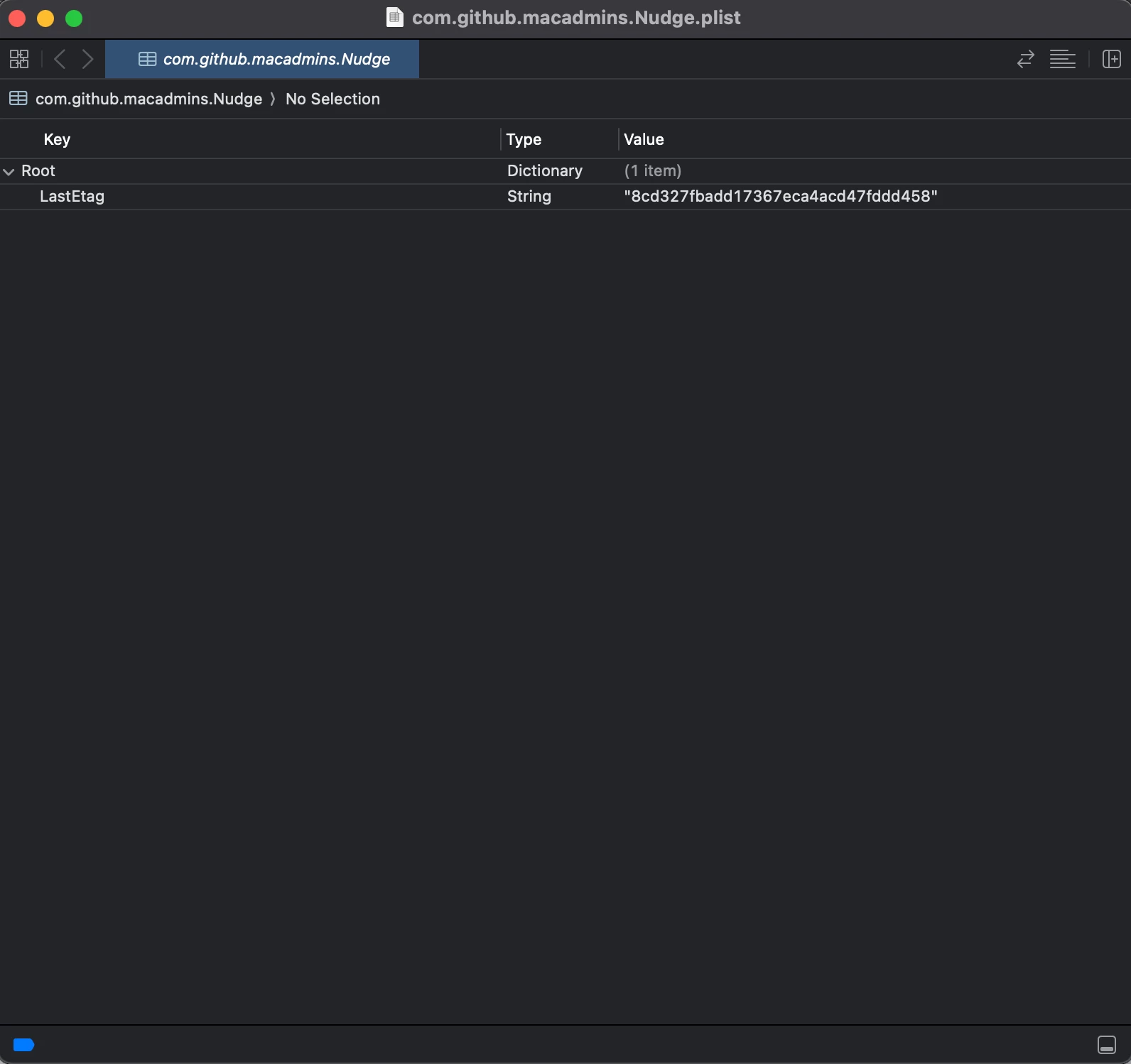
But, if i check library/preferences and look at the nudge plist via xcode
It does not have the same values as the configuration profile (Screenshot Attached)

I have been using nudge successfully up until the 2.0 update, now it seems between the config profile and plist some communication is being lost.

I've also ran debug logs with nudge and confirmed it's not seeing the values from the config profile


Any ideas?
Best answer by jloesch

To all,
I was able to get nudge 2.0 working and now prompts to update properly
I specified these settings in the configuration profile

requiredInstallationDate

requiredMinimumOSVersion

randomDelay: false

asyncronousSoftwareUpdate: true

More importantly Check the configuration profile, if you see osVersionRequirement 1 and osVersionRequirement 2. That may be the issue,
In my case requiredMinimumOSVersion was under one of them and requiredInstallationDate was under the other for me.

This was causing the error "Could not find requiredMinimumOSVersion 0.0" in the logs

I deleted osVersionRequirement 2 and now have both requiredMinimumOSVersion & requiredInstallationDate under the osVersionRequirement 1.

I pushed the updated configuration profile back out, logged out of the mac and back in

Nudge now shows up almost instantly after logging in
I hope this information helps others solve issues with getting Nudge 2.0 to work.

1 reply

Forum|alt.badge.img+5
  • Author
  • New Contributor
  • Answer
  • September 25, 2024

To all,
I was able to get nudge 2.0 working and now prompts to update properly
I specified these settings in the configuration profile

requiredInstallationDate

requiredMinimumOSVersion

randomDelay: false

asyncronousSoftwareUpdate: true

More importantly Check the configuration profile, if you see osVersionRequirement 1 and osVersionRequirement 2. That may be the issue,
In my case requiredMinimumOSVersion was under one of them and requiredInstallationDate was under the other for me.

This was causing the error "Could not find requiredMinimumOSVersion 0.0" in the logs

I deleted osVersionRequirement 2 and now have both requiredMinimumOSVersion & requiredInstallationDate under the osVersionRequirement 1.

I pushed the updated configuration profile back out, logged out of the mac and back in

Nudge now shows up almost instantly after logging in
I hope this information helps others solve issues with getting Nudge 2.0 to work.