Question

Jamf api returns html page in .net

  • December 26, 2025
  • 11 replies
  • 78 views

Ilya
Forum|alt.badge.img+1

Hello. This is my code in .net.

var client = new HttpClient();
var jamfUrl = "https://{server}.jamfcloud.com/";

var clientId = "xxxxxxxx";
var clientSecret = "xxxxxxxxxxxxxxxxxxxxxxxxxxxxxxx";

var byteArray = Encoding.ASCII.GetBytes($"{clientId}:{clientSecret}");
client.DefaultRequestHeaders.Authorization =
new AuthenticationHeaderValue("Basic", Convert.ToBase64String(byteArray));

var response = await client.GetAsync($"{jamfUrl}/apps/");
response.EnsureSuccessStatusCode();

var json = await response.Content.ReadAsStringAsync();

But when I execute this to get the list of applications I get following response

<!doctype html>
<html lang="en">
<head>
<meta charset="UTF-8" />
<link rel="apple-touch-icon" sizes="180x180" href="/apple-touch-icon.png" />
<link rel="icon" type="image/png" sizes="32x32" href="/favicon-32x32.png" />
<link rel="icon" type="image/png" sizes="16x16" href="/favicon-16x16.png" />
<meta name="viewport" content="width=device-width, initial-scale=1.0, viewport-fit=cover" />
<title>Jamf School - Account</title>
<script type="module" crossorigin src="/assets/index-7eVQZZrR.js"></script>
<link rel="stylesheet" crossorigin href="/assets/index-KaN-cRNr.css">
</head>
<body>
<div id="app"></div>
</body>
</html>

What is wrong with my code?

11 replies

howie_isaacks
Forum|alt.badge.img+23
  • Esteemed Contributor
  • December 26, 2025

What is your purpose? I don’t see any Jamf API commands that would result in a listing of apps. Your Jamf Pro URL/api can show you all the commands available using the classic and newer API.


Ilya
Forum|alt.badge.img+1
  • Author
  • New Contributor
  • December 27, 2025

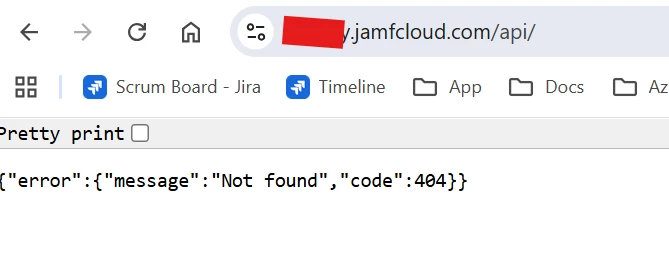
If I want to see apis I get following picture after entering credentials 


Ilya
Forum|alt.badge.img+1
  • Author
  • New Contributor
  • December 27, 2025

What api to get devices in Jamf? This one is not working 

var response = await client.GetAsync($"{jamfUrl}/api/v1/devices");


howie_isaacks
Forum|alt.badge.img+23
  • Esteemed Contributor
  • December 29, 2025

I think you need to get in touch with Jamf support if you can’t even load your API URL. Also, why are you using .Net? 

You can also get access to Jamf API commands here:

https://developer.jamf.com/jamf-pro/reference/jamf-pro-api

I have always used the Jamf Pro API in shell scripts. You can also run it using PowerShell. Here’s an example using PowerShell.

$headers=@{}
$headers.Add("accept", "application/json")
$response = Invoke-WebRequest -Uri 'https://yourserver.jamfcloud.com/JSSResource/computers' -Method GET -Headers $headers

If you use shell scripts for running API commands, one advantage this gives you is being able to run the commands using Jamf Pro policies. I don’t do this a lot, but when I do, I use an API client created specfically for the task the API commands need to run. It only has access to do the specific things that I want done and nothing else. I use Jamf Pro parameters for filling in the API client and secret. I created the function below that I drop into every script that runs the API. It includes some variables that I often need such as for the computer’s serial number, it’s Jamf ID, and the management ID. There’s a variable that can be used for validating that your API credentials are working. I usually turn it off but it’s there in case I need to verify my credentials.

###############################################################################
# JAMF PRO API LOGIN #
# Parameter 4: API client ID #
# Parameter 5: API client secret #
# Parameter 6: Enter "yes" to validate API login #
###############################################################################

# Jamf Pro API login
url="https://YourServer.jamfcloud.com"
client_id="$4"
client_secret="$5"
verify="$6"

# Jamf API authentication function
jamfAPI_auth() {
response=$(curl --silent --location --request POST "${url}/api/oauth/token" \
--header "Content-Type: application/x-www-form-urlencoded" \
--data-urlencode "client_id=${client_id}" \
--data-urlencode "grant_type=client_credentials" \
--data-urlencode "client_secret=${client_secret}")
token=$(echo "$response" | plutil -extract access_token raw -)
token_expires_in=$(echo "$response" | plutil -extract expires_in raw -)
}

# Start authenticated API session
jamfAPI_auth

###############################################################################
# VALIDATE API LOGIN #
# The token and expiration time will be echoed into the script output #
# to verify that the API login credentials provided are working. #
###############################################################################

if [[ "$verify" == "yes" ]]; then
echo "API token: ${token}"
echo "Token expires in: ${token_expires_in} seconds"
fi

#####################################
# COMPUTER INFORMATION #
#####################################

# Computer serial number
serial=$(system_profiler SPHardwareDataType | grep Serial | /usr/bin/awk '{print $4}')
echo "Computer serial number is ${serial}"

# Jamf ID
jss_ID=$(curl -s -H "Accept: text/xml" -H "Authorization: Bearer ${token}" ${url}/JSSResource/computers/serialnumber/"$serial" | xmllint --xpath '/computer/general/id/text()' -)
echo "Computer JSS ID is ${jss_ID}"

# Management ID
management_ID=$(curl -s -H "Accept: application/json" -H "Authorization: Bearer ${token}" ${url}/api/v1/computers-inventory/"$jss_ID?section=GENERAL" | jq -r '.general.managementId' )
echo "Computer management ID is $management_ID"


mattjerome
Forum|alt.badge.img+9
  • Jamf Heroes
  • December 29, 2025

I would see if you can use those same credentials in https://yourorg.jamfcloud.com/api and verify you can log in and get the data using the “try it out” buttons. If you can’t do that, verify your client id and secret have the right permissions.


Ilya
Forum|alt.badge.img+1
  • Author
  • New Contributor
  • December 30, 2025

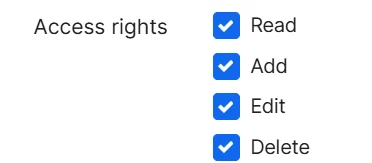
These are permissions that I have but sill not found response 


Ilya
Forum|alt.badge.img+1
  • Author
  • New Contributor
  • December 30, 2025

This is the response from support team regarding api url .

Thank you for reaching out. To clarify, the link you are opening in the browser points to an API endpoint. An API (Application Programming Interface) is not designed to be used directly through a web browser like a normal webpage. Instead, it is intended for software, scripts, or integrations to communicate with the system and exchange data in a structured format (often JSON).


mattjerome
Forum|alt.badge.img+9
  • Jamf Heroes
  • December 30, 2025

Those done look like they’re from jamf pro. Where are those coming from?


Mitchell_Gordon
Forum|alt.badge.img+11

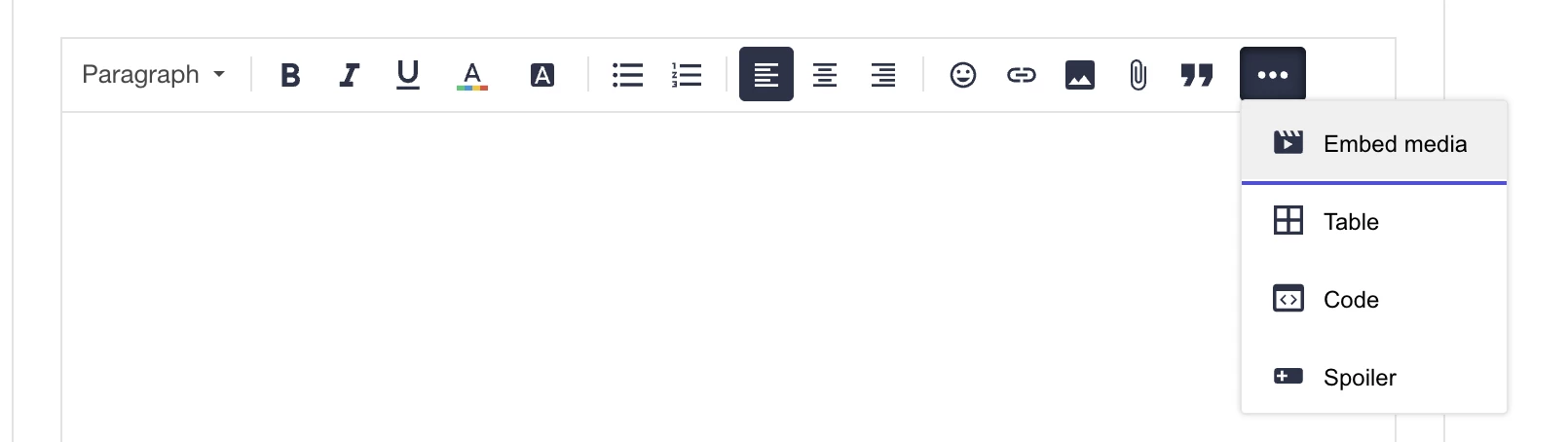
@mattjerome you can enter code via the extra three dots. By going to code it will display a code format as shown above.

Happy posting and happy new years!!


mattjerome
Forum|alt.badge.img+9
  • Jamf Heroes
  • December 30, 2025

Sorry ​@Mitchell_Gordon i was referring to the permissions 


Ilya
Forum|alt.badge.img+1
  • Author
  • New Contributor
  • December 31, 2025

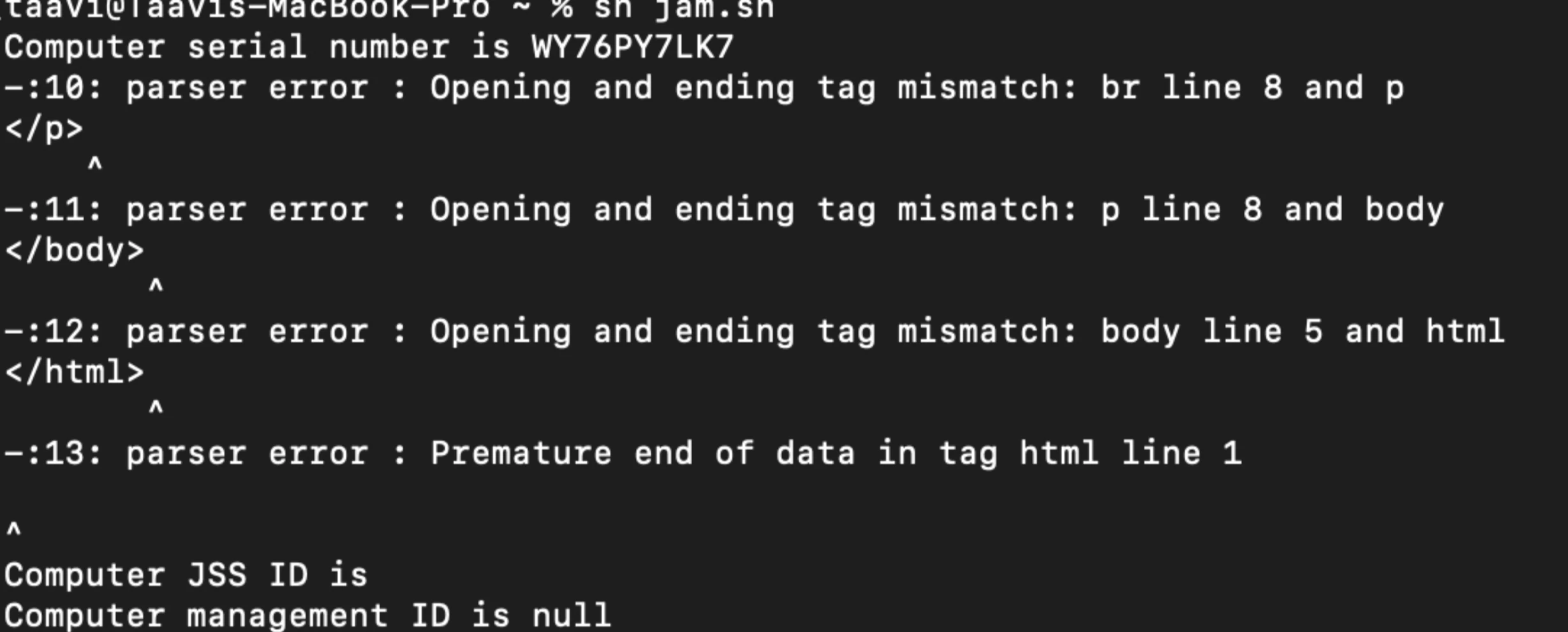
I was able to get bearer token from Jamf PRO (not Jamf School) but when I use it for getting computers it is failing with unautorized code 

also if I use shell script provided it returns