
Question

Jamf Connect 2.0 with Big Sur

  • October 2, 2020
  • 5 replies
  • 38 views

Forum|alt.badge.img+1

Hi Team,
Not sure that JC 2.0 is fully support Big Sur or not, but I'm unable to make it work in last Big Sur beta, have anyone in same state like me?

  • JC Login cannot create new account, event cannot login with exist account
    Error: JamfConnectLogin.DSQueryableErrors Error 0: ODError while trying to check for loical user

  • JC menu bar crash and cannot start
    Error: NSInvalidArgumentException'dataForSigning: Unrecognized Selector Sent to instance 0x6000018231e0

5 replies

Forum|alt.badge.img+1
  • New Contributor
  • March 5, 2021

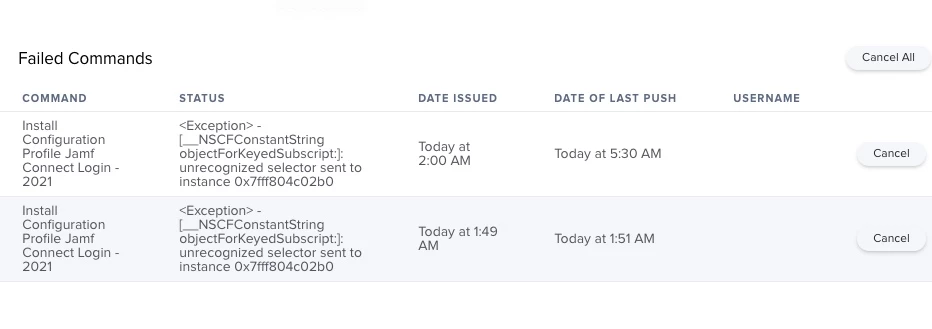
Im getting this error have a support ticket open


Forum|alt.badge.img+8
  • Contributor
  • May 17, 2021

@dvaldez hi, did you get a solution?
I have the same error on the latest version of Big Sur, and I don't see the log in page from Microsoft (stays white)


Forum|alt.badge.img+2

@dvaldez Did you ever get a response back on your ticket with Jamf? I am seeing the same error on a profile I created with Profile Creator.


Forum|alt.badge.img+8
  • Valued Contributor
  • June 16, 2021

did you sign the profiles with a cert? they need to be signed and on the machine before the jamf coneect client is installed for it to work


Forum|alt.badge.img+2

@SCCM That ended up being it. Thanks.
