Question

Jamf Pro (Casper Suite) Inventory in a Dashboard

  • February 8, 2017
  • 1 reply
  • 19 views

Forum|alt.badge.img+5

Hi All,

I recently gave a talk during the London Apple Admins, one question I was asked during my presentation is how I managed to get jamf Pro (Casper Suite) data onto a dashboard.

Which looked a bit like this:
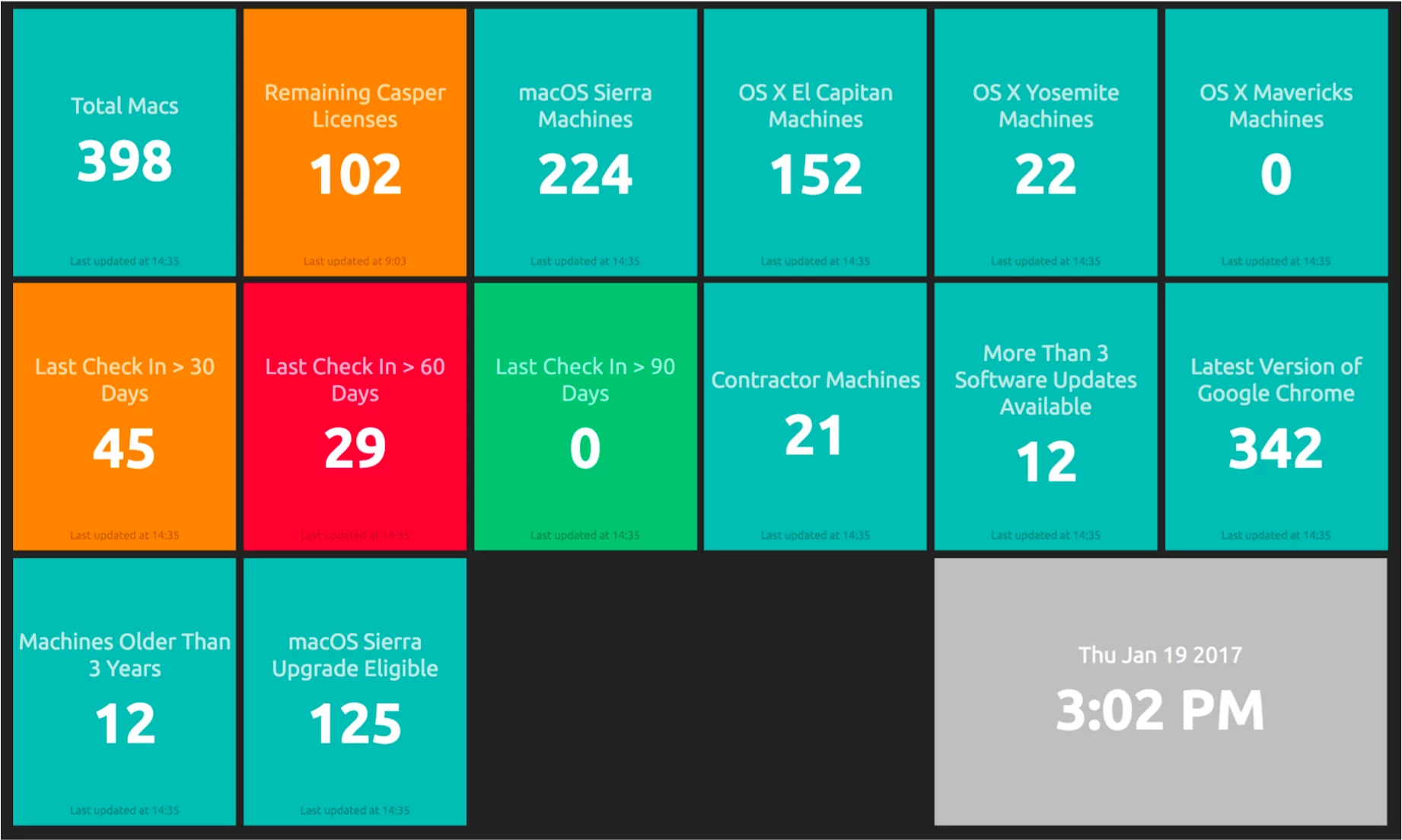
I've written up a guide on how it works over here

Hope it's helpful for you all, interested to know if anyone has any other examples they can share?

Sachin

1 reply

Forum|alt.badge.img+1
  • New Contributor
  • July 2, 2018

Hi there,

I've followed the guide and unfortunately I cannot retrieve the information from Jamf.
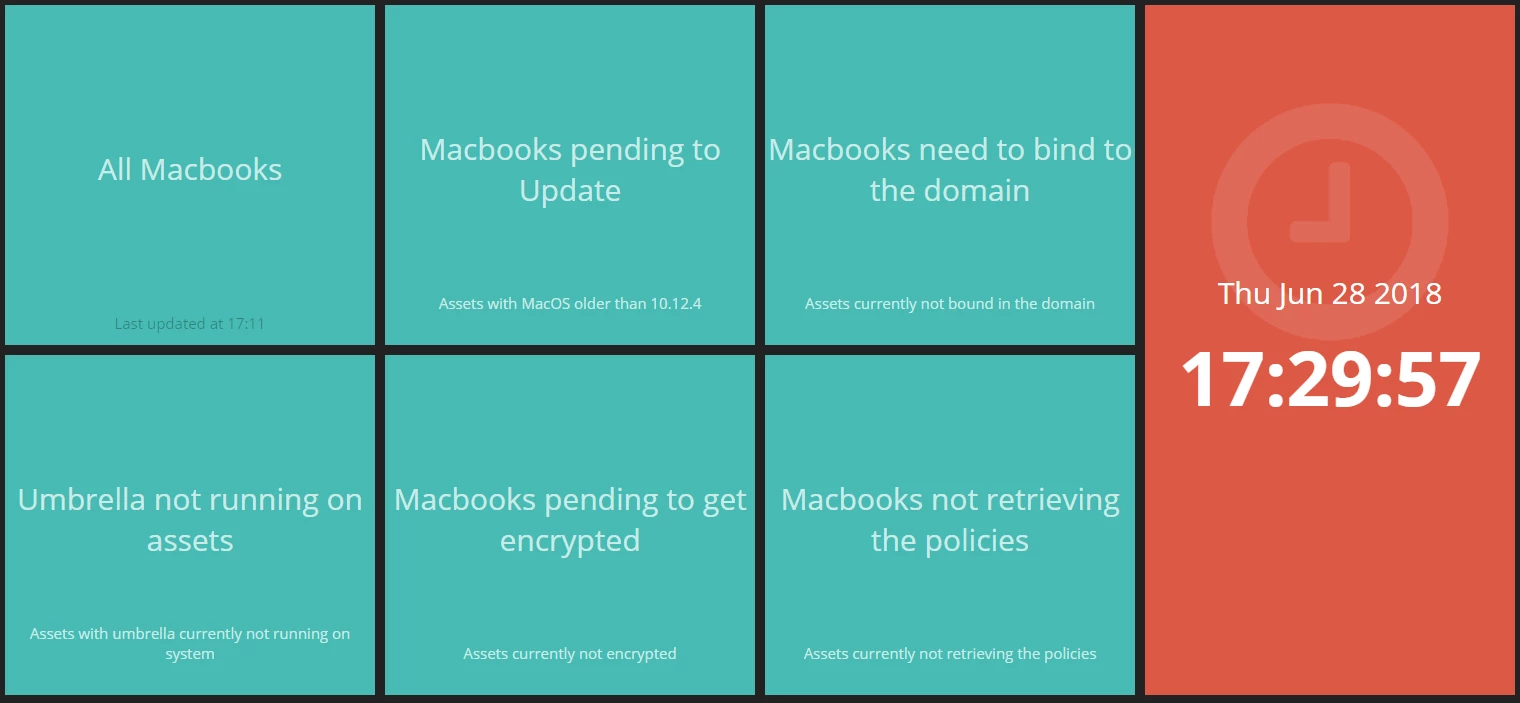
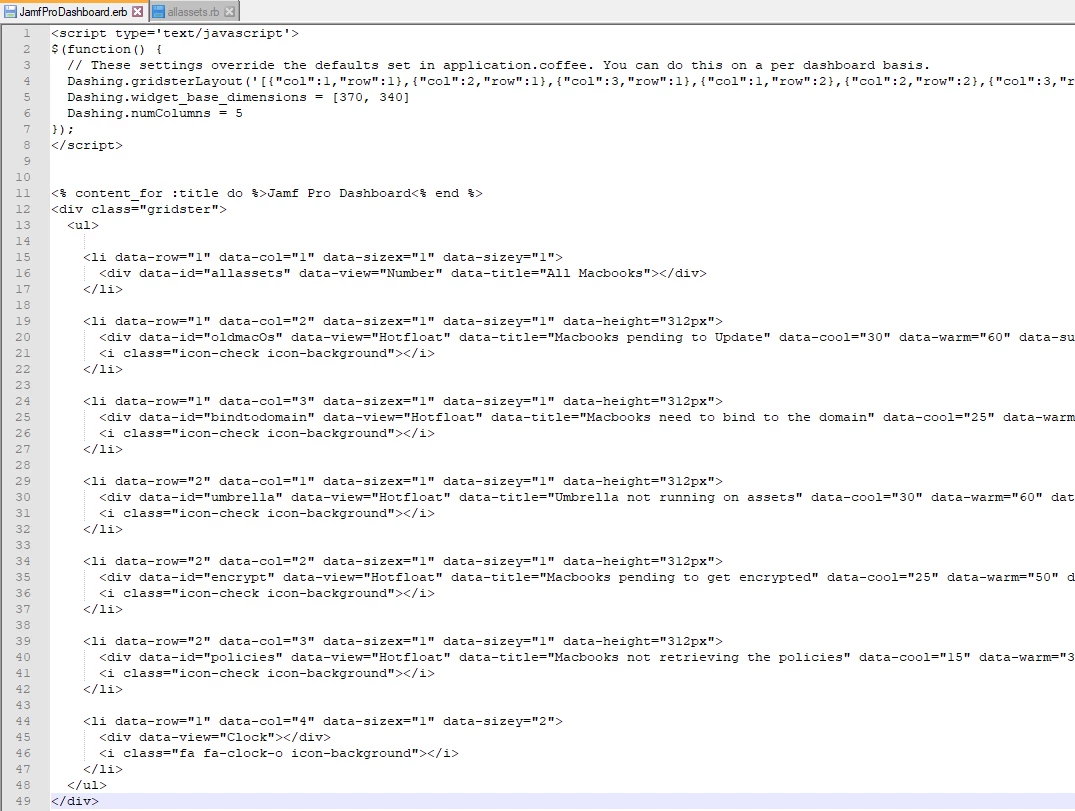
Basically the dashboard is created and running. Also I've added the information I want to get from Jamf.
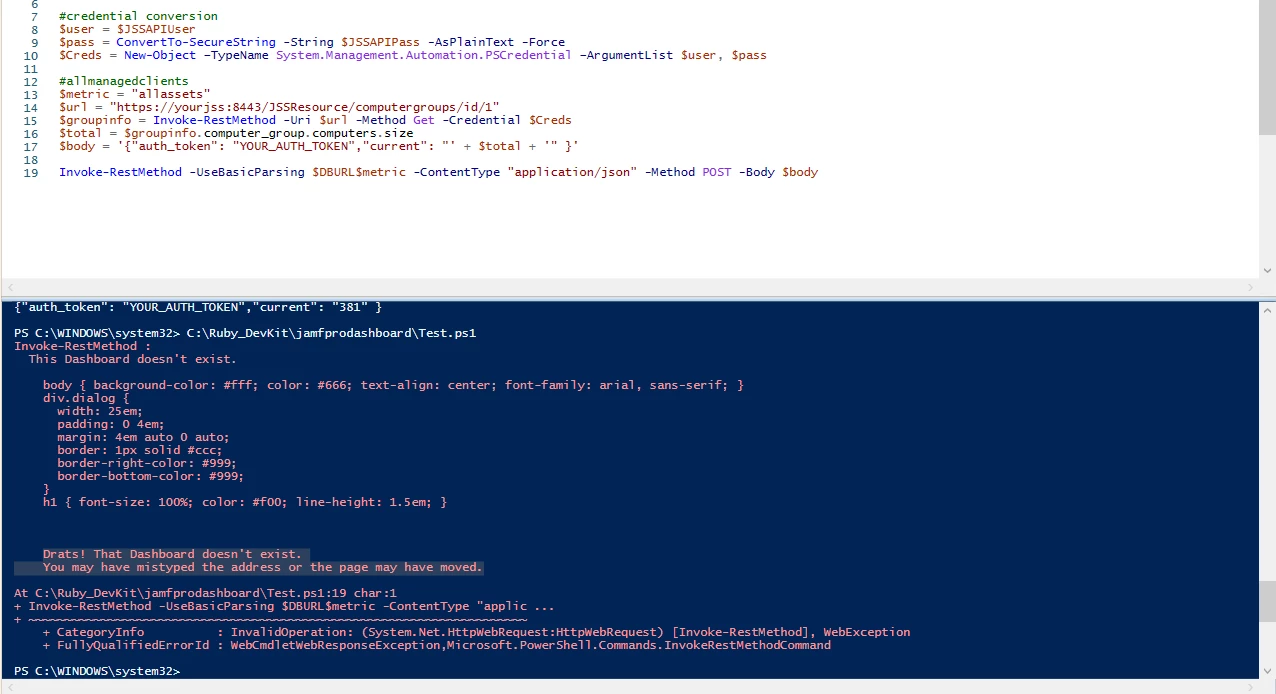
Now, I rather to use powershell to get the information required than creating a bash file (as the last comment in your guide). The error that I receive is the following:

"Drats! That Dashboard doesn't exist. You may have mistyped the address or the page may have moved."

I've checked the different options and I do not know why the request has to be sent to "/yourDashboard/widgets/widget_id"
I don't see any file in the widgets folder with any of the widget_id I've provided in "yourdashboard.erb" file.
I can retrieve the info I need with the script with no problem, but it doesn't seem to find the location where it needs to post the info.
At the moment I am only trying with 1 computergroup, which is the first one in the dashboard.

I've attached some screenshots in case it helps.

PD: I've changed the urls for security reasons :)

Thanks!