Solved

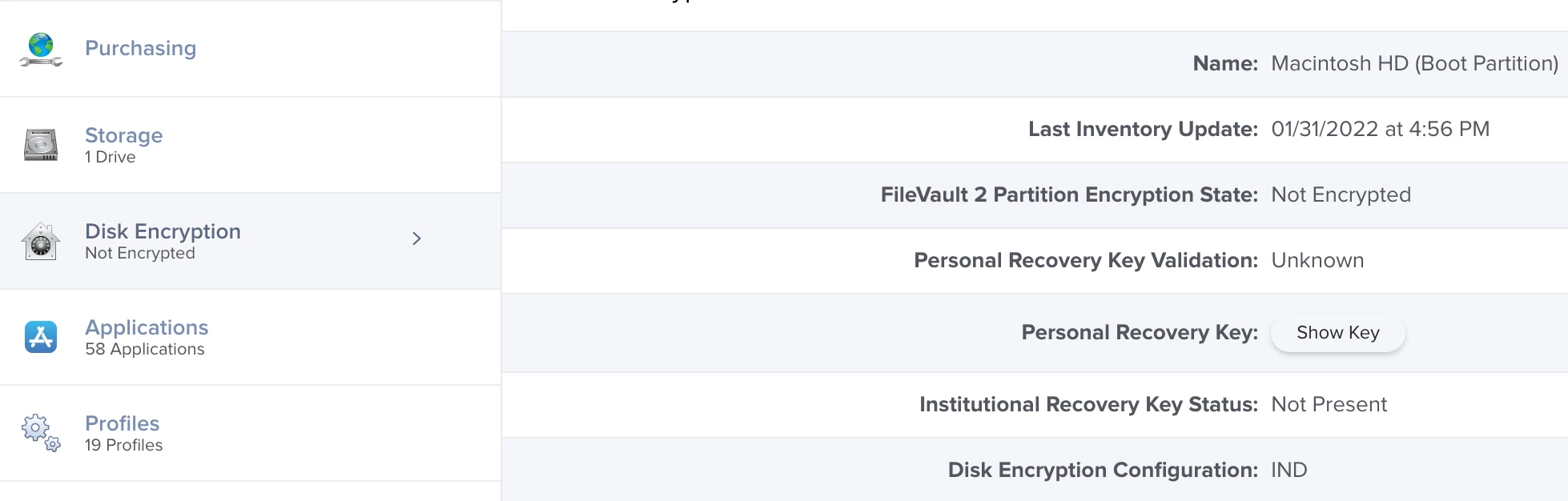
Jamf Pro showing disk not encrypted but showing recovery key

  • February 15, 2022
  • 7 replies
  • 164 views

jonna1006
Forum|alt.badge.img+7

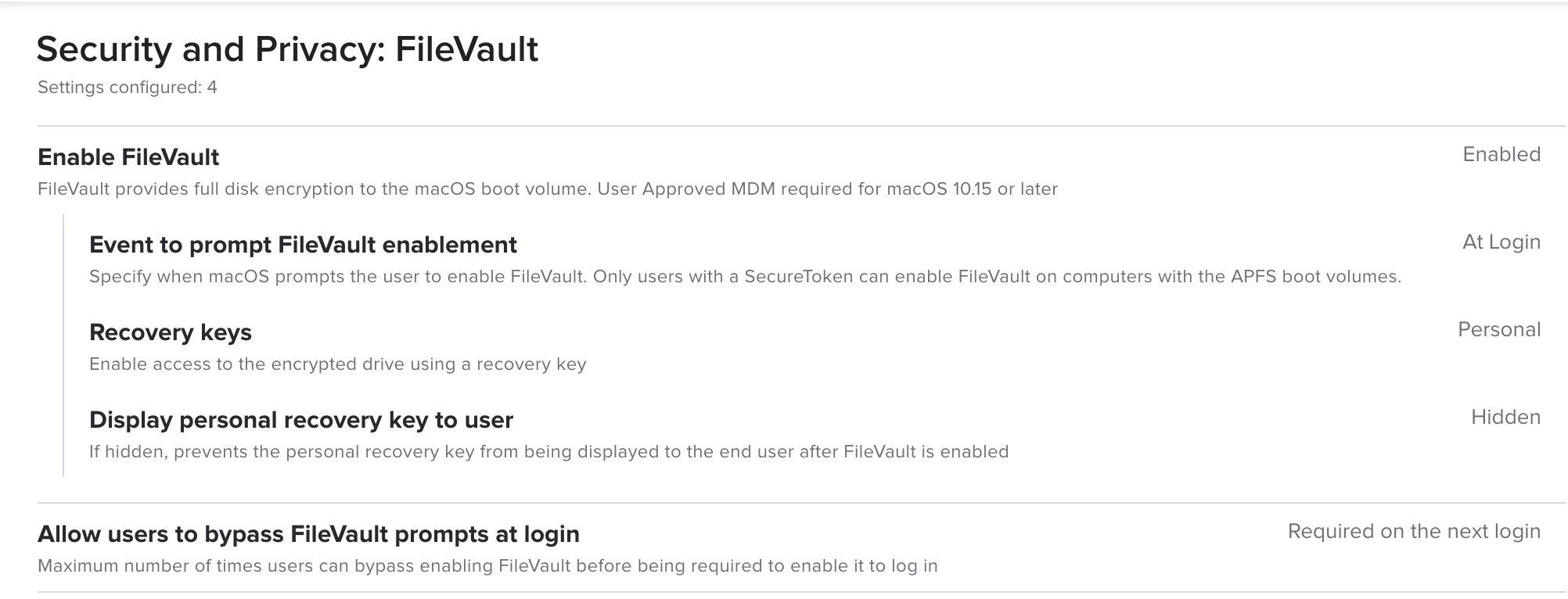
I am using the Jamf Pro native vault configuration to escrow recovery key to Jamf Cloud after enabling vault. But recently some of machines I am managing showing not encrypted but I did receive the recovery key, while 1 MacBook Pro (M1) will not show "encrypted" and "recovery key" no matter what I tried. Can you anyone help?

Best answer by BWonderchild

Is there anyway to push script to achieve this? I currently have 3 MacBook Pro that will not show as "encrypted" and escrow recovery key to Jamf.


You sure can, yes. Jamf has a great page that details it: https://docs.jamf.com/10.27.0/jamf-pro/administrator-guide/Scripts.html . Regarding the actual script, could be as simple as:

#!/bin/sh

# Change the recovery key
sudo fdesetup changerecovery -personal

# Force device to check into Jamf
sudo jamf recon

exit 0

7 replies

junjishimazaki
Forum|alt.badge.img+10
  • New Contributor
  • February 15, 2022

On the mac, have you tried sudo jamf recon? If that doesn't work, you can try creating another recovery key and reconing it back to Jamf.

On the mac in terminal: sudo fdesetup changerecovery -personal

This will prompt for a user that has a secure token and the password. Then it will generate a new key. once it does, run sudo jamf recon.


Forum|alt.badge.img+12
  • Valued Contributor
  • February 15, 2022

I am experiencing a similar issue in our environment, it seems the profile to encrypt the drive may have ran and cached a key in the past but when the device was re-enrolled, re-imaged, etc. it did not apply the actual encryption.  I would try deleting the device and re enrolling this if possible to remediate.


Forum|alt.badge.img+12
  • Valued Contributor
  • February 15, 2022

If you push an additional profile for FV2 it will fail over and over because a key is present already.


BWonderchild
Forum|alt.badge.img+9
  • Contributor
  • February 18, 2022

On the mac, have you tried sudo jamf recon? If that doesn't work, you can try creating another recovery key and reconing it back to Jamf.

On the mac in terminal: sudo fdesetup changerecovery -personal

This will prompt for a user that has a secure token and the password. Then it will generate a new key. once it does, run sudo jamf recon.


^^^^^^^^^^^^^^^^^^^^^^^^^^^^^^^^^^^^^^^


jonna1006
Forum|alt.badge.img+7
  • Author
  • Contributor
  • February 18, 2022

On the mac, have you tried sudo jamf recon? If that doesn't work, you can try creating another recovery key and reconing it back to Jamf.

On the mac in terminal: sudo fdesetup changerecovery -personal

This will prompt for a user that has a secure token and the password. Then it will generate a new key. once it does, run sudo jamf recon.


Is there anyway to push script to achieve this? I currently have 3 MacBook Pro that will not show as "encrypted" and escrow recovery key to Jamf.


BWonderchild
Forum|alt.badge.img+9
  • Contributor
  • Answer
  • February 21, 2022

Is there anyway to push script to achieve this? I currently have 3 MacBook Pro that will not show as "encrypted" and escrow recovery key to Jamf.


You sure can, yes. Jamf has a great page that details it: https://docs.jamf.com/10.27.0/jamf-pro/administrator-guide/Scripts.html . Regarding the actual script, could be as simple as:

#!/bin/sh

# Change the recovery key
sudo fdesetup changerecovery -personal

# Force device to check into Jamf
sudo jamf recon

exit 0


jonna1006
Forum|alt.badge.img+7
  • Author
  • Contributor
  • February 21, 2022

You sure can, yes. Jamf has a great page that details it: https://docs.jamf.com/10.27.0/jamf-pro/administrator-guide/Scripts.html . Regarding the actual script, could be as simple as:

#!/bin/sh

# Change the recovery key
sudo fdesetup changerecovery -personal

# Force device to check into Jamf
sudo jamf recon

exit 0


I confirm that above script working like magic, thank you so much for your help!!