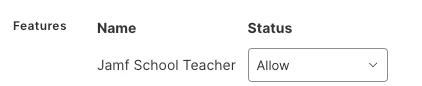
Looking for some help please as - I am not getting any help with Jamf Support at this moment and the case is at a HIGH level. We are new to Jamf School this year and transfer over from Securely MDM. The issue is Teachers are not seeing any of the default settings in the JAMF TEACHER APP - Nor are they seeing their classes. We are a school district made up of 5 buildings - ALL SIS info is imported into ASM from Infinite Campus - Teachers and students are assigned their correct building in ASM and the class right now shows 25 students and an instructor that class. Also, everything looks to be right as the groups and classes are set up correctly in JAMF SCHOOL but when the teacher opens up the JAMF TEACHER APP nothing is showing in their layout.
Here is what i see or I think it is an issue - Organization - Settings - ASM - Sync Settings - there is a box to be checked under that setting called "ALLOW TEACHERS in ASM to use JAMF TEACHER - When I select that - I get another drop-down box - but nothing is in it to select. As none of the teachers are actually in the main district container sort of speak - they are in their actual physical building where i have put all the ipads. and where all the classes and groups are assigned from IC to ASM. Do any other schools have this issue and how did you fix it?
Please advise as soon as possible - as this issue has been going on