
Solved

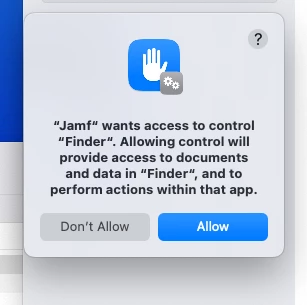
"Jamf" wants access to control "Finder".

  • September 18, 2024
  • 8 replies
  • 126 views

EDmsm
Forum|alt.badge.img+3

I'm seeing this issue with certain installers on Sonoma 14.6.1. When deploying via recurring check-in trigger, the policy just fails. When triggering via Self Service, I see the pop-up (attached) and after accepting and authenticating, the install works as expected. 

I've dug through some older threads to see if there was a problem with the Jamf and Terminal PPPC that we use but I can't find the issue! 

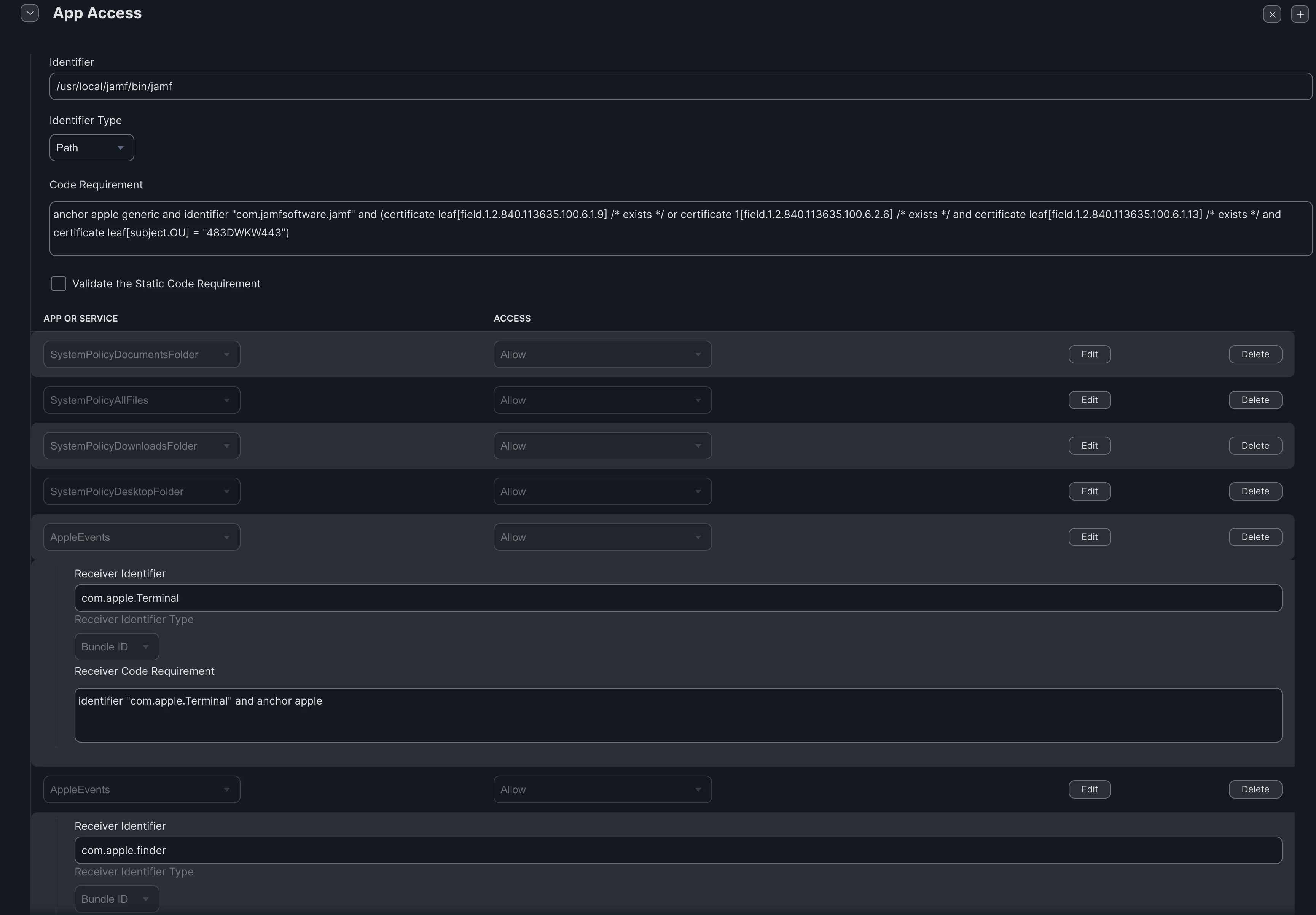
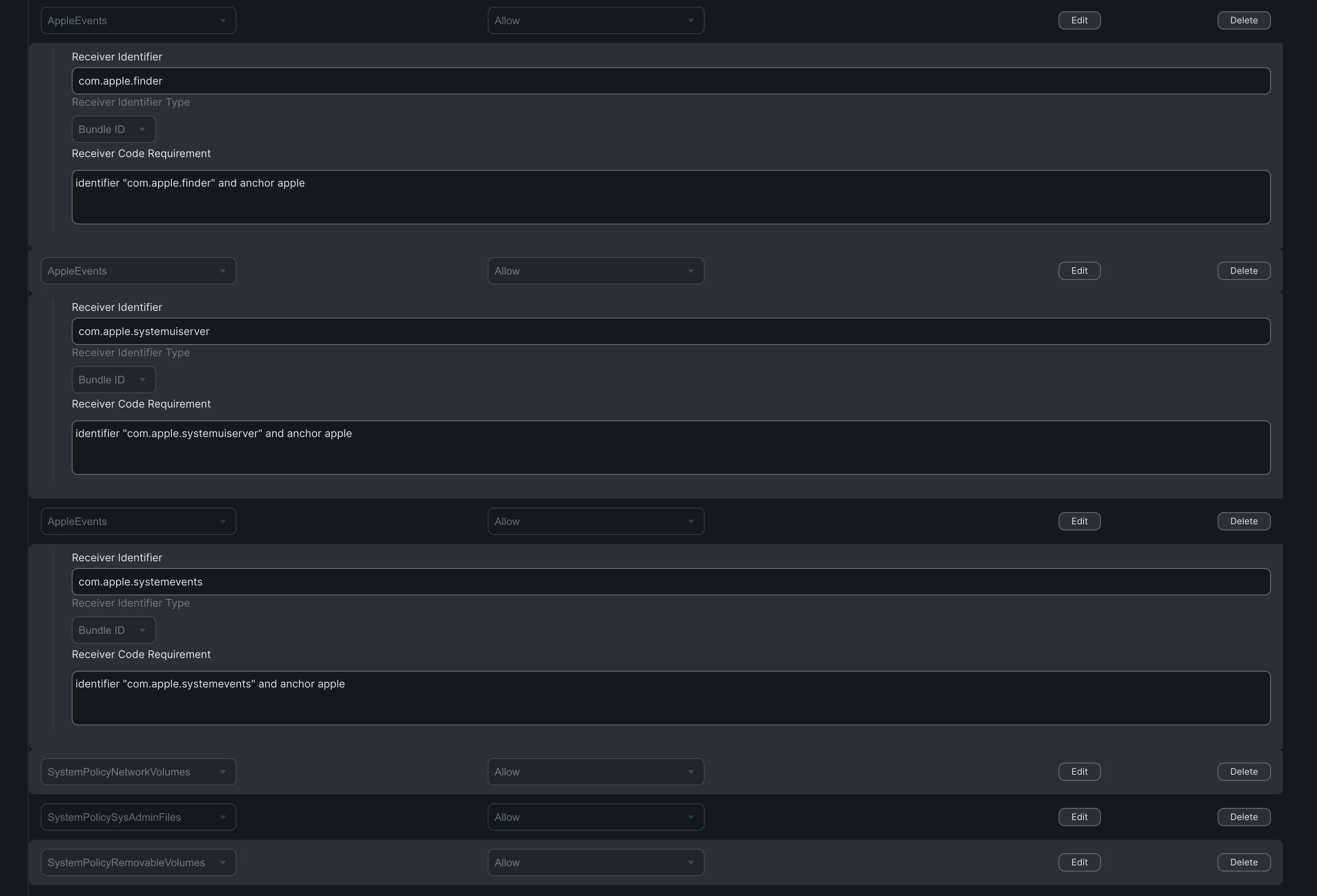
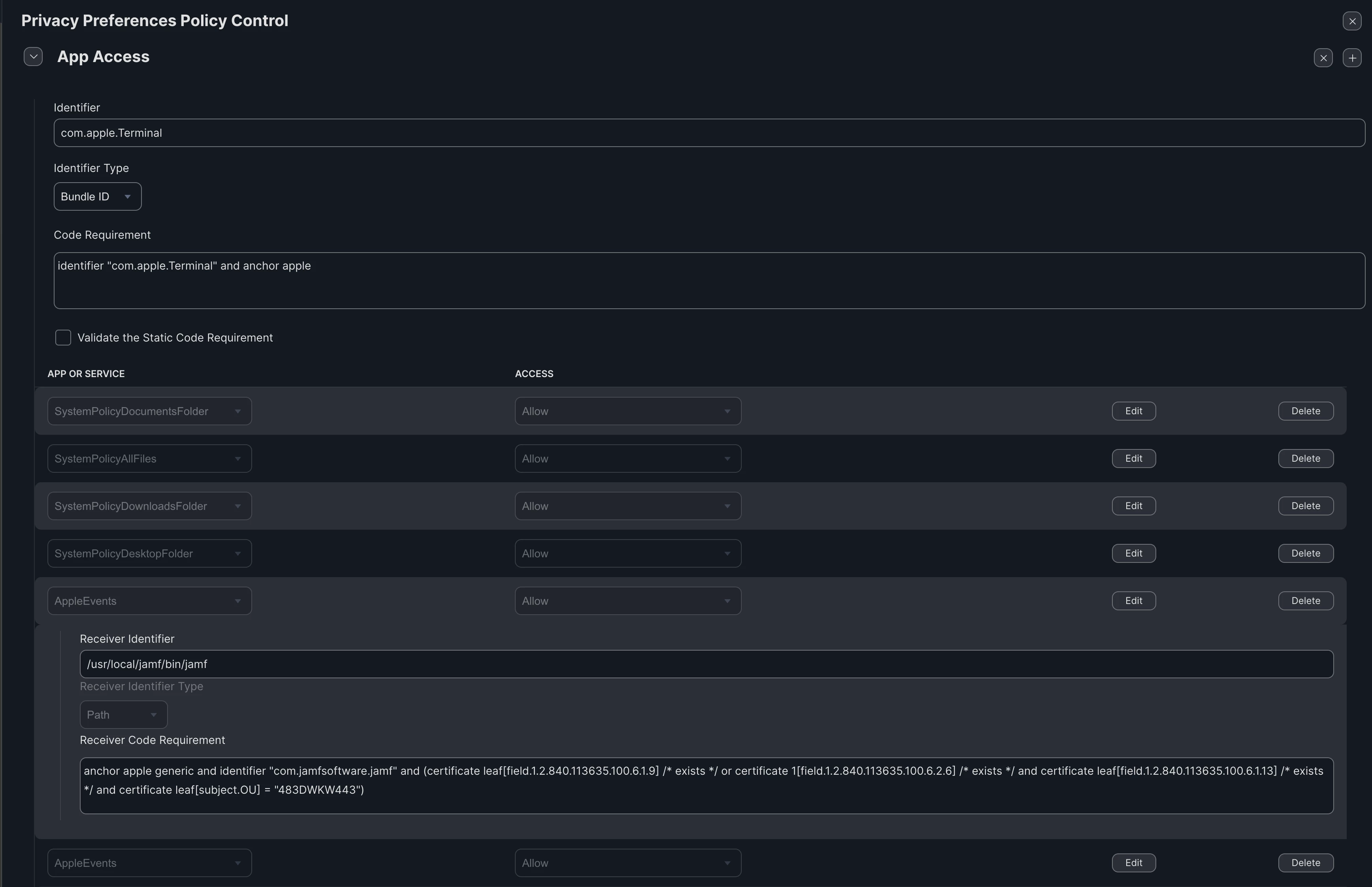
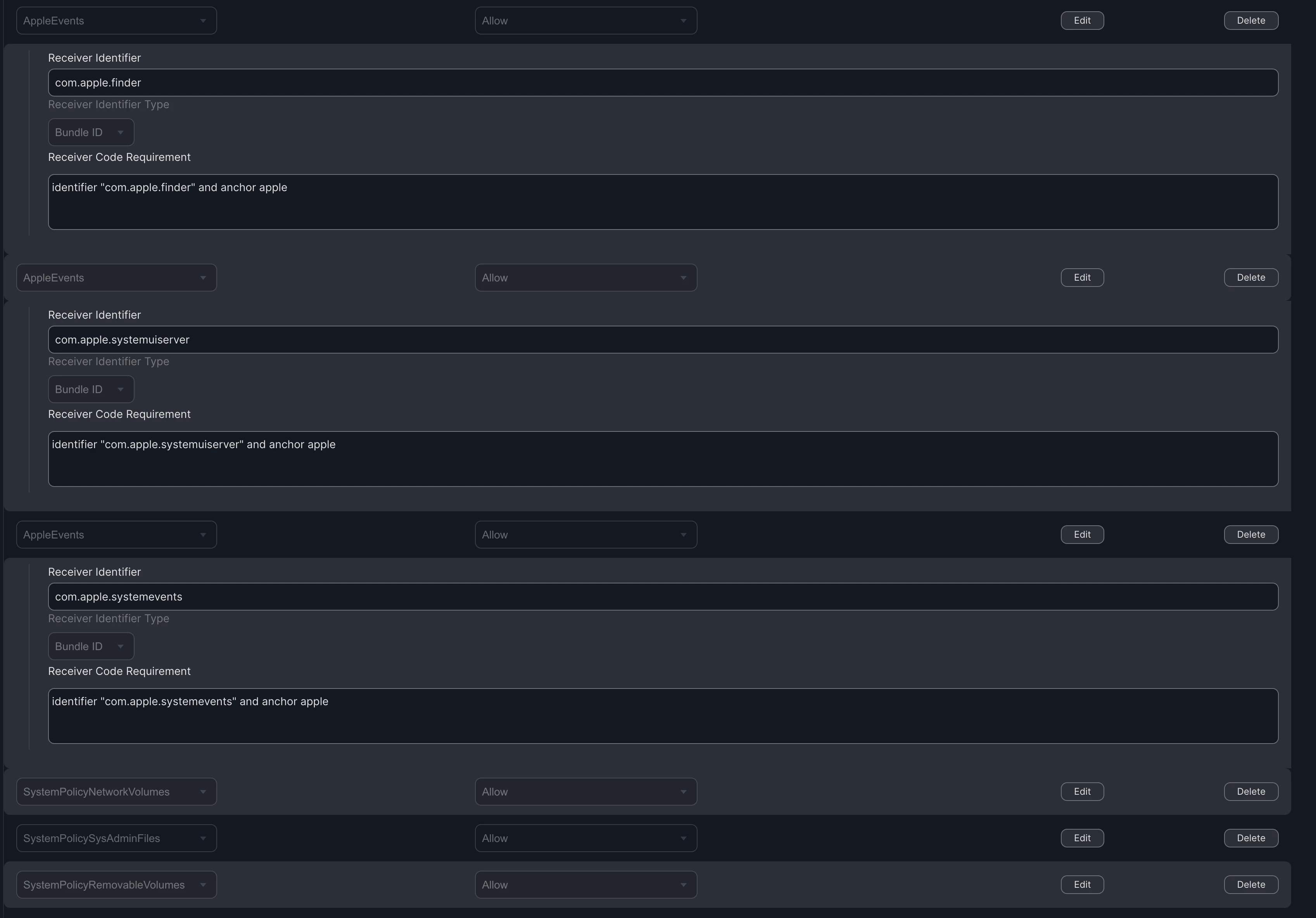
I've attached screenshots of the Config Profiles I've tried, also tried the one linked below but no joy! Please could someone help me find what I am missing!

https://github.com/jamf/JamfPrivacyPreferencePolicyControlProfiles
 

Best answer by jamf-42

Yeah I did that with this particular one and still see failed policy and "Jamf" wanting access to finder. As mentioned, this isn't the only package that I am having this issue with so really I am just looking to give Jamf the permission it needs to run the installers. 


if you just build a pkg with the app.. dragged in.. then you don't need to do anything... if your getting popups like this.. something else is wrong.. fix the pkg / issue.. don't grant access... 

8 replies

jamf-42
Forum|alt.badge.img+17
  • Esteemed Contributor
  • September 18, 2024

what are you installing?  

you should not need any of the above config profiles.. 


EDmsm
Forum|alt.badge.img+3
  • Author
  • New Contributor
  • September 18, 2024

what are you installing?  

you should not need any of the above config profiles.. 


This firmware updater for soundcards that we use is one of the few things that need it:

https://www.lynxstudio.com/downloads/aurora-n/#Firmware

The software itself is fine, it's just the installer that needs this extra permission. 


jamf-42
Forum|alt.badge.img+17
  • Esteemed Contributor
  • September 18, 2024

This firmware updater for soundcards that we use is one of the few things that need it:

https://www.lynxstudio.com/downloads/aurora-n/#Firmware

The software itself is fine, it's just the installer that needs this extra permission. 


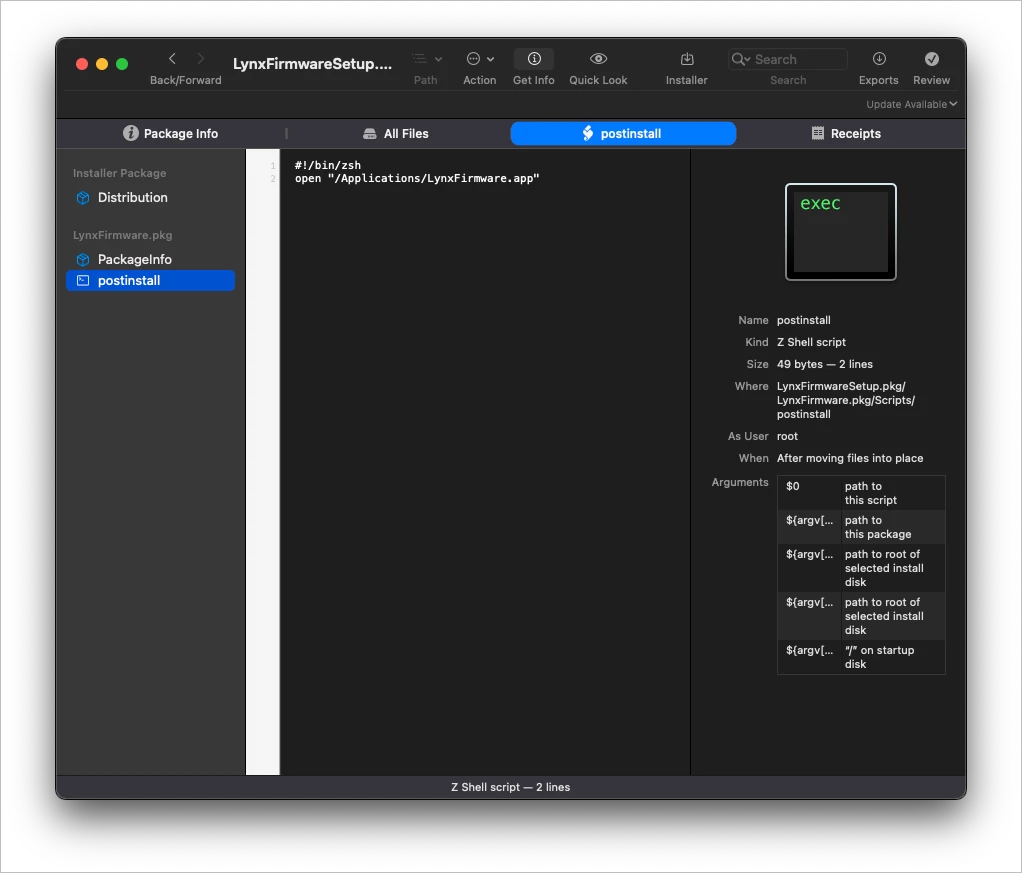
checking pkg with Suspicious Package.. the post instal script just wants to open the app.. no idea.. why.. re-pack the app without the post install script.. 


EDmsm
Forum|alt.badge.img+3
  • Author
  • New Contributor
  • September 18, 2024

checking pkg with Suspicious Package.. the post instal script just wants to open the app.. no idea.. why.. re-pack the app without the post install script.. 


The version I am deploying has been repackaged using Composer. I didn't include any post-install scripts so I don't think that's the part that is causing the issue. Is there nothing I can add to a PPPC to give Jamf that permission? 


jamf-42
Forum|alt.badge.img+17
  • Esteemed Contributor
  • September 18, 2024

The version I am deploying has been repackaged using Composer. I didn't include any post-install scripts so I don't think that's the part that is causing the issue. Is there nothing I can add to a PPPC to give Jamf that permission? 


if you grabbed to app and made a new pkg in composer.. then its just an app.  

not to tell you how to do.. but...

open composer.. new - modified - name it - delete all - create Applications folder - add app to folder - fix perms.. build..


EDmsm
Forum|alt.badge.img+3
  • Author
  • New Contributor
  • September 18, 2024

if you grabbed to app and made a new pkg in composer.. then its just an app.  

not to tell you how to do.. but...

open composer.. new - modified - name it - delete all - create Applications folder - add app to folder - fix perms.. build..


Yeah I did that with this particular one and still see failed policy and "Jamf" wanting access to finder. As mentioned, this isn't the only package that I am having this issue with so really I am just looking to give Jamf the permission it needs to run the installers. 


jamf-42
Forum|alt.badge.img+17
  • Esteemed Contributor
  • Answer
  • September 18, 2024

Yeah I did that with this particular one and still see failed policy and "Jamf" wanting access to finder. As mentioned, this isn't the only package that I am having this issue with so really I am just looking to give Jamf the permission it needs to run the installers. 


if you just build a pkg with the app.. dragged in.. then you don't need to do anything... if your getting popups like this.. something else is wrong.. fix the pkg / issue.. don't grant access... 


EDmsm
Forum|alt.badge.img+3
  • Author
  • New Contributor
  • September 18, 2024

if you just build a pkg with the app.. dragged in.. then you don't need to do anything... if your getting popups like this.. something else is wrong.. fix the pkg / issue.. don't grant access... 


Rebuilt and issues are gone. Thanks for your help!