
Solved

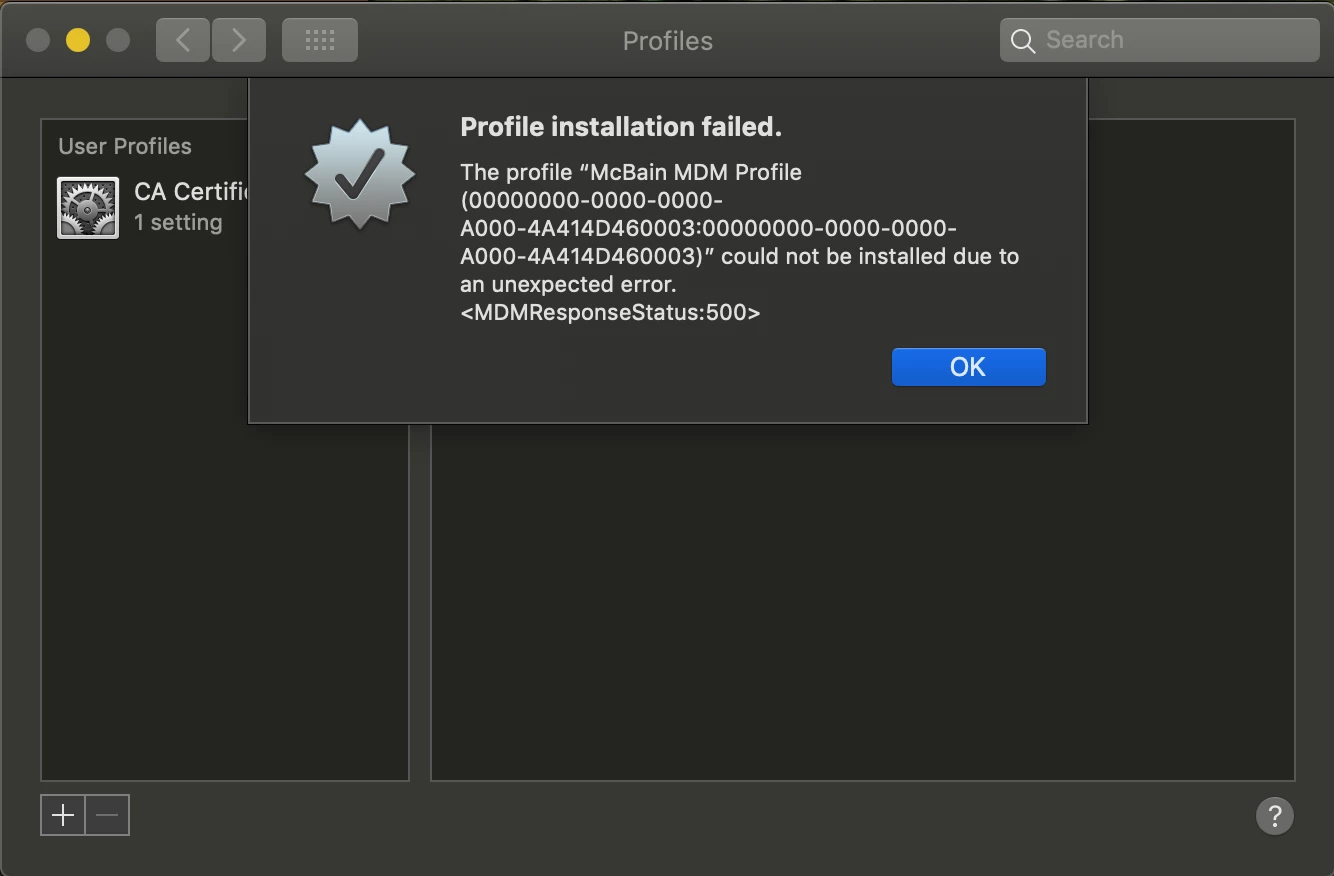
Just CA certificate installing but not the MDM profile

  • October 30, 2018
  • 14 replies
  • 67 views

Forum|alt.badge.img+7

Best answer by mainelysteve

Do you have a record of the computer under Mobile Devices? Search by the serial number and see.

14 replies

Forum|alt.badge.img+10
  • Contributor
  • October 31, 2018

I presume this is via webenrollement? Seen that with Mac's which previously had the JAMF client installed.
Try Terminal and: sudo /usr/local/bin/jamf removeFramework (on the local Mac) and then download the MDM token again from the web again.
If not, try to delete the Mac from the JSS again.

Tobias


Forum|alt.badge.img+7
  • Author
  • Contributor
  • October 31, 2018

@tjhall I already tried that and no luck! I am not even getting the Jamf folder installed in my computer.


Forum|alt.badge.img+10
  • Contributor
  • October 31, 2018

what if you run sudo jams enroll -prompt


Forum|alt.badge.img+7
  • Author
  • Contributor
  • October 31, 2018

Does not work that way either. I have try all those commands: sudo /usr/local/bin/jamf removeFramework or sudo removeFramework, etc. I get command not found.


Forum|alt.badge.img+10
  • Contributor
  • November 1, 2018

So that implies that Jamf isn't installed. I presume it works if you use a QuickAdd package?


Forum|alt.badge.img+7
  • Author
  • Contributor
  • November 9, 2018

It does not. I get the same error


Forum|alt.badge.img+16
  • Contributor
  • Answer
  • November 9, 2018

Do you have a record of the computer under Mobile Devices? Search by the serial number and see.


Forum|alt.badge.img+7
  • Author
  • Contributor
  • November 27, 2018

I can find the computer by the serial # in casper but not managed.


Forum|alt.badge.img
  • New Contributor
  • November 27, 2018

If you run sudo jamf mdm does it return any sort of errors? I had 4 machines that were doing this and returning an error saying an SCEP server couldn't be reached. Went into our JAMF settings under JAMF Pro URL and turns out there was an invalid address for using built in SCEP. Deleting that address, saving and then re-running sudo jamf mdm on the machines fixed our issue.


Forum|alt.badge.img+7
  • Author
  • Contributor
  • December 4, 2018

I have the right address.


Forum|alt.badge.img+9
  • New Contributor
  • December 4, 2018

Hey @Zeek, just a thought here, have we verified that APNS is open to that computer? Try this command in Terminal on the computer that is failing to properly enroll:

nc -z gateway.push.apple.com 2195

Perhaps the MDM Profile can't be delivered because of a closed connection?


Forum|alt.badge.img+7
  • Author
  • Contributor
  • December 21, 2018

I finally got around this issue. I called Jamf and Found out it is a bug in Casper. My computer was getting enrolled in Mobile Device. If I want my computer to enroll the right way. I had to make sure is deleted from Mobile Device.


Forum|alt.badge.img+16
  • Contributor
  • December 21, 2018

Yep. See my post above. You must have misread it initially. I've had this happen once back when I was on an earlier build of version 9.


Forum|alt.badge.img+7
  • Author
  • Contributor
  • January 11, 2019

I did not see your post @mainelysteve Thanks for your help.