Solved

Latest Google Chrome 101.0.4951.41 break anything?

  • April 27, 2022
  • 9 replies
  • 63 views

mvu
Forum|alt.badge.img+20

Did the latest Chrome (101.0.4951.41) break anything in your environment?

In particular, SSO/SAML?

Best answer by applebravo

Yes google changed some wording for the latest version of chrome so we had to update our scripts.

New commands:

defaults write com.google.Chrome AuthServerAllowlist "https://example.com"
defaults write com.google.Chrome AuthNegotiateDelegateAllowlist "https://example.com"


Old commands:   was using AuthServerWhitelist and AuthNegotiateDelegateWhitelist

9 replies

geoff_widdowson
Forum|alt.badge.img+8

Tested SSO and no issues for me, so far.


pete_c
Forum|alt.badge.img+16
  • Honored Contributor
  • April 28, 2022

No SSO issues with Chrome v101 so far, deployed to production 36 hours ago.


Forum|alt.badge.img+8
  • New Contributor
  • Answer
  • April 28, 2022

Yes google changed some wording for the latest version of chrome so we had to update our scripts.

New commands:

defaults write com.google.Chrome AuthServerAllowlist "https://example.com"
defaults write com.google.Chrome AuthNegotiateDelegateAllowlist "https://example.com"


Old commands:   was using AuthServerWhitelist and AuthNegotiateDelegateWhitelist


mvu
Forum|alt.badge.img+20
  • Author
  • Jamf Heroes
  • April 28, 2022

@applebravo Looks good so far! How did you find this out?

I updated the preference domain file with those new commands and it's working again.


Forum|alt.badge.img+7
  • Contributor
  • May 14, 2022

This was a good finding, I was able to make the change and it worked like Charm. I appreciate you posting this. 


Asifahmed
Forum|alt.badge.img+9
  • Contributor
  • June 1, 2022

Yes google changed some wording for the latest version of chrome so we had to update our scripts.

New commands:

defaults write com.google.Chrome AuthServerAllowlist "https://example.com"
defaults write com.google.Chrome AuthNegotiateDelegateAllowlist "https://example.com"


Old commands:   was using AuthServerWhitelist and AuthNegotiateDelegateWhitelist


These two new commands are NOT working for me. Google Chrome 102 version , any idea?


Asifahmed
Forum|alt.badge.img+9
  • Contributor
  • June 1, 2022

@applebravo Looks good so far! How did you find this out?

I updated the preference domain file with those new commands and it's working again.


Can you please guide me to do it, I need some help here. I have Google Chrome version 102


Forum|alt.badge.img+7
  • Contributor
  • June 1, 2022

These two new commands are NOT working for me. Google Chrome 102 version , any idea?


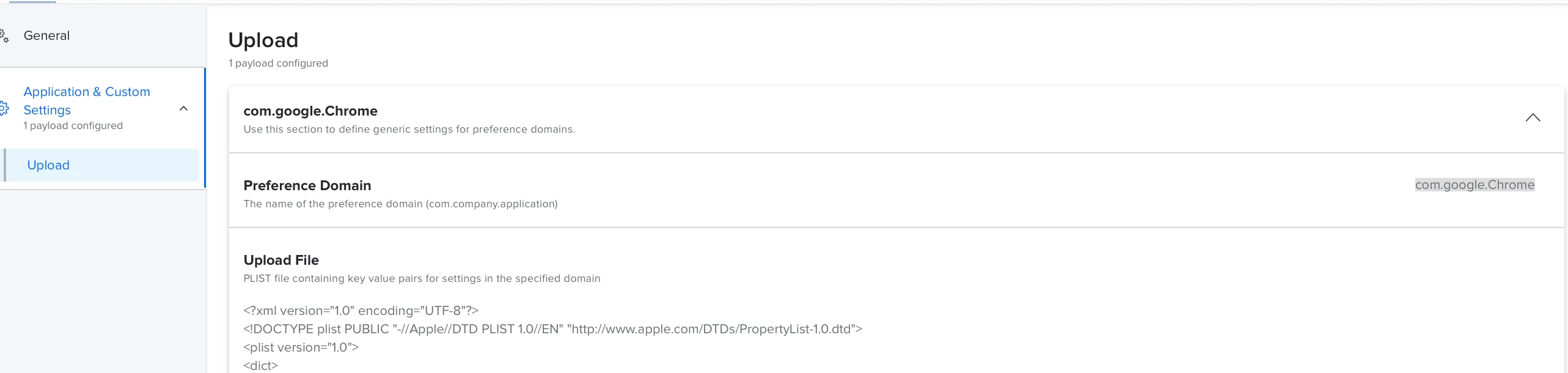
I created a configuration version for com.google.Chrome to be push with clients that got upgraded with the edit strings I had to do within it. Because the old command had Whitelist vs new (Allowlist). Any version for 101.0.4951.41 or after will need this to be modified and pushed.  


<key>AuthNegotiateDelegateAllowlist</key>

<string>*.xxxx.xxx.com,*.xxxx.xxx.com</string>

<key>AuthServerAllowlist</key>

<string>.xxxx.xxx.com,*.xxxx.xxx.com</string>

</dict>

</plist>


Asifahmed
Forum|alt.badge.img+9
  • Contributor
  • June 1, 2022

I created a configuration version for com.google.Chrome to be push with clients that got upgraded with the edit strings I had to do within it. Because the old command had Whitelist vs new (Allowlist). Any version for 101.0.4951.41 or after will need this to be modified and pushed.  


<key>AuthNegotiateDelegateAllowlist</key>

<string>*.xxxx.xxx.com,*.xxxx.xxx.com</string>

<key>AuthServerAllowlist</key>

<string>.xxxx.xxx.com,*.xxxx.xxx.com</string>

</dict>

</plist>


It worked now, just curious to know that, why it is not working if I run the command mentioned by B_Shades? And How to know that Google changed this command?