
Solved

Location Services, True Tone, Choose Your Look, and TouchID not showing during Setup

  • October 29, 2018
  • 3 replies
  • 15 views

Forum|alt.badge.img+6

Hi All!

We are running into a weird issue. With our 10.13 and 10.14 machines, we are running into the issue where the following items are not shown to be configured during setup:

  • Location Services
  • Choose Your Look
  • Touch ID

They are selected to not be skipped (some of the only ones we want the user to configure) but they are not shown at all.

Here's a screenshot:
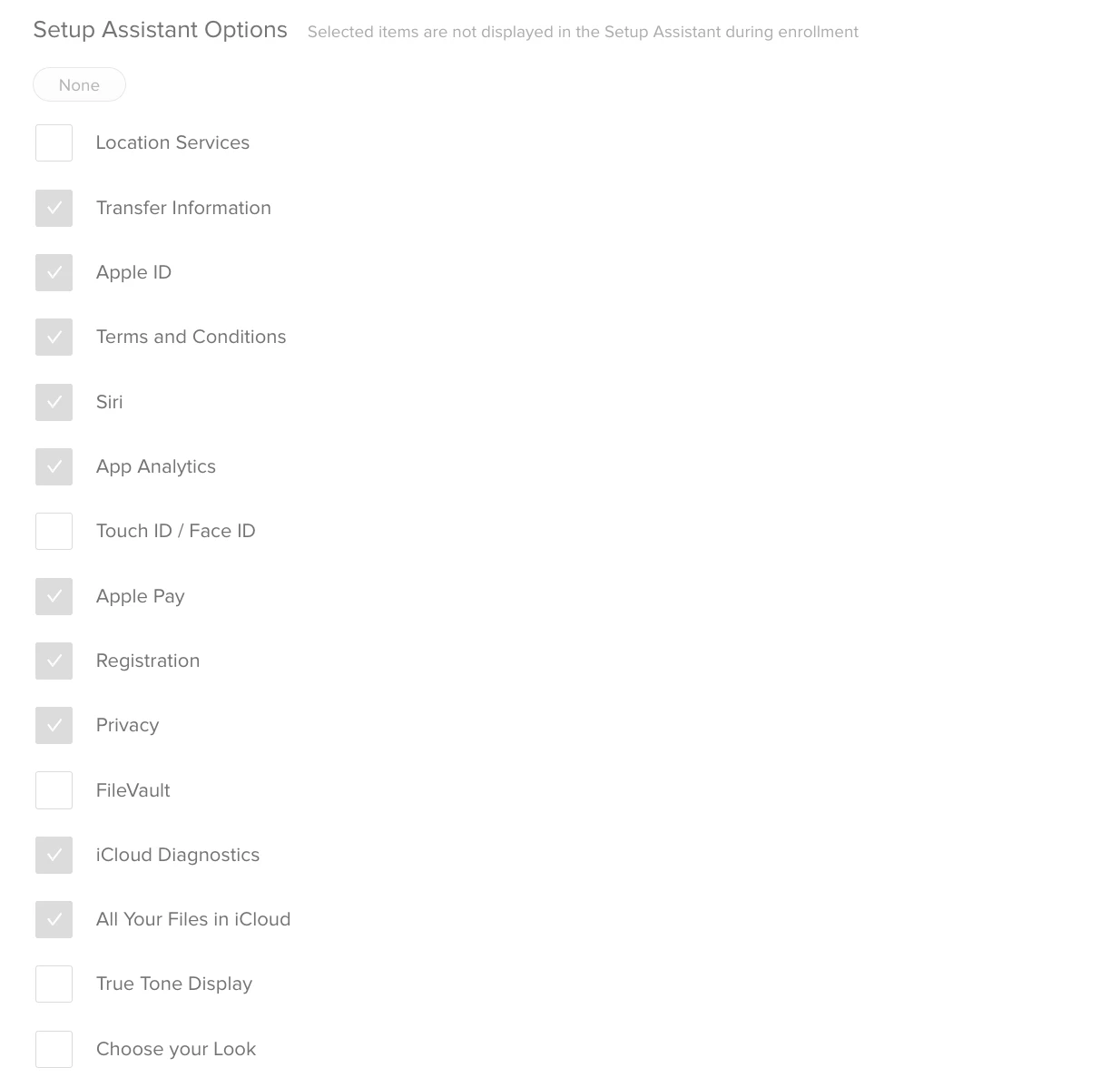
We also tested just turning them all on, and it's still skipped, not sure what's going on. Anyone else running into this issue?

Cheers,
Chris

Best answer by glaske

Update: This is working with no issue on machines that are enrolling with 10.14.1.

Not sure what the issue is, but we are only rolling forward with 10.14.1 or newer so all good here!

3 replies

Forum|alt.badge.img+6
  • Contributor
  • October 29, 2018

These ones only show up when the user logs in for the first time, so not during initial set up.


Forum|alt.badge.img+6
  • Author
  • Contributor
  • October 29, 2018

Thanks for the response! These are not showing once the user logs in - it goes directly to the desktop at the moment. Might have something to do with NoMAD Login+ JIT user creation.


Forum|alt.badge.img+6
  • Author
  • Contributor
  • Answer
  • November 13, 2018

Update: This is working with no issue on machines that are enrolling with 10.14.1.

Not sure what the issue is, but we are only rolling forward with 10.14.1 or newer so all good here!