Question

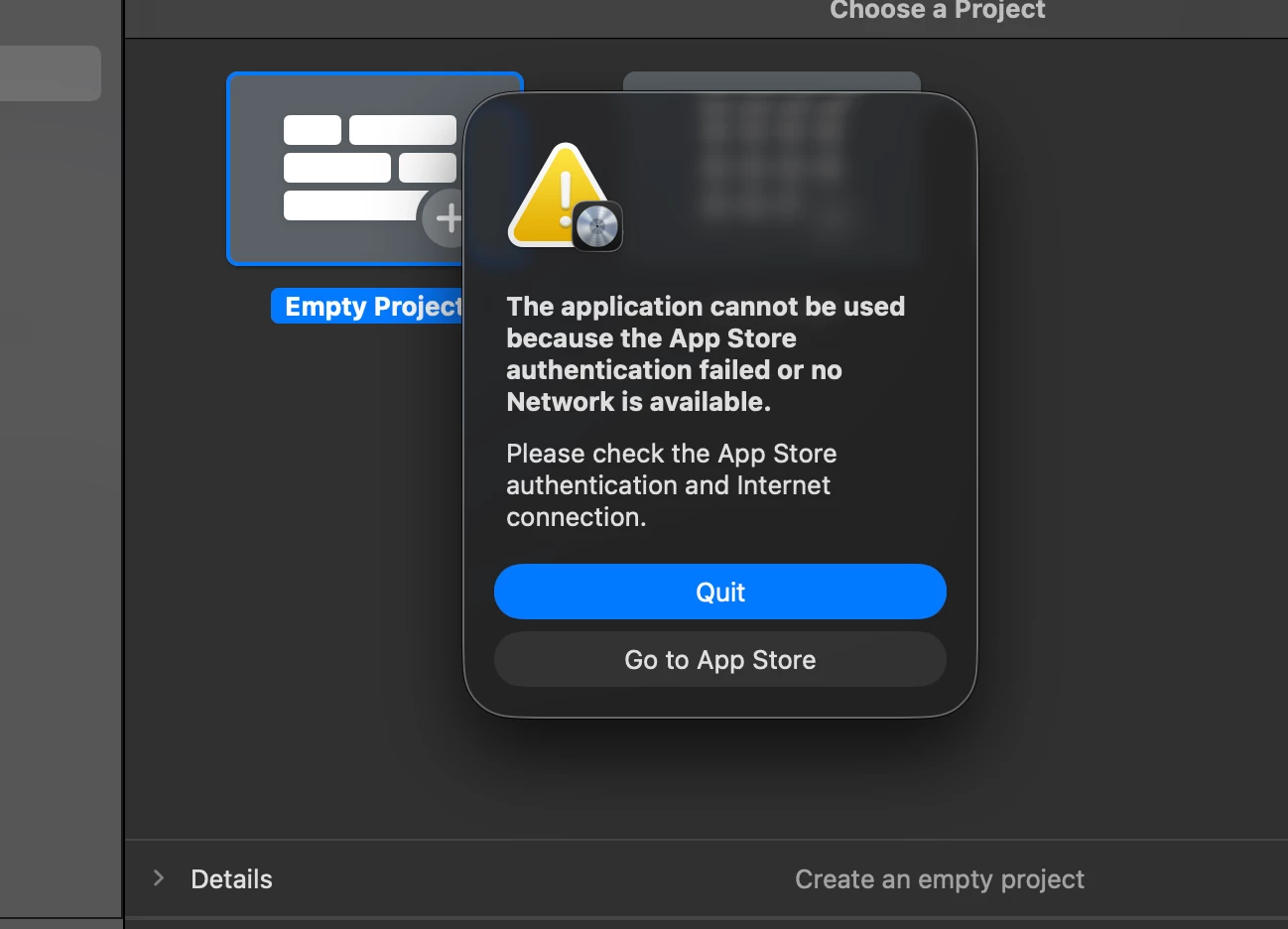
Logic Pro 12 Update Issues

  • January 30, 2026
  • 33 replies
  • 2381 views

Show first post

33 replies

Forum|alt.badge.img

Just adding another ‘me too’ - schools with VPP based copies of Logic Pro are auto-updating to 12 and then can’t be run because of this.  More complicated because we use the Restrictions Profile to restrict App Store use (kids were installing too many games and VPNs using personal Apple ID accounts).

Ugh, what a mess :( 

Same here. Waiting on Apple to make it right. I have 2 labs where this is a severe impairment to the class that is scheduled there. 


m4ttj4co
Forum|alt.badge.img+3
  • Author
  • New Contributor
  • February 6, 2026

The latest update had fixed it for us!

See the details below of the update:

https://support.apple.com/en-us/109503


Forum|alt.badge.img

Logic Pro. 12.0.1 is out now. Fingers crossed this will resolve the issues. Unfortunately my JAMF instance is still showing Logic Pro 12.0


Forum|alt.badge.img+5
  • New Contributor
  • February 6, 2026

mine shows 12.01 - just deployed for testing. 


Forum|alt.badge.img+1
  • New Contributor
  • February 6, 2026

Glad they found a fix. Frustrating that it took so long. Extra frustrating, we’re using JAMF Pro to push this out under the Mac Apps section and have “Schedule Jamf Pro to automatically check the App Store for app updates” checked. Some of our machines still have 11.2.2. Why is there such a lag? I just clicked “Edit” for the Logic Pro app and “Force Update” Is that the best I can do to speed up this process? There isn’t a sudo JAMF policy equivalent I can do on each machine?


Forum|alt.badge.img+5
  • New Contributor
  • February 6, 2026

run a recon command - that inventory check often helps move things along 


Forum|alt.badge.img

The latest update had fixed it for us!

See the details below of the update:

https://support.apple.com/en-us/109503


I can confirm that this has fixed the issue where I am working. 


kimb12
Forum|alt.badge.img+3
  • New Contributor
  • February 17, 2026

12.0.1 fixed for us, too, but I have a couple computers stuck on 11.2.2, even with a clean install of 12.0.1 via Self Service+. That happening to anyone else? All others updated with the auto-update or Force update and a couple I did manually with Self Service+.  There must be some file I can’t find that’s holding it back. Computer specs are compatible with the 12 version, that’s not it. I found a com.app.logic10 file in User Library, Cache, deleted that and still no luck. Any ideas are appreciated!