Hello,
I create simple launch deamon file to start sh script and all works fine , but I have problems to block this script from disabling in login items.
Try few config profiles but every time it didn't work for my script , but works for other apps like Microsoft apps.
I see that all signed application have attribute "Embedded Item Identifiers:".
My application wasn't sign , it is a problem? If application isn't signed I can block it ?

Solved
Login items grey out
 +3
+3Best answer by sdagley
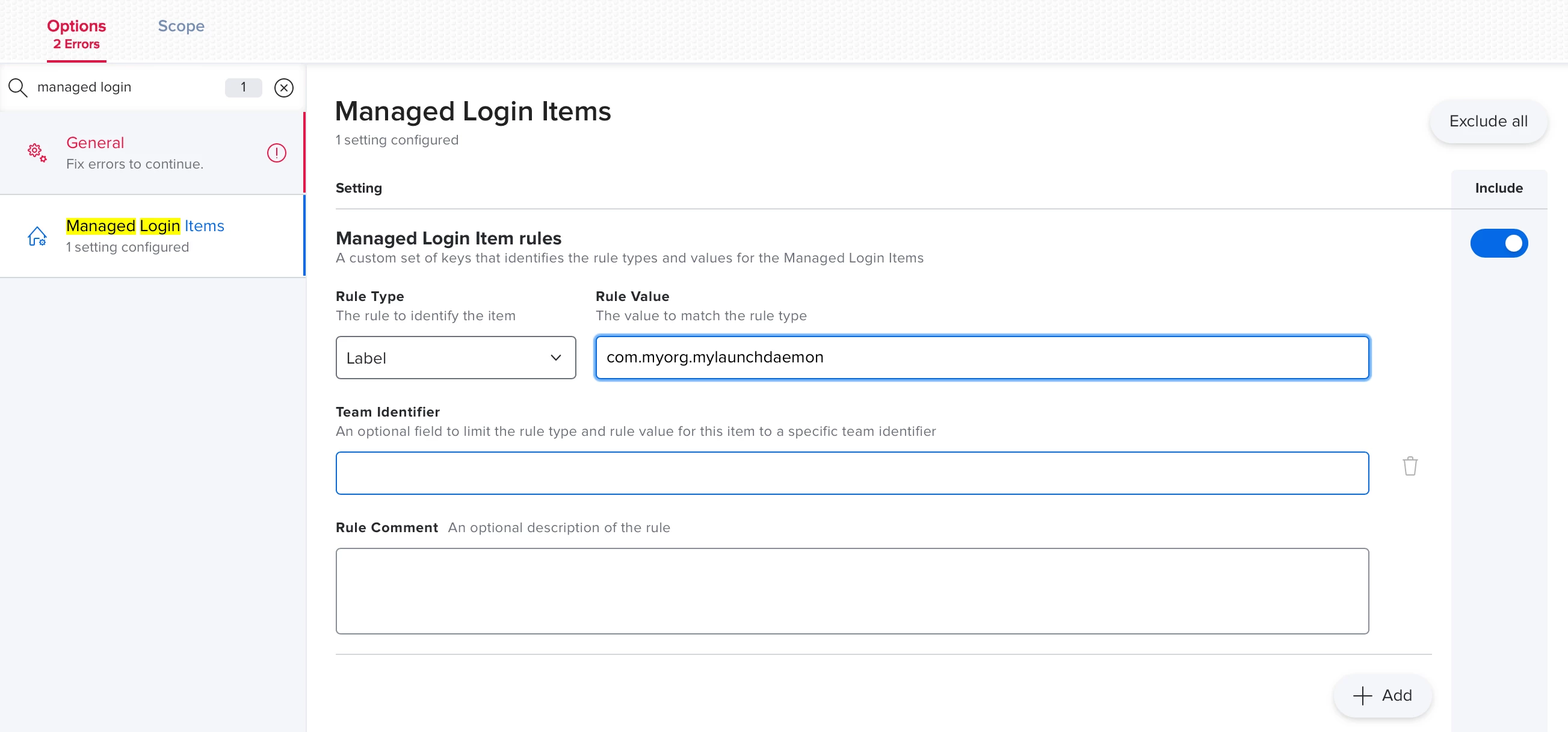
@kdpk You'll need to put a Label key in your LaunchDaemon to give it a unique identifier like:
<key>Label</key>
<string>com.myorg.mylaunchdaemon</string>
The you'll need an entry for that label in your Configuration Profile that sets the Managed Login Items payload for the items your org wants enforced:


Enter your E-mail address. We'll send you an e-mail with instructions to reset your password.