Solved

lpadmin Group for Printer Pane Access

  • November 2, 2016
  • 15 replies
  • 197 views

Forum|alt.badge.img+6

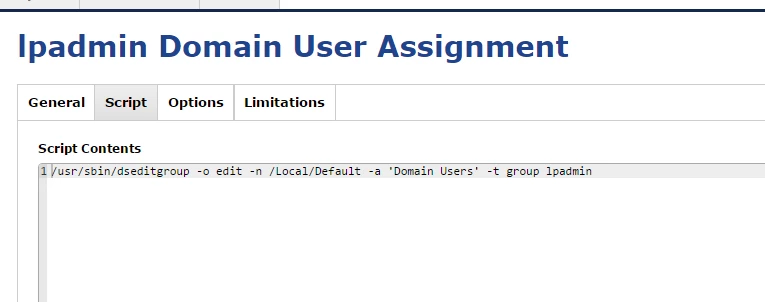
Hello, We are looking to allow our users access to the print options on the mac with out full admin credentials. I was going to throw this: /usr/sbin/dseditgroup -o edit -n /Local/Default -a 'Domain Users' -t group lpadmin
into the jss scripts but I saw a post that lpadmin also gives users root. I want to make sure that adding users to lpadmin will only allow print administrative changes and nothing else.
Throwing that into the scripts and pushing it out should accomplish our task though correct?

Best answer by maxbehr

I use the everyone group instead…

dseditgroup -o edit -n /Local/Default -a everyone -t group lpadmin

15 replies

Forum|alt.badge.img+16
  • Valued Contributor
  • November 2, 2016

You can verify the groups which are able to use sudo by running sudo cat /etc/sudoers and looking through there. For example, a portion of my sudoers file contains:

root    ALL=(ALL) ALL
%admin  ALL=(ALL) ALL

That will allow the root account to use sudo (which makes sense), as well as anyone in the "admin" group. Since "lpadmin" is not listed, it gains no special privileges.


Forum|alt.badge.img+6
  • Author
  • Contributor
  • November 2, 2016

Perfect, I checked and my system did not have lpadmin in that file.

By dropping /usr/sbin/dseditgroup -o edit -n /Local/Default -a 'Domain Users' -t group lpadmin into the script section in the JSS and pushing it out, I would accomplish the task at hand then correct?


Forum|alt.badge.img+13
  • Honored Contributor
  • November 2, 2016

@TylerC

yes sir. Use that command as part of my first boot script


Forum|alt.badge.img+6
  • Author
  • Contributor
  • November 3, 2016

Hi all, Still no luck. I tried with a test account who is in Domain Users and it did not give that account lpadmin permission.


Forum|alt.badge.img+13
  • Honored Contributor
  • November 3, 2016

@TylerC

This is what use. Check your syntax:
/usr/sbin/dseditgroup -o edit -n /Local/Default -a "mydoman hegroupineedtouse" -t group lpadmin. depedning on the version of JSS you may need to use graveticks(') instead of quotes(")

Larry


Forum|alt.badge.img+6
  • Author
  • Contributor
  • November 3, 2016

I tried the command: /usr/sbin/dseditgroup -o edit -n /Local/Default -a "exchangeDomain Users" -t group lpadmin

Still no results. No addition to group member ship. I am running 9.96.


Forum|alt.badge.img+5
  • New Contributor
  • Answer
  • November 4, 2016

I use the everyone group instead…

dseditgroup -o edit -n /Local/Default -a everyone -t group lpadmin
Forum|alt.badge.img+6
  • Author
  • Contributor
  • November 4, 2016

That would not mess anything up with the local admin account correct?


Forum|alt.badge.img+5
  • New Contributor
  • November 4, 2016

No the local admin account is not changed in anyway. It basically adds any valid user on the system to the lpadmin group.


Forum|alt.badge.img+6
  • Author
  • Contributor
  • November 7, 2016

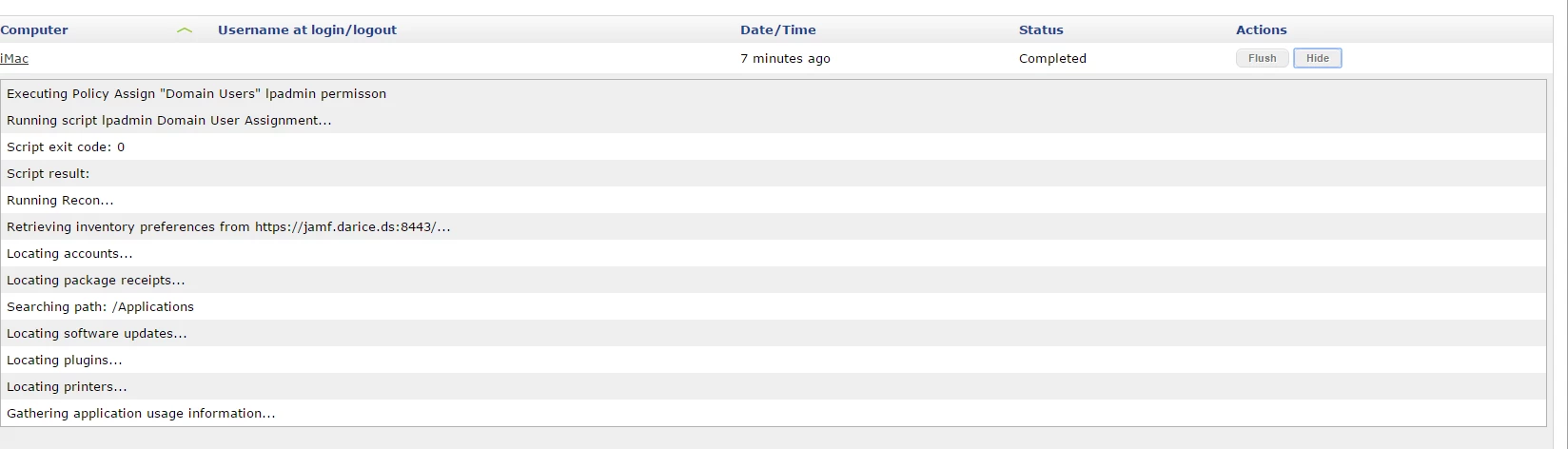
I attempted this via script and it does not appear to work as-well. The script completed but it did not give the account permission to access the printer pane. It still is requiring an admin account (and rejects this account).
I have verified that the user account is not in the lpadmin group.


Forum|alt.badge.img+5
  • New Contributor
  • November 7, 2016

@TylerC when you go to add a printer are you attempting to click the lock icon? If so the aforementioned script does not allow the user to unlock that lock. It does however make the () icon available to the user to add a printer. I've always thought it a bug that the lock remains locked, but the user can click the icon to add a printer. (It also would allow them to add a printer via lpadmin on the command line)


Forum|alt.badge.img+6
  • Author
  • Contributor
  • November 7, 2016

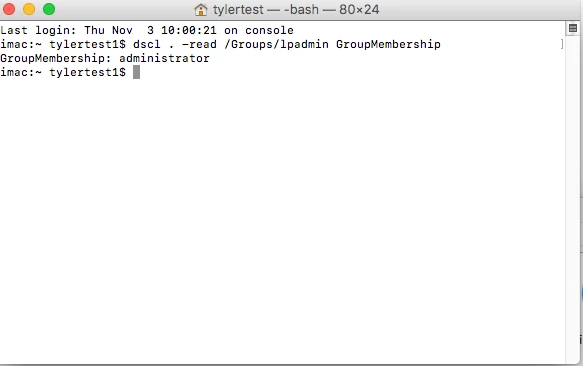
The account is not in the lpamdin group when I issue the dscl . -read /Groups/lpadmin GroupMembership

I did log into the account and it does appear that you are correct. I am able to pause and resume the print queues along with add printers.


Forum|alt.badge.img+11
  • Contributor
  • October 12, 2017

What would be the reverse command to reset the lpadmin group back to the OSX default members?
i.e. take away the printing rights for standard users?

We ran this command.
dseditgroup -o edit -n /Local/Default -a everyone -t group lpadmin
The reverse of the above command: swap everyone for admin
dseditgroup -o edit -n /Local/Default -a admin -t group lpadmin


Forum|alt.badge.img
  • New Contributor
  • February 5, 2020

From a security perspective, is there any issues with adding "everyone" to the lpadmin group? I wanted to deploy this in our environment but our Security team is pushing back because it's adding "everyone". They'd like to see this narrowed down to authenticated users but everything I'm reading on here seems to point to nothing else working except "everyone".


Forum|alt.badge.img+3
  • New Contributor
  • September 11, 2020

This worked for me as for as adding the domain user and "Domain User" group to lpadmin group
dscl . -append /Groups/admin GroupMembership 'DomainDomain user or group'. The issue is the plus sign is still greyed out and the user is not able to add a printer. but when I run "dscl . -read /Groups/lpadmin GroupMembership". the user and domain group is listed.