Question

M1 - Login Window settings ignored.

  • January 27, 2021
  • 5 replies
  • 17 views

Forum|alt.badge.img+3

Good day.

We've started rolling out a few M1's for testing and one of my colleagues mentioned that suddenly it's asking for both username and password whereas usually, you would only populate the password on a single user machine due to the user selection avatar system.

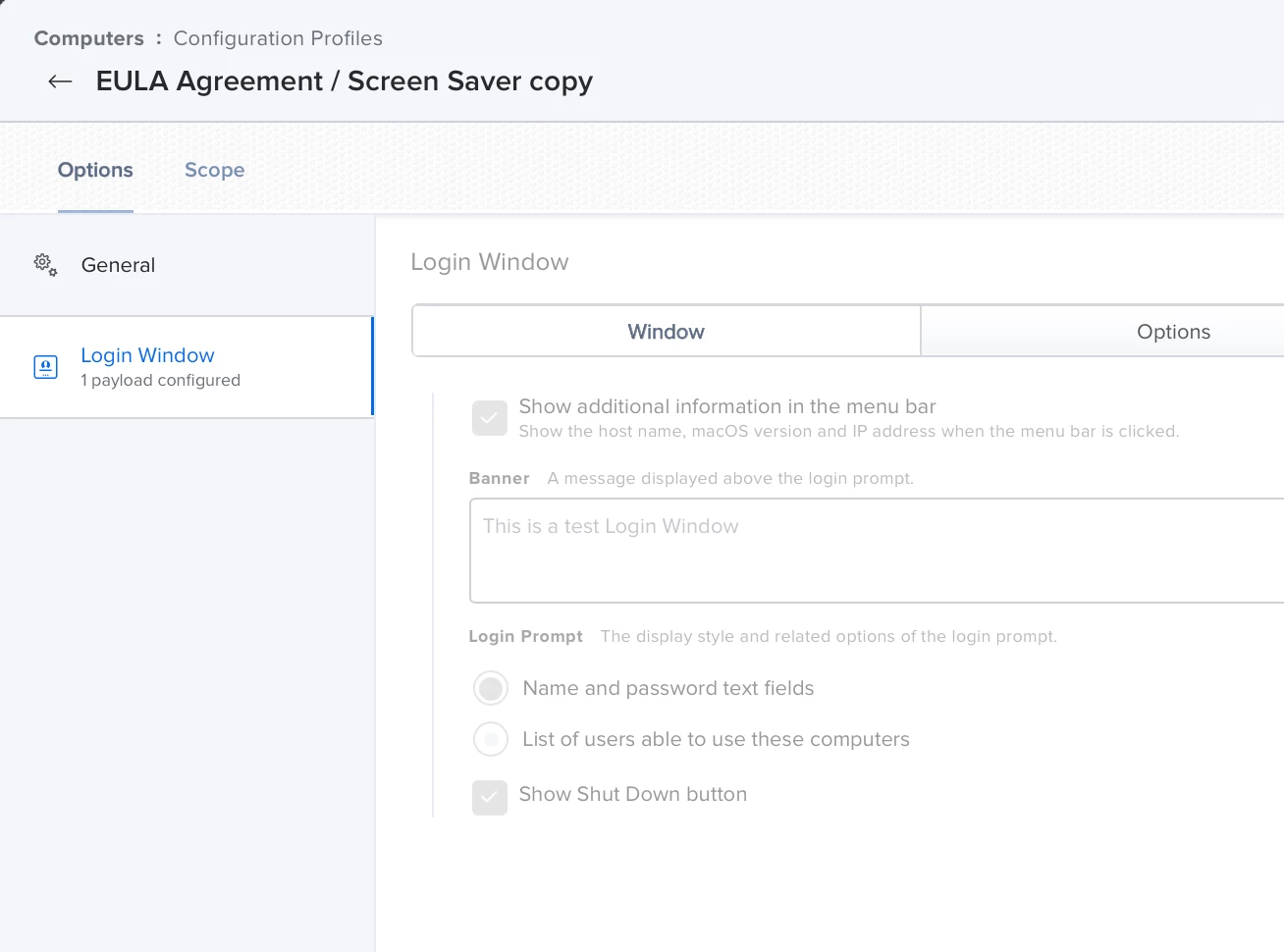
According to our Configuration Profile (attached) it should be showing the list of users as per usual but for some reason the M1's specifically ignore this.
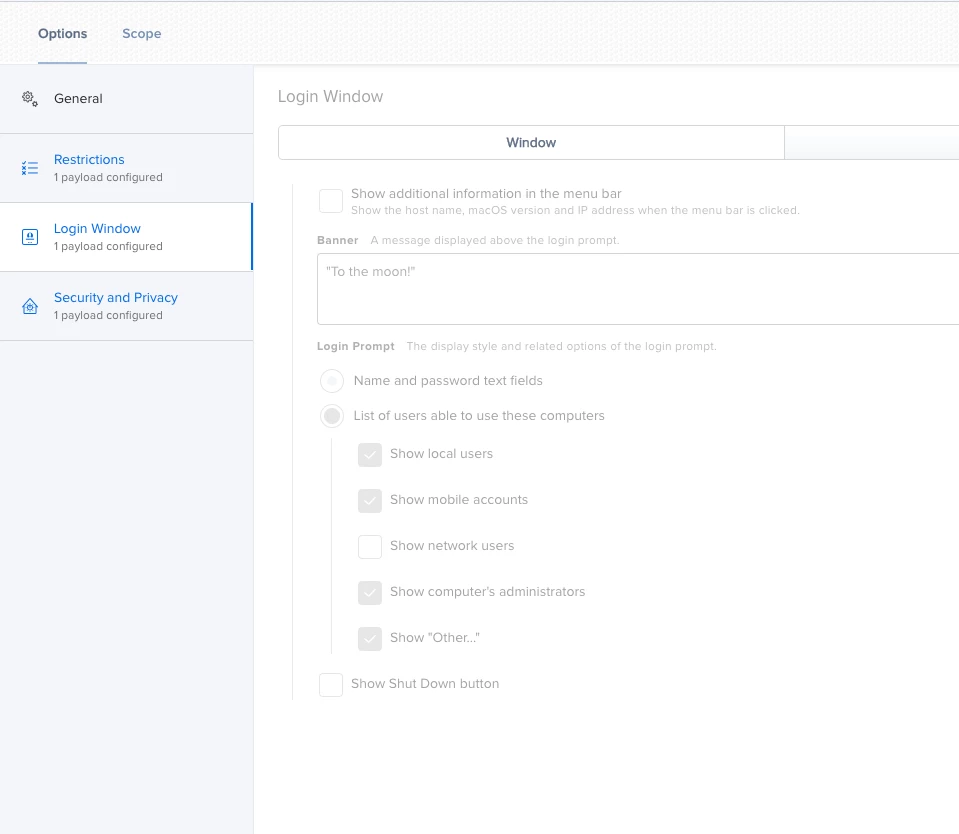
Is this a known problem? Is there a way to fix it manually?

I know it would be security best practise to not unbreak this, but there is a feeling of user confusion happening with such a sudden change.

5 replies

Forum|alt.badge.img+1
  • New Contributor
  • February 4, 2021

We are having the same issue. If I remove the Profile that sets this option. I can then manually change it to show all users in Preferences and that works. But as soon as the profile is added back, it reverts.


Forum|alt.badge.img+2
  • New Contributor
  • March 22, 2021

@Shaun I am having the same issue in our environment. Did you ever get this working?


Forum|alt.badge.img+16
  • Contributor
  • March 22, 2021

Do all of you have multiple payloads in your profile or just one payload with the login window settings? If you do have perhaps strip out those secondary payloads and try it again.


Forum|alt.badge.img+2
  • New Contributor
  • March 22, 2021

@mainelysteve initially I had the Login Window payload in the same config profile with a Security and Privacy one. I just created a brand new config profile with only the Login Window, but unfortunatly have the same issue.


Hugonaut
Forum|alt.badge.img+15
  • Esteemed Contributor
  • February 15, 2022

Experienced this as well, dug deep, did some troubleshooting, reassured myself everything was configured correctly, checked the PIs & wallah, this is a known issue.


ISSUE # PI108728 - PI-004180


DESCRIPTION

Computers incorrectly prompt for the username and password when in the scope of a configuration profile with the Login Window payload configured with List of users able to use these computers enabled on the Window tab and Local-only users may log in disabled on the Access tab.