
Question

Mac HD icon

  • April 17, 2020
  • 5 replies
  • 28 views

Forum|alt.badge.img+3

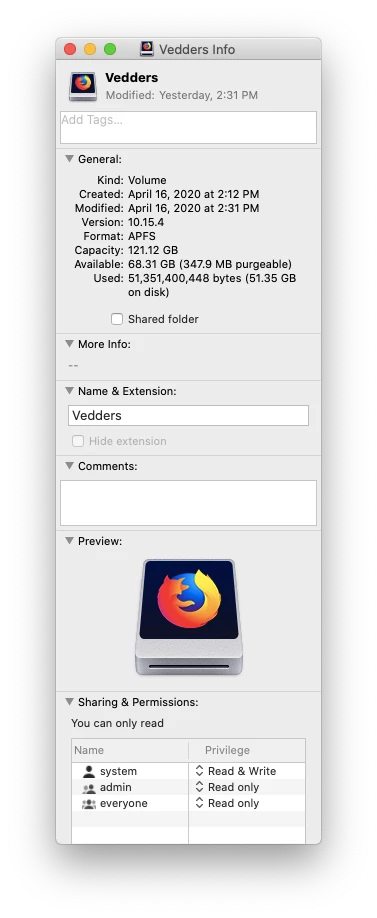
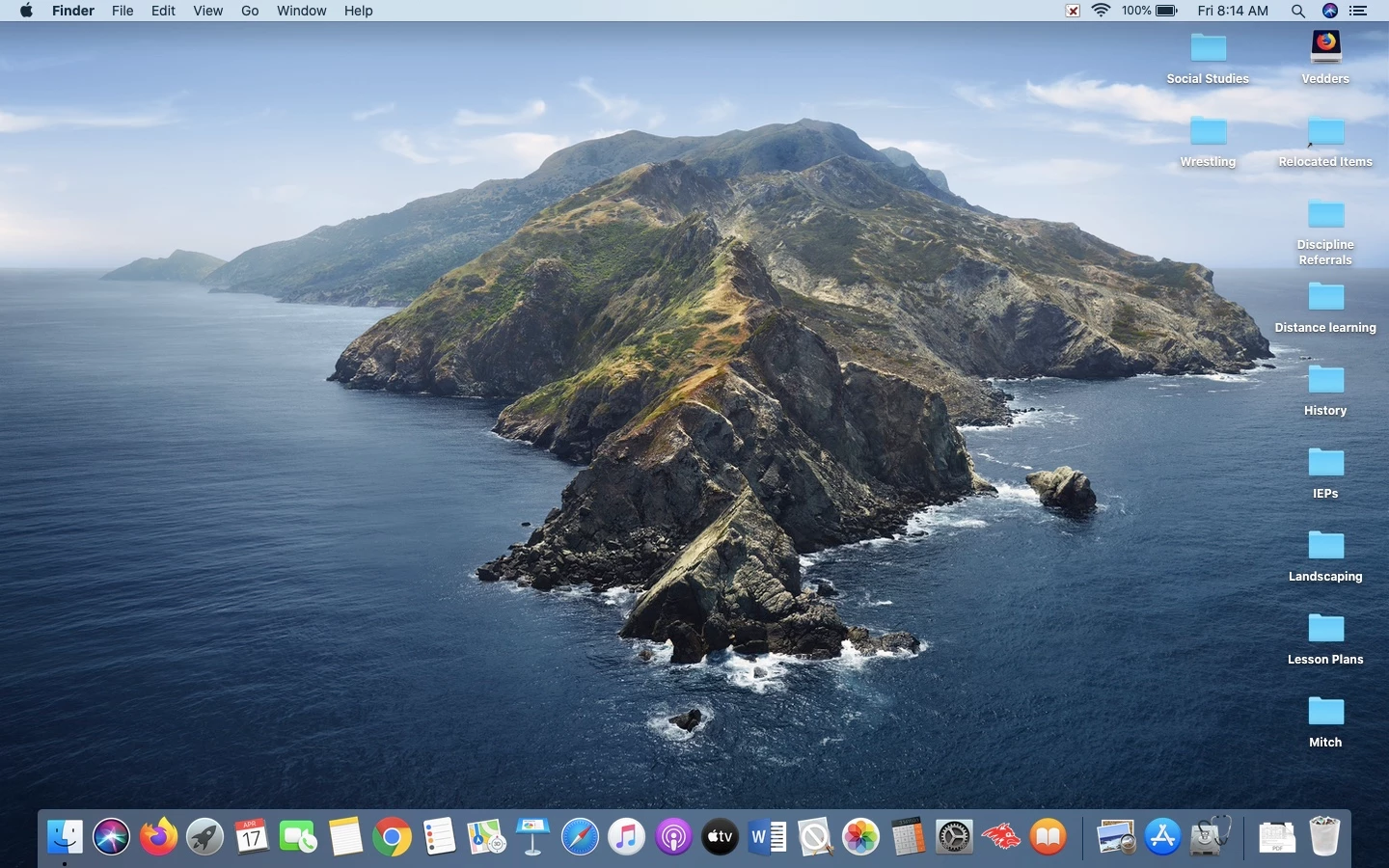
On some our of our staff computers, the HD icon is showing up on the desktop looking like a Firefox or Chrome icon.

Does anyone know why this would be happening or if there's something we're doing wrong?

It doesn't seem to cause any issues but it's throwing people off.

Any help or tips would be appreciated!!
5 replies

Forum|alt.badge.img+3
  • Author
  • New Contributor
  • April 17, 2020

Oops


Forum|alt.badge.img+4
  • New Contributor
  • April 17, 2020

This happened to my Mac on a Catalina update... My Mac HD turned into a Jamf Pro icon.. I assume because those dmgs were mounted when the upgrade took place and somehow confused it.


Forum|alt.badge.img
  • New Contributor
  • April 18, 2020

I always wondered if it was not just me...


Forum|alt.badge.img+2
  • New Contributor
  • March 29, 2021

I've been getting this everything i upgrade from Mojave to Catalina or big sur. I have a java icon, firefox, adobe. Still haven't figured it out


mm2270
Forum|alt.badge.img+24
  • Legendary Contributor
  • March 29, 2021

Did any of you having this issue deploy a straight DMG of any of those programs, like Firefox or Chrome "as is" from the developer without first repackaging them in Composer or another program? Because if so, the icon for the mounted disk image is usually contained at the top level of the DMG as a hidden icns file. If you push the DMG as is, it copies everything in the mounted volume to the root of the hard drive, including perhaps that hidden icon, which could end up changing the icon for the internal drive.

For example, here's what's contained in the mounted disk image for Google Chrome:

ls -al /Volumes/Google Chrome 
total 568
lrwxr-xr-x@ 1 TestAdmin  staff      13 Jan 16 22:37   -> /Applications
drwxr-xr-x@ 8 TestAdmin  staff     272 Jan 16 22:37 .
drwxr-xr-x  5 root       wheel     160 Mar 29 16:58 ..
-rw-r--r--@ 1 TestAdmin  staff    8196 Jan  5 23:52 .DS_Store
-rw-r--r--@ 1 TestAdmin  staff  214666 Jan  5 23:52 .VolumeIcon.icns
drwxr-xr-x@ 3 TestAdmin  staff     102 Jan 16 22:37 .background
-rwxr-xr-x@ 1 TestAdmin  staff   63006 Jan  5 23:49 .keystone_install
drwxr-xr-x@ 3 TestAdmin  staff     102 Jan 16 00:58 Google Chrome.app

As you can see there is a hidden (prefaced with a ".") VolumeIcon.icns file, which is what gives the disk image that custom icon in the Finder. I suspect somehow that icon is being copied to the root of your hard drives and changing the icon for the drive. Again, this could happen if you don't properly repackage the app from the disk image but just try to push the disk image as is.
In fact, if you do the same ls -al command against your hard drive, like ls -al /Volumes/<name of drive here>/ you'll see a .VolumeIcon.icns file, which is actually a symlink to an icon in the /System/Volumes/Data/ path:

lrwxr-xr-x   1 root  admin    36 Nov 30 12:14 .VolumeIcon.icns -> System/Volumes/Data/.VolumeIcon.icns

@goebelamy @djtaylor @jrajan @Jordan_Hare
