Question

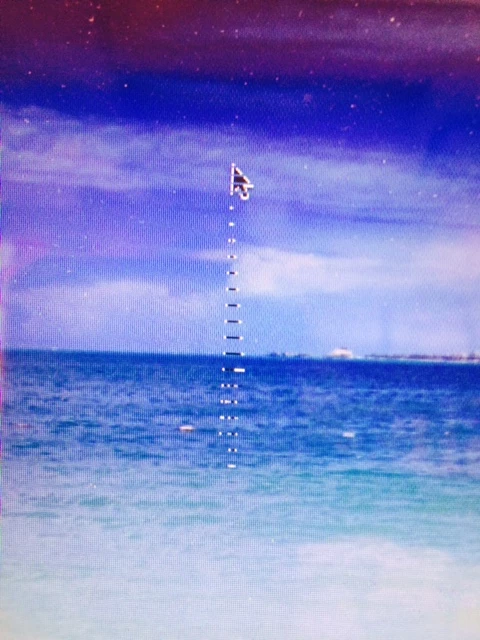
MacBook Pro 13" (2012) Striped Cursor

  • March 19, 2015
  • 9 replies
  • 46 views

Forum|alt.badge.img+10

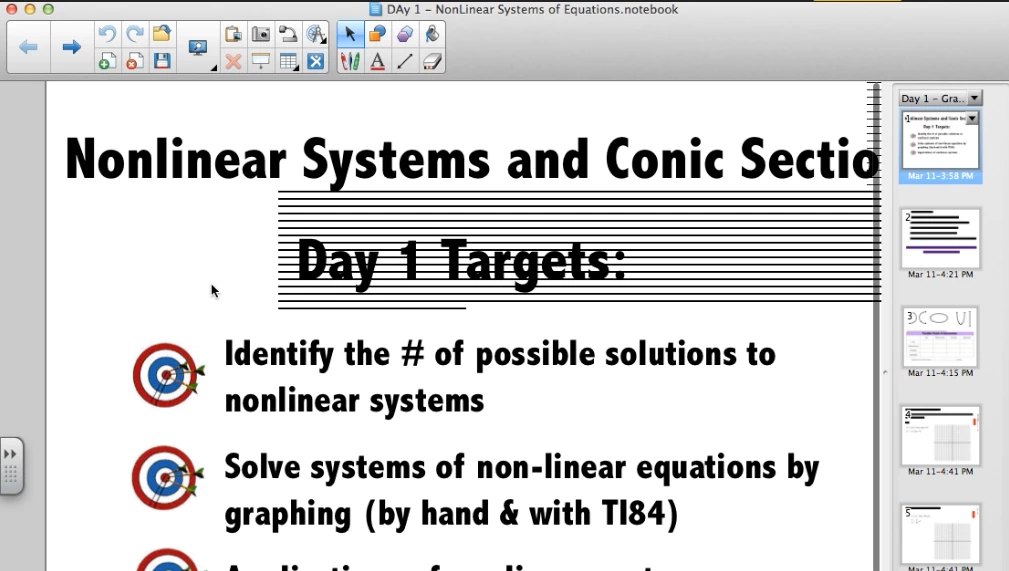
Is anyone else having video issues with their 13" MacBook Pros (2012)? I was excited to see Apple put out a repair notice for MacBook Pros for video issues but it didn't include this model. I've attached an image so you can see what is happening. Apple insisted to me that it was resolved in Yosemite, but even users that have upgraded or done a clean install to Yosemite are still having the problem. Seems like a driver issue that didn't exist on Mountain Lion but showed up with Mavericks and Yosemite.

9 replies

Forum|alt.badge.img+7
  • Contributor
  • March 19, 2015

My personal machine was a 2012 13" Macbook Pro with Yosemite and I never had this issue.


Forum|alt.badge.img+9
  • Contributor
  • March 19, 2015

I've seen this on one 2012 13" MacBook Pro. It was a problem in Mavericks and still in Yosemite. Haven't seen this on any MacBook Airs.


Forum|alt.badge.img+10
  • Author
  • Contributor
  • March 19, 2015

I've only seen it on the 2012 13" MacBook Pros, nothing else as well...

It will clear up for a an undetermined time after a restart. Some people can go weeks without it coming back and some people its back within minutes. I'm not making any headway working with Apple on it unfortunately. Some people get this as well, but usually its just the striped lines around the cursor.


Forum|alt.badge.img+13

We have seen this on 2012 MBPs especially after being plugged into a projector.


Forum|alt.badge.img+7
  • Contributor
  • March 20, 2015

This is a very common issue to see happen at my workplace. What happens is the teacher has used a projector and it did not correctly re-adjust after disconnecting from the dongle. Only way to remedy after this is to restart. I haven't seen any harm done to any of the macs that have done this, besides just an annoyance.


Chris_Hafner
Forum|alt.badge.img+27
  • Jamf Heroes
  • March 20, 2015

YES! as mentioned we've seen this as both a bad TB to VGA adaptor and/or a bad VGA cable!

-Specifically on a Mid2012 MBPro


Forum|alt.badge.img+5
  • Contributor
  • December 1, 2015

This is very common in our district! Resetting the SMC and PRAM doesn't seem to help... or maybe it doesn't only temporarily. We have MBP mid2012s mostly as well. Some MBPs are a little older, but I'm not sure if it's happening with them or not. Some people have told me that it seems to happen after the computer wakes from sleep mode. Most of these laptops do connect to projectors with MiniDisplayPort to VGA adapters though... I can keep an eye out to see if the lines appear after disconnecting.


Chris_Hafner
Forum|alt.badge.img+27
  • Jamf Heroes
  • December 1, 2015

Interesting. That's certainly something new. Well at least, I'm not seeing that at all across several hundred mid 2012 MBPros . We do have some pretty aggressive hibernating going on with them though.


Forum|alt.badge.img+1
  • New Contributor
  • March 28, 2016

Was this ever resolved? IO have the same issue with a Macbook air - symptoms
1. Striped arrow
2. Stripes on Smart Notebook
3. Smart Notebook quitting

Thank you,
James