Question

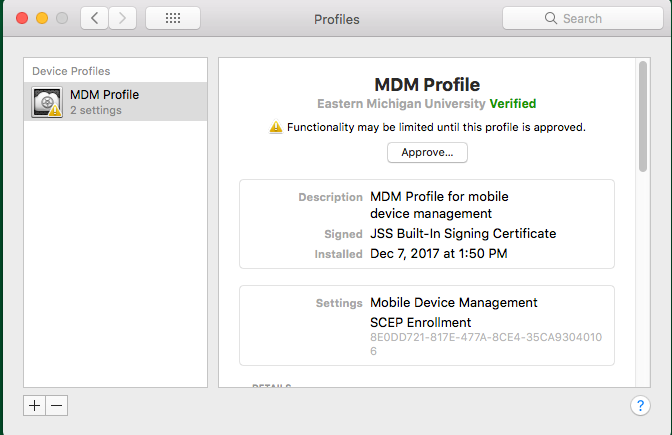
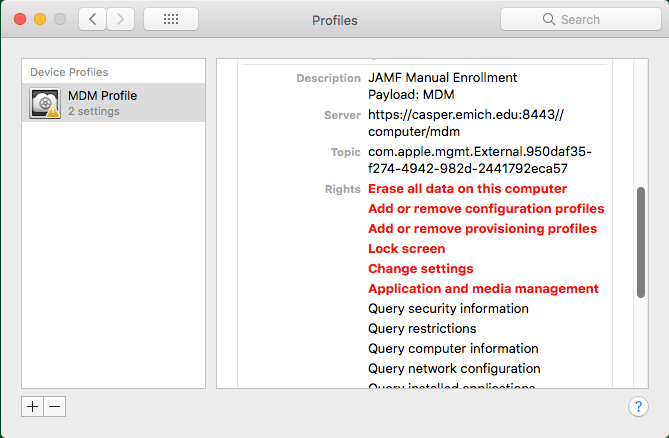
macOS 10.13.2 and "User Approved MDM enrollment"

  • December 11, 2017
  • 52 replies
  • 246 views

Show first post

52 replies

Forum|alt.badge.img+4
  • Contributor
  • April 1, 2024

We have a policy that runs once a day scoped to a smart group "NEEDS MDM user approval" (Advanced criteria "User Approved MDM" is "No" )

It runs the following script:

#!/bin/sh

User=`python -c 'from SystemConfiguration import SCDynamicStoreCopyConsoleUser; import sys; username = (SCDynamicStoreCopyConsoleUser(None, None, None) or [None])[0]; username = [username,""][username in [u"loginwindow", None, u""]]; sys.stdout.write(username + "
");'`

jamfHelper="/Library/Application Support/JAMF/bin/jamfHelper.app/Contents/MacOS/jamfHelper"
icon="/System/Library/CoreServices/CoreTypes.bundle/Contents/Resources/AlertCautionIcon.icns"
description="Please approve the profile: MDM Profile"

# Open Profiles in System Preferences
open /System/Library/PreferencePanes/Profiles.prefPane

# Display JamfHelper dialog (as user to avoid errors)
Dialog=$(/bin/launchctl asuser $(id -u $User) sudo -u $(ls -l /dev/console | awk '{print $3}') "$jamfHelper" -windowType hud -icon "$icon" 
-title "IT department" -heading "APPROVE MDM" -description "$description" -button1 "OK" -defaultButton "1" -lockHUD )

sleep 60; # Wait for possible approval

# Do a recon only if user has approved the MDM
profiles status -type enrollment | grep "Approved" >/dev/null 2>&1 && jamf recon

exit

How could you create a smart group based on script's answer?


Forum|alt.badge.img+12
  • Valued Contributor
  • April 1, 2024

How could you create a smart group based on script's answer?


If the script runs as part of an extension attribute, the output of the script can be saved in the inventory record.