Solved

macOS Catalina Grant Full Disk Access - Sophos Endpoint

  • November 27, 2019
  • 11 replies
  • 65 views

Forum|alt.badge.img+4

Has anyone managed to get this working?

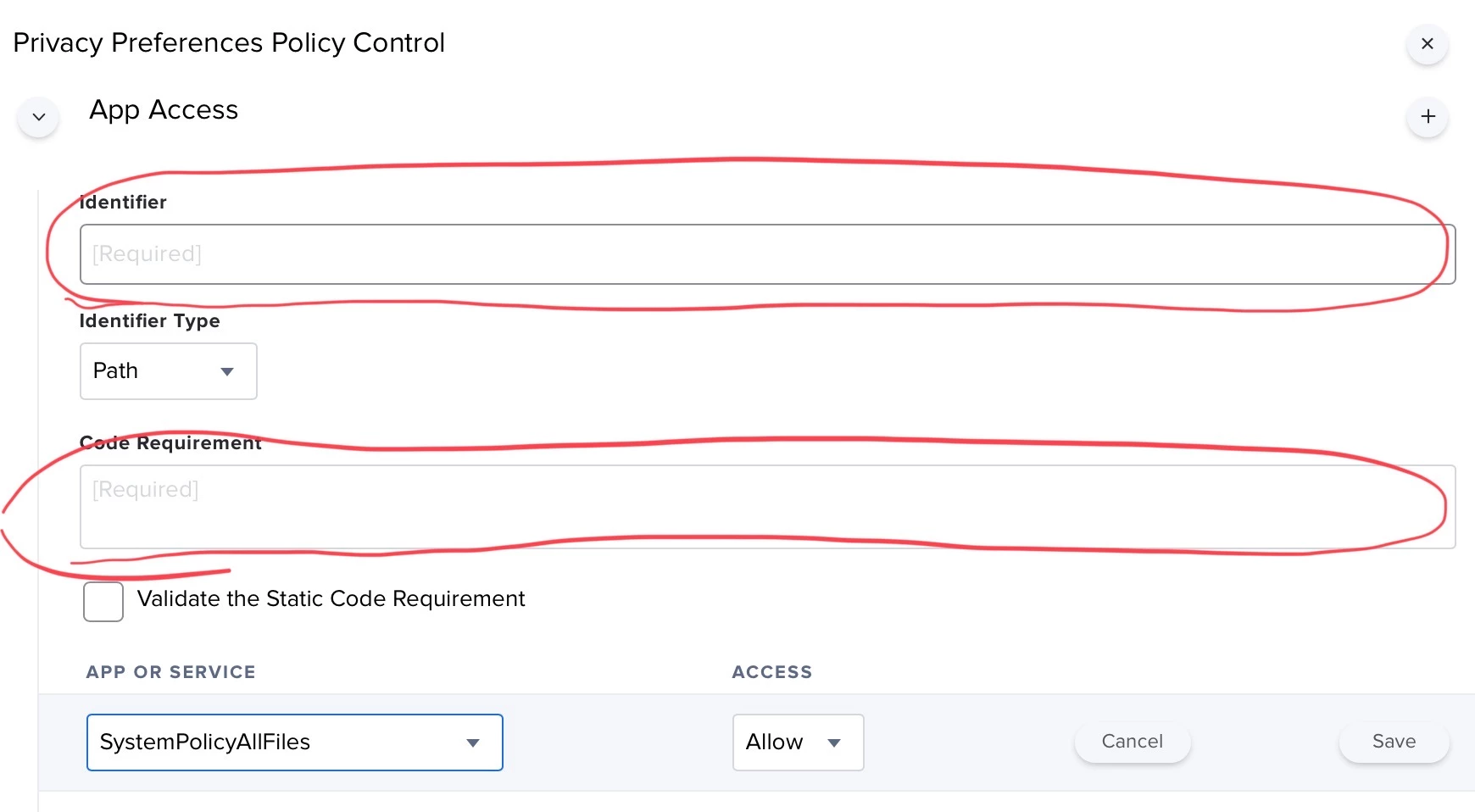
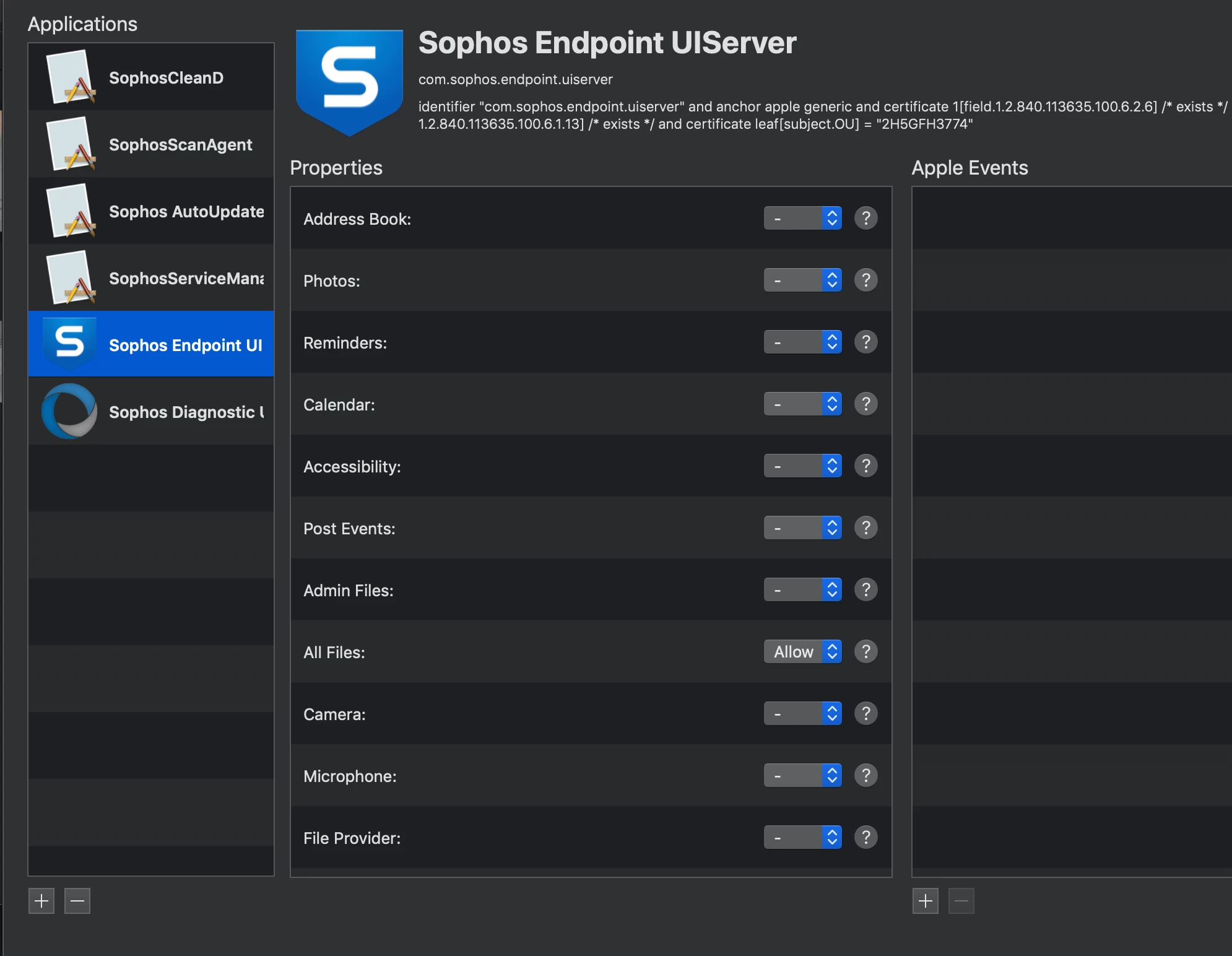
I used PPPC Utility to make the Profile as per the KBs below on Sophos website:

https://community.sophos.com/kb/en-us/134552
https://community.sophos.com/kb/en-us/134686

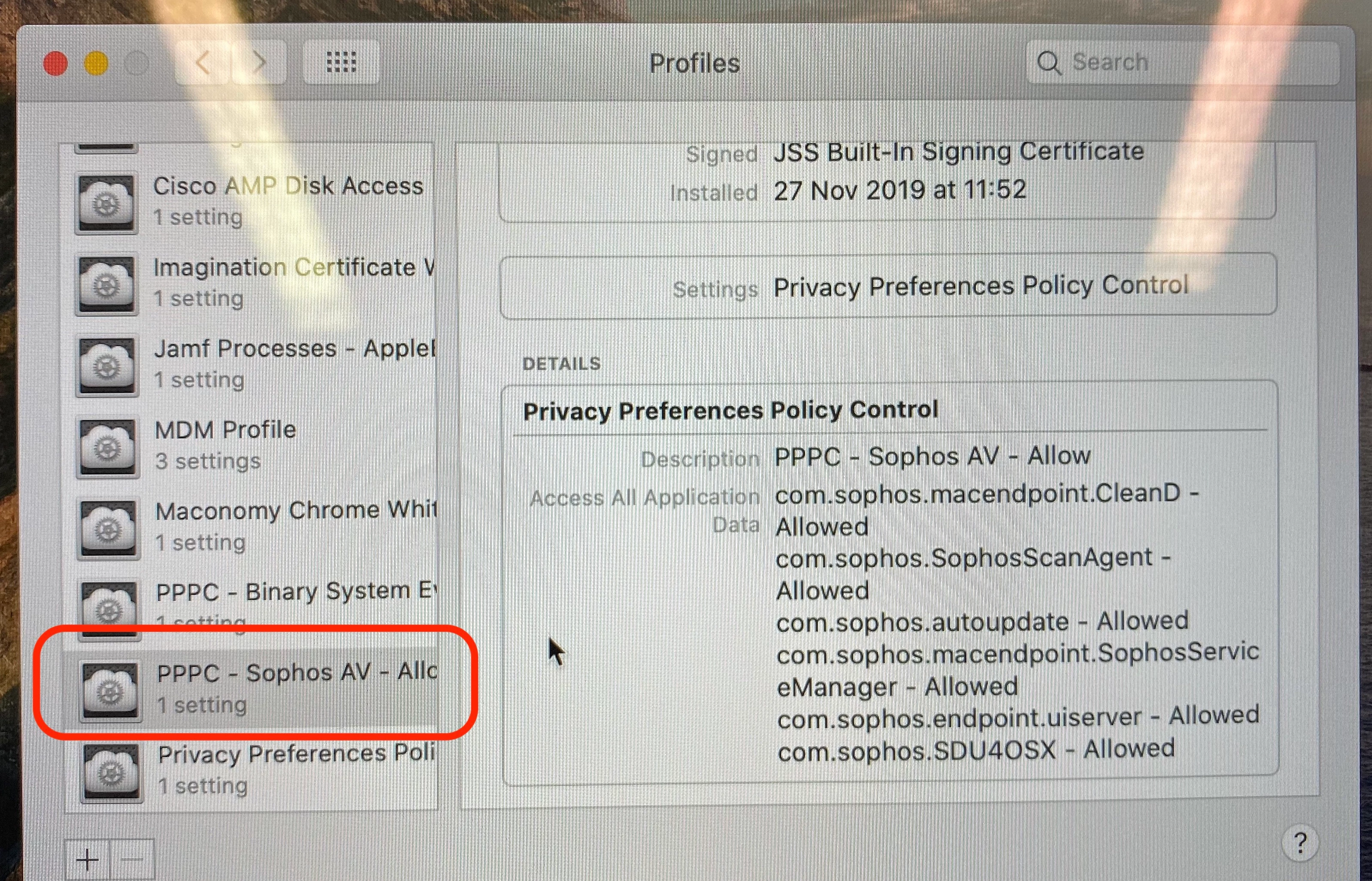
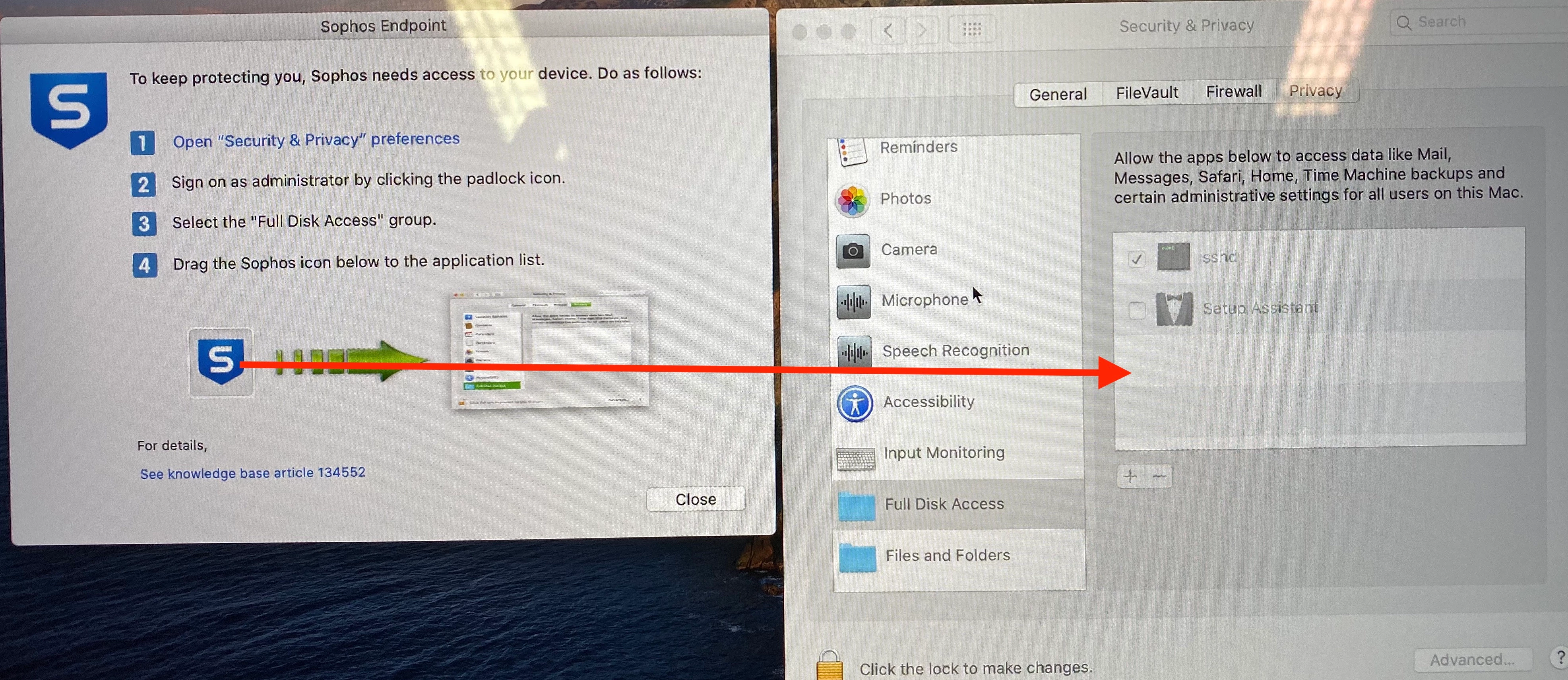
The policy successfully deploys to scoped machines but I still get the alert to grant Full Disk Access

Sophos is not automatically granted Full Disk Access in Security & Privacy

What am I doing wrong?

Best answer by chrisbju

Are you running SEC On-Prem? We had issues with this in version 9.9.5 and they admitted there was something wrong with the check for prompting full disk access, and pushed us to 9.9.6.

After 9.9.6 we dont see any Pop-ups. Talk to your Sophos Rep to get 9.9.6.

Here are our settings.
com.sophos.SophosScanAgent
identifier "com.sophos.SophosScanAgent" and anchor apple generic and certificate 1[field.1.2.840.113635.100.6.2.6] / exists / and certificate leaf[field.1.2.840.113635.100.6.1.13] / exists / and certificate leaf[subject.OU] = "2H5GFH3774"

SystemPolicyAllFiles - Allow

com.sophos.macendpoint.CleanD
identifier "com.sophos.macendpoint.CleanD" and anchor apple generic and certificate 1[field.1.2.840.113635.100.6.2.6] / exists / and certificate leaf[field.1.2.840.113635.100.6.1.13] / exists / and certificate leaf[subject.OU] = "2H5GFH3774"

SystemPolicyAllFiles - Allow

com.sophos.macendpoint.SophosServiceManager
identifier "com.sophos.macendpoint.SophosServiceManager" and anchor apple generic and certificate 1[field.1.2.840.113635.100.6.2.6] / exists / and certificate leaf[field.1.2.840.113635.100.6.1.13] / exists / and certificate leaf[subject.OU] = "2H5GFH3774"

SystemPolicyAllFiles - Allow
com.sophos.SDU4OSX
identifier "com.sophos.SDU4OSX" and anchor apple generic and certificate 1[field.1.2.840.113635.100.6.2.6] / exists / and certificate leaf[field.1.2.840.113635.100.6.1.13] / exists / and certificate leaf[subject.OU] = "2H5GFH3774"

SystemPolicyAllFiles - Allow
com.sophos.autoupdate
identifier "com.sophos.autoupdate" and anchor apple generic and certificate 1[field.1.2.840.113635.100.6.2.6] / exists / and certificate leaf[field.1.2.840.113635.100.6.1.13] / exists / and certificate leaf[subject.OU] = "2H5GFH3774"

SystemPolicyAllFiles - Allow
11 replies

Forum|alt.badge.img+8
  • Contributor
  • Answer
  • November 27, 2019

Are you running SEC On-Prem? We had issues with this in version 9.9.5 and they admitted there was something wrong with the check for prompting full disk access, and pushed us to 9.9.6.

After 9.9.6 we dont see any Pop-ups. Talk to your Sophos Rep to get 9.9.6.

Here are our settings.
com.sophos.SophosScanAgent
identifier "com.sophos.SophosScanAgent" and anchor apple generic and certificate 1[field.1.2.840.113635.100.6.2.6] / exists / and certificate leaf[field.1.2.840.113635.100.6.1.13] / exists / and certificate leaf[subject.OU] = "2H5GFH3774"

SystemPolicyAllFiles - Allow

com.sophos.macendpoint.CleanD
identifier "com.sophos.macendpoint.CleanD" and anchor apple generic and certificate 1[field.1.2.840.113635.100.6.2.6] / exists / and certificate leaf[field.1.2.840.113635.100.6.1.13] / exists / and certificate leaf[subject.OU] = "2H5GFH3774"

SystemPolicyAllFiles - Allow

com.sophos.macendpoint.SophosServiceManager
identifier "com.sophos.macendpoint.SophosServiceManager" and anchor apple generic and certificate 1[field.1.2.840.113635.100.6.2.6] / exists / and certificate leaf[field.1.2.840.113635.100.6.1.13] / exists / and certificate leaf[subject.OU] = "2H5GFH3774"

SystemPolicyAllFiles - Allow

com.sophos.SDU4OSX
identifier "com.sophos.SDU4OSX" and anchor apple generic and certificate 1[field.1.2.840.113635.100.6.2.6] / exists / and certificate leaf[field.1.2.840.113635.100.6.1.13] / exists / and certificate leaf[subject.OU] = "2H5GFH3774"

SystemPolicyAllFiles - Allow
com.sophos.autoupdate
identifier "com.sophos.autoupdate" and anchor apple generic and certificate 1[field.1.2.840.113635.100.6.2.6] / exists / and certificate leaf[field.1.2.840.113635.100.6.1.13] / exists / and certificate leaf[subject.OU] = "2H5GFH3774"

SystemPolicyAllFiles - Allow


Forum|alt.badge.img+5
  • Contributor
  • November 27, 2019

This is a known issue apparently, we're seeing it too. See this: https://community.sophos.com/kb/en-us/134833


Forum|alt.badge.img+4
  • Author
  • Contributor
  • December 2, 2019

Thanks I am on 9.95. I'm going to get 9.9.6 and then I'll update this post.


Forum|alt.badge.img+5
  • New Contributor
  • December 6, 2019

Still seeing this in 9.9.6 on cloud.


Forum|alt.badge.img+5
  • New Contributor
  • December 9, 2019

https://community.sophos.com/kb/en-us/134686

this fixed it for me


Forum|alt.badge.img+9
  • Contributor
  • February 5, 2020

Just installed 9.97. Still seeing this prompt even after following their instructions for PPPC profile. Neither of the KB articles above are valid any longer.


Forum|alt.badge.img+1


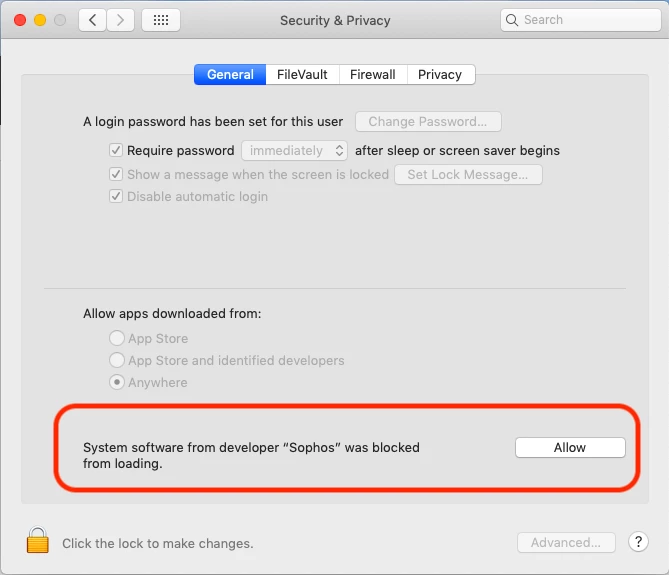
I think I have tried every trick from Jamf Nation/Sophos, I still get that I need to "allow" in from Security & Privacy. Is there a way to allow this without user intervention?
Thanks!


Forum|alt.badge.img+8
  • Contributor
  • March 4, 2020

@Veronica.Lozano - That looks like kext approval required - Which fortunately does seem to work at the moment, not that it helps if you get more prompts from PPPC


Forum|alt.badge.img+5
  • Contributor
  • March 4, 2020

@Veronica.Lozano this is not a PPPC setting, it's the KEXT issue. See here: https://www.jamf.com/jamf-nation/discussions/30534/approved-kernel-extensions-still-asking-to-be-allowed


Forum|alt.badge.img+1

The solution posted by chrisbju works for me too:
From PPPc settings "Allow" SystemPolicyAllFiles for this:
SophosCleanD.app
SophosServiceManager.app
SophosDiagnosticUtility.app
SophosScanAgent.app
SophosEndpointUIServer.app

Take note: check "path" from ID setting. and not "bundle"


rcole
Forum|alt.badge.img+7
  • New Contributor
  • April 8, 2020

Hi @MichelTarantola thanks for this info. Would you mind sharing what path(s) are you using in the code requirement and what are you using as the identifier for each app (SophosCleanD.app
SophosServiceManager.app
SophosDiagnosticUtility.app
SophosScanAgent.app
SophosEndpointUIServer.app)


?